
Mobile Driver’s License Verification in 2026
How mDLs Work, Where They’re Used, and Why They Matter for Digital Identity

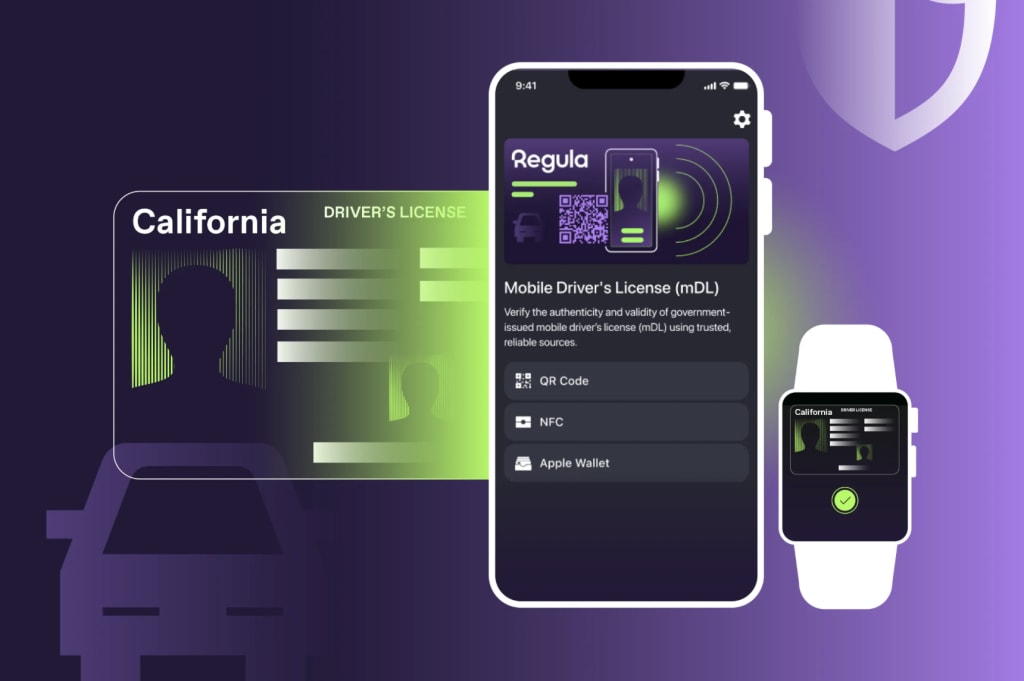
As digital identity technologies evolve, mobile driver’s license verification is emerging as a practical and secure way to confirm identity in both physical and digital environments. Mobile driver’s licenses (mDLs) represent a shift away from plastic cards toward cryptographically protected credentials stored on smartphones — combining convenience for users with stronger security for businesses and authorities.
Unlike traditional visual checks, mobile driver’s license verification enables automated, standards-based validation of identity data, making it especially relevant for airports, mobile apps, age-restricted services, and remote onboarding scenarios. As adoption accelerates, understanding how mDL verification works, and where it fits into modern identity workflows is becoming essential.
What Is a Mobile Driver’s License (mDL)?
A mobile driver’s license (mDL) is a digital version of a state-issued driver’s license that lives on a user’s smartphone or other mobile device. Unlike a simple photo of a physical license, a true mDL is a cryptographically verifiable credential, meaning its authenticity and integrity can be checked by automated systems.
mDLs rely on secure storage within the device (such as Apple’s Secure Enclave or Android’s Trusted Execution Environment) and use public key cryptography, which makes them far more secure against tampering, forgery, or cloning than physical cards.
This digital format also enables selective disclosure, where users share only the specific data elements that a verifier needs, such as confirming age without revealing a home address.
How mDL Verification Works
The process of verifying an mDL can be broken into a few key steps:
1. Engagement
The user’s device engages with a verifier’s system, typically through Bluetooth Low Energy (BLE) or NFC, or by scanning a QR code displayed on a reader. This initiates a secure session without exposing the credential data upfront.
2. Selective Data Request
Once connected, the verifier requests only the specific data needed for a particular check, for example, age, name, or license privileges. Users must consent to share this data from their device.
3. Cryptographic Validation
The verifier uses cryptographic signatures and trust anchors to confirm that the mDL was issued by a legitimate authority and hasn’t been altered. This makes it fundamentally more reliable than visual inspection of a plastic card.
4. Result Packaging
After validation, the verifier receives normalized data and status flags (such as whether age requirements are met), which can be used by backend systems or frontline staff to make decisions.
This workflow is supported by international standards like ISO/IEC 18013-5, which define how proximity and online mDL presentations work to ensure interoperability and security.
Where Mobile Driver’s Licenses Are Being Used Now
mDL adoption is already underway in several countries, with the United States often cited as the most advanced ecosystem.
United States
As of early 2026, more than 20 U.S. states plus Puerto Rico have active mobile driver’s license programs accepted at Transportation Security Administration (TSA) checkpoints and other verification points. Adoption continues to grow as more states integrate mDL issuance directly into their transportation authority systems or into digital wallets like Apple Wallet and Google Wallet.
International Examples
Beyond the U.S., countries including Denmark, New Zealand, and Austria are experimenting with mobile driver’s license implementations, either through national apps or regional digital identity solutions. These systems vary in how they use standards and verification flows, but all point toward a future where physical cards are optional rather than required.
Benefits of Mobile Driver’s License Verification
mDLs promise several advantages over physical credentials and basic digital images:
Enhanced Security
Strong cryptographic protections make mobile driver’s licenses far harder to forge or tamper with than plastic cards or scanned images.
Privacy-first Sharing
Selective disclosure means users can prove attributes, such as over-21 status without revealing unnecessary personal details like full birthdate or address.
Convenience
Since most people always carry their smartphones, mDLs reduce the risk of lost or forgotten physical IDs. This improves user experience across contexts like age-restricted purchases, rideshare pickups, or airport security.
Flexible Presentation
mDLs can be used both in face-to-face scenarios (via BLE/NFC) and online (through secure digital workflows), making them suitable for both physical and remote identity checks.
Challenges and Considerations
Despite the clear benefits, mobile driver’s license adoption also faces challenges:
- Infrastructure readiness: Not all verifiers have systems compatible with mDL protocols, especially outside major urban areas or high-security checkpoints.
- Standard adoption: While ISO/IEC 18013-5 provides a strong framework, variation in implementation can complicate cross-jurisdiction interoperability.
- User trust and privacy concerns: Mobile IDs raise new questions around where and how user data is stored, accessed, and protected.
The Future of Identity Verification
Mobile driver’s licenses are shaping up to be a key component of the broader digital identity ecosystem. As more states and countries adopt standardized mDL implementations and as verifiers upgrade their infrastructure to accept them, mDLs could become a mainstream method of proving identity in both physical and online environments.
Their ability to combine strong security, privacy controls, and user convenience makes mobile driver’s licenses a compelling alternative, and in some cases superior option compared to traditional physical IDs.
About the Creator
Regula Forensics
Regula is a global developer of forensic devices and identity verification solutions.
Follow https://regulaforensics.com
Keep reading
More stories from Regula Forensics and writers in Education and other communities.
Automated KYC: A Critical Shield Against Identity Fraud and Compliance Risks
Identity fraud is escalating at an alarming pace, particularly in the financial sector. To counter this, Know Your Customer (KYC) protocols are becoming a non-negotiable component of risk management and compliance. According to a global survey conducted by Regula and Sapio Research, 25% of banks reported over 100 identity fraud incidents in the past year, with median losses exceeding $310,000.
By Regula Forensics10 months ago in Education
What Is the Fastest Way to Start a Global Career After A/Ls?
A-level examinations mark a turning point where education choices begin shaping long-term career outcomes. For students aiming to work internationally, the decisions made immediately after A/Ls can determine whether they enter the global job market within a few years or spend much longer following conventional routes. Today, faster and more flexible pathways exist for those who plan strategically from the start.
By ameliarosanna2 days ago in Education
What Causes the Rotten Egg Smell in Your Water?
This gas forms when sulfate-reducing bacteria interact with the magnesium or aluminum anode rod inside your water heater. The anode rod is a critical component designed to prevent tank corrosion by attracting corrosive elements in the water.
By Andrei Kasper7 days ago in Education


Comments
There are no comments for this story
Be the first to respond and start the conversation.