
Master Azure Identity with AZ-104: Azure Training in Bangalore
How an Azure Course in Bangalore Helped Me Understand Users & Groups
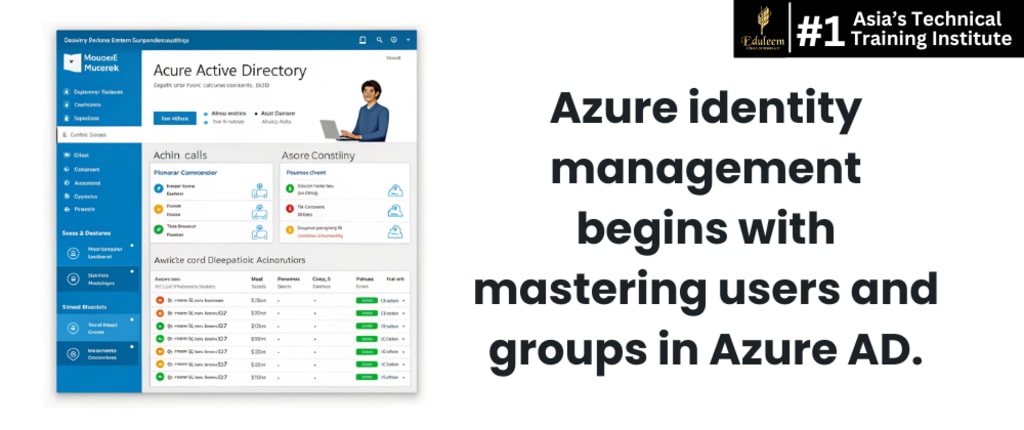
When I enrolled in an Azure training institute in Bangalore, my goal was clear: earn the AZ-104 Microsoft Azure Administrator certification. But what I didn’t expect was how pivotal Identity and Access Management (IAM) would be—not just for the exam, but for real-world scenarios.
My story is about the moment it all clicked for me—how understanding users and groups in Azure Active Directory (Azure AD) became the foundation of everything I built in Azure.
Day One: Azure Active Directory Was Just a Name
On my first day, our trainer introduced Azure AD. I’d used local directories before, but the cloud version? It felt abstract.
“Azure AD is your gateway to managing users, groups, and roles in the Microsoft cloud ecosystem,” our instructor said.
We started with the basics of identity:
- Users: Individual identities—employees, partners, or service accounts.
- Groups: A collection of users, simplifying role assignment and policy application.
- Roles: Define what actions users/groups can perform in Azure.
Creating My First User in Azure
Here’s how I created my first user in the Azure Portal:
- Navigate to Azure Active Directory > Users > New User
- Enter user details (Name, User Principal Name, Password)
- Assign usage location and groups (if needed)
This task seemed simple—but it helped me understand how identity ties into everything else: security, permissions, billing, and even compliance.
Understanding Groups: Why They Matter
Imagine having 50 users in the "Marketing" team. Assigning the same access individually? A nightmare.
With groups, we could:
- Add all marketing users to a single group
- Assign that group access to specific Azure resources
- Apply conditional access policies at the group level
We practiced using two group types:
- Security Groups: Used to manage member and computer access to shared resources.
- Microsoft 365 Groups: Used for collaboration (email, files, Teams).
🔐 Real Example from Our Project:
Our batch was tasked with setting up a resource group for the dev team. Instead of assigning access individually, we:
- Created a group named DevTeam
- Added three user accounts to it
- Assigned Contributor role to the group for that resource group
This exercise made me realize just how powerful identity is in streamlining access control.
Role-Based Access Control (RBAC): The Perfect Partner
You can’t learn users and groups without diving into RBAC.
In Azure, RBAC + Groups = Simplified and Secure Access.
We assigned roles like
- Reader: View only
- Contributor: Create and manage
- Owner: Full control
And all of it was controlled through group membership.
This structure is scalable. As the team grows, we only add users to the right group—access is managed automatically. No need to touch every role assignment again.
What AZ-104 Taught Me About Real-World Azure Admin Work
Preparing for the AZ-104 certification was more than passing an exam. It was about gaining confidence in real-world scenarios:
- Onboarding new users quickly
- Managing permissions at scale
- Auditing access for compliance
- Securing workloads using identity best practices
It’s no exaggeration to say that everything in Azure begins with identity. Without mastering users and groups, your Azure architecture remains vulnerable and inefficient.
Why Identity Should Be Your First Lesson in Azure
Here’s what I learned:
- Identity controls access. Poor management leads to data breaches.
- Groups simplify complexity—one change updates access for everyone.
- Azure AD is cloud-native, integrated with Microsoft 365 and security tools.
- Every Azure admin must master IAM policies, roles, and groups.
Structured training from a leading institute like Eduleem School of Cloud and AI helped me build this clarity. Real labs, live scenarios, and exam simulations made it more than just theory—it became muscle memory.
Identity is the backbone of cloud infrastructure. If you're planning to prepare for AZ-104, make sure you start with Azure AD and understand how to manage users and groups effectively.
Are you exploring the Azure course in Bangalore to kickstart your cloud career?
Have you faced challenges managing Azure identities or permissions?
Share your experience or questions in the comments. Let’s build the Azure cloud the smart way—together.
About the Creator
Keep reading
More stories from Ayaaz Ghalib Mohammad and writers in Education and other communities.
Master Git with Jenkins & Maven in DevOps Training in Bangalore
How I Cracked Git Branching and Jenkins Integration in DevOps Six months ago, I barely knew what DevOps really meant. Today, I confidently manage Git branches, trigger Jenkins pipelines, and automate builds using Maven. The turning point? A hands-on DevOps course in Bangalore that broke down the concepts and let me build real CI/CD pipelines.
By Ayaaz Ghalib Mohammad8 months ago in Education
Breaking Down Private and Commercial Pilot Licenses
Taking flight is more than just a thrill; it can be a lifestyle or a full-fledged career. But before you can soar through the skies, you need to earn the appropriate pilot license. Two of the most common paths for aspiring aviators are the private pilot license (PPL) and the commercial pilot license (CPL). While both enable you to fly aircraft, they serve very different purposes and require varying levels of commitment. If you're deciding between the two, understanding the distinctions can help you make the right choice for your future in aviation.
By Jett Harris of Arkansasabout 18 hours ago in Education



Comments (1)
I can relate to your experience. When I first delved into cloud stuff, I struggled with Azure AD too. Creating that first user was a big step. Understanding groups made things so much easier. How did you handle permissions for different types of groups in your project? And did you find any gotchas when working with conditional access policies?