
How to Use SPSS for Data Analysis & Interpretation in Researches?
In conclusion, with the help of the given points, you can easily gain expertise in SPSS software.

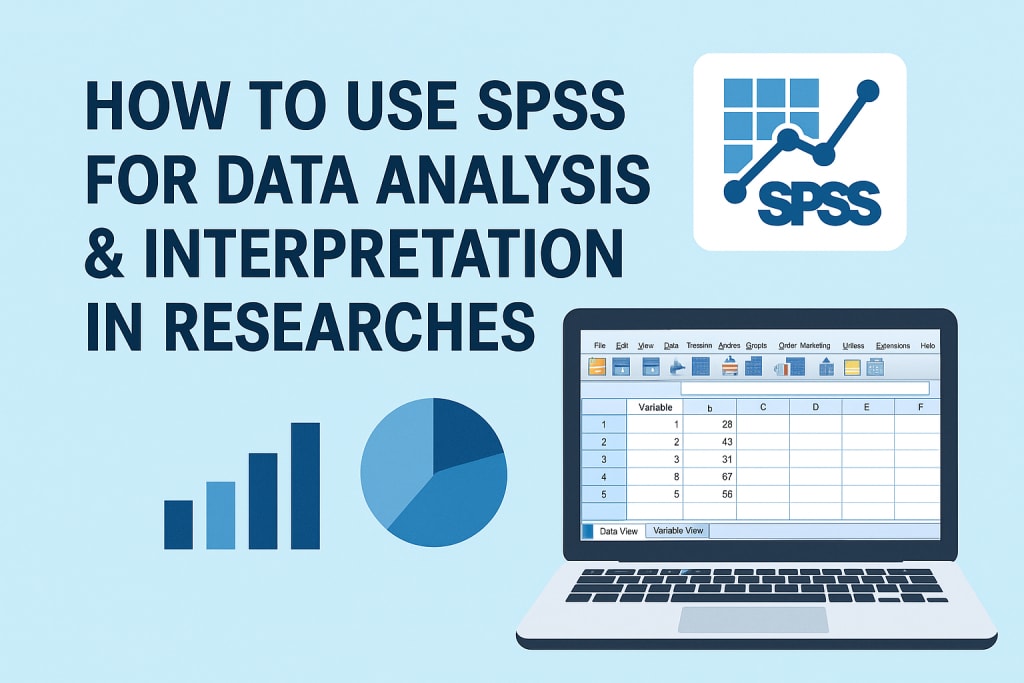
SPSS stands for Statistical Package for the Social Sciences. It is a popular software to analyse data for researches. This tool is mainly for social studies research, but it can also analyse data and do the research in other fields. The academic field uses this software to train students in marketing research techniques. Thus, it is a user-friendly interface that is accessible for every field. So that from students to experts, everyone can take advantage of this tool.
In academics, teachers allocated SPSS assignments so that students could gain knowledge in statistical analysis. Hence, this will help them in future if they choose to be in marketing and health research departments. Also, with the knowledge of SPSS, you can easily develop business intelligence. If you want to select one of these fields, then build knowledge by doing projects on SPSS, such as assignments. If you have any confusion regarding this tool and its working, seek SPSS assignment help.
Why Data Analysis is Important in SPSS Statistics?
SPSS software plays a crucial part in data analysis as it can process a vast amount of data. It creates a visual representation with the help of charts and graphs, making it easy to understand the pattern and trends. Thus, data analysis methods are used in social science, business and other fields for research and decision-making. It can be numeric data, which includes mean, mode, median, or it can be of characters. These methods are descriptive, focusing on detailed descriptions of the data.
Data Preparation
Data preparation is the first step in data analysis, define your research questions and prepare your data sets. Thus, also try to organise the data with the help of rows and columns so the statements and variables have their particular places. It helps to analyse it specifically when you specify the type of each variable you are choosing in your data; it can be numerical or categorical. Last but not least, clean the pending data before you start a new SPSS project by checking for missing values and outliers.
Importing Data into SPSS
To import the data from your system, you have to follow the steps below:-
1.To start the project, first, you have to open the SPSS application.
2.When the tool is open, then import the selected data file with these steps: Go to File > Open > Data and then you can select your data file, for example, Excel, CSV.
3.Check if SPSS correctly identifies your data, especially if you have a variable name in the first row.
Choosing the Right Analysis
To choose the appropriate analysis, select the method through which you are going to analyse your data. Thus, it can be descriptive statistics, t-tests, or regression. After that, specifying the variables you want to analyse is one of the main points to generate an output. When you assign the variable, the next step is to run your analysis, don't forget to put them in particular rows. Then it will generate your output using tables, charts and statistics.
Interpreting the Outputs
When the SPSS tool generates your output, try to understand by looking at the patterns and trends. With the help of this, you can analyse the significance of the variables and many notable patterns. Based on the interpretation, draw your conclusion on the questions that occurred at the time of analysis. Thus, when you analyse the results clearly through charts and graphs, you can find the variables if they're giving errors.
What are the Methods of Data Analysis in SPSS
Data analysis methodologies have several types: qualitative, quantitative, descriptive, prescriptive, and predictive. They all sound similar, but their works are different. However, this is not the option; try to study, and if it seems challenging to solve, then seek assistance from the experts who have expertise in SSPS software.
In terms of academics, these analysis methods are also essential in dissertations and essays. It will draw meaningful conclusions with the help of qualitative or quantitative data analysis methods. When students are unable to analyse their data, they start searching to buy a dissertation. However, this is not the option; analyse your problems and then, if you still struggle, seek assistance from teachers.
Qualitative Data
Qualitative data includes non-numerical information by categorising and coding the data in a design. You have to analyse the data systematically by arranging it in specific places. It is in the form of words, texts, and codes to identify patterns and themes. However, it is a time-consuming process in analysing and generating output in a significant way.
Quantitative Data
From the word quantitative, you can understand that it consists of numerical data that can be measured or counted. With the help of numbers and values, you can summarise the datasets. Hence, with the use of mean, mode, median and standard deviation, you can analyse the data. Although algorithms and statistical techniques are major for numerical data, they are used to discover patterns.
Descriptive Analysis
Descriptive data analysis summarises the main features of a dataset. It simplifies the raw data into a clear and concise form, which is also easy to understand. Thus, it develops patterns that will satisfy all the conditions. Descriptive data is a mix of both qualitative and quantitative; it can deal with numerical, textual or visual data to produce systematic patterns.
Conclusion
In conclusion, with the help of the given points, you can easily gain expertise in SPSS software. Prepare the data specifically, where rows contain the variables and columns contain the observations of the data. It will be a numerical or categorical variable, but placing them in the right places helps you to generate the output without any errors. Also, select a suitable analysis of descriptive statistics data.
When SPSS was assigned to the academic students, they found it challenging to generate a worthy presentation. Thus, if you have assignments on this software and don't know what to do, you can seek help from the SPSS assignment help. They will provide you with guidance from placing variables to choosing the correct data for analysis.
About the Creator
Will Smith
Hi, I'm Will Smith, a content expert with over 5 years of experience in academic support. I work with Assignment Desk, a trusted platform offering assignment writing services UK, and essay writing help to students.
Keep reading
More stories from Will Smith and writers in Education and other communities.
How Can Doing Good in Academics Be the Turning Point in Your Life?
Academic achievement is significant. It is not only a matter of good grades or pleasing your parents. Good marks in school can transform your entire life in countless wonderful ways. It may open new doors, provide you with an opportunity to do something amazing, and make you the best you can be. Also, if you ever feel stuck with learning or tasks, using tools like an assignment writing service UK may help guide you in the right direction without doing the work for you.
By Will Smith6 months ago in Education
Smart Home Plumbing Habits That Protect Your Pipes
Owning a home brings pride and comfort. It also brings responsibility. Plumbing is one of the most critical systems in any house. Small mistakes can lead to leaks, damage, and high repair costs. This guide shares essential plumbing tips every homeowner should know. The goal is to help you avoid trouble and keep your home running smoothly.
By Lickety Split6 days ago in Education
The Mental Edge in Golf: How Emotional Control and Focus Drive Peak Performance
Golf is widely recognized as a technical sport, but seasoned players know that true success begins in the mind. The mental game of golf plays a decisive role in shot consistency, course management, and competitive confidence. From handling pressure on the tee box to maintaining concentration on the final putt, mental toughness in golf often determines outcomes more than physical strength or swing mechanics.
By Jeb Kratzig7 days ago in Education
The Devil's Cut
“Comrade, finally you’re awake.” The voice was smooth, sensual. A flickering incandescent bar was all that lit the white, sterile room. All Vladimir remembered was everything going black. He tried to move his arms and found them strapped to the gurney.
By Matthew J. Fromm6 days ago in Fiction


Comments
There are no comments for this story
Be the first to respond and start the conversation.