
How to Transition from Spreadsheets to a CRM System
Managing all customer data in spreadsheet is how most companies begin. Although this is practical at first


Managing all customer data in spreadsheet is how most companies begin. Although this is practical at first, as the business expands, this strategy becomes less useful and more prone to mistakes. By transitioning over to CRM (Customer Relationship Management) systems, companies will be able to improve and simplify the ways they interact with customers.
In this article, we will walk you through the steps to switch from a spreadsheet to a customer relationship management system.
Why Transition to a CRM System?
Benefits of Using a CRM Over Spreadsheets
CRMs like Donorbox are often a much better option due to the restricting nature of spreadsheets as businesses continue to expand. For organizations, particularly nonprofits, adopting the best nonprofit CRM software ensures better data management and scalability. Here are a few reasons why:
- Improved organization: Any customer-related information will be easy to locate and manage thanks to CRMs storing everything in one centralized location.
- Easier data access: Information is easier to reach if it is stored in a CRM since people can access CRMs anywhere at any given time and share the data in real time.
- Automation: Follow-ups, data entry and reporting are tasks that your team does not have to worry about any more thanks to CRM.
- Scalability: A CRM will allow you to efficiently handle more customer data without losing productivity, which is beneficial as your company expands.
Key Challenges in Moving from Spreadsheets to a CRM
Shifts from a spread sheet to CRM can come with its own set of challenges. These challenges must be anticipated and appropriately planned for.
What To Expect With Data Migration
Moving data from spreadsheets to CRM software can be lengthy and difficult. Before uploading your information into the CRM, make sure you organize and validate your data. It is a time-consuming process, however, it is vital to ensure accuracy.
Resistance to Change Among Teams
New software means change, and employees might not like this new change. In order to resolve any issues that may arise, it is prudent to address them upfront and demonstrate how the CRM system is beneficial to the employees.
Ensuring Data Integrity During the Transition
Maintaining the accuracy and consistency of data that gets transferred is of utmost importance. You will want to validate the data post migration so any problems do not arise later on.
Step-by-Step Guide to Transitioning from Spreadsheets to a CRM
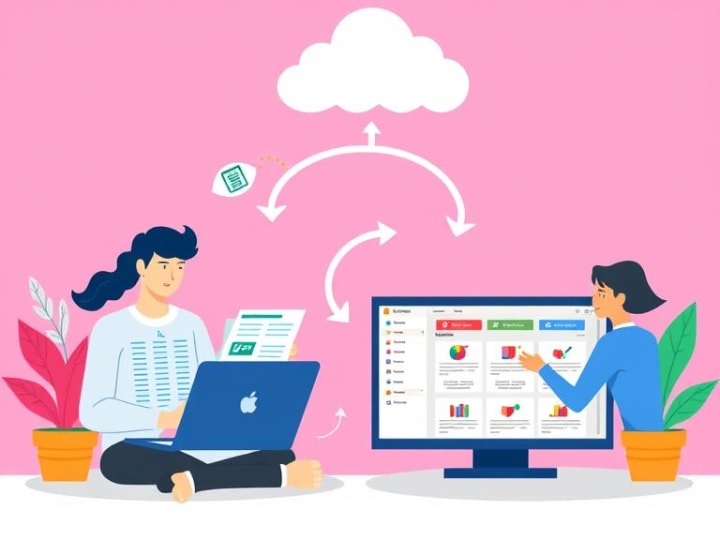
While changing from a spreadsheet to a CRM may seem daunting at first when you break it down into smaller tasks it becomes much more manageable. This is a simple guide that will assist you through the whole process.
Step 1: Choose the Right CRM
You have to first select a CRM system that best suits your organization before you can transfer your data. Some of the most important things you will need to keep in mind are the specific characteristics of your business.
- Business Size
- Specific features required (like lead tracking or email marketing)
- Other tools you want the CRM to integrate with
- The budget
Salesforce, HubSpot and Zoho CRM are some examples of customer relationship management software that you should go over and pick based on your requirements.
Step 2: Prepare Your Data for Migration
Organizing and scrubbing your spreadsheet data comes next on the list. You should delete everything that is redundant, and fix all inconsistency issues. To ensure that the data flows accurately during the import you will want to map the columns from your spreadsheet to the designated fields in the CRM.
Step 3: Import Data Into the CRM
This is quite simple for many CRM systems as they come prepared with the tools that facilitate easy data transfer. You would have to attend to some trial and error for this step as there can be some formatting issues that arise. Lastly, comply with the CRM's directives on how best to upload your spreadsheet data into the system.
Step 4: Train Your Team
To ensure that you have a more seamless transition, it is important that the training for your employees is well catered for. Ensure that the procedures for using the CRM adequately cover from data entry to report generation. Your team will feel comfortable using the new system if you incorporate tutorials, videos, or other workshops.
Step 5: Set Up Automated Workflows
Automation is one of the most important benefits of using a CRM. As soon as your data is integrated, put in place the automation of repetitive tasks such as email follow-ups, reporting, and lead nurturing. This will give your team more time to attend to the more strategic activities.
How to Ensure a Smooth Transition
A successful transition requires careful planning and ongoing support. Here are some tips to ensure a smooth move from spreadsheets to a CRM system:
Create a Phased Approach to the Transition
Don’t assume that any new software can handle your company’s workload from day one. Set initial milestones, for instance, try out specific teams or departments first. Once your internal teams have adapted to the software, then begin the expansion process.
Start with a Small Group or Department Before a Company-Wide Rollout
Testing the CRM with a smaller group allows you to identify any issues early and make adjustments before rolling it out across the entire organization.
Monitor Progress and Provide Support
The assistance does not stop after the initial stages. Train and guide them through all the nuances, features, issues, and functions of the CRM system.
Common Pitfalls to Avoid
Being cautious of the modern day’s trap pitfalls is crucial to a successful transition to a CRM integrated workspace.
- Overcomplicating the CRM setup: Always begin with a basic setup. The more complex the software is, the harder it will be for your team to understand it.
- Lack Of Training: Thorough training is necessary if the team wishes to be proficient at the CRM software. Don’t hesitate to guide them through the training.
- Failing to leverage CRM features effectively: A CRM can be used for more than just hiding away data. Use all its functions, such as automation, reporting, and analyzing.
Best Practices for Ongoing CRM Success
At the outset, these are the practices you need to deploy in order to ensure your CRM implementation works after migration is done.
- Regularly update CRM data for accuracy: make it a point to periodically check and refresh customer details so that they remain current.
- Continuously train staff on advanced CRM features: While your team gets encouraged using the application, give them even more training on how to use it productively.
- Regularly review CRM reports and performance: Some CRM tools have reporting options that let users sift through collected data to glean useful information. Leverage this feature for wise business choices.
Conclusion
Shifting from the traditional data organization of a spreadsheet to a CRM system can be an arduous process but the benefits outweigh the effort. Adopting a systematic step wise procedure will help in avoiding turmoil during the transition and optimizing the features of the CRM system put into place. Improved management of data, more work done, and enhanced rapport with customers will become a reality.
About the Creator
Sarah Lin
Hey, I’m Sarah Lin, a digital marketing specialist for nonprofits based in San Francisco. I’ve spent the last 8 years helping organizations amplify their online presence and boost donations through SEO, social media, and email campaigns.
Empathy as a Guiding Force in the Future of Digital Financial Services
The role of empathy in the future of digital financial services is becoming more important as technology continues to expand. While digital tools offer speed and convenience, customers still want to feel understood and supported. They want financial experiences that respect their emotions, simplify their decisions, and guide them through moments of uncertainty. Empathy allows financial institutions to design digital services that respond to real human needs rather than relying solely on automated functions. This shift toward empathy-driven design strengthens trust and creates meaningful connections between customers and their financial providers.
By Jason Barakat2 days ago in Education
Smart College Planning Tips Every Family Should Know Before Applying to College
College planning can feel overwhelming for students and parents. There are many decisions to make, and each one can affect the future. With the right approach, the process becomes clearer and more manageable. Smart college planning tips help families stay prepared, avoid common mistakes, and move forward with confidence. This article shares simple and practical guidance to support students and parents through every stage of college planning.
By Michael Petruska4 days ago in Education


Comments
There are no comments for this story
Be the first to respond and start the conversation.