
How To Protect Your Laptop From Dust?
Learn how to protect your laptop from dust with simple tips like regular cleaning, using covers, and maintaining a clean workspace for better performance and longevity.

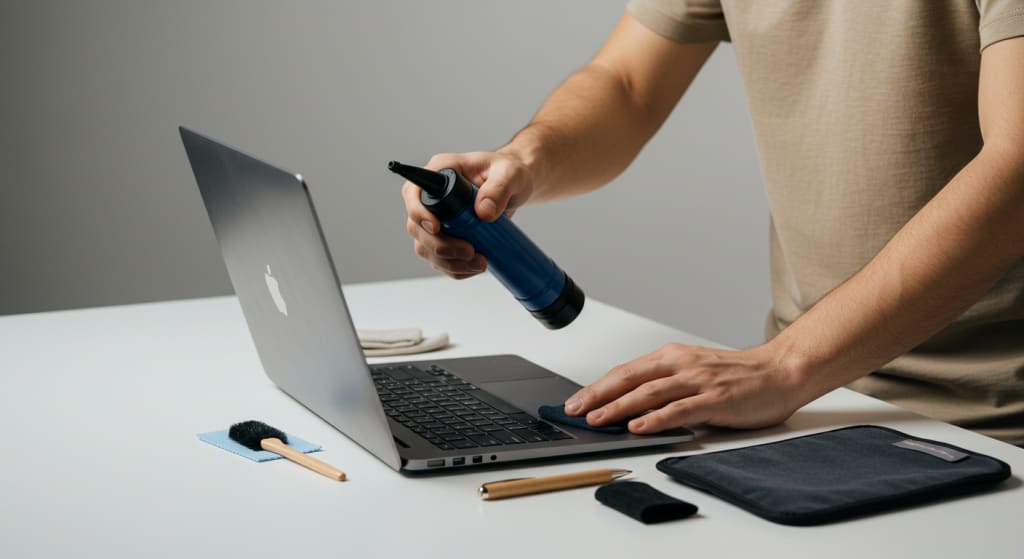
A sneaky foe of laptops, dust may find its way into any crack and eventually inflict serious damage. It could damage hardware, overheat parts, and clog fans.
Maintaining dust free conditions on your laptop is crucial to extending its life and performance.
This blog post will explore several methods to maintain your laptop running smoothly and clear of dust.
Why Dust Is a Problem for Laptops?
Among the several ways dust can damage laptops are:
Lower Cooling Efficiency: Heat sinks and fans release heat more difficultly when dust accumulates on them. Overheating might follow from this, which reduces performance and lifespan.
Dust blocking USB, HDMI, and other external connectors might make it difficult to connect peripherals.
Dust can, under some conditions, cause short circuits or other internal component damage.
Knowing these potential issues, let's examine several workable laptop dust prevention options.
Select the Correct Setting
Initially consider where you use your laptop. Choosing a pristine, dust-free environment will reduce your exposure to dust.
Avoid Dusty Places: Try to keep your laptop away from places with a lot of airborne particles, such as workshops and construction sites.
Make Use of It Inside Use of your laptop indoors reduces the possibility of dust formation. Should you use it outside, consider doing it in a clean, covered location.
Using a Laptop Stand
You can reduce direct touch with the dust on the surface below and increase ventilation by lifting your laptop.
Generally speaking, laptop stands offer better cooling, which lowers dust accumulation.
Benefits of Ergonomics: Stands can improve ergonomics and reduce strain in the neck and back.
Utilise a Sleeve or Protective Laptop Case
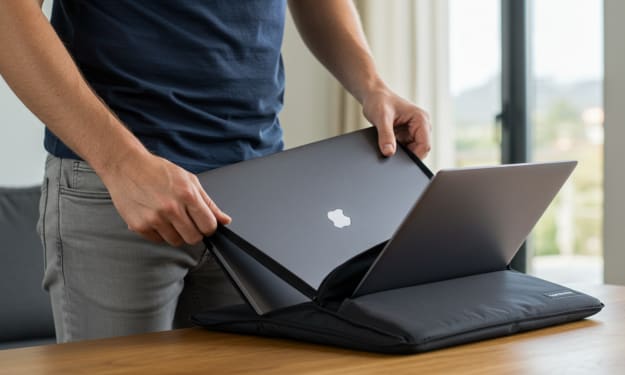
When not in use, store your laptop in a case or protective sleeve to prevent dust off of it.
Portable Protection Travel-friendly sleeves and cases allow you to protect your laptop while you're out and about.
More Padding: They provide still another line of protection against drops and knocks.
Frequently Clean Your Laptop
Frequent cleaning prevents dust buildup and maintains your laptop in excellent working order.
Dust the keyboard, ports, and vents carefully using compressed air. Holding the canister upright, fire in brief bursts to avoid damage.
Spotless Outside: With a microfiber cloth and a little water or screen cleaner, wipe the laptop's outside. Keep away from strong chemicals.
Using a small brush or hoover designed especially for electronics, remove debris from between the keys on your keyboard.
Ensure Sufficient Ventilation
Check the ventilation on your laptop to prevent dust accumulation and overheating.
Avoid Blocking Vents: Heat can be trapped and vents clogged by soft surfaces like beds and sofas. Keep your laptop off of these kinds of surfaces.
Utilize External Cooling Pads: If your laptop overheats easily, consider using a cooling pad with built-in fans to increase ventilation.
Utilize air filters.
If you work in an exceptionally dusty area, you might want to think about installing dust filters to the vents on your laptop.
Customizable Filters: While some laptop models include replacement dust filters, some require unique fixes like thin mesh or adhesive covers.
Generally easy to remove and clean, dust filters provide an extra degree of protection.
Pay Close Attention to Your Workspace
Dust control can greatly be influenced by your work style.
Cleaning Often: Keep your desk and its surrounds clean to prevent dust buildup. Hoover the floor and wipe off surfaces with a damp towel.
Utilize Air Purifiers If you live somewhere dusty, consider utilizing an air purifier to reduce airborne particles.
Ultimately, maintaining the operation and extending the life of your laptop depend on keeping it dust-free. These tips will help you to reduce dust-related issues and keep your laptop operating at its best.
Remember that regular cleaning and suitable storage are essential to keeping your device in the best possible shape. If you put up the effort to maintain your laptop, it will give you years of reliable service.
About the Creator
Laptopflora
Welcome to Laptopflora, where laptops meet expertise and your tech decisions are made easier. Our journey began with a single mission: to create a trusted platform that provides clear, actionable, and insightful information about laptop.
Keep reading
More stories from Laptopflora and writers in Education and other communities.
How To Protect Your Laptop From Falling?
For business, school, and leisure, laptops are essentials. Because of their mobility, they are more likely to have accidents—falls especially. A fall might seriously damage the hardware of the laptop as well as your data.
By Laptopflora10 months ago in Education
Mastering Patient Communication: Building Trust and Enhancing Care
Effective patient communication is one of the most powerful tools in healthcare. While advanced diagnostics and innovative treatments continue to transform medicine, the ability to communicate clearly and compassionately remains central to high-quality care. Communication shapes patient experiences, influences treatment adherence, and directly affects health outcomes. When healthcare professionals master the art of meaningful dialogue, they build trust, reduce misunderstandings, and create stronger therapeutic relationships.
By Yousuf A. Gaffar, M.D4 days ago in Education
Elevating Clinical Performance Through Strategic Process Improvement in Medical Settings
Healthcare organizations operate in environments where precision, efficiency, and patient safety must coexist. Even small inefficiencies can affect outcomes, increase costs, and create frustration among staff and patients. Process improvement in medical settings has become a central strategy for hospitals and clinics striving to deliver high-quality care while maintaining operational sustainability. By refining workflows and eliminating unnecessary steps, healthcare leaders can create systems that are safer, faster, and more reliable.
By Evyatar Nitzany6 days ago in Education
Review of 'Man on the Run'
My wife and I saw Man on the Run, a nearly 2-hour documentary on Amazon Prime, about Wings, Paul McCartney's group that flew around the world from shortly after The Beatles broke up in early 1970 to shortly after John Lennon was murdered at the end of 1980, making a Beatles reunion forever impossible.
By Paul Levinson5 days ago in Beat


Comments
There are no comments for this story
Be the first to respond and start the conversation.