
How to Modernize Legacy ASP.NET Apps: A Practical Roadmap
From WebForms and legacy MVC to ASP.NET Core and .NET 10: A step-by-step guide to upgrading your applications for security, performance, and maintainability.

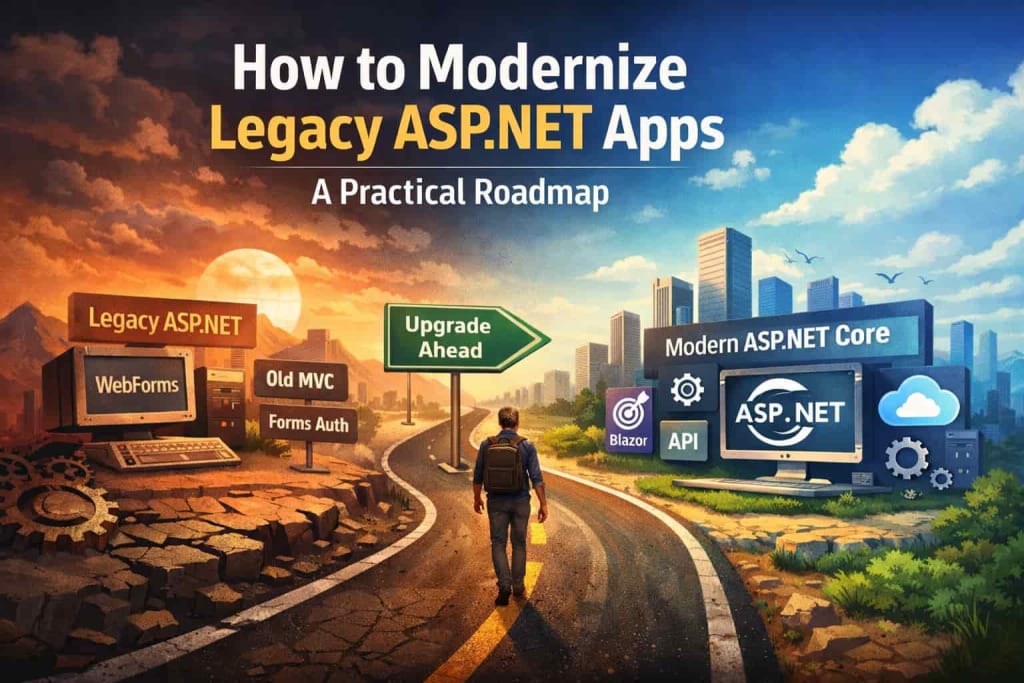
ASP.NET has powered web applications for nearly two decades, providing a solid framework for enterprise and consumer applications alike. However, as technology evolves, many legacy ASP.NET applications remain trapped in outdated patterns, old frameworks, and security risks. Modernizing these applications is no longer optional: it’s essential for performance, maintainability, security, and scalability.
In this article, we’ll explore legacy ASP.NET technologies to retire, explain why they are problematic, and provide a practical roadmap for modernizing your ASP.NET applications using the latest tools and frameworks, including ASP.NET Core and .NET 10.
Why Modernizing Legacy ASP.NET Applications Matters
Legacy ASP.NET applications are often stable and functional, but they come with hidden costs:
- Security risks: Outdated authentication methods, unsupported libraries, and old frameworks leave applications vulnerable.
- Performance limitations: Older patterns like WebForms or heavy ViewState reduce responsiveness and increase server load.
- Maintenance challenges: Legacy code is often tightly coupled, poorly documented, or dependent on frameworks no longer updated.
- Lack of cross-platform support: Traditional .NET Framework apps run only on Windows, limiting deployment flexibility.
- Missed opportunities: Modern frameworks like ASP.NET Core, Blazor, and Minimal APIs provide better performance, scalability, and developer productivity.
Understanding which parts of your application are truly legacy is the first step toward modernization.
Legacy ASP.NET Technologies to Retire Now
Before diving into modernization strategies, it’s crucial to identify what is outdated. Here are the most common legacy ASP.NET technologies still in use today:
1. WebForms
WebForms was one of ASP.NET’s earliest frameworks, allowing developers to build event-driven web applications using .aspx pages and code-behind files. While WebForms simplified web development at the time, it has major limitations today:
- Tightly coupled UI and logic makes testing difficult.
- ViewState-heavy pages increase page size and slow performance.
- No support in .NET Core / .NET 10.
Modern alternative: Razor Pages or ASP.NET Core MVC provide better separation of concerns, improved testability, and cross-platform support. Blazor can be used for interactive web applications with C# on the client side.
2. Old ASP.NET MVC (pre-Core versions)
ASP.NET MVC 4 and 5 were widely used for web applications, providing the Model-View-Controller pattern. However, these versions run only on the .NET Framework, making them:
- Platform-specific (Windows only)
- Limited in performance and scalability compared to ASP.NET Core MVC
- Lacking modern development features, like dependency injection or built-in JSON serialization improvements
Modern alternative: Migrate to ASP.NET Core MVC, which is cross-platform, high-performance, and compatible with modern development tools and CI/CD pipelines.
3. Forms Authentication and Legacy Membership
Classic Forms Authentication and MembershipProvider APIs are outdated:
- Security risks: Vulnerable to attacks like cookie tampering and insufficient hashing
- Limited features: Hard to integrate with modern identity providers
- Incompatible with modern authentication standards
Modern alternative: ASP.NET Core Identity, along with OAuth 2.0 and OpenID Connect, provides secure, flexible authentication and authorization.
4. Web.config-based Configuration
Older ASP.NET applications rely heavily on Web.config XML files for configuration. While functional, Web.config has limitations:
- Not easily integrated with environment-specific configuration or CI/CD pipelines
- Harder to read and maintain in large projects
Modern alternative: Use appsettings.json, environment variables, and ASP.NET Core’s built-in configuration providers. They allow easier testing, more readable configuration, and secure secret management.
5. ASMX Web Services and WCF
Old web services technologies, like ASMX and traditional WCF SOAP services, are still found in legacy apps:
- ASMX is deprecated and lacks modern features.
- WCF is complex and not fully supported in .NET Core.
Modern alternative: Build REST APIs with ASP.NET Core, or use gRPC for high-performance service-to-service communication.
Optional Legacy Patterns
- HttpModules / HttpHandlers → replaced by middleware in ASP.NET Core
- Heavy ViewState pages → replaced by client-side state management (Blazor or SPA frameworks)
Modernization Guide
Step 1: Assess Your Legacy Codebase
Before you start migrating the ASP.NET application, it’s essential to understand what you have.
- Inventory dependencies: List all third-party libraries, NuGet packages, and internal DLLs.
- Identify legacy patterns: Look for WebForms pages, old MVC controllers, Forms Authentication, and ASMX services.
- Code quality assessment: Check for tightly coupled components, lack of tests, and obsolete APIs.
Tools like Visual Studio Code Analysis, ReSharper, and .NET Upgrade Assistant can help identify problematic areas.
Step 2: Define a Modernization Strategy
There are several strategies depending on your application’s size, complexity, and business requirements:
Partial Rewrite/Hybrid Approach
- Gradually replace legacy pages with Razor Pages or Blazor components
- Keep some legacy functionality while moving core logic to .NET Core / .NET 10
- Good for large, complex applications where a full rewrite is risky
Full Rewrite
- Rebuild the application from scratch using modern frameworks
- Allows you to implement clean architecture, dependency injection, and modern practices
- High initial cost but provides long-term maintainability
Library and Middleware Replacement
- Replace obsolete authentication, configuration, or service patterns
- Introduce ASP.NET Core Identity, appsettings.json, gRPC, or Minimal APIs
Step 3: Migrate to Modern ASP.NET Technologies
Here’s how to replace common legacy technologies:
- WebForms through Razor Pages, Blazor
- ASP.NET MVC 4/5 through ASP.NET Core MVC
- Forms Authentication through ASP.NET Core Identity + OAuth 2.0
- Web.config through appsettings.json, DI, environment variables
- ASMX/WCF through REST APIs or gRPC
Step 4: Adopt Modern Development Practices
To fully modernize your application, consider these best practices:
- Dependency Injection: Built-in in ASP.NET Core, improves testability
- Unit and Integration Testing: Use xUnit, NUnit, or MSTest for automated testing
- CI/CD Pipelines: GitHub Actions, Azure DevOps, or GitLab CI for automated builds and deployments
- Containerization: Docker and Kubernetes for scalable deployments
- Logging and Monitoring: Use Serilog, Application Insights, or other telemetry tools
Step 5: Tools to Assist Modernization
.NET Upgrade Assistant
- Microsoft’s official tool to migrate .NET Framework apps to .NET Core / .NET 10
- Automatically updates project files, NuGet packages, and references
Entity Framework Core Migration
- For database-backed apps, migrate from EF6 to EF Core
- Provides improved performance and cross-platform support
Blazor for Modern UIs
- Replace WebForms or heavy JavaScript-driven pages with interactive C# components
- Runs client-side in WebAssembly or server-side
Step 6: Testing and Validation
Modernizing legacy apps isn’t just rewriting code. Testing is critical:
- Automated testing: Unit tests, integration tests, and functional tests
- Performance benchmarking: Compare old vs. new versions to ensure improvements
- Security audits: Ensure authentication, authorization, and data protection are up-to-date
Step 7: Deploy and Monitor
After modernization, deploy using modern DevOps practices:
- Containers: Docker images for cross-platform deployments
- Cloud-native: Deploy on Azure App Service, AWS, or Kubernetes
- Monitoring: Application Insights, Prometheus, or ELK stack to track app health
Modern deployment ensures your app is scalable, maintainable, and secure.
Conclusion
Modernizing legacy applications is no longer optional: it’s critical for security, performance, maintainability, and business agility. By identifying outdated technologies like WebForms, old MVC, Forms Authentication, and ASMX services, and following a structured modernization roadmap, organizations can transition to ASP.NET Core and .NET 10 efficiently.
The key steps include:
- Assess your legacy codebase
- Define a modernization strategy (partial or full rewrite)
- Migrate to modern ASP.NET technologies
- Adopt modern development and deployment practices
- Test thoroughly and monitor after deployment
By retiring legacy ASP.NET technologies and embracing modern frameworks, you ensure that your applications are future-proof, secure, and performant, while also improving developer productivity and maintainability.
About the Creator
Chudovo
Chudovo is a custom software development company, focused on complex systems implementation.
The Digital Nomad Blueprint
In a not-so-distant future, where technology thrived and the world became increasingly connected, many people chose to break free from traditional lifestyles. Among them was a young woman named Mia. Mia was a digital nomad, traveling the globe with her laptop, working remotely while exploring new cultures. Her heart was set on living life to the fullest, but she was also searching for something greater—a sense of purpose.
By Hamad Afridi about 24 hours ago in Education


Comments
There are no comments for this story
Be the first to respond and start the conversation.