
How to launch your website without a hitch - even if you don't know a lick of code
Read this article to learn more...

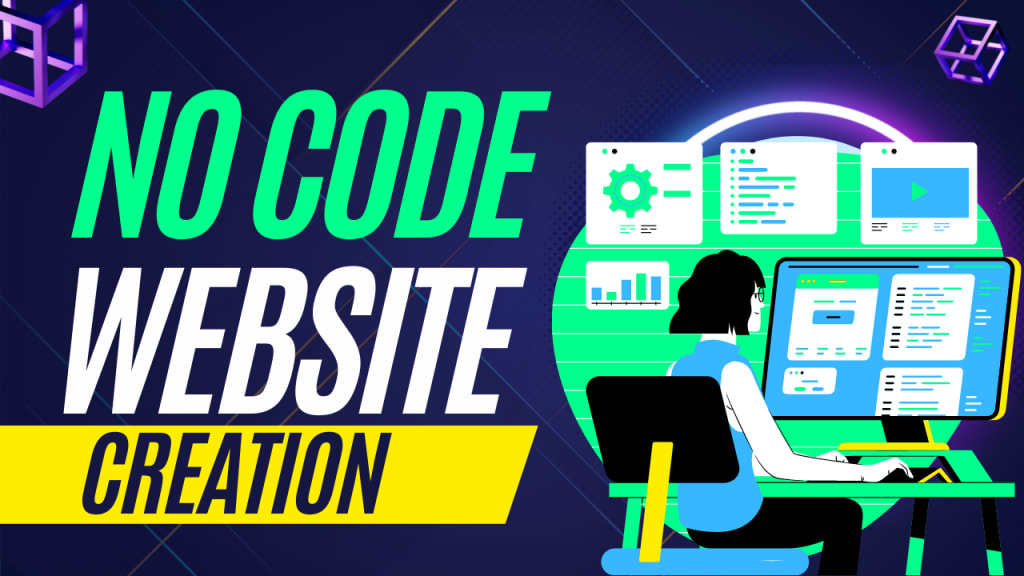
Are you a business owner or freelancer who wants to launch their own website but don't know the first thing about coding? You're not alone. Many entrepreneurs and freelancers want to create their own website but are intimidated by the idea of coding. But the truth is that you don't need to know coding to get your website up and running. In this blog post, we'll walk you through the process of launching your website without a hitch - even if you don't know a lick of code.
Step One: Choose Your Website Platform
Choosing the right website platform is one of the most important decisions you’ll make when building your website without coding. The platform you choose will determine how you set up and manage your website, what design options are available, and how easily visitors can interact with your site.
When selecting a website platform, consider factors such as price, features, design flexibility, and scalability. Platforms such as WordPress, Squarespace, Wix, and Weebly are popular choices for creating a website without coding. Each of these platforms provides different levels of customization and hosting solutions to fit your needs.
Before committing to a platform, take the time to explore each option to see which one best meets your requirements. Read online reviews from other users and be sure to check if the platform offers a free trial so you can test out the features before making your final decision. When you find the platform that suits your needs, you’ll be ready to start building your website without coding!
Step Two: Choose Your Domain Name and Web Hosting
Choosing your domain name and web hosting is the second step when building a website without coding. Your domain name is the address that people use to access your website, and your web hosting is where all of your website’s files and content are stored.
When selecting a domain name, it’s important to pick something that will be easy for visitors to remember. Try to keep it short, but also make sure it reflects your brand or business. You should also be aware of potential legal issues surrounding domain names, as some can be trademarked or already in use by another person or company.
Once you’ve chosen your domain name, it’s time to select a web hosting service. Many companies offer a variety of plans and packages for web hosting, so you can decide what best suits your needs and budget. You’ll want to look at the storage space, bandwidth, and other features each plan offers to ensure that you get the best possible deal. It’s also important to make sure that your web host is reliable and secure.
With the right domain name and web hosting, you’ll be well on your way to launching your website without any technical knowledge.
Step Three: Set Up Your Website
Now that you have your domain name and web hosting all set up, it's time to start building your website. Thankfully, you don't need to know a lick of code to get started. There are plenty of website builders out there that make it easy to create an amazing website without coding.
When choosing a website builder, it’s important to consider what features you’ll need and how easy it is to use. Many of these builders offer drag and drop interfaces and customizable themes. This makes it easy to add and edit content, upload images and videos, and adjust the design of your site.
If you're not sure which website builder is best for your needs, read reviews online or ask around for recommendations. Once you've chosen a builder, follow the instructions to create an account and launch your website. If you need help, many website builders also offer customer support and tutorials to guide you through the process.
Once you’ve got your website up and running, you can start adding content and customizing the design to reflect your brand. Before you know it, you’ll have a beautiful website without having to write any code!
Step Four: Customize Your Website
Now that you have your website set up and your domain name and hosting plan in place, it's time to customize your website. You don't need to know a single line of code to make your website look great. There are several ways to customize your website without coding:
1. Use a Visual Website Builder: With a visual website builder like Wix or Squarespace, you can drag and drop different elements onto your website to create the design and look you want. You can also access pre-made themes and templates to help you build your website quickly.
2. Use a CMS: If you're looking for more control over your website, using a content management system (CMS) like WordPress is the way to go. WordPress allows you to create, customize, and manage all aspects of your website without any coding knowledge.
3. Add Plugins and Widgets: Plugins and widgets make it easy to add extra features and functionality to your website without writing any code. For example, you can add a photo gallery, contact form, or social media feed with just a few clicks.
No matter which method you choose, you'll be able to customize your website to fit your exact needs. With the right tools, you can create a stunning website without knowing a lick of code.
Step Five: Publish Your Website
Now that your website is all set up and ready to go, it’s time to hit the publish button and make it live. The exact steps to publish your website may vary depending on the platform you’ve chosen, but in general, you just need to click the “publish” button or “make live” option.
Once you’ve made your website live, it should be visible to anyone who visits your domain name. It may take a few hours for your website to become available worldwide, so don’t be alarmed if your website isn’t immediately accessible. Once it is, though, you can start sharing it with the world and taking your business to the next level.
Congrats - you now have a fully functioning website without having to write a single line of code! It may have taken a bit of time to get it up and running, but the end result is sure to be worth it. Now that your website is online, you can start driving traffic to it and showcasing your products and services to potential customers.
Step Six: Promote Your Website
Now that your website is all set up and ready to go, it's time to start driving traffic to your site. There are several effective methods of promotion that you can utilize to make sure people find your website.
Social media marketing is one of the best ways to promote your website. You can create social media accounts for your website, such as on Facebook, Twitter, Instagram, and LinkedIn, and share updates about your website, blog posts, and special offers with your followers. Additionally, you can use social media advertising to target potential customers who are interested in your product or service.
Search engine optimization (SEO) is another great way to promote your website. SEO helps ensure that your website appears near the top of search engine results pages when people search for relevant keywords or phrases. You can optimize your website for SEO by creating keyword-rich content, optimizing your images, and using backlinks.
Paid online advertising is also an effective way to promote your website. By running targeted ads on platforms like Google Ads or Bing Ads, you can reach potential customers who are looking for the services or products that you offer.
Finally, you can use traditional marketing tactics like print ads and direct mail to spread the word about your website. You can also participate in local events or partner with other businesses to generate awareness of your website.
By using a combination of these techniques, you can successfully promote your website and attract more visitors.
And of course if you want something easy to do the work for you like I do, CLICK HERE
About the Creator
my business
Content Creator Check my Youtube Channel : https://www.youtube.com/channel/UCCfvMhht1ShY9VFKq-9eyxQ
Keep reading
More stories from my business and writers in Education and other communities.
How to Grow Your LinkedIn Following: 10 Proven Strategies
LinkedIn is a powerful platform for professionals looking to connect with others in their industry, find new job opportunities, and build their personal brand. One key aspect of building your presence on LinkedIn is growing your follower base – the more followers you have, the wider your reach and the greater your influence.
By my business3 years ago in Education
The Impact of Virtual Reality on Healthcare Innovation and Medical Practice
Virtual reality is steadily transforming the healthcare industry by offering immersive digital environments that support medical education, treatment planning, and patient care. Unlike traditional tools, VR allows healthcare professionals to interact with highly detailed simulations that replicate real medical situations. These interactive experiences provide opportunities for learning and preparation that were previously difficult to achieve through conventional training methods.
By Alex Kipman3 days ago in Education
Why the Sun Will Become a Red Giant: The Future of Our Solar System Explained
Every morning, the Sun rises as it has for billions of years, bathing Earth in light and warmth. To us, it feels permanent and unchanging. Yet in the vast timeline of the universe, the Sun is only halfway through its life.
By shahkar jalalabout 21 hours ago in Education
TUS NUA - ch 53
TUS NUA – ch 53 New Beginnings – Mia and Midnight (*)(*)(*) Finola knew Ali’s brother-in-law needed to put his mind at rest. She fed her arm through his and led him outside. “We’ll sit here. If you like, I can put a block around us so our conversation will be private.”
By Margaret Brennan6 days ago in Fiction



Comments
There are no comments for this story
Be the first to respond and start the conversation.