
How to Host a Virtual Pub Quiz
Run a Pub Quiz Anywhere


Looking for an easy way to connect people—no matter the distance? A virtual pub quiz is a fun mix of trivia, laughs, and friendly competition for friends, teams, or communities.
Here’s how to run your virtual pub quiz:
- Sign in or create an account – Go to faabul.com and log in or sign up for free.
- Create your quiz – Click “Create quiz.” You can write your own questions, use a template, start with a ready-made quiz, or get help from AI. Personalize it with your logo, colors, and background.
- Generate your quiz link – Click “Host & Share” and select Individual Mode. You’ll get a link and QR code to send out. In “Configure,” choose if players should stay anonymous or enter their name/email, and set a time limit for access.
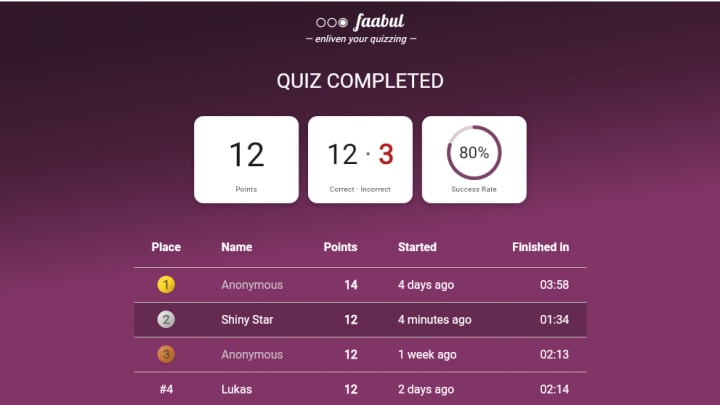
- Share with participants – Send the link or QR code. Players join on their own, play at their pace, and see their spot on the live leaderboard. You’ll get full response data in your Faabul account.
- Wrap it up – Announce the winner, view responses, download the results, or reuse the quiz anytime.
How to make a virtual quiz fun
To make a virtual quiz fun, keep it engaging with a mix of question types and themed rounds. Use clear, friendly language and add a few unexpected or humorous questions to keep players entertained. Show a live leaderboard so participants can track their progress and feel the competition.
Add a short intro message or closing note to create a personal touch. Offering a small prize or public recognition for the winner can also boost motivation and make the quiz more exciting.
Avoid making your quiz too long or too difficult - players can lose interest quickly without the energy of a live group. Don’t repeat question formats too often; mixing things up keeps it engaging. Skip overly niche topics unless your audience shares that interest. Avoid unclear or ambiguous questions, as players can’t ask for clarification.
Also, don’t forget to test your quiz before sharing - broken images, typos, or confusing settings can ruin the experience. Lastly, don’t overload the quiz with too many rules or instructions - keep it simple and fun.

Why use Faabul for your quiz?
- Players don’t need to sign up. They just join with a link or QR code, so it’s quick and hassle-free.
- Works on any device – phone, tablet, or computer. No downloads or setup required for participants.
- You see live quiz scores. The leaderboard updates in real time as players answer.
- You can add your own logo and colors. Make the quiz match your brand or event style.
- Choose from ready-made quiz templates or make your own. Save time or start fresh - it’s up to you.
- Add text or images to your questions. Make your quiz more interactive and visually engaging.
- It supports different languages. Great for international teams or multilingual audiences.
- You can reuse your quiz anytime. Run it again for another group or event with one click.
- It’s fast and easy to set up. You can be ready to share your quiz in just a few minutes.
Creating and sharing a virtual quiz is simple, fast, and fun - even when participants are miles apart. Whether you're organizing a team challenge, a community event, or just some trivia fun with friends, pub quiz is a great way to entertain people. No matter the occasion, a well-made quiz can turn any moment into a shared experience that’s both fun and meaningful.
That’s it - you’re ready to host a virtual pub quiz with Faabul! Try it out and see for yourself.
About the Creator
Faabul Quizzes
Faabul helps you create interactive quizzes that can be shared with others or played live. Whether it's a pub quiz, virtual quiz, test prep, or a fun activity for your work event, Faabul has you covered. Check it out and make your own quiz.
Keep reading
More stories from Faabul Quizzes and writers in Education and other communities.
Natural Ways to Clear Blackheads and Whiteheads
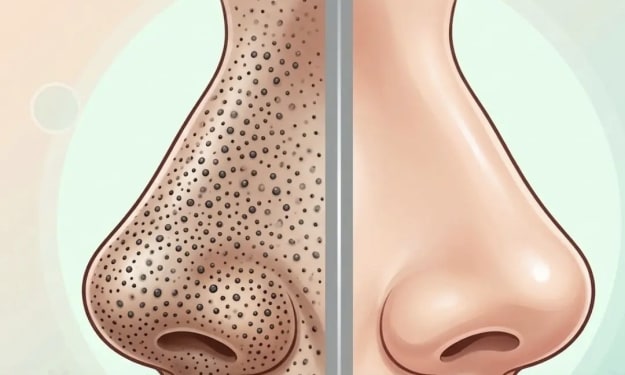
Blackheads and whiteheads are very common skin problems that affect people of all ages. They usually appear on the nose, chin, forehead, and sometimes on the cheeks. These small bumps form when the pores of the skin become clogged with oil, dead skin cells, and dirt. Blackheads appear dark because the clogged material inside the pore reacts with air and becomes oxidized, while whiteheads remain covered by skin, giving them a white or flesh-colored appearance.
By DigitalAddi2 days ago in Education



Comments
There are no comments for this story
Be the first to respond and start the conversation.