
How to Create a Commercial App for Free Without Coding Knowledge
Turning Your App Idea into Reality—No Coding Required!
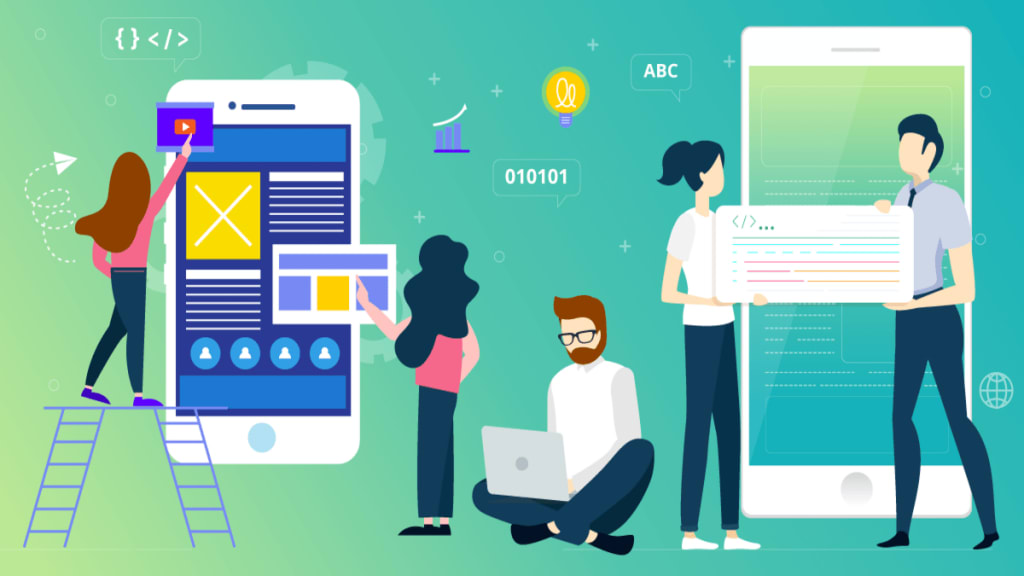
In today's digital age, mobile and web applications are more than just technological marvels; they are essential tools for businesses, entrepreneurs, and creators looking to make an impact. However, many aspiring app developers face a significant barrier: they don’t know how to code. The good news is that with the rise of no-code and low-code platforms, creating a fully functional commercial app without prior programming knowledge is entirely possible.
This guide walks you through the process of building a commercial app for free, even if you have zero coding experience. By the end of this article, you’ll have a clear roadmap on how to transform your idea into a working app, monetize it, and scale it for long-term success.
Where to Start? Learn the Basics First
If you're completely new to app development and have no coding experience, the best way to begin is by understanding the fundamentals of how mobile apps work. While no-code platforms make things easier, having basic knowledge of app structure, design principles, and user experience can help you build a more professional-looking app.
Fortunately, there are plenty of free and beginner-friendly mobile app development courses available online that guide you step-by-step. These courses can introduce you to no-code and low-code platforms, app monetization strategies, and how to create an app that meets industry standards. Investing some time in learning these basics can save you a lot of trial and error later.
Why No-Code App Development is a Game-Changer
1. Democratization of Technology
Previously, app development was an exclusive domain of software engineers. No-code platforms like Adalo, Glide, Thunkable, and Bubble have changed the game, enabling non-technical individuals to build apps effortlessly.
2. Cost-Effectiveness
Hiring a developer or an agency can be expensive, often costing thousands of dollars. No-code platforms provide free plans or affordable subscriptions that significantly lower development costs.
3. Speed and Efficiency
Traditional coding can take months. No-code solutions allow you to create an MVP (Minimum Viable Product) in days or weeks, making it easier to test ideas and get to market faster.
4. Customizability and Scalability
Many no-code platforms offer drag-and-drop functionality, third-party integrations, and automation, making it easy to scale your app as your business grows.
Step-by-Step Guide to Building Your First No-Code App
Step 1: Define Your App Idea and Purpose
Before you start, you need clarity on:
What problem does your app solve?
Who is your target audience?
What key features should it have?
For example, if you’re creating a fitness app, you may want to include workout tracking, meal plans, and progress monitoring features.
Step 2: Choose the Right No-Code Platform
There are several no-code platforms available, each catering to different needs:
Adalo – Best for building mobile apps with a visual interface.
Bubble – Ideal for web applications with complex workflows.
Thunkable – Great for developing Android and iOS apps.
Glide – Perfect for turning Google Sheets into interactive mobile apps.
Choose a platform based on your app type and functionality requirements.
Step 3: Design Your App Interface
No-code platforms provide pre-built templates and design tools to create an intuitive and visually appealing UI (User Interface).
Use drag-and-drop elements to arrange buttons, menus, and screens.
Ensure easy navigation with clear CTAs (Call-To-Actions).
Choose a consistent color scheme and typography to maintain brand identity.
Step 4: Add Functionalities and Features
Once the design is ready, start adding essential features using built-in tools:
User authentication (Sign-up/Login)
Payment gateway (Stripe, PayPal, etc.)
Push notifications for user engagement
Database integration for storing user information
Third-party API connections for additional functionalities
Step 5: Test Your App Thoroughly
Testing is crucial before launch. Most no-code platforms allow preview mode to test:
Navigation flow and user experience
Functionality of buttons, forms, and links
Mobile responsiveness and speed
Gather feedback from friends, family, or potential users to identify bugs and make improvements.
Step 6: Deploy and Publish Your App
Once you’re satisfied with the final product, it’s time to launch. Most platforms provide easy publishing options:
For web apps: Host on Bubble or Glide.
For mobile apps: Export as APK (Android) or submit to Apple’s App Store and Google Play Store.
Monetizing Your No-Code App for Free
Creating the app is only the first step; making it profitable is the key to success. Here’s how you can monetize your no-code app:
1. In-App Advertising
Platforms like Google AdMob allow you to place ads within your app and earn revenue based on impressions and clicks.
2. Freemium Model
Offer basic features for free and charge users for premium features, such as additional storage or exclusive content.
3. Subscription Plans
If your app offers valuable recurring services (e.g., fitness coaching, online courses), you can implement monthly or yearly subscription plans.
4. Affiliate Marketing
Promote third-party products within your app and earn commissions for every successful referral.
5. Sell Digital Products or Services
If your app provides educational content, templates, or digital tools, consider offering them as one-time purchases.
Scaling and Growing Your App Without Spending Money
1. Utilize Free Marketing Strategies
Social Media Marketing: Share engaging content about your app on Instagram, LinkedIn, and Twitter.
Content Marketing: Write blogs, create YouTube tutorials, or start a podcast to attract organic traffic.
App Store Optimization (ASO): Optimize your app title, description, and keywords to improve visibility in app stores.
2. Gather User Feedback & Improve
Encourage users to leave reviews and ratings. Implement new features based on user suggestions to enhance engagement and retention.
3. Collaborate with Influencers
Partner with micro-influencers in your niche to spread awareness and increase downloads.
4. Implement Referral Programs
Offer rewards or discounts to users who refer new customers to your app, boosting organic growth.
Common Challenges and How to Overcome Them
1. Limited Features in Free Plans
Some no-code platforms have restrictions on the free plan. A workaround is to use multiple free tools together, such as integrating Glide with Zapier for automation.
2. App Store Approval Issues
Ensure your app follows platform guidelines. Avoid unnecessary permissions and provide a clear privacy policy.
3. Scaling Beyond No-Code Platforms
Once your app grows, you may outgrow no-code limitations. In this case, consider hiring a developer to transition to a custom-built app.
Conclusion
Building a commercial app for free without coding is no longer a far-fetched dream—it’s a reality made possible by no-code platforms. Whether you’re an entrepreneur, freelancer, or small business owner, you now have the tools to create, launch, and monetize your app without writing a single line of code.
By following this guide, you’ll not only bring your app idea to life but also grow it into a successful business. Start today, experiment with no-code tools, and take the first step toward your digital success story!
About the Creator
Can You Really Make Money Online in 2026?
Can You Really Make Money Online in 2026? The idea of making money online once sounded like a dream. Years ago, many people believed that online income was only possible for tech experts or large companies. But the digital world has changed dramatically, and today millions of people earn money through the internet. As we move deeper into 2026, the question many beginners still ask is simple: Can you really make money online? The short answer is yes. However, the longer answer is more realistic. Making money online is possible, but it requires effort, patience, and the right skills. The internet has opened the door to opportunities that were impossible just a decade ago. The Rise of the Digital Economy Over the past few years, the digital economy has grown rapidly. Businesses are now operating online, creators are building audiences through digital platforms, and freelancers are working remotely from all over the world. Instead of being limited by location, people can now offer their skills globally. For example, someone with writing skills can work for websites, blogs, and companies across different countries. A graphic designer can create logos for international clients, while video editors can collaborate with creators they have never met in person. This global access has made online work more accessible than ever before. Freelancing Is Growing Faster Than Ever One of the most popular ways to make money online is freelancing. Freelancers offer services such as writing, graphic design, programming, video editing, and digital marketing. Many businesses prefer freelancers because they can hire talent for specific projects without full-time contracts. For beginners, freelancing can be an excellent starting point because it allows them to build experience and gradually increase their income. Many successful freelancers begin with small projects and slowly develop long-term clients. Over time, freelancing can turn into a stable online career. Content Creation Is a New Opportunity Another major online opportunity is content creation. People now build audiences by sharing valuable content through blogs, videos, podcasts, and social media platforms. Once an audience grows, creators can earn money through advertising, sponsorships, and digital products. Although building an audience takes time, content creation has become one of the most powerful ways to generate online income. Many creators start as beginners and eventually turn their passion into full-time businesses. AI Has Changed the Game Artificial intelligence has also transformed the online world. AI tools now help people write content, design graphics, create videos, and automate tasks much faster than before. This means beginners can produce high-quality work without needing years of technical experience. Instead of replacing human creativity, AI is helping people become more productive. Those who learn how to combine creativity with technology will have a major advantage in the future online economy. The Reality: It’s Not Instant Money Despite the opportunities, it’s important to understand that making money online is not instant. Many beginners expect quick results and become discouraged when success takes time. Just like any other career, online work requires learning, practice, and persistence. The people who succeed online usually share a common trait: they stay consistent. They keep improving their skills, trying new strategies, and learning from their mistakes. Skills Matter More Than Ever In 2026, the most valuable asset in the online world is not a specific platform or tool. It is your skills. Skills such as writing, digital marketing, video editing, programming, and design continue to be in high demand. Once someone develops a strong digital skill, they can apply it in many different ways. For example, a writer can create blog articles, marketing copy, scripts, or online courses. A designer can build logos, social media graphics, and brand identities. Skills create flexibility, and flexibility creates opportunities. The Future of Online Work Looking ahead, the internet will likely continue expanding as a workplace. Remote work is becoming normal for many companies, and digital businesses continue to grow. Technology will create new jobs that do not even exist today. People who start learning online skills now will likely benefit the most from these changes. The opportunities are there—but they belong to those who are willing to learn and adapt. Final Thoughts So, can you really make money online in 2026? Yes, you can. But success does not happen overnight. It comes from learning useful skills, staying consistent, and taking advantage of the opportunities that the internet provides. For those who are willing to invest time and effort, the digital world offers possibilities that previous generations could only imagine. And sometimes, the first step toward a new financial future is simply deciding to start
By Baseer Shaheen about 10 hours ago in Education
The Day Gravity Failed for 9 Seconds
At 11:42:17 a.m., the world loosened its grip. There was no warning siren. No emergency broadcast. No flicker in the sky or tremor in the ground. One moment, the Earth was doing what it has always done — holding oceans in their basins, keeping feet on sidewalks, anchoring coffee in cups — and the next moment, it wasn’t.
By Abubakar2206 days ago in Education


Comments
There are no comments for this story
Be the first to respond and start the conversation.