
How to Convert Sony Handycam Video to MP4? Complete Guide
Learn how to convert Sony Handycam video to MP4 easily? Explore manual methods, their limitations, and discover a professional tool for smooth, high-quality conversion.

Overview: Sony Handycams are a popular camcorder brand that offers reliable camcorders with clear audio and high definition video quality. They record footage in MPEG-2, AVCHD, MTS, or MOD, among other formats, depending on the model. Although these formats provide high-quality video. They may not be supported by all devices and media players. That’s where MP4 comes in.
This guide will discuss why it is necessary to convert Handycam files, manual approach for Handycam file conversion, limitations, and a professional solution to get the best Handycam video conversion results.
Also Read: Convert Video to WMV
Export Sony Handycam Video to MP4 - Key Reasons
There are various aspects to this conversion process. You will get to know the points below.
- MP4 is compatible with Windows, Mac, Android, iOS, and other platforms.
- Also, the codec requirement part can be fulfilled easily with this video format.
- It compresses videos at little quality loss which makes it possible to store and share easily.
- MP4 files are more compatible with editing softwares such as Adobe Premiere, Final Cut Pro, DaVinci Resolve compared to AVCHD or MTS.
- Handycam movies are best enjoyed on other computer devices or uploaded to YouTube, Vimeo and social websites as MP4 is widely supported by them.
- Smaller MP4s are better for archiving, transporting to an external drive or putting in the cloud.
Manual Methods to Convert Sony Handycam Video to MP4
There are some free methods available for you to convert Handycam to MP4. These approaches do work, but have limitations.
Method 1. Use Sony PlayMemories Home Software
Sony offers its own tool to view and copy Handycam recordings.
- Use your camera and cords to connect your camera to your PC.
- Turn on the Sony Handycam and insert the tape or media card into the camera, if applicable.
- Launch PlayMemories Home software.
- Import MTS/MPEG/AVCHD video from Memory Stick or SD card to the computer.
- Now, click on the imported video file and save as > export > MP4.
- It will give you an MP4 version of your clip.
Limitation: Export is basic and may not maintain the same resolution, and quality.
Method 2. With VLC Media Player
VLC is a popular media player that has partial file conversion capabilities.
- Download and launch VLC Media Player.
- Go to Media > Convert/Save.
- Click Add and choose the Handycam video file.
- Tap on Convert/Save at the bottom.
- In the profile box select Video – H.264 + MP3 (MP4).
- Choose the destination and then hit on Start.
Limitation: VLC is slow in converting large files and it may crash or audio isn’t synced with the video.
Limitations of Manual Methods
Although the above mentioned techniques can be successful, but they suffer from several drawbacks:
- Some of the free solutions can reduce the video resolution, bitrate, or frame rate.
- Handycam large files need to be converted.
- It’s hard to handle more than one file at a time.
- Free tools don’t always convert some specific Handycam formats, such as AVCHD perfectly.
- There are no editing tools, no compression control, and no accelerated GPU to use at high speed.
Professional Way to Convert Handycam Videos to MP4
Manual approaches like VLC, or using Sony home software can do it for you but you may encounter drawbacks such as slower speeds, potential quality loss and restricted format support. However, if you have a lot of videos to convert, or you wish to maintain the quality of the recorded clips, you can opt to make use of our SysTools Video Converter software ,which helps you convert Sony Handycam videos to MP4 easily.
Why to use this tool:
- Supports batch converting Handycam video files to popular file format.
- Preserves the original quality of video file.
- Providing broad format support, including MP4, MOV, AVI, WMV, and more.
- Simple user dashboard to use and accelerated file selection option.
- Offers quicker service than other free manual services.
Conclusion
If you convert Sony handycam video to MP4, then it makes sharing, editing and long term storage simple. There are few manual methods like PlayMemories Home, VLC. But the process can be slow, and reduces video quality too. Using this, you cannot convert bulk video files in a quick time. For that, we have an instant solution to opt. It allows you to convert many Handycam videos in batch and maintains the original quality while enabling a variety of formats. This makes it an easy and dependable alternative when compared to this time taking manual options.
About the Creator
Keep reading
More stories from Chinmay Chugh and writers in Education and other communities.
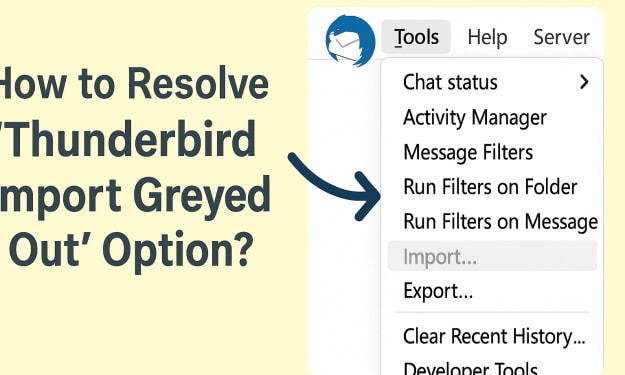
How to Resolve “Thunderbird Import Greyed Out” Option?
Summary: You are also a regular Thunderbird user & facing the error “Thunderbird Import MBOX Greyed out” while working your MBOX data. Then, don’t worry! In this guide post, we are going to resolve this issue by using various manual steps. Also, what can be the reason behind this problem, and a secure professional way to permanently fix it. First, we should say something about the Thunderbird before fixing the error. As, it is an open source email client for users to import their MBOX files for smooth email transfer throughout the process.
By Chinmay Chugh6 months ago in Education
Critical College Application Mistakes That Lower Your Acceptance Odds
Applying to college is a pivotal step in shaping your future, and even strong students often make preventable mistakes that reduce their chances of getting accepted. Although the application process may feel complicated and time-consuming, avoiding common errors can significantly strengthen your overall profile. Eventually, understanding what admissions officers look for helps you create a more polished and compelling submission. While every applicant has unique strengths and challenges, developing a thoughtful approach ensures that the admissions success strategy supports your goals at every stage.
By Carmen Reid3 days ago in Education
Trusted Advice for Families Navigating California Real Estate
California real estate can feel overwhelming for families. High prices, competitive markets, and complex rules often create stress. Still, with the right guidance, families can make smart, confident decisions. This article offers trusted advice for families navigating California real estate, with clear steps and realistic insights that fit real life.
By Stacey Yim5 days ago in Education
One Hard Thing
Stop me if you’ve heard this one before: You have the number, you know your schedule- you’ve even picked out the perfect day and time to make this appointment. Shoot, you’ve even picked out alternative days and times just in case their schedules can’t accommodate you!
By Taylor Rigsby3 days ago in Motivation


Comments
There are no comments for this story
Be the first to respond and start the conversation.