
How to Add music to your Instagram Profile
Show Your Mood by Adding Music to Your IG Profile!

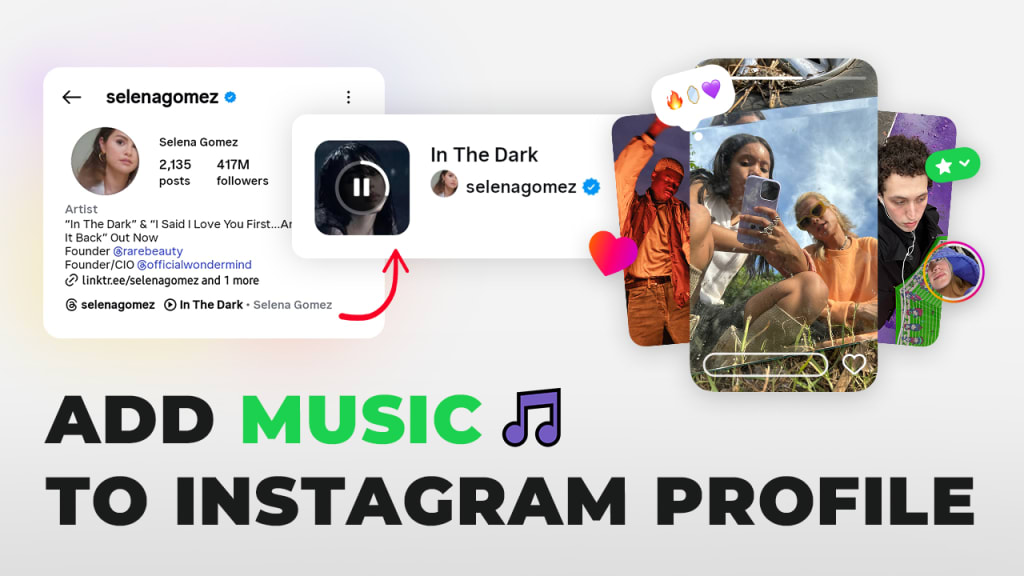
Instagram just rolled out a new update that’s already catching everyone’s attention! You can now add music to your profile. 🎶
This exciting feature has quickly become one of the most talked-about updates, especially since music on Reels has always been one of Instagram’s most loved features.
Now, users can take their profiles to the next level by expressing their mood and personality through music, not just photos and bios.
✍🏻 Music has always played a big role in how users express themselves on Instagram — from Reels to Stories. 🎧 And if you ever wanted to download audio from Instagram Reels, Toolzin makes it super easy. With just one click, you can save your favorite reel sounds and even use them to personalize your own content.
How to Add a Music to Instagram Profile
Instagram now gives you three simple ways to add music to your profile:
Method 1: Add Music from a Reel or Any Audio.
If you come across a song you like while scrolling through Reels or posts, simply open the audio page.

Then save the audio to your music list.

Go to your profile page and tap Edit Profile. Then tap Add music to your profile.

From your Saved Audio list, simply tap the sound you want. A preview screen will appear, allowing you to select any 30-second part of the track by dragging the slider — then tap “Add to Profile” to set it as your profile music.

Method 2: Add Music from Your Profile Settings
Go to your Instagram profile and tap Edit Profile. Scroll down to the new Music section and tap “Add music to your profile”

From there, you can search for your favorite track, explore trending songs, or pick from audios you’ve already saved.

This method is perfect if you already know which song best represents your mood or brand.
Method 3: Add Music from Someone Else’s Profile
If you visit a profile that already has music added, you can use their song too! Just tap on the music displayed under their bio — this will open the song’s audio page.

Then simply tap “Add to Profile,” and the same track will be added to your own Instagram profile. It’s a quick and fun way to discover and share trending songs.
Can Others Hear or See Your Profile Music?
Yes! When someone visits your Instagram profile, they’ll see your selected song displayed right below your bio.
By tapping the play icon, they can listen to the 30-second clip you’ve chosen. It won’t autoplay — visitors have to manually tap it to hear the music.
Technical Tips & Limitations
When adding music to your Instagram profile, there are a few technical points to keep in mind. Each song can only play for a 30-second clip, so choose the most impactful part of the track.

Additionally, music won’t autoplay — visitors need to tap the play button to listen.

Also you can change or remove your profile music anytime, giving you the flexibility to update your vibe as often as you like.
Note: Some songs may not be available in all countries due to licensing restrictions, and copyrighted music might not be accessible for every user.
Time to Personalize Your Profile 💡
Adding music to your Instagram profile is a fun and creative way to express yourself. Whether you choose your favorite song from Reels, your saved audio list, or even from another profile, the process is quick and simple.
Don’t just stick to photos and bios — let your profile sing your vibe and share your personality through music 🎵. Go ahead, try it out, and see how your followers react!
Adding music to your profile can significantly boost user engagement. When visitors see a song that reflects your personality or mood, they’re more likely to spend extra time exploring your content.
Music creates a multi-sensory experience that goes beyond just images and captions, making your profile feel more lively and interactive. This small addition can help you stand out, encourage followers to interact with your posts, and even spark conversations about your favorite tracks.
By thoughtfully selecting songs, you can turn your profile into a more memorable and engaging space for your audience.
About the Creator
Keep reading
More stories from writers in Education and other communities.
7 Business-Boosting Benefits of an HCI Solution
A hyperconverged infrastructure solution is a modern way for businesses to run their computer systems and data centers. In simple terms, it combines computing power, storage, and networking into a single easy platform. Many companies worldwide are choosing HCI solutions to make their work faster, easier, and cheaper.
By Amelia Hebrew2 days ago in Education




Comments
There are no comments for this story
Be the first to respond and start the conversation.