
GOMO SIM Registration Guide: Easy Steps for 2025
GOMO SIM Registration

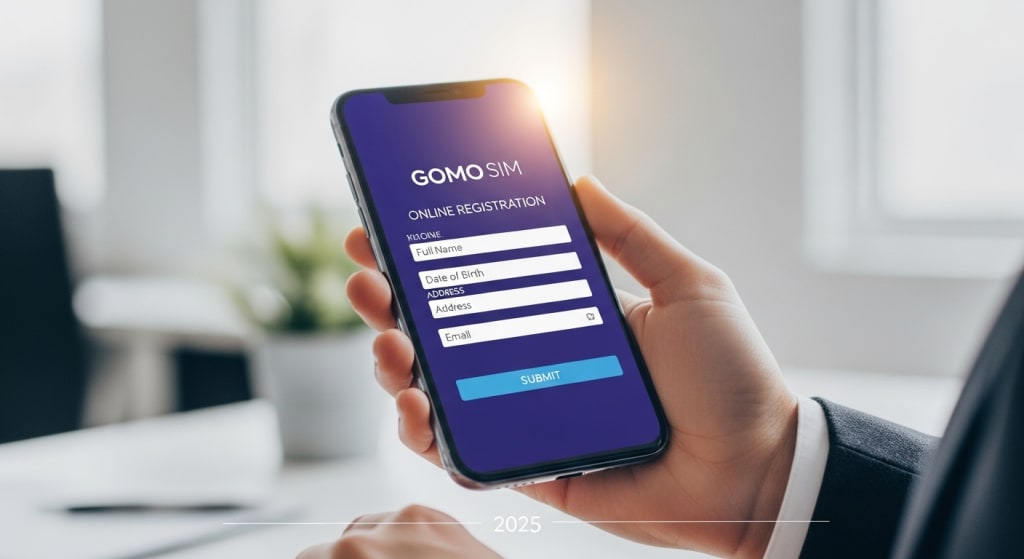
Mobile SIM registration has become a must in the Philippines, ensuring safety, security, and accountability in digital communication. For GOMO users, completing your GOMO SIM Registration is essential to keep your number active and continue enjoying the brand’s all-data promos and unique offers. The best part? The process is quick, simple, and can be done online.
This article will walk you through the easy steps for GOMO SIM Registration in 2025, including requirements, step-by-step instructions, troubleshooting tips, and frequently asked questions.
Why GOMO SIM Registration is Required
The SIM Registration Act mandates that all mobile users in the Philippines register their SIM cards. This law was introduced to reduce fraud, prevent scams, and enhance digital security.
By completing your GOMO SIM Registration, you:
Keep your number active for calls, texts, and data.
Protect your identity against fraud.
Continue enjoying GOMO’s unique all-data promos.
Ensure compliance with national law.
If you fail to register, your SIM will be deactivated, and you’ll lose your number, data, and all linked services.
Who Needs to Register Their GOMO SIM?
New GOMO Users – Anyone who purchases a GOMO SIM must register before using it.
Existing Subscribers – Long-time GOMO users also need to register to avoid disconnection.
Foreign Nationals – Visitors or foreign residents using a GOMO SIM are required to register with valid identification.
Requirements for GOMO SIM Registration
Before you start, prepare the following:
Personal Information
Full name
Birthday
Gender
Address
Valid Government-Issued ID
Accepted IDs include:
Passport
Driver’s License
PhilSys National ID
Voter’s ID
SSS/GSIS ID
PRC ID
GOMO Number & OTP
Your active GOMO number is needed to receive a one-time password (OTP).
Internet Connection
Since the process is fully online, make sure you have stable internet access.
Step-by-Step Guide: How to Register GOMO SIM in 2025
Here’s how you can complete your GOMO SIM Registration in just a few minutes:
Step 1: Go to the Official Registration Portal
Visit https://www.gomo.ph/registration
using your phone or computer.
Step 2: Enter Your GOMO Number
Type your GOMO number and wait for the OTP to arrive via text message.
Step 3: Verify With OTP
Enter the OTP code on the portal to continue.
Step 4: Provide Personal Details
Fill out your full name, date of birth, gender, and address.
Step 5: Upload a Valid ID
Take a clear picture of your government-issued ID and upload it. Make sure details are easy to read.
Step 6: Take a Selfie (If Required)
The system may ask for a selfie for identity verification.
Step 7: Review and Submit
Double-check your details and submit. You’ll get a confirmation SMS once your registration is approved.
How to Register a New GOMO SIM
If you just bought a GOMO SIM in 2025:
Insert the SIM into your phone.
Connect to the internet (mobile data or Wi-Fi).
You’ll be redirected to the registration page automatically.
Enter your details, upload your ID, and submit.
Wait for the confirmation text.
Offline Option: Assisted Registration
Although GOMO primarily uses online registration, users who need help can visit a Globe Store (since GOMO operates under Globe). Bring your SIM and valid ID, and staff will assist you.
What Happens If You Don’t Register?
Not completing GOMO SIM Registration before the deadline can result in:
Deactivation of your SIM card
Permanent loss of your mobile number
Inability to use data, calls, and texts
Forfeiture of existing load or promos
Common Issues During GOMO SIM Registration
OTP Not Received
Restart your phone and check your signal.
Make sure your SIM is properly inserted.
ID Upload Fails
Use a clear, well-lit photo of your ID.
Try uploading a different valid ID.
Website Errors
Access the portal during off-peak hours.
Switch to a stronger internet connection.
Tips for Smooth Registration
Register early to avoid last-minute problems.
Use a valid, non-expired ID.
Ensure your details match exactly with your ID.
Take photos in good lighting for faster approval.
Related Keywords
When learning about GOMO SIM Registration, you may also find these terms useful:
SIM Registration Act Philippines
GOMO SIM activation 2025
Online SIM registration Philippines
Globe/GOMO SIM requirements
Frequently Asked Questions (FAQs)
1. Is GOMO SIM Registration free?
Yes, the entire process is free of charge.
2. Can I register multiple GOMO SIMs with one ID?
Yes, you can register several SIM cards using a single valid ID.
3. Do minors need to register their GOMO SIM?
Yes, but their SIM must be registered under a parent or guardian’s name.
4. What if I lose my registered GOMO SIM?
You can request a SIM replacement via GOMO or Globe, and your details remain linked.
5. What happens if I don’t register by the deadline?
Your SIM will be deactivated, and you’ll lose your number and remaining promos.
Conclusion
Completing your GOMO SIM Registration in 2025 is simple, quick, and necessary. With just your ID, mobile number, and a few minutes of your time, you can secure your SIM and continue enjoying GOMO’s all-data offers without interruption.
Whether you’re a new or existing subscriber, registering ensures compliance with the law, protects your identity, and keeps your number active. Don’t wait until the deadline—register your GOMO SIM today and stay connected with peace of mind.
About the Creator
Jhons Vicky
I Am A Content Writer.
Keep reading
More stories from writers in Education and other communities.
Common Lies on Resumes and How Employers Find Them Out
Your CV should tell the tale of your work life. This is the paper that tells a possible employer who you are before you even go to an interview. Some people who are applying feel like they have to lie or even make things up because of the pressure. It might seem like a good idea to correct a few things that aren't quite perfect, but employers are getting better at finding them.
By Novelty Diploma6 days ago in Education
How Artificial Intelligence Is Transforming Modern Industries
Artificial Intelligence (AI) is no longer a concept limited to science fiction or research laboratories. Today, AI technologies are deeply integrated into everyday life and are transforming how businesses operate, how services are delivered, and how people interact with technology. From healthcare and finance to marketing and transportation, AI is shaping the modern world in ways that were unimaginable just a decade ago.
By Rene Van Acker2 days ago in Education
📢 Raise Your Voice Thread: 03/05/2026
Our “Raise Your Voice Threads” are hosted most alternating Thursdays at 12PM ET to offer creators more avenues to uncover exceptional stories on Vocal. As we are continuously searching for fresh creators and inspiring stories, this thread provides an opportunity to exchange and discuss the stories that have moved and motivated us on Vocal.
By Raise Your Voice by Vocal7 days ago in Resources
Becca
"Everything is so... flat." Denille said stupidly as she looked around her new neighborhood. She looked around at the muted desert where even the smallest sign of life seemed to have given up. The plant life was shrubs that were half cooked by the heat and where there should have been a lawn, a mess of white rocks laid glistening in the sun. Even the sky looked stretched thin, like the sun had ironed it smooth. She’d moved from Riverside, where at least there were hills, but here in Barstow, everything felt baked and brittle.
By Sara Wilson6 days ago in Fiction




Comments
There are no comments for this story
Be the first to respond and start the conversation.