

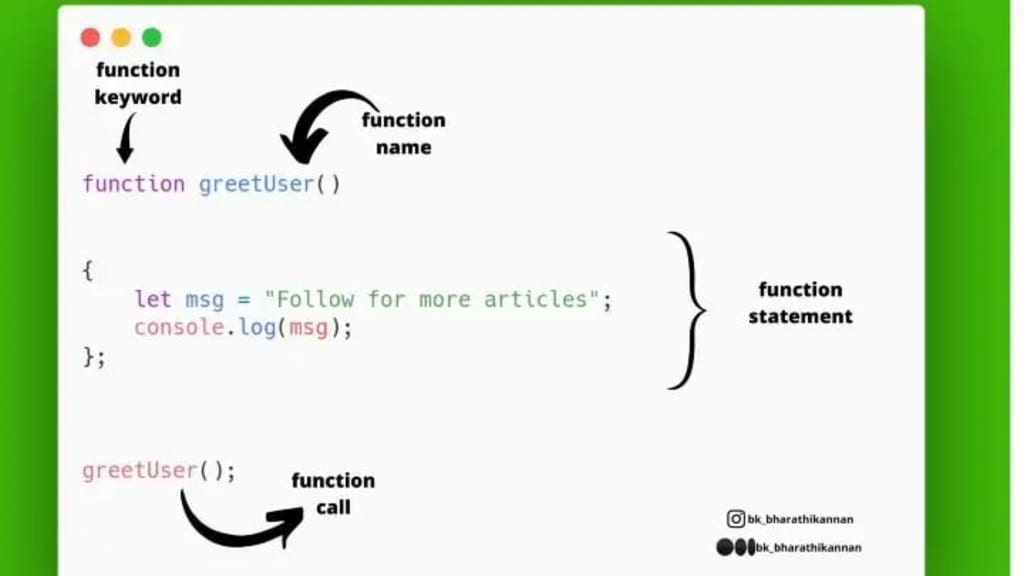
Functions in javascript
JavaScript FUNCTION?
*A JavaScript function is a block of code.
*A JavaScript function is executed when “something” invokes it.
SYNTAX ….⬇️
A function is defined with the function keyword, followed by a name, followed by parentheses ().
The code to be executed, by the function, is placed inside curly brackets: {}
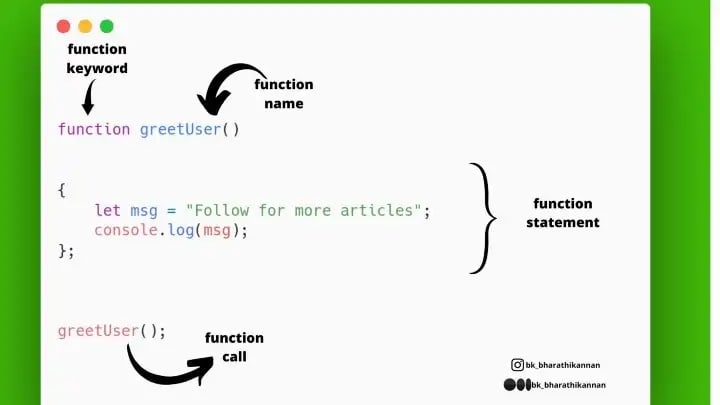
TRY THIS:
function function_name()
{
console.log("hello world!");
}
function_name();
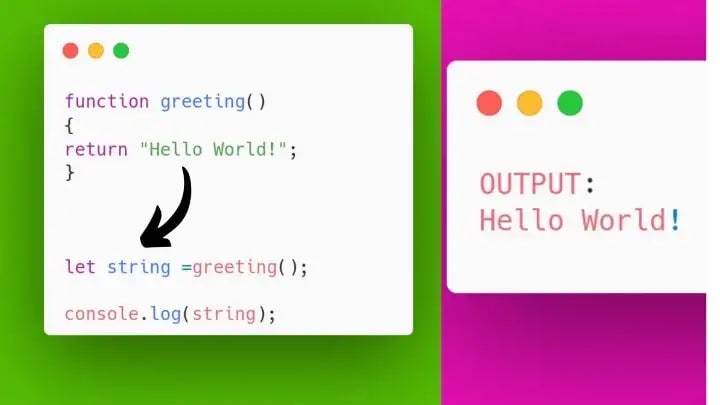
TRY THIS:
function greeting()
{
return `Hello ${user} !`;
}
let user = “bk_bharathikannan”;
let string =greeting();
console.log(string);
OR
function greeting()
{
return "Hello " + user+"!!";
}
let user = "bk_bharathikannan"
let string =greeting();
console.log(string);
Function parameters & Function arguments…⬇️
Function parameters are the names of variables present in the function definition. Function arguments are the real values that are passed to the function and received by them.
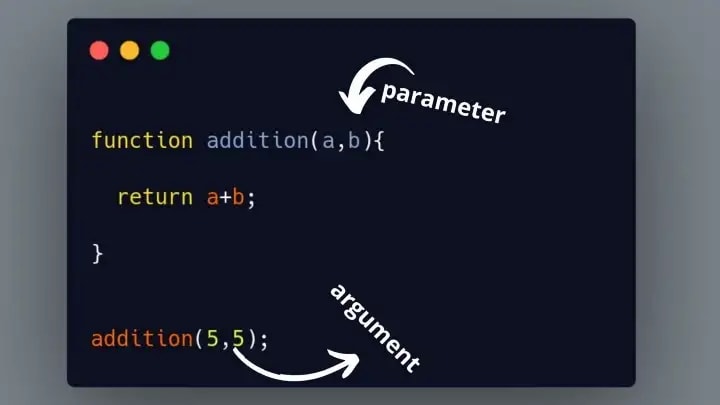
TRY THIS:
function greeting(user)
{
return "Hello "+ user + "!!";
}
let string =greeting(“bk_bharathikannan”);
console.log(string);
FUNCTION EXPRESSION⬇️
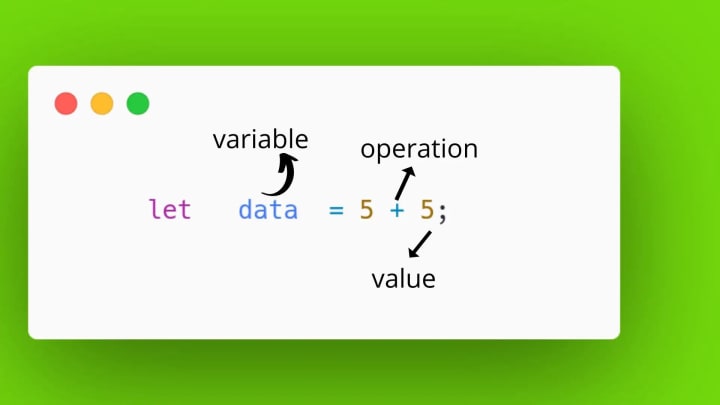
Anonymous Function⬇️
Anonymous Function is a function that does not have any name. Normally we use the function keyword before the function name to define a function in JavaScript.But, whenever we use anonymous functions in JavaScript, we use only the function keyword without the function name.

TRY THIS:
let anonymous_function = function(num1 ,num2)
{
return num1 * num2;
}
anonymous_function(5,5);
OR
let anonymous_function = function(num1 ,num2)
{
return num1 * num2;
}
let result =anonymous_function(5,5);
console.log(result);
let anonymous_function = function(num1 ,num2)
{
return num1 * num2;
}
let sum =anonymous_function;
let result =sum(5,5);
console.log(result);
Local — variable(function)⬇️
* They can only be accessed from within the function.
let str = "bk_bharathikannan";
function string()
{
console.log("THE STRING IS " +str);
}
string();
Global — variable(function)⬇️
A variable declared outside a function, Becomes GLOBAL……
function string()
{
let name ="bk";
}
console.log(name);
string();
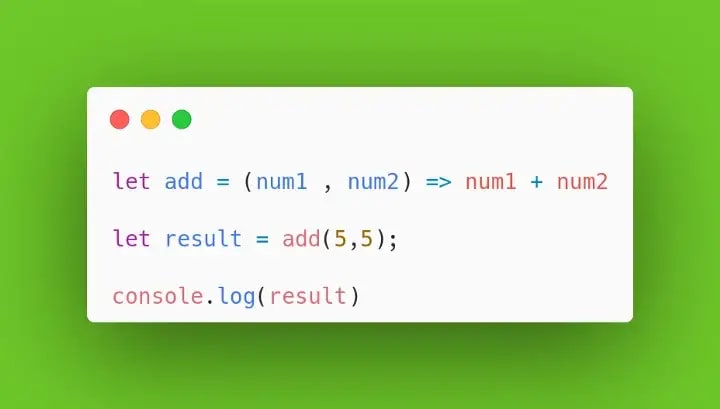
ARROW FUNCTION:-⬇️
* Arrow functions were introduced in ES6.
* Arrow functions allow us to write shorter function syntax:
let myFunction = (a, b) => a * b;
let myFunction = (a, b) => a * b;
myFunction(10,10);
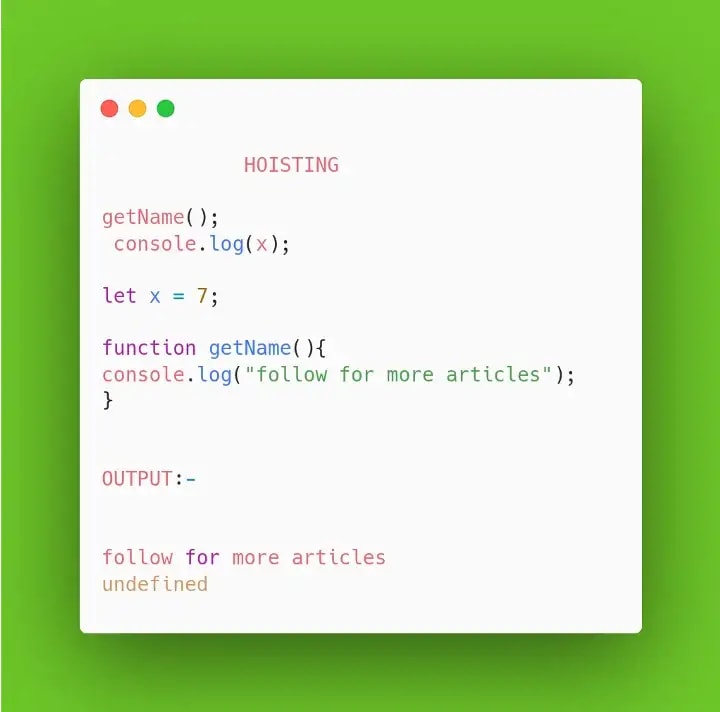
HOISTING :-⬇️
In JavaScript, a variable can be declared after it has been used is known as Hoisting…..
ADVANCE CONCEPT IN FUNCTIONS
JavaScript has several advanced concepts and functions that can be used to write more powerful and efficient code. Some examples include:
Closures:
A closure is a function that remembers the variables in the scope in which it was created. This allows the function to access those variables even after the scope has closed.
Higher-Order Functions:
A higher-order function is a function that takes another function as an argument or returns a function as a result. This allows for powerful functional programming techniques, such as map, filter, and reduce.
Promises:
Promises are a way to handle asynchronous code in JavaScript. They allow you to write code that will execute only after a certain event has occurred, such as a network request completing.
Async/Await:
Async/await is a way of working with promises in JavaScript that makes the code more readable and easier to understand.
ES6 Classes:
ES6 Classes are a way to create objects with the same properties and methods. It is a simpler and more powerful way of working with object-oriented programming in JavaScript.
Generators:
Generators are special functions that can be paused and resumed, allowing you to control the flow of your code and work with large data sets.
Destructuring:
Destructuring is a way to extract values from arrays and objects, making it easier to work with complex data structures in JavaScript.
Spread and Rest Operators:
Spread and Rest operators are used to spread and gather the elements of an array or object.
These are just some examples of advanced concepts and functions in JavaScript, there are many more powerful tools to use and improve your code............
THINK TWICE💭-code once!
THANKS_FOR_READING_!🌟
❤️“Have a Fine_Day”❤️
About the Creator
bk_bharathikannan
YOUNG FRONTEND DEVELOPER
Keep reading
More stories from bk_bharathikannan and writers in Education and other communities.
9 Front-End Development Tools for Boosting Productivity
Introduction When working on projects or learning something new, developers always need some tools and resources that can help make their life easier and increase their productivity. Many developers-specific tools are available on the web. They are usually free, no payment is required.
By bk_bharathikannan3 years ago in Education
How Online Learning is Revolutionizing Education in 2026
The traditional landscape of education has undergone a massive transformation over the last decade. As we navigate through 2026, the concept of a "classroom" is no longer confined to four walls and a blackboard. Online learning has evolved from being a temporary solution during global crises to becoming a primary, highly effective method of gaining knowledge and professional skills. This shift is not just about convenience; it is about accessibility, personalization, and the democratization of information.
By MD. Rahmat Ullah4 days ago in Education
What should you do if you accidentally cut off your finger
After a long day helping patients in the emergency room, Priya is calmly preparing dinner when her knife slips and cleanly severs her finger. Fortunately, as an ER doctor, she knows exactly how to respond. First, she carefully cleans the wound with a wet paper towel and bandages her finger— making sure not to wrap it too tightly. To manage the pain, she knows not to take ibuprofen, which could interfere with clotting, and instead chooses acetaminophen. Then she gently rinses the severed finger, wraps it in a clean, slightly moist towel, and places it in a cooler while avoiding any direct contact with ice. Finally, she rushes to the hospital, where, fortunately, a skilled hand surgeon is available. Thanks to the clean cut and Priya's quick reaction, the surgeon can begin immediately. They set the bones and secure them with wires before repairing the tendons, nerves, blood vessels, and finally, the skin. The entire procedure is completed in about eight hours, and after a few months of occupational therapy, Priya's hand is fully functional again. This represents the ideal outcome for reattaching a body part. Unfortunately, it’s also extremely rare— and not only because most people aren’t as prepared as Priya. In reality, many complications arise with most accidental amputations. First, there’s the injury itself. Unlike Priya's clean cut, most traumatic amputations happen in car crashes or industrial accidents that cause severe, uneven tissue damage and contaminate the wound in ways that prevent reattachment. Additionally, more than half of all limb amputations in the United States are caused by disease, and limbs removed for medical reasons clearly aren’t safe to reattach. Then comes preserving the limb. When a body part is severed, its blood circulation stops, cutting off oxygen and essential nutrients. Surprisingly, severed tissues can survive for a limited time without these resources. Keeping them cool further slows tissue death, generally giving surgeons a 6-to-12-hour window for reattachment. But once the tissues die, reconnecting them won’t restore function. This narrow timeline is especially difficult for surgeons. Because of the challenges already mentioned, reattachment surgeries are relatively uncommon. As a result, many hospitals lack the tools and expertise needed to perform these time-sensitive procedures. And even when they can, nerve repair remains extremely complex. With perfectly clean cuts, surgeons may attempt to stitch nerves back together directly. When a cut is jagged, they might use nerve conduits— tunnels between nerve ends that allow nerves to reconnect gradually. However, neither these nor any other surgical methods reliably restore full movement and sensation. These limitations make successful reattachment unlikely. Fortunately, medical technology has developed another reliable solution for amputation: prosthetics. Today, prostheses come in many forms designed to replace different body parts. Prosthetic legs perform well for walking and running. Prosthetic arms have long struggled to replicate fine hand movements. However, modern myoelectric prostheses can detect electrical signals from nearby muscles and translate them into more precise movements. Perhaps the most dramatic advancement in prosthetic technology is transcutaneous osseointegration. First successfully performed in 1990, this procedure surgically anchors a metal implant into the remaining bone. Over time, the bone grows into the metal’s surface, creating a permanent connection. These implants extend through the skin and attach to prosthetic devices, solving several common prosthetic challenges. Where traditional prosthetics can feel heavy, a direct skeletal connection makes their weight feel more natural. Osseointegrated prosthetics are also less likely to irritate the skin and can provide more sensation by transmitting vibrations through the implant to the bone. Even with these advances, not everyone chooses to replace or reattach a lost limb. After an amputation, some people prefer to rely on their remaining limbs, with or without the support of mobility aids and other adaptive equipment.Follow for more stories like this.
By Munesh Yadavabout 2 hours ago in Education



Comments
There are no comments for this story
Be the first to respond and start the conversation.