
Fake Face Image Classification
Create your own fake face image classification in few simple steps
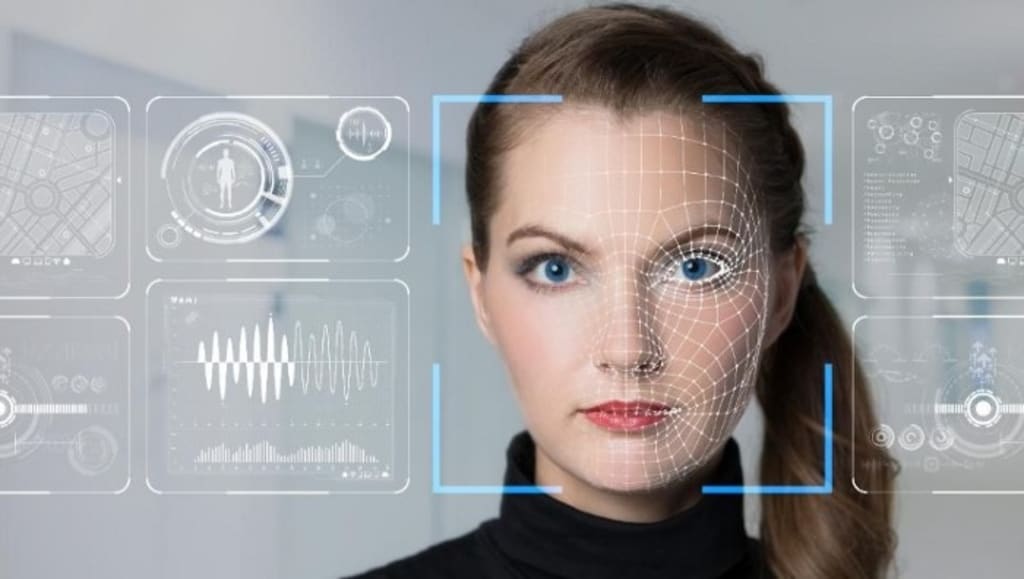
Don't trust everything you see; sometimes, fake makes more impact than real.
Introduction
We believe what we see, right? But with the advancement of science and technology, we have come to know a lot of new things which we as regular people don't see, like exoplanets, quarks, etc.(except for the scientists, though), but they exist. Let me ask you a question:
Can you look at the picture and tell if it is real or not? You may be thinking it is real, but what if I tell you this is a fake image generated using GANs( Generative Adversarial Networks), one of the growing fields of Machine Learning/Artificial Intelligence. With the rapid development in GANs, it has become easy to generate fake faces and videos, which brings the threats like identity theft and privacy breaches; for example, the face unlock feature of current smartphones, anyone can use fake faces to unlock your phone.
In this post, I will explain how to make a fake face image classifier using computer vision.
The first thing that matters in computer vision is data (images); to make a good classifier, you must have a decent amount of data. For making a fake face classifier, I am using 10,000 images of both the classes, i.e., real and fake classes. The Whole pipeline is divided into two sections:
We will use deep learning-based face detection and a CNN classifier for the fake face classification. So let's start building a pipeline.
Identifying Faces (Face Detection) in Images
There are multiple techniques available for identifying the face in an image. Still, the preferred ones among all are feature-based cascade classifier and deep learning-based Multi-task Cascade CNN.
Deep Learning-based MTCNN is considered the state-of-the-art (Best among all), so for face detection in an image, we will use MTCNN.
MTCNN is the cascade structure of three networks; Proposal Network (P-Net), Refine Network (R-Net), and Output Network (O-Net). The process starts with re-scaling the image to a range of different sizes (referred to as image pyramid) and passing them to the P-Net, which proposes the facial regions in the image, then R-Net filters the bounding boxes of the images, and finally, the O-Net proposes facial landmarks, i.e., eyes, mouth, etc. Implementation of the MTCNN is relatively complex but nothing to worry about. Since its implementation is open source, we can directly use it.
Python has a module named mtcnn, which provides the implementation of the MTCNN algorithm; it can be installed using pip:- pip install mtcnn
Before doing your hands dirty with code, you can download the fake and real faces dataset from here; these folders contain images with background so you need to apply MTCNN for cropping the faces out of them.
Let’s start coding:
MTCNN Face Detection: Code for face detection using a single image file is as follows —
also, if you need to prepare data all by yourself, you can use the following code:
Note: The structure of folders may vary based on your OS. For this post I have used macOS and Fake Images and Real images folders are placed inside "Training Images" folder.
We will use these training and testing sets for the training of our network.
Training CNN ( Convolution Neural Network ) for Fake Face Classification
To train the CNN classifier, you need to have the Keras module of python. you can install it using pip: pip install keras
So let’s start making a classifier:
1. Import Dependencies :
2. Create Model Layers: This classifier will have 3 convolution layers, 3 max pool layers, 1 flattening layer, and finally, an output layer with sigmoid activation.
3. Use Image Data Generator for training the model: We will use an Image data generator to simplify the training process.
I was able to get 98.3% accuracy in just 8 epochs.
4. Save weights and model hierarchy: Finally, save the model weights and its structure so that every time when we will use this model, we will not have to train it again and again.
Fake Face Classification Model Testing
Since we have created our model and saved it, it's time to test our model on different fake and real images.
So now you can train and test your Fake Face Classifier in just a few lines of code. So this is it; thanks for reading this post; feedback is always appreciated.
Let’s connect on LinkedIn and Twitter. You can check out my portfolio here. See you next time !!!
About the Creator
Gourav Singh Bais
Machine Learning | Deep Learning Engineer. Reach out to me on Linkedin: https://www.linkedin.com/in/gourav-singh-bais/
Keep reading
More stories from writers in Education and other communities.
What Are Snapchat Planets and How Do They Work
Introduction to Snapchat Planets Snapchat planets are a visual feature that helps users understand how interaction works inside the Snapchat app. Many users notice planets next to friend profiles and feel curious about their meaning. Snapchat planets are designed to represent digital interaction levels in a simple and visual way rather than using numbers or charts.
By AWAIS TARIQ4 days ago in Education
Colors and Such
Before I retired in 2020, I worked as a Nursing instructor in one of the nation's largest community colleges. It was a job I thoroughly enjoyed for fifteen years because I had a heart for the students and genuinely wanted to invest in them and their futures.
By Shirley Belkabout 12 hours ago in Education



Comments
There are no comments for this story
Be the first to respond and start the conversation.