
Creating Trendy YouTube Content with AI: A Step-by-Step Guide
A Comprehensive Guide to Crafting YouTube Videos with AI

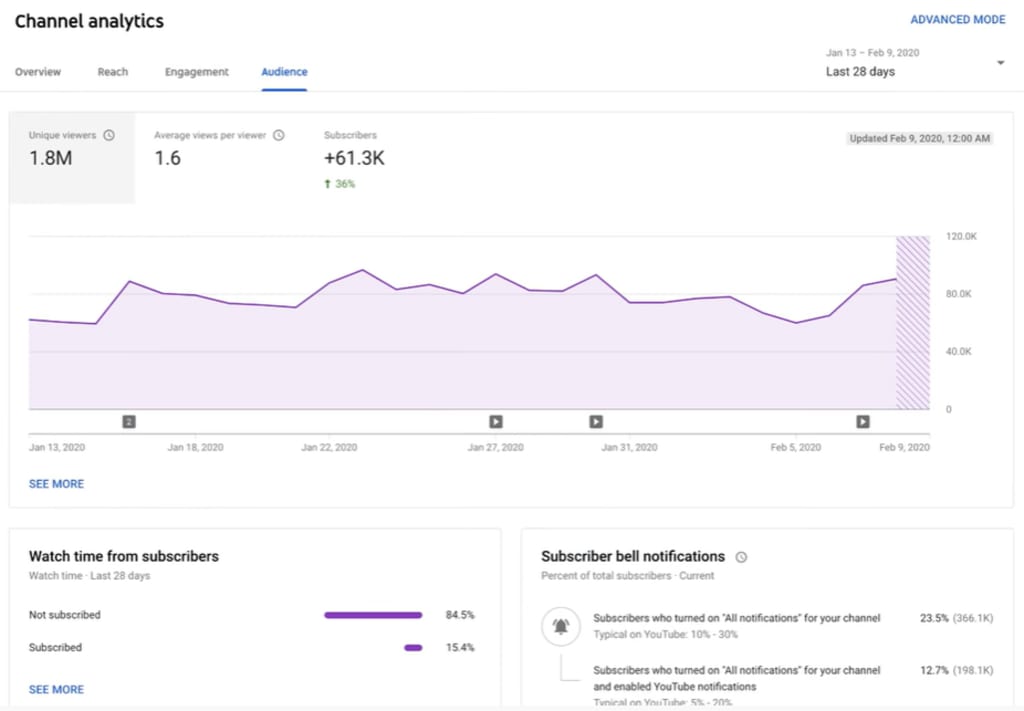
YouTube is one of the most popular social media platforms in the world, with billions of active users. Creating trendy content for YouTube can be a great way to reach a broad audience and increase your engagement. Fortunately, with the help of artificial intelligence (AI), creating trendy YouTube content has never been easier. In this article, we’ll guide you through the step-by-step process of using AI to create trendy YouTube content using VidIQ, SolidPoint, Copy.ai, and Fliki.
Step 1: Find trending YouTube videos with VidIQ VidIQ is a powerful tool that allows you to analyze the performance of YouTube videos and find trends. To get started, create an account on the VidIQ website and install the VidIQ Chrome extension. Once installed, open YouTube and search for videos related to your niche or topic. The VidIQ extension will show you the performance metrics for each video, including views, likes, and engagement rates. Look for videos that have high engagement rates and views. These are the videos that are currently trending in your niche or topic.

Step 2: Summarize the Trendy Video with SolidPoint Once you’ve found a trendy YouTube video, the next step is to create a script for your own video. SolidPoint is an AI-powered tool that can help you summarize the trendy video and extract the key points. To use SolidPoint, go to the SolidPoint website and paste the URL of the trendy video into the input box. The tool will analyze the video and create a summary of the content. Use the summary as the basis for your script.
CLICK HERE TO VISIT SolidPoint.

Step 3: Create a New Video Script with Copy.ai With the summary from SolidPoint, you can create a new video script using Copy.ai. Copy.ai is an AI-powered tool that uses natural language processing (NLP) to generate text based on your input. To use Copy.ai, create an account on the Copy.ai website and select the “Video Script” option. Paste the summary from SolidPoint into the input box and let the tool generate a new script. You can customize the script by adding your own ideas and content.

Step 4: Make the New Video with Fliki Once you have the script, it’s time to create a new video with Fliki. Fliki is an AI-powered video creation tool that can help you create engaging videos quickly and easily. To use Fliki, create an account on the Fliki website and select the “Create a Video” option. Paste the script generated by Copy.ai into the input box and select the video style you want. Fliki will generate a video based on your script, with voiceover and animations.

In conclusion, creating trendy YouTube content with AI is a powerful way to increase engagement and reach a wider audience. By using VidIQ to find trendy videos, SolidPoint to summarize the content, Copy.ai to generate a new script, and Fliki to create the video, you can create engaging and informative content quickly and easily. Try it and see how AI can help you take your YouTube content to the next level.
About the Creator
The Wise Teacher
The Wise Teacher Ali was a very mischievous child who constantly disturbed others with his troublesome behavior. He seemed to find joy in teasing classmates, ignoring rules, and creating disorder wherever he went. His family was exhausted by his actions, and his school was equally troubled. Ali was a student of third grade, yet within just four months, three different teachers had been changed in his class. Each teacher eventually gave up because of Ali’s constant mischief and unwillingness to cooperate.
By Sudais Zakwan7 days ago in Education
Finding Lasting Drive: Unlocking Motivation and Purpose in Life and Work
Motivation and purpose in life and work shape how people think, act, and grow every day. Without a clear sense of direction, even simple tasks can feel heavy and tiring. Many people feel busy but not fulfilled. They work hard yet still feel empty inside. This happens when actions lack meaning. Motivation and purpose in life and work help turn daily effort into something valuable. When people understand why they do what they do, energy comes naturally. Life feels more balanced, and work becomes more than a routine. Purpose is not about having a perfect plan. It is about knowing what matters most. Motivation grows when actions connect with values. This article explores how people can build motivation and purpose in life and work in simple, practical ways. The ideas here focus on clarity, habits, and mindset that anyone can use.
By Philip Raymond Baquie7 days ago in Education




Comments
There are no comments for this story
Be the first to respond and start the conversation.