
Create Viral AI-Powered Shorts for YouTube and TikTok in Minutes: The Ultimate 2025 Guide
Go Viral: How to Effortlessly Create Stunning AI Videos for TikTok and YouTube Shorts in 2025.
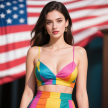
The world of social media is dominated by short-form video content. Platforms like YouTube Shorts and TikTok have become the go-to places for entertainment, information, and trends. For content creators, this means the pressure is on to produce high-quality, engaging videos at a rapid pace. This is where the power of artificial intelligence comes in. AI is no longer a futuristic concept; it's a practical tool that can revolutionize your content creation workflow, making it faster, easier, and more creative than ever before.
This in-depth guide will walk you through the entire process of creating stunning, AI-generated videos using a powerful and user-friendly platform called Vidnoz AI. By the end of this article, you'll have all the knowledge you need to start producing viral-worthy content that captures attention and grows your audience.
Why Use AI for Video Creation?
Before we dive into the "how," let's talk about the "why." AI-powered tools offer several advantages for content creators:
- Speed and Efficiency: AI can automate time-consuming tasks like image and video generation, allowing you to create more content in less time.
- Endless Creativity: AI can generate unique and imaginative visuals that would be difficult or impossible to create manually.
- Accessibility: You don't need to be a professional graphic designer or video editor to create high-quality content. AI tools are designed to be intuitive and easy to use.
- Cost-Effectiveness: AI can significantly reduce the costs associated with traditional video production, such as hiring actors, renting equipment, or purchasing stock footage.
Introducing Vidnoz AI: Your All-in-One Creative Hub
Vidnoz AI is a comprehensive AI platform that goes beyond simple image generation. It's a full-fledged creative suite that offers a wide range of tools to help you produce professional-quality videos from start to finish. Here are some of its standout features:
- AI Image Generator: Create stunning images from text descriptions.
- AI Video Generator: Turn your images or text into dynamic videos.
- Voice Cloning: Replicate voices for narration or character dialogue.
- Avatar Maker: Design custom avatars to represent you or your brand.
Video Editing Tools: Enhance your videos with a video compressor, translator, enhancer, and more.
-----
Step-by-Step Guide to Creating Your AI Video
Now, let's get down to the practical steps of creating your viral AI short.
Step 1: Generate Your Prompts ✍️
The foundation of any great AI-generated video is a well-crafted prompt. Your prompts are the instructions you give to the AI, so the more specific and detailed you are, the better the results will be.
- Use a Chatbot: Start by using a chatbot like ChatGPT to brainstorm and generate your prompts.
- Be Specific: Instead of a generic prompt like "a woman," try something more descriptive like "a photorealistic image of a young woman with long, flowing red hair, wearing a vintage dress, standing in a sun-drenched meadow."
- Create a Narrative: For a more engaging video, create a series of prompts that tell a story or follow a consistent theme. For example, you could create a series of prompts that showcase a character's journey through different magical landscapes.
Step 2: Create Your Images 🖼️
Once you have your prompts, it's time to bring them to life in the Vidnoz AI dashboard.
- AI Image Generator: Copy and paste your prompts into the AI image generator.
- Choose a Style: Select the "realistic model" for a photorealistic look, or experiment with other styles to find the one that best suits your vision.
- Set the Aspect Ratio: Make sure to set a vertical aspect ratio (9:16) to format your images for YouTube Shorts and TikTok.
- Generate Variations: Generate a few variations of each image to give yourself more options in the editing process.
Step 3: Generate Your Video 📹
With your images ready, you can now turn them into a dynamic video.
- Image to Video Tool: Use the "image to video" tool in Vidnoz AI.
- Upload Your Image: Upload the image you generated in the previous step.
- Select a Model: Choose the "Vidna Max model" for the best quality and most realistic motion.
Add a Video Prompt (Optional): You can also paste your video prompt into the description to give the AI more context and influence the final animation.
Step 4: Edit and Finalize Your Video 🎬
This is where you'll assemble your video clips into a polished, professional-looking final product.
- Use a Video Editor: Use a video editor like CapCut, which is a popular choice for its user-friendly interface and powerful features.
- Import Your Clips: Import your generated video clips and a trending audio track.
- Assemble Your Video: Drag and drop your clips into the timeline, add your music, and use transitions to create a smooth and seamless flow.
- Add Text Overlays: Use text overlays to add context, tell a story, or include a call to action.
- Export and Upload: Export your finished video and upload it to YouTube or TikTok.
Optimizing Your Video for Maximum Reach
Creating a great video is only half the battle. You also need to optimize it for discoverability.
- Catchy Titles and Descriptions: Use keywords in your titles and descriptions that people are likely to search for.
- Relevant Hashtags: Use a mix of popular and niche hashtags to reach a wider audience.
- Engage with Your Audience: Respond to comments and questions to build a community around your content.
- Post at the Right Time: Research the best times to post on YouTube and TikTok to maximize your reach.
By following this comprehensive guide, you'll be well on your way to creating viral AI-powered shorts that captivate your audience and grow your online presence. The world of AI content creation is constantly evolving, so don't be afraid to experiment, have fun, and unleash your creativity.
About the Creator
What Should Be Your Main Focus During an Online Limited Radiology Tech Program
Well, the short answer is that there is not a single module that you should strictly focus on. If you want to become a X-ray technician, you need to develop both technical and soft skills.
By Meaghan Howe4 days ago in Education
How Law Promotes Justice and Equality in Society
Law is one of the cornerstones of organized society. Its role extends far beyond punishment or regulation; it is designed to ensure fairness, uphold rights, and create equality among individuals. By setting clear rules and standards, the law provides a framework that governs behavior, resolves conflicts, and protects the most vulnerable members of society. In promoting justice and equality, legal systems reinforce the principles that allow communities to function peacefully and fairly.
By Juan Monteverdeabout 9 hours ago in Education
Hottest in the Office
Dear Rafi, You’re very distracting to work around. For the first second I saw you the other day, I thought you were some type of executive. It took a moment to realize no, you were just the new guy, dressed up for the job he wants. Be still, my heart.
By Gabriel Shames6 days ago in Pride


Comments
There are no comments for this story
Be the first to respond and start the conversation.