
Create Professional Magazine Mockups Without Photoshop
Easy Online Tools to Design Stunning Magazine Mockups Without Any Photoshop Skills

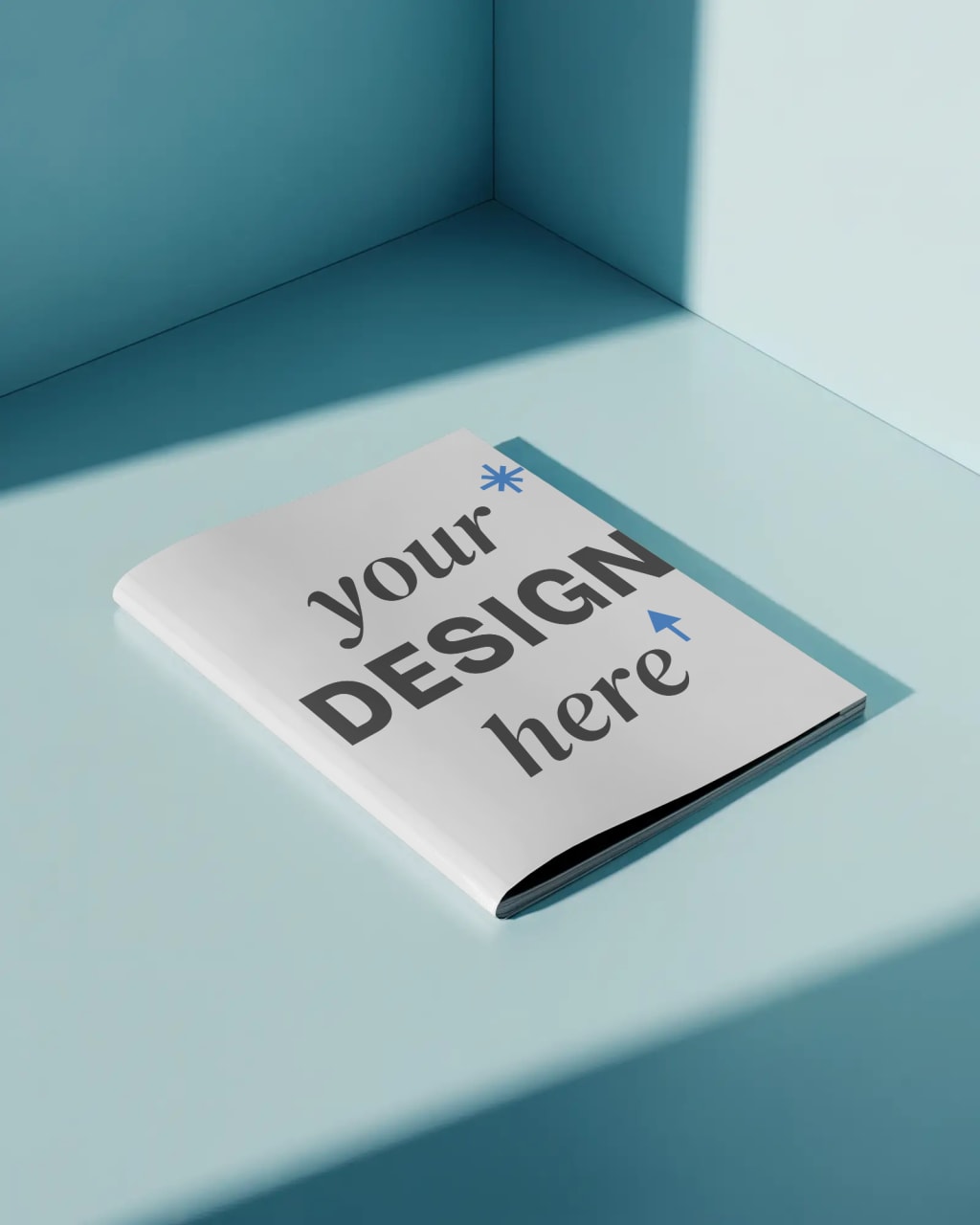
Designing a professional-looking magazine mockup doesn’t have to be complicated. For a long time, Photoshop was considered the go-to tool for designers, but not everyone has the time, skills, or resources to learn it. The good news is that you can now create stunning magazine mockups without ever touching Photoshop. With the rise of online mockup tools and user-friendly platforms, presenting your designs in a realistic way has become easier than ever.
In this blog, we’ll explore why magazine mockups are so useful, how you can create them without Photoshop, and which tools can help you do it quickly. By the end, you’ll see that you don’t need advanced design software to make your projects look polished and professional.
Why Magazine Mockups Matter
When you create a design for a magazine cover or inside spread, it usually starts as a flat image. While that image shows your creativity, it doesn’t always help clients or audiences visualize the final product. This is where mockups come in.
A magazine mockup places your design in a realistic setting. Instead of just a flat picture, you can show your magazine cover on an actual book-style template, on a table, or even in someone’s hands. This makes your work look more professional and instantly more appealing.
For example, imagine you designed a fashion magazine cover. Instead of sending a plain image to your client, you show them a mockup of the cover displayed on a glossy magazine sitting on a coffee table. The difference is huge—it feels real, engaging, and much closer to the final printed version.
Mockups are not only helpful for designers but also for marketers, bloggers, and businesses. If you want to promote your content on social media, an eye-catching magazine mockup can grab attention far more quickly than a flat design.
How to Create Magazine Mockups Without Photoshop
Use Online Mockup Generators
The easiest way to create a magazine mockup without Photoshop is by using online mockup generators. Tools like Mockey, Placeit, and Smartmockups allow you to make high-quality mockups directly in your browser. You don’t need to install heavy software, and you don’t need advanced editing skills.
The process is simple: upload your design, choose a magazine style such as open, closed, or flat lay, and let the tool generate a realistic mockup for you. In just a few clicks, you can download the final design in high resolution.
For example, if you’re a food blogger creating a recipe magazine, you can upload your cover design to Mockey and instantly see how it looks on a magazine placed on a wooden dining table. The result is professional, and you didn’t have to touch Photoshop.
Try Free Photoshop Alternatives
If you like a bit more flexibility, you can use free online editors like Photopea. It works directly in your browser and lets you open PSD mockup files, just like Photoshop.
Here’s how it works: find a free PSD magazine mockup online, open it in Photopea, and replace the placeholder design with your own. You can then export it as a JPG or PNG. This method gives you nearly the same control as Photoshop but without the cost or installation.
It’s perfect for designers who want more customization but don’t want to invest in Adobe software.
Create Mockups in Canva
Another great option is Canva. While Canva is mostly known for social media graphics, it also has plenty of templates for magazine mockups. The process is as easy as dragging and dropping your design onto a template.
You can choose different layouts—such as an open spread, a stacked set of magazines, or a flat cover view. Canva also lets you adjust colors, backgrounds, and elements so your mockup matches your brand style.
Let’s say you’re a lifestyle blogger who publishes a digital magazine. With Canva, you can create a mockup of your magazine cover and share it directly on Instagram or Pinterest without needing advanced design tools.
Experiment with 3D and Video Mockups
Static images are great, but sometimes you need to stand out even more. This is where 3D and video mockups come in. Platforms like Mockey offer 3D mockups that let you show your magazine in an interactive or animated way.
For instance, imagine creating a short video where your magazine pages flip as if someone is reading them. Posting this type of content on social media can grab attention instantly because it looks dynamic and professional.
Tips for Better Magazine Mockups
While the tools do most of the work for you, there are a few things you can keep in mind to make your mockups look even better. Choose a setting that matches your magazine theme. A travel magazine looks great when placed on a beach table, while a business magazine fits better on an office desk.
Always aim for high resolution so that your mockups look sharp whether you use them online or in presentations. And don’t be afraid to try different angles—sometimes a flat lay tells the story best, while other times a hand-held mockup feels more natural and relatable.
Most importantly, keep your branding consistent. Use colors, backgrounds, and props that match your style so your mockups feel like an extension of your overall design identity.
Final Thoughts
You don’t need Photoshop to create professional magazine mockups anymore. With tools like Mockey, Canva, and Photopea, you can design realistic presentations in just a few minutes. Whether you’re a graphic designer showcasing your portfolio, a marketer promoting a campaign, or a blogger trying to stand out on social media, these tools make it simple and affordable.
The key is to focus on presentation. A mockup is not just about showing a design—it’s about telling a story. When your magazine design appears in a realistic setting, people instantly connect with it. So skip the complicated software, experiment with online tools, and start creating magazine mockups that look every bit as professional as those made in Photoshop.
also read:
About the Creator
Keep reading
More stories from Luna Writes and writers in Education and other communities.
Best Magazine Mockup Inspiration for Your Next Project
Design is not just about creativity—it’s also about presentation. You could design the most striking magazine cover or a beautifully arranged editorial spread, but if you only share it as a flat image, chances are it won’t make the impression you want. People connect more strongly with visuals that feel real, and that’s where a magazine mockup can transform your work.
By Luna Writes7 months ago in Education
The Impact of Aviation on Remote Communities and Global Trade
Many communities around the world are located in places where geography makes transportation difficult. Mountain villages, island territories, remote northern settlements, and rural regions often lack reliable road or rail systems that connect them to major economic centers. Aviation has emerged as one of the most effective solutions for bridging these distances. As explained by Glenn Allyn, an aviation professional associated with White Plains, New York, air transportation enables remote communities to interact with global economies by providing fast, reliable connections for commerce, travel, and essential services.
By Glenn Allyn3 days ago in Education


Comments
There are no comments for this story
Be the first to respond and start the conversation.