
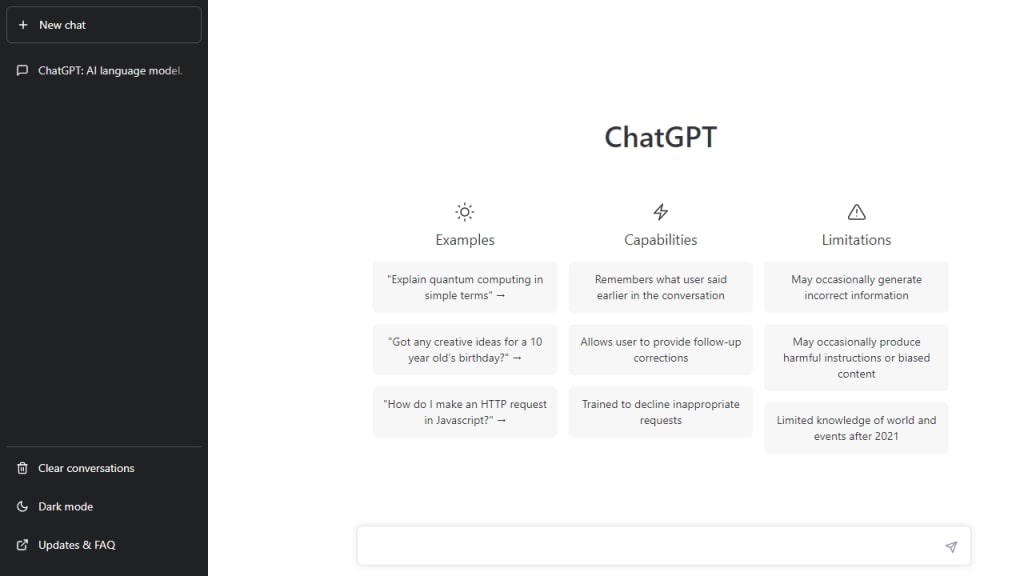
What is ChatGPT?
ChatGPT is an AI language model developed by OpenAI. It is an advanced natural language processing (NLP) tool that can understand human language and generate human-like responses. ChatGPT is designed to simulate a conversation between a user and a language model. It uses machine learning algorithms and neural networks to analyze and interpret user input, generating responses that are relevant and informative.
ChatGPT is a powerful tool that can be used for a variety of tasks, including answering questions, providing recommendations, and generating text. It has been trained on a massive amount of data, including books, articles, and other sources of information. As a result, ChatGPT has a vast amount of knowledge and can provide insights on a wide range of topics.
How to Use ChatGPT
Using ChatGPT is simple and straightforward. Here's a step-by-step guide on how to use ChatGPT effectively:
Step 1: Visit the ChatGPT website
To use ChatGPT, visit the OpenAI website and select the ChatGPT option. This will take you to a page where you can start a conversation with the AI language model.
Step 2: Type in your question or request
Once you're on the ChatGPT page, you can start typing in your question or request. You can ask any question or make any request that you would like, as long as it's within the system's capabilities.
Step 3: Wait for ChatGPT to generate a response
Once you've typed in your question or request, ChatGPT will analyze your input and generate a response. This may take a few seconds, depending on the complexity of your request.
Step 4: Review the response and ask follow-up questions
After ChatGPT generates a response, take the time to review it and determine whether it's helpful. If you have any follow-up questions or would like more information, you can ask ChatGPT for additional details.
Step 5: Continue the conversation
You can continue the conversation with ChatGPT by asking additional questions or making more requests. The more information you provide, the better ChatGPT will be able to assist you.
Tips for Using ChatGPT Effectively
Here are some tips for using ChatGPT effectively:
Be specific in your requests
The more specific you are in your requests, the better ChatGPT will be able to help you. Try to provide as much detail as possible, including any relevant context or background information.
Use natural language
ChatGPT is designed to understand natural language, so try to use conversational language when making your requests. Avoid using technical terms or jargon that might be difficult for the system to understand.
Keep your questions simple
Try to keep your questions and requests as simple as possible. Avoid asking multiple questions or making complex requests that might be difficult for ChatGPT to understand.
Follow up on ChatGPT's responses
If you're not sure about something that ChatGPT has said, don't be afraid to ask for clarification or additional information. ChatGPT is designed to be responsive and informative, so don't hesitate to ask for more details.
Experiment with different types of questions
ChatGPT can be used for a variety of tasks, so don't be afraid to experiment with different types of questions and requests. Try asking for recommendations, insights, or even creative writing prompts to see what ChatGPT can do.
In conclusion, ChatGPT is a powerful AI language model that can be used for a wide range of tasks. By following these tips and using the system effectively, you can get the most out of ChatGPT and tap into its vast knowledge base.
About the Creator
Keep reading
More stories from SURESHKUMAR L and writers in Education and other communities.
How to Buying a mobile phone and using it safely
How to Buy the Best Mobile Phone: Operating System: The operating system is the software that runs on the phone and determines the user interface, app compatibility, and overall performance. The most popular operating systems are Android, iOS, and Windows. Each system has its own advantages and disadvantages, and the choice depends on personal preference and requirements.
By SURESHKUMAR L3 years ago in Education
Quiet Power and the Role of Privacy Architecture in the World’s Most Expensive Homes
Invisible fortresses now define the highest level of residential luxury. In the world’s most expensive homes, owners no longer seek attention or display. They seek control, calm, and protection. Privacy architecture makes this possible. It shapes homes that guard personal life without appearing closed or aggressive.
By Inspirata Group4 days ago in Education
From Volume to Value: Why Value-Based Healthcare Is Redefining Modern Medicine
The healthcare system in the United States is changing in a calm but meaningful way. For decades, care was built around volume. Providers were paid based on how many services they delivered. More visits and more procedures often meant higher revenue. Today, that approach is slowly giving way to a new model called value-based healthcare.
By Evan Weiss St Louis3 days ago in Education



Comments
There are no comments for this story
Be the first to respond and start the conversation.