
Boost Your YouTube Channel with Video Editing Tips
For beginners

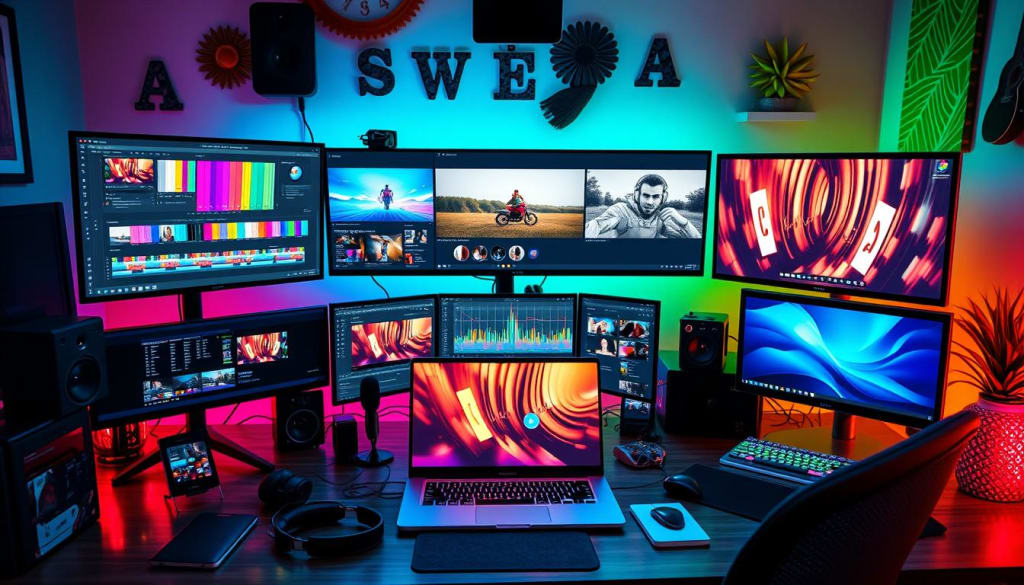
In the dynamic world of YouTube, where millions of creators vie for attention, having standout content is essential. While engaging topics and charismatic personalities are crucial, the art of video editing often sets successful channels apart from the rest. If you've been wondering how to improve your YouTube channel with video editing, you're in the right place. Effective editing can enhance your storytelling, captivate your audience, and ultimately, elevate the overall quality of your videos. In this article, we’ll explore invaluable video editing tips that can help you transform your footage into polished masterpieces, ensuring your channel not only grows but thrives in the vast ocean of digital content.
In today's YouTube world, video editing is key to making your channel stand out. It turns your raw footage into something amazing that grabs your viewers' attention. This can lead to more people watching, subscribing, and engaging with your videos.
This guide will cover the top video editing techniques and tools to boost your YouTube channel. You'll learn how to edit like a pro, add cool effects, and make your videos pop. These tips will help you create content that grabs viewers' attention and makes your channel shine.
>Best & Cheapest Video Editors to Improve Your CT Watch time

Key Takeaways
Explore essential video editing tools and software to streamline your workflow
Learn effective trimming and cutting techniques to enhance video pacing and flow
Craft captivating intros and outros to hook your audience from the start
Leverage visual appeal and branding elements to strengthen your channel's identity
Utilize seamless transitions and motion graphics to create a polished, professional look
Mastering Video Editing Basics
Creating engaging videos for your YouTube channel begins with learning the basics of video editing. You'll need to know about essential tools and software, as well as techniques like trimming and cutting. Understanding these basics is key to improving your video content.
Essential Tools and Software
There are many video editing software options out there, each with its own features. Whether you're new or experienced, checking out video editing software like Adobe Premiere Pro, Final Cut Pro, or free tools like iMovie or DaVinci Resolve is a good idea. This can help you find the right tool for your needs and work style.
Trimming and Cutting Techniques
Learning to trim and cut your footage is a crucial skill in video editing. It lets you refine your video, get rid of unwanted parts, and make it look professional. Whether you're cutting the start or end of a clip or combining different shots, knowing these basics is essential for your YouTube videos.
"Editing is not
By learning the basics of video editing, you can shape your videos, make them more impactful, and engage your aud
Creating Captivating Intros and Outros
Making your video content stand out on your YouTube channel begins with great introductions and conclusions. These parts of your video set the mood and can decide if viewers stay or leave.
To make your intros and outros grab attention, try these tips:
Create a strong YouTube channel branding. Use a consistent look that matches your brand's vibe and appeals to your audience. This could be a special logo, colors, and animations.
Grab viewers right away. Start with something that catches their eye or makes them curious, making them want to watch more.
Make sure your key messages are clear. Keep your intros and outros focused on your video's main points for a smooth viewing experience.
Use music and sound effects wisely. Pick background tunes and sounds that match your video's mood and feel.
By getting good at making great intros and outros, you can boost your YouTube channel branding. This will keep your viewers interested from the beginning to the end.
"The first and last impressions are the ones that stick." - Unknown
https://go.fiverr.com/visit/?bta=907659&brand=fp&landingPage=https%253A%252F%252Fwww.fiverr.com%252Fnoman_27. Creating captivating intros and outros is an essential part of video production that can significantly impact your channel's success. A well-crafted intro serves as a welcoming handshake to your viewers, providing them with a glimpse of what to expect and setting the tone for your content. This initial moment can be the difference between viewers choosing to stay and watch or clicking away. To improve your YouTube channel with video editing, consider using eye-catching visuals, dynamic graphics, and attention-grabbing music that resonates with your brand identity. Briefly outlining the video’s key points can further entice viewers to engage with the material.
Equally important is the outro, which plays a crucial role in shaping the viewer's final impression of your video. This is your opportunity to encourage interaction, whether it’s asking viewers to like, comment, or subscribe. A well-structured outro can also promote other videos on your channel, driving traffic to content you’ve created previously. This strategy not only keeps your audience within your video ecosystem but also builds a sense of community. Including engaging call-to-action graphics or buttons during this segment can increase viewer participation, ultimately enhancing your overall channel performance.
Incorporating these components into your video editing toolkit is vital. When you prioritize these elements, you not only enhance the overall quality of your content but also improve audience retention and engagement. Experimenting with different styles and formats for your intros and outros can help you find what resonates most with your audience. Pay attention to analytics to gauge effectiveness and make adjustments as needed.
Ultimately, mastering the art of creating captivating intros and outros can elevate your channel, making it more memorable and inviting. This added polish not only fosters a professional image but also builds a loyal viewer base that keeps coming back for your unique content. By investing time and effort into these crucial segments, you can set your YouTube channel apart in a competitive landscape.
659&brand=fp&landingPage=https%253A%252F%252Fwww.fiverr.com%252Fnoman_27 Captivating intros and outros play a crucial role in setting the tone for your videos and leaving a lasting impression on your audience. A well-crafted intro can pique viewers' interest from the get-go, while a memorable outro can encourage them to engage further with your content, whether that's subscribing, liking, or watching more videos. The effectiveness of these segments hinges on thoughtfulness and creativity, making them essential components in your video editing toolkit. When you prioritize these elements, you not only enhance the overall quality of your content but also improve audience retention and engagement.
To create an engaging intro, consider incorporating a hook that summarizes the main theme of your video in a compelling way. This could be a thought-provoking question, an intriguing fact, or a bold statement that draws in viewers. Meanwhile, ensuring that your branding is evident in the intro — through logos, color schemes, or fonts — helps establish recognition and familiarity among your audience. The perfect blend of visual appeal and concise messaging will significantly enhance the opening moments of your video and position it as a professional production.
Equally important, crafting an effective outro provides a seamless conclusion to your content and offers a clear call to action. Whether inviting viewers to subscribe, check out your social media, or explore related videos, a thoughtful outro can guide your audience’s next steps and build a community around your channel. When designing the outro, incorporate elements of your branding and make sure it aligns with the overall tone of the video. Simplicity is key; an elegant design paired with a strong message can leave a powerful impact.
Ultimately, if you're looking for practical ways on how to improve your YouTube channel with video editing, focusing on your intros and outros is a strategic choice. These segments are not just formalities; they are opportunities to reinforce your identity as a creator and enhance viewer engagement. By investing the time to perfect these components, you build a stronger connection with your audience and cultivate a more dedicated viewer base that is excited to return for your future content. Remember, "The first and last impressions are the ones that stick."
how to improve your YouTube channel with video editing
Enhancing Visual Appeal
Building a successful YouTube channel starts with making your videos look great. Video editing turns raw footage into stunning visuals that grab your audience's attention. Adjusting lighting and perfecting color grading are key to making your videos stand out.
Incorporating Branding Elements
Having a strong YouTube channel branding is key to being recognized. Video editing lets you add your brand's visual elements like logos and colors to your videos. This makes your channel look professional and familiar to your viewers.
To boost your YouTube channel, try these tips:
Play with camera angles and shots to add depth and interest to your videos.
Use color grading and filters to set the mood and make your footage pop.
Add your brand's logo and colors to your video intros and outros for a cohesive look.
Use motion graphics and animations for catchy transitions and title sequences.
By improving your YouTube channel with video editing, you can make your content more engaging and memorable.
Storytelling Through Seamless Transitions
To make your YouTube videos stand out, it's not just about the visuals. It's about guiding your viewers through a story smoothly. Learning how to use transitions is key to creating an engaging story. Each transition, from a simple fade-in to a bold jump-cut, affects the video's rhythm and pace.
Mastering Cuts and Fades
Cuts and fades are the basics of smooth video editing. Cuts quickly move from one scene to another, adding energy. Fades slowly change scenes, creating a calm mood. Using these techniques well lets you control the story's emotional flow.
Well-timed cuts can make your content more dramatic, focusing on important moments. Learning to use fades helps move smoothly between scenes. This keeps your story flowing well, keeping viewers interested in what's coming next.
Using these basic techniques can make your videos more engaging. By mastering storytelling through video editing, you can create a cinematic experience. Let your video effects and transitions take your viewers on an exciting journey.
Adding Engaging Motion Graphics
Make your YouTube videos stand out with dynamic motion graphics. These visual elements can change your content, grabbing your audience's attention. They keep viewers interested from start to finish.
Motion graphics, from cool title animations to detailed data visualizations, boost your video's impact. They can point out key info, guide viewers, and show off your brand's personality in every scene.
Discover the magic of motion graphics and learn how to:
Create eye-catching title sequences and lower-thirds to introduce your video
Integrate dynamic data visualizations to convey complex information in a compelling way
Utilize motion graphics to emphasize important points or transition between segments
Tailor your motion graphics to align with your brand's aesthetic and messaging
By getting good at video effects and transitions, you can make your engaging video content even better. Use motion graphics to take your YouTube channel to new levels.
Motion Graphics Techniques Benefits for YouTube Content
Title Animations Grab viewers' attention, set the tone, and introduce your brand
Data Visualizations Present complex information in a visually engaging way
Transitions and Overlays Seamlessly guide viewers through your video and emphasize key points
"Motion graphics are the language of the digital age. They can transform your content, captivating your audience and elevating your brand."
Optimizing Video Length and Pacing
Finding the right video length and pacing is key to keeping viewers interested. Understanding how to adjust your video's duration and rhythm can make your content more engaging. This way, your audience will stay tuned until the end, soaking in every bit of your engaging video content.
Maintaining Viewer Attention
To keep your audience hooked, try these tips:
Find out what video length works best for your niche and viewers. Look at what others in your field are doing and test different lengths to see what works.
Change up the pace of your video. Mix fast and slow parts to keep things interesting and prevent boredom.
Add cool visual stuff like transitions and motion graphics. Also, use camera movements to keep the video looking good.
Put in hooks and cliffhangers to make viewers want to see more. This will keep them curious and eager to find out what happens next.
Metric Optimal Range Insights
Video Length 2-10 minutes Shorter videos might get more views, but longer ones can tell more stories. Find what works best for your viewers.
Pacing Varied Switching between fast and slow parts keeps viewers interested and makes the video feel lively.
Viewer Retention 60-80% Try to keep viewers watching at least 60-80% of the time to show they're enjoying it.
By using these tips, you can make your youtube video optimization more engaging. This will keep your audience interested until the very end, making your engaging video content more impactful.>Best & Cheapest Video Editors to Improve Your Watch time
Unleashing Creativity with Video Effects
Video editing is more than just cutting and stitching footage. It's an art form that lets you unleash your creativity. You can turn your videos into stunning masterpieces. Video effects and transitions are key tools for this.
Color Grading and Filters
Color grading and filters can change your video's mood and look. By tweaking color balance, saturation, and contrast, you can achieve a specific style. Try different filters or create your own to make your videos stand out.
Using video effects and transitions can make your scenes pop. Learning video editing techniques opens up a world of creativity. It can take your YouTube content to new levels.
Video Effect Description Use Case
Slow Motion Slows down the playback speed of the footage Highlighting a specific moment or action, creating a cinematic feel
Time Lapse Speeds up the footage to condense time Showcasing a gradual change or process over an extended period
Green Screen Allows you to remove a solid color background and layer new elements Compositing different scenes or adding virtual backgrounds
By using these techniques, you can make your videos engaging and memorable. This will captivate your audience.
"The true sign of intelligence is not knowledge but imagination." - Albert Einstein
Unleash your creativity with video effects and transitions. With some experimentation and a focus on visual storytelling, you can make your YouTube videos unforgettable. They will leave a lasting impression on your viewers.>Best & Cheapest Video Editors to Improve Your Watch time
Video Editing for Specific Niches
Being a smart YouTube creator means more than just basic video editing. You need to make your editing fit your niche perfectly. Whether you're into vlogging, tutorials, gaming, or product reviews, the right editing can make your videos pop.
Vlogging: Enhance Authenticity and Personality
Vloggers should keep their editing simple and true to themselves. Use jump cuts and tight shots to feel more real. Add fun graphics to show off your personality.
Tutorials: Clarity and Visual Cues
Tutorial videos need to be clear and easy to follow. Use annotations and graphics to guide viewers. youtube content strategy says your editing should help teach, not confuse.
Gaming: Dynamic Editing and Pace
Gaming videos should be fast and exciting. Use jump cuts and split-screens to keep the energy up. video editing tutorials suggest adding highlights and sound effects to keep viewers entertained.
Product Reviews: Cinematic Flair and Professionalism
Product review videos should look professional and engaging. Try creative angles and smooth movements. Add branding and a polished look to make your reviews seem trustworthy.
No matter your niche, the secret to great video editing is knowing your audience. Tailor your editing to meet their needs, and your YouTube channel will flourish.
>Best & Cheapest Video Editors to Improve Your Watch time
Conclusion
Mastering video editing can really boost your YouTube channel. It helps you grab your audience's attention. With the tips from this guide, you can make videos that are both engaging and professional.
This guide has taught you how to use top video editing tools. You now know how to make great intros, outros, and smooth transitions. You can also make your videos stand out with unique styles and effects.
Improving your YouTube channel is all about telling stories and making videos that fit your niche. By focusing on these, you'll grow a loyal community. They'll look forward to watching your videos.
FAQ
What are the essential tools and software for video editing?
Adobe Premiere Pro, Final Cut Pro, DaVinci Resolve, and iMovie are top choices. They offer many features to edit videos well.
How can I create captivating intros and outros for my YouTube videos?
Make your intros and outros stand out. Use your brand's identity and eye-catching visuals. Add motion graphics to leave a strong impression.
What techniques can I use to enhance the visual appeal of my videos?
Adjust lighting and color grading to improve your videos. Add branding elements for a professional look. This will make your channel more engaging.
How can I use video editing to tell a compelling story?
Use smooth transitions like cuts and fades to tell a story. Try different techniques to keep your viewers interested.
How can I use motion graphics to keep my viewers engaged?
Use motion graphics, animations, and effects to add interest. They help highlight important points and keep viewers engaged.
How can I optimize the length and pacing of my videos?
Balance video length and pacing to keep viewers interested. Find the right rhythm to keep them watching until the end.
What video editing techniques can I use to unleash my creativity?
Try different effects, color grading, and filters to enhance your videos. These tools can help set the mood and create visual interest.
How can I tailor my video editing to specific YouTube content niches?
Adjust your editing for different niches like vlogs or tutorials. Find tips for your niche to make your content more engaging.
About the Creator
Prince Emeka
As a content creator, I craft engaging content across platforms, using storytelling, insights, and visuals to inspire, inform, and connect with diverse audiences.
Keep reading
More stories from Prince Emeka and writers in Education and other communities.
How I Turned My Passion for Music into a Growing Career
Introduction In today’s digital age, it can be tough to stand out as a new artist, especially when it seems like everyone is trying to make it big in the music industry. But despite the noise, I found a way to break through. My name is thedonakahumbleboy, and this is my story about how I discovered my unique voice, navigated the challenges of the music world, and started building a fanbase that appreciates authentic creativity. I’ve always had a passion for music. Growing up, I was surrounded by different sounds, from the classics to the latest hits on the radio. But making the leap from just being a listener to becoming a creator wasn’t easy. There were countless hurdles along the way, but every challenge helped shape who I am today as an artist. The journey was never meant to be simple, and I embraced every lesson that came my way. Music has always been a part of my life, but I never imagined it would turn into something bigger—until now. In this post, I’m sharing my journey from a music enthusiast to becoming "thedonakahumbleboy," a rising artist who creates original songs. If you’re passionate about music or starting your own creative journey, keep reading for tips, lessons, and inspiration.
By Prince Emekaabout a year ago in Beat


Comments
There are no comments for this story
Be the first to respond and start the conversation.