
Beyond the Hype: How AI Filmmaking Tools Are Actually Revolutionizing Your Creative Process (And How to Use Them Wisely)
Create cinematic videos with AI characters


Remember those sci-fi movies where directors just thought a scene into existence? While we’re not quite there yet, the world of filmmaking is undergoing a seismic shift, powered by artificial intelligence. Forget the fear-mongering about robots replacing artists. The real story? AI tools for film are becoming indispensable collaborators, unlocking unprecedented creative freedom, streamlining grueling workflows, and democratizing high-end production techniques. Whether you’re a seasoned pro wrestling with tight deadlines or an indie filmmaker dreaming big on a shoestring, AI is poised to become your secret weapon.
Explore AI Filmmaking Tools Now → 🎬
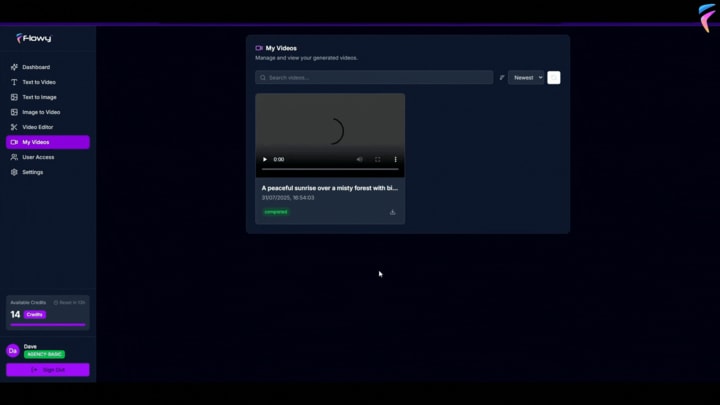
Let’s pull back the curtain and explore the practical, powerful AI tools reshaping every stage of the filmmaking pipeline.
From Script to Screen: AI's Expanding Role
The journey of a film is long and complex. AI isn't just popping up in one area; it's weaving itself into the fabric of the entire process:
1. Pre-Production: Where Ideas Take Shape (Faster!)
- AI Scriptwriting Assistants (e.g., Jasper, ShortlyAI, Sudowrite): Stuck on page 30? These tools go beyond simple grammar checks. They can generate dialogue snippets, brainstorm plot twists based on your genre, suggest character motivations, and even analyze your script's structure against proven storytelling frameworks (like Save the Cat!). Think collaborator, not replacement. Use them to overcome blocks, explore alternatives, or quickly generate loglines and synopses.
- AI Storyboarding & Visualization (e.g., Midjourney, Stable Diffusion, DALL-E 3 + Storyboarder/Krita): Translating words into images is now lightning fast. Feed your script description or a simple prompt into an image generation AI, and instantly visualize a scene, character concept, or mood board. This is revolutionary for pitching ideas, scouting locations virtually, and getting your team visually aligned before a single camera rolls. Tip: Combine these outputs with traditional storyboard software for polished sequences.
- AI Casting & Location Scouting (e.g., Casting AI platforms like Casting Networks are integrating AI features, Location Libraries enhanced by AI search): While human intuition remains key, AI can rapidly sift through thousands of actor headshots and reels based on specific criteria (look, age, accent, past roles). Similarly, AI-powered location databases can find real-world places matching your described aesthetic or even generate virtual location concepts for VFX.
- AI Scheduling & Budgeting (e.g., StudioBinder with AI features, Celtx): Juggling cast availability, crew, locations, and equipment is a logistical nightmare. AI-driven production management tools can optimize shooting schedules in minutes, flag potential conflicts, and provide more accurate budget forecasting by analyzing historical data and project specifics.
2. Production: Capturing the Magic (More Efficiently)
- AI-Powered Cameras & Assistants: Modern cameras increasingly feature AI for:
-Automatic Framing: Keeping subjects perfectly in frame, even when moving (great for solo operators or dynamic interviews).
-Real-time Analytics: Exposure warnings, focus peaking enhanced by AI prediction.
-Object & Face Tracking: Smoother, more reliable autofocus and movement.
- AI for Virtual Production (e.g., NVIDIA Omniverse, Unreal Engine AI tools): The "Volume" technology popularized by The Mandalorian relies heavily on real-time rendering. AI accelerates this by optimizing lighting matching between physical sets and virtual backgrounds, generating realistic environments on the fly, and even creating believable digital crowds or background characters.
3. Post-Production: Where the Puzzle Comes Together (Smarter)
- AI Video Editing (e.g., Runway ML, Adobe Premiere Pro (Sensei AI), Descript): This is exploding. AI can now:
-Auto-Edit Rough Cuts: Analyze footage, find "good takes" based on smiles, lack of umms, or framing, and assemble a basic sequence.
-Transcribe & Edit via Text: Descript pioneered this – edit video by editing the transcript. Delete a word in the text, and the video/audio seamlessly adjusts. Mind-blowing for podcasts, interviews, and documentaries.
-Automated Color Correction & Matching: Apply consistent color grades across clips or match the look of a reference image instantly.
-Object Removal & Cleanup: Erase unwanted microphone booms, wires, or even passersby with astonishing accuracy (e.g., Runway Gen-2).
- AI Sound Design & Mixing (e.g., Audo.ai, Adobe Audition (Sensei), iZotope RX):
-Noise Reduction & Audio Repair: Remove background hum, wind noise, clicks, and pops far more effectively than traditional tools.
-Voice Isolation & Enhancement: Separate dialogue clearly from noisy environments. Enhance clarity.
-AI Music Generation (e.g., Soundraw, AIVA): Create royalty-free, mood-specific background scores quickly. Useful for temp tracks or projects with minimal music budgets.
- AI Visual Effects (VFX) (e.g., Wonder Dynamics, Deep Voodoo, Topaz Labs):
-Deepfake & Digital Humans: While ethically complex, the tech for realistic face replacement or creating digital actors is advancing rapidly (used cautiously in projects like The Book of Boba Fett for de-aging).
-Motion Capture Enhancement: AI can clean up mocap data and translate it onto digital characters more efficiently.
-Upscaling & Restoration: Tools like Topaz Video AI can dramatically improve the resolution of old footage, reduce grain, and restore damaged film.
4. Distribution & Marketing: Finding Your Audience
- AI Trailer Creation (e.g., IBM Watson Trailers, experimental platforms): Although not yet mainstream, AI can analyze film footage for key emotional beats, action sequences, and dialogue to automatically assemble trailer concepts.
- AI-Powered Subtitling & Translation (e.g., DeepL, Google Translate integrated into subtitling software): Generate initial subtitles with high accuracy, significantly speeding up the process. AI translation is also improving for multi-language releases.
- Audience Analysis & Marketing Optimization: AI helps studios analyze social media buzz, predict audience reception for different cuts or marketing angles, and optimize ad targeting.
The Crucial Conversation: Ethics, Authorship, and the Human Touch
This power comes with responsibility. We must address:
- Bias: AI models are trained on existing data, which can perpetuate societal biases. Be vigilant about representation in AI-generated content.
- Copyright & Ownership: Who owns an image generated from a prompt mixing ten artists' styles? Laws are lagging. Use licensed training data models where possible and be transparent.
- Deepfakes & Misinformation: The potential for abuse is high. Use this technology ethically and responsibly, especially regarding real people.
- Job Displacement Fears: AI automates tasks, not creativity. It frees up filmmakers from tedious work to focus on vision, performance, and storytelling. The most successful will be those who master AI as a tool, not fear it.
- The "Soul" of Art: Can AI truly replicate human emotion and experience? Probably not. Its greatest value is augmenting human creativity, not replacing the spark of human connection that resonates with audiences.
The Future is Collaborative (And It's Here Now)
AI filmmaking tools aren't science fiction; they are practical, powerful assets available today. They democratize high-end techniques, save immense amounts of time and money, and open doors to visual storytelling previously unimaginable outside mega-budgets.
The key? Embrace AI as a member of your creative team. Experiment with these tools during pre-production brainstorming, use them to conquer the tedious parts of editing and sound cleanup, and leverage them to visualize the impossible. But always remember: You are the director. You hold the vision. AI is your incredibly skilled, tireless assistant.
Ready to explore? Start small. Try an AI script assistant to beat writer's block. Experiment with an image generator for concept art. Use AI audio cleanup on your next interview. See how these tools can empower your unique filmmaking voice.
Frequently Asked Questions (FAQs)
1. Q: Will AI replace filmmakers, directors, or editors?
A: Highly unlikely. AI excels at automating specific, often time-consuming tasks (like syncing audio, basic color correction, finding "good takes," and generating background assets). The core creative vision, emotional intelligence, directorial choices, performance guidance, and complex storytelling decisions remain firmly in the human domain. AI is a powerful tool, not a replacement for artistic leadership.
2. Q: Are AI-generated scripts or music copyrightable? Who owns it?
A: This is a legally gray area evolving rapidly. Currently, in many jurisdictions (like the US Copyright Office), output solely generated by AI without significant human creative input may not be copyrightable. Ownership often depends on the terms of service of the specific AI tool used. Always check the platform's terms carefully. For commercial projects, significant human modification and oversight are crucial for stronger copyright claims. Consult a legal professional for critical projects.
3. Q: What are the best free AI tools for filmmakers starting out?
A: Several great options exist:
- Image Generation: Play with Bing Image Creator (powered by DALL-E), Leonardo.Ai (free tier), Stable Diffusion web demos.
- Scripting: Free trials of Jasper, Sudowrite; basic brainstorming with ChatGPT.
- Editing/Post: Descript (free tier for basic editing via text), DaVinci Resolve (free version includes some AI features like facial recognition), CapCut (mobile/desktop, includes basic AI effects).
- Audio: Audacity (free, open-source) with some AI plugins; basic noise reduction in many free editors.
4. Q: How can I ensure I'm using AI ethically in my film projects?
A: Key principles:
- Transparency: Disclose significant AI use where appropriate (e.g., deepfakes, AI-generated actors).
- Consent: Never use someone's likeness via deepfake without explicit, informed permission.
- Bias Awareness: Critically evaluate AI outputs for harmful stereotypes or biases; diversify your inputs where possible.
- Respect Copyright: Understand the training data and licensing of the AI tools you use. Don't infringe on existing copyrighted works intentionally.
- Human Oversight: Maintain strong creative control; AI is an assistant, not the author.
5. Q: Is the learning curve for AI filmmaking tools steep?
A: It varies widely. Tools like AI image generators or Descript's text-based editing are relatively intuitive to start with. More advanced VFX or machine-learning-based tools (like training custom models) require more technical skill. The good news? Many tools are designed with user-friendly interfaces, and countless tutorials exist online. Start simple and build your skills gradually. The time investment is often far less than mastering traditional, manual techniques for the same task.
What's your experience with AI filmmaking tools? Have you discovered a game-changer? Share your thoughts, questions, or favorite tools in the comments below – let's learn from each other!
About the Creator
Epic Vibes
✨ Welcome to Epic Vibes Blog! 🌟 Explore diverse insights and trending topics. From the latest buzz to hidden gems across various realms, we bring you fresh, engaging content. Stay ahead with us! 🚀
Keep reading
More stories from Epic Vibes and writers in Education and other communities.
Beyond Clips: Does Flowy AI Turn Prompts into Cinematic Masterpieces?
Forget robotic voiceovers and awkward, stitched-together clips. The dream of typing a simple idea and watching a polished, emotionally resonant video unfold before your eyes feels like science fiction. Yet, that’s the bold promise of Flowy AI, touted as the world’s first app harnessing Google’s secretive "Flow AI" technology. Promising Hollywood visuals at TikTok speed and the potential for Netflix-level earnings, it claims to revolutionize video creation. But does it live up to the extraordinary hype? Let’s cut through the marketing noise.
By Epic Vibes8 months ago in Education
Building Stronger Teams Through Diversity
Diversity in the workplace is more than a trend. It is a key part of building strong and creative teams. Companies today serve people from many cultures, backgrounds, and life experiences. Because of this, businesses need teams that reflect the world around them.
By Aaron Khieu6 days ago in Education
How Long the Sun Has Left: The Future Life and Death of Our Star Explained
Every day, the Sun rises and sets with remarkable consistency. It has illuminated Earth for billions of years, sustaining life and shaping the environment of our planet. Because the Sun appears stable and unchanging, it is easy to imagine that it will shine forever.
By shahkar jalalabout 18 hours ago in Education



Comments
There are no comments for this story
Be the first to respond and start the conversation.