
Best Laptop for Sketchup
Discover the best laptops for SketchUp in 2025, offering powerful performance, smooth 3D modeling, and stunning graphics for architects, designers, and creators.

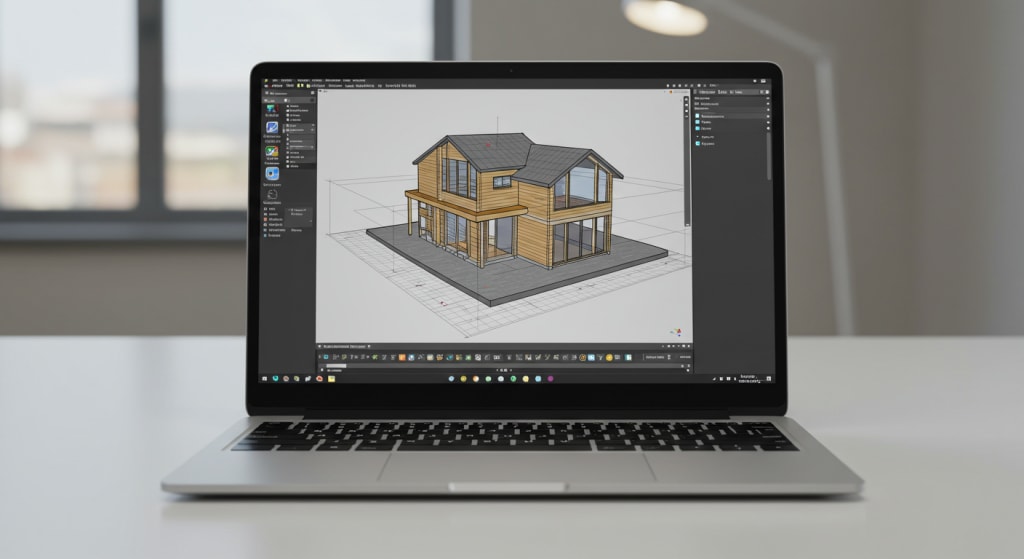
If you're looking for the best laptop for SketchUp, you're in the right place. Whether you're an architect, designer, or student, SketchUp is a powerful 3D modeling tool and to make the most of it, you need a laptop that can handle heavy graphics, large files, and smooth rendering.
In this blogpost, we’ve shortlisted 6 top laptops for SketchUp covering everything from premium picks to budget-friendly beasts. Let’s jump right in.
1. ASUS ZenBook Pro Duo 15 OLED: Best Premium
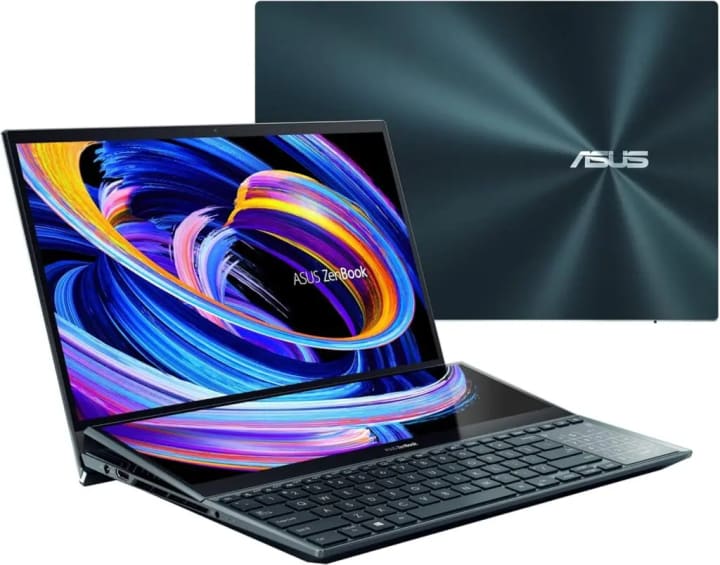
If you're after top-tier performance with premium visuals, the ASUS ZenBook Pro Duo 15 OLED is in a league of its own.
This laptop features a 10th Gen Intel Core i7 processor, 16GB RAM, and a massive 1TB SSD, paired with an NVIDIA GeForce RTX 3070 graphics card. But what truly makes it unique is its dual-screen design.
The 15-inch 4K OLED touchscreen and the secondary 14-inch ScreenPad Plus give you a new way to multitask ideal for managing SketchUp alongside reference images, extensions, or rendering tools.
It’s also built to military-grade durability standards, so it’s as tough as it is beautiful.
Ergonomically designed with a detachable palm rest and stylus, it’s the ultimate creative workstation. If budget isn’t a concern, this is a SketchUp powerhouse worth every penny.
2. Dell XPS 15 9500: Best Value

The Dell XPS 15 9500 offers the perfect balance between power and portability. Equipped with a 10th Gen Intel Core i7 processor, 32GB RAM, 1TB SSD, and an NVIDIA GTX 1650 Ti graphics card, it handles SketchUp projects with ease even complex models and rendering tasks.
What stands out is its stunning 15.6-inch UHD+ display with a 3840x2400 resolution, providing ultra-sharp visuals and accurate color for design work.
Plus, with Wi-Fi 6, Thunderbolt 3 ports, and a robust 86Wh battery, it's built for creators who need reliable performance on the move.
Whether you’re working in the studio or presenting to a client, this machine delivers both productivity and elegance in one sleek frame.
3. Acer Predator Helios 300: Best Runner Up
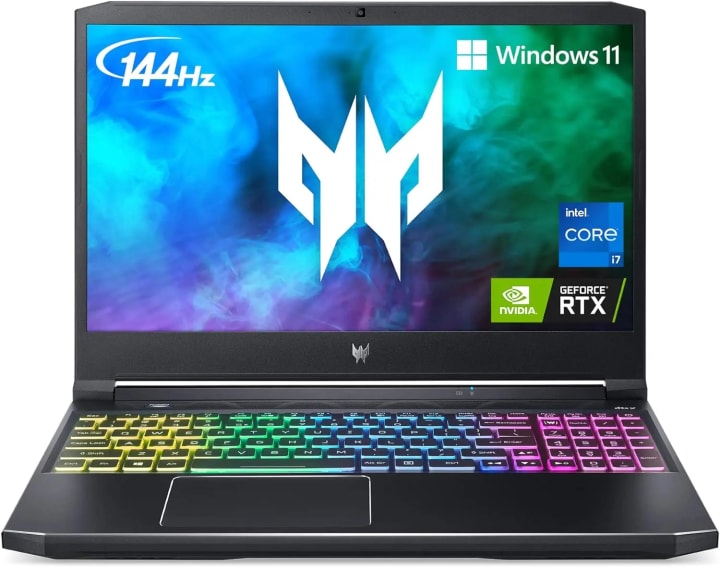
The Acer Predator Helios 300 is a solid option for users who want power and cooling without breaking the bank.
Fueled by the 11th Gen Intel Core i7-11800H processor and 16GB DDR4 RAM, this laptop packs a serious punch.
It also features an RTX 3060 graphics card with 6GB of VRAM more than enough to handle 3D modeling and rendering in SketchUp.
The 15.6-inch Full HD IPS display boasts a 144Hz refresh rate, delivering sharp and responsive visuals.
Designed with gamers in mind, it also benefits creators with its custom cooling system and dual storage support.
If you’re a SketchUp user who also enjoys some gaming on the side, the Helios 300 delivers performance, versatility, and value in one aggressive-looking package.
4. Razer Blade 15 Base: Best Flagship
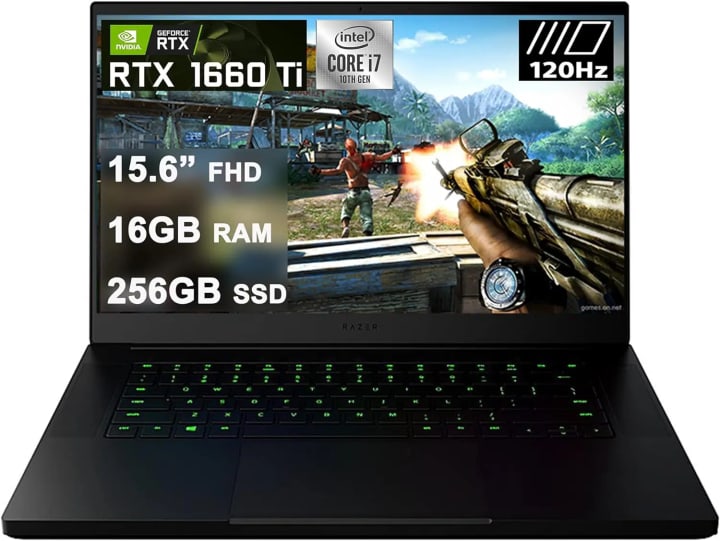
Sleek, powerful, and built like a tank the Razer Blade 15 Base edition is a flagship device built for creators.
It sports a 10th Gen Intel Core i7-10750H processor, 16GB RAM, and a 256GB SSD, backed by a GeForce GTX 1660 Ti graphics card.
While not the latest GPU on the market, it’s still more than capable of running SketchUp smoothly and efficiently.
The 15.6-inch 1080p display runs at 120Hz, giving you fluid motion during modeling and editing.
What sets the Blade apart is its unibody aluminum design, compact form factor, and premium build quality.
It’s also loaded with ports, THX Spatial Audio, and a responsive backlit keyboard. If you want professional power in a minimalist shell, this one’s a winner.
5. Dell Inspiron 15 3501: Best Budget Option

For users on a tight budget who still want solid performance, the Dell Inspiron 15 3501 is a smart pick.
This laptop features an 11th Gen Intel Core i7 processor with Intel Iris Xe graphics, making it capable of handling light to moderate SketchUp tasks.
With a 15.6-inch Full HD anti-glare display, 8GB RAM, and fast SSD storage, it delivers a smooth workflow for basic 3D modeling.
The standout feature is Dell’s ExpressCharge which charges the battery up to 80% in just an hour, perfect for students and freelancers on the go.
While it’s not designed for high-end rendering, it works well for learning, designing simple models, and presentations.
It's lightweight, affordable, and a great entry-level choice for aspiring designers.
6. Lenovo Legion 5: Best Rugged Option

If you want serious power and rugged build quality, the Lenovo Legion 5 won’t disappoint. Powered by the AMD Ryzen 7 5800H and 16GB RAM, it comes with an RTX 3050 Ti graphics card that’s more than capable of handling complex SketchUp designs and real-time rendering.
Its 15.6-inch Full HD IPS display offers vibrant visuals, while the TrueStrike RGB keyboard provides excellent feedback for long modeling sessions.
You’ll also find advanced connectivity options including Wi-Fi 6, multiple USB ports, HDMI 2.1, and a DisplayPort 1.4.
It’s durable, powerful, and versatile making it ideal for architects or designers who need reliable performance both in the studio and on-site.
Conclusion
Choosing the best laptop for SketchUp depends on your workflow and budget. Whether you need ultra-premium performance, gaming-grade graphics, or just a reliable tool to start learning 3D design, there’s an option here for you.
All the laptops we’ve mentioned can run SketchUp effectively it’s just about matching the right one to your creative needs.
About the Creator
Laptopflora
Welcome to Laptopflora, where laptops meet expertise and your tech decisions are made easier. Our journey began with a single mission: to create a trusted platform that provides clear, actionable, and insightful information about laptop.
Keep reading
More stories from Laptopflora and writers in Education and other communities.
AI in eLearning Market to Reach USD 12.2 Billion by 2033: Driving Personalized Learning
Market Overview Artificial Intelligence in eLearning represents the integration of machine learning, natural language processing, and advanced analytics into digital learning systems. These technologies allow educational platforms to analyze learner behavior, automate assessments, and provide adaptive learning experiences. AI driven tools can identify learning gaps, recommend personalized study paths, and improve student engagement through interactive digital environments. As education increasingly shifts toward digital platforms, the role of AI technologies in improving learning efficiency continues to expand.
By Roberto Crum8 days ago in Education



Comments
There are no comments for this story
Be the first to respond and start the conversation.