
Best Laptop for Machine Learning
Discover the best laptops for machine learning powerful devices with high-end GPUs, fast processors, and ample RAM to handle data training, AI modeling, and deep learning tasks efficiently.

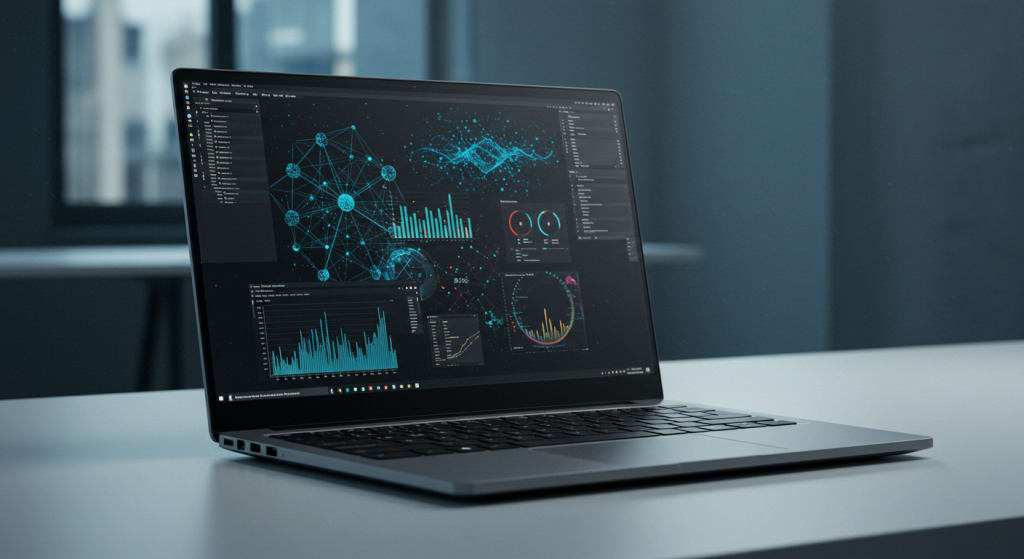
Are you a data scientist, a machine learning enthusiast, or a student diving deep into artificial intelligence?
Then you already know not all laptops are created equal.
In machine learning, power matters. Speed matters. And so does efficiency.
In today’s blogpost, we’ll explore the Top 5 Best Laptops for Machine Learning each tested for performance, value, and practical real-world use.
So let’s help you find the perfect laptop that won’t slow you down when training large datasets or building complex neural networks.
Stick around till the end to find the perfect match for your workflow.
Machine learning is all about teaching computers to learn from data to improve on their own without needing to be reprogrammed every time.
But this process demands a lot from your machine.
Whether you’re working on supervised learning models, deep neural networks, or natural language processing, you need a laptop that delivers:
• Powerful CPU for model training
• Ample RAM for multitasking and large datasets
• A strong GPU for accelerating computations
• High-speed SSDs for faster data access and storage
With that in mind, let’s jump into our hand-picked list of laptops that are tailor-made for machine learning in 2025.
Best Value: MSI Creator 15 A10SEV
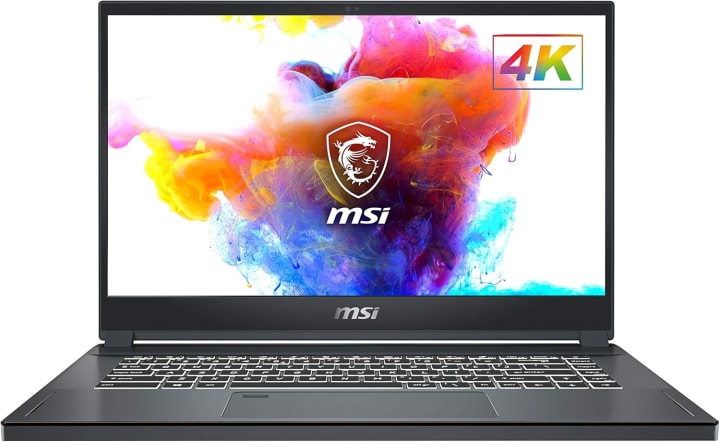
First on our list is the MSI Creator 15 A10SEV, a beast when it comes to performance and multitasking without breaking the bank.
Powered by an Intel Core i7 processor, 32GB of RAM, and a 1TB SSD, this laptop is built to handle heavy-duty workloads.
What truly sets it apart is the NVIDIA GeForce RTX 2060 GPU, which offers real-time ray tracing and AI-enhanced graphics processing.
If you're using frameworks like TensorFlow, Keras, or PyTorch, this GPU will drastically speed up your training times.
And with its 15.6-inch 4K display and thin bezel, it’s perfect for developers who spend hours in front of the screen. The anti-glare feature also helps reduce eye strain.
Ideal for: Data scientists and students who want power, storage, and performance all at a fair price.
Best Performance: Dell Alienware 15 R4

If you're looking for pure performance, the Dell Alienware m15 R4 is a top-tier choice.
This machine is powered by an Intel Core i7 processor combined with the NVIDIA RTX 3060 GPU one of the most powerful GPUs available in a laptop in this range.
With 16GB RAM and 512GB SSD, it’s more than capable of training machine learning models, handling high-resolution visualizations, and multitasking across multiple environments.
It also comes with Alienware’s advanced cooling system to prevent thermal throttling essential during long training runs.
The sleek white chassis and futuristic design make it not just a powerhouse but a head-turner too.
Ideal for: Advanced users who train complex models, perform deep learning, or run GPU-intensive workloads.
Best Smooth Experience: Apple MacBook Pro (M1)

Next up is the Apple MacBook Pro with the powerful M1 chip designed for users who prefer macOS and Apple’s tight ecosystem.
Now, while it doesn’t come with a discrete GPU, the M1 chip is highly optimized for machine learning tasks through Apple’s own ML libraries like Core ML and Create ML.
With 16GB of unified memory, a super-fast SSD, and outstanding battery life you get consistent, smooth performance even under heavy load.
And let’s not forget the 14-inch Retina display with anti-glare coating, which provides crystal-clear visuals and true-to-life color for visual data analysis and development work.
Ideal for: Developers in the Apple ecosystem who want battery efficiency, smooth performance, and deep integration with macOS-based ML tools.
Best Budget: ASUS ROG Strix G15

On a tighter budget but still want serious power? The ASUS ROG Strix G15 is your best bet.
Equipped with a Ryzen 7 4800H processor, 8GB RAM (upgradable), and the NVIDIA GeForce RTX 3050, this laptop can easily handle mid-sized ML projects and light deep learning workloads.
The 144Hz display makes it ideal for both work and play perfect for students who want one laptop that does it all.
The only downside? You might want to upgrade the RAM to 16GB or more if you’re dealing with very large datasets or running complex algorithms.
But for the price, this is a machine that punches well above its weight.
Ideal for: Beginners, students, or anyone looking for an affordable entry into machine learning.
Best High-End: Razer Blade 15

Finally, we have the premium Razer Blade 15 Base a laptop that combines elite design with serious performance.
Under the hood, it’s powered by an Intel Core i7-10750H processor and a GTX 1650 Ti GPU suitable for ML development, moderate training workloads, and AI testing.
What stands out is the solid build quality, aluminum chassis, and compact design making it a perfect choice for professionals who need power on the go.
It also includes a customizable RGB keyboard, great cooling, and a color-accurate screen which can be useful for visual AI tasks like image classification.
Ideal for: Professionals and creators who want high-end design with reliable performance for day-to-day ML tasks.
Conclusion
Each of these laptops has its own strengths. The right one for you depends on your workflow, your tools, and your budget.
If this blogpost helped you decide, give it a thumbs up and subscribe for more honest tech reviews and recommendations.
And hey if you have any questions about these laptops or machine learning setups, drop them in the comments below. I’d love to help you out.
Thank you so much for reading. Take Care
About the Creator
Home Care Ranks
Home Care Ranks provides trusted reviews, in-depth buying guides, and expert information to help you choose the best products for your home. From cleaning tools to appliances, we rank what matters for smarter home care decisions.
Keep reading
More stories from Home Care Ranks and writers in Education and other communities.
Best Laptop for Artificial Intelligence
Artificial Intelligence is no longer the future, it’s the present. From deep learning and data science to neural networks and natural language processing, AI is everywhere. And if you’re diving into AI development, machine learning, or research in 2025, one thing is absolutely essential…
By Home Care Ranks4 months ago in Education
Why Gold Prices Fluctuate: A Comprehensive Guide to Market Drivers
Gold has long symbolized stability, yet its market value can change quickly. Investors often associate it with safety, but gold price volatility remains a consistent feature of the financial landscape. Prices respond to shifting economic signals, global events, and investor expectations. Therefore, understanding what drives these movements helps investors make smarter and more strategic decisions.
By George Drazenovic7 days ago in Education
The Creative Kitchen Journey: Turning a Love for Cooking Into Everyday Inspiration
Cooking has evolved far beyond a simple daily responsibility. For many people, it has become a powerful source of creativity, relaxation, and personal satisfaction. After long hours spent working or managing daily responsibilities, the kitchen often becomes a place where individuals can unwind and reconnect with their passions. Preparing food allows people to experiment with flavors, textures, and presentation while enjoying the rewarding process of creating something from scratch.
By Greg Deshieldsa day ago in Education



Comments
There are no comments for this story
Be the first to respond and start the conversation.