
Best Laptop for Fusion 360
Discover the best laptops for Fusion 360 powerful machines built for 3D modeling, CAD, and rendering. Explore top picks offering smooth performance, fast processing, and reliable graphics for seamless design work.

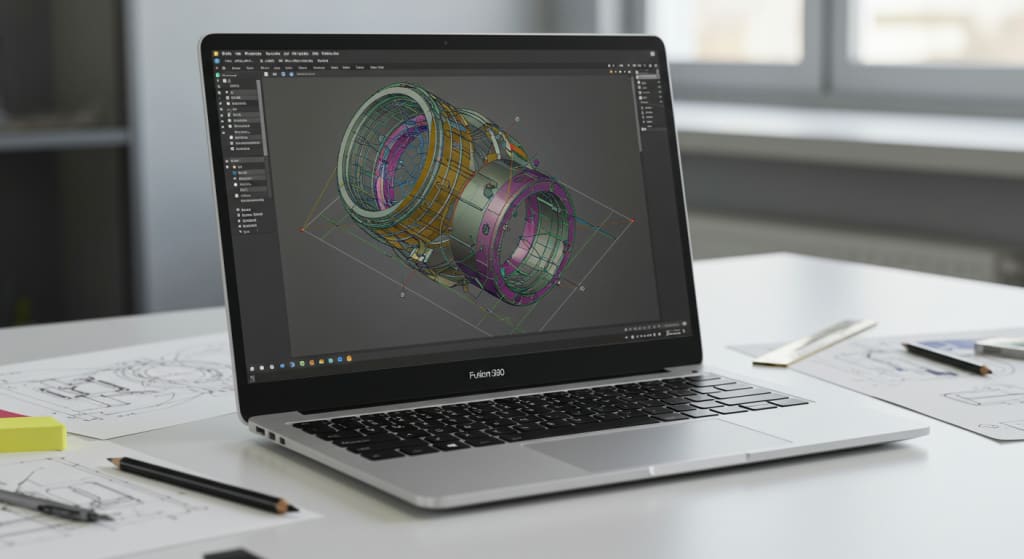
If you use Fusion 360 for your engineering or design projects, you probably already know how important it is to have a laptop that can handle your work without slowing you down.
Whether you’re a student just starting out in CAD modeling or a professional working on complex 3D assemblies, having the right machine makes a huge difference not just in performance, but in how smoothly you can work and bring your ideas to life.
Now, the laptop you choose should really depend on your situation. If you're a student, you might want something more portable and affordable to carry around campus.
On the other hand, if you're a professional engineer or a product designer, you're likely looking for something with more power to handle intensive tasks like rendering, simulation, or large-scale modeling.
Regardless of your level, there are a lot of great options out there today, so I’ve put together this list of the 7 best laptops for Fusion 360 each one selected based on real performance, value, and usability.
Before we dive into the list, here’s a quick overview of what really matters when choosing a laptop for Fusion 360. You’ll want at least 8GB of RAM, though 16GB or more is better for heavier workloads. SSD storage preferably 256GB or higher ensures faster file loading and boot times.
For the CPU, go for an Intel Core i5 or i7, or the AMD equivalent. But most importantly, Fusion 360 benefits a lot from a dedicated graphics card especially if you’re working on 3D renders or simulations. A GPU with at least 4GB of VRAM will give you the smoothest experience.
Alright, let’s jump into the laptops.
Dell XPS 13 (9310)

First up is the Dell XPS 13 (9310), which is ideal for professionals who need something sleek, reliable, and powerful.
This machine runs on a Core i7 processor with 16GB of RAM and a 512GB SSD. It’s got Intel Iris Xe graphics not as strong as a dedicated GPU, but still quite capable for most modeling tasks.
What really stands out is the build quality and that stunning 13.4-inch InfinityEdge display, which gives you a crisp and immersive visual experience despite its compact size.
It’s ultra-portable, super responsive, and perfect if you're someone who’s always on the go but still needs serious power for Fusion 360.
This is definitely more of a high-end pick, but it lives up to the reputation with great performance and battery life.
Asus Rog Zephyrus S15

Next, we have the ASUS ROG Zephyrus S15, and this one is built for serious performance. It’s equipped with a powerful Intel Core i7, a huge 32GB of RAM, and an NVIDIA RTX 2080 Super Max-Q GPU making it one of the most capable machines on this list for 3D rendering, simulations, and multitasking.
The 15.6-inch Full HD screen offers smooth visuals with a fast refresh rate, which you’ll definitely appreciate when working on detailed projects.
While it's technically a gaming laptop, its clean design and insane power make it perfect for CAD professionals and advanced users of Fusion 360.
If your workflow involves a lot of complex assemblies or you’re running additional 3D or CAM software alongside Fusion, this is a future-proof investment.
Acer Swift 3

If you’re after value without sacrificing capability, the Acer Swift 3 SF315 is a great choice especially for students or beginners.
It comes with an AMD Ryzen 7 processor, 8GB of RAM, and a 256GB SSD. What makes this one stand out at its price point is the inclusion of a dedicated AMD Radeon RX 540 GPU, which gives it the edge over many entry-level laptops with integrated graphics.
The 15.6-inch Full HD display is solid, and the overall design is lightweight and modern. Battery life is also a plus, lasting up to 9 hours.
For small to medium-size Fusion 360 projects, this laptop delivers dependable performance at a budget-friendly price. It’s ideal for classwork, internships, or those just getting started in CAD design. Link in the description.
MSI GF65
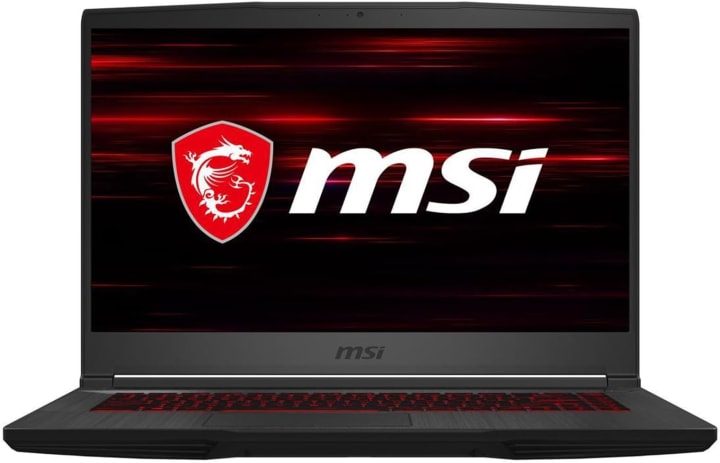
If performance is your top priority, then take a look at the MSI GF65 Thin. This laptop combines affordability with serious firepower.
It comes with a Core i5 CPU, 16GB of RAM, a 512GB SSD, and most importantly, an NVIDIA RTX 3060 GPU. That’s a really strong graphics card for the price range, and it means you’ll get excellent performance even in heavier 3D projects or animation workflows.
The 15.6-inch display is crisp and responsive, and MSI’s thermal management system does a great job of keeping things cool during long sessions.
This is a great pick for professionals or students who want strong specs but don’t want to jump into ultra-premium pricing. It’s basically a mid-range laptop with high-end performance. Link in the description.
Lenovo IdeaPad 1

For those of you looking for a true budget option, the Lenovo IdeaPad 1 is surprisingly capable for its price. It features the AMD Ryzen 5 5500U, which offers decent performance for light multitasking and 3D modeling.
You also get 512GB of SSD storage and up to 12 hours of battery life, which is amazing if you’re working between classes or locations.
It uses integrated graphics, so it won’t be ideal for large or detailed Fusion 360 projects, but for simple assemblies, learning CAD, or basic sketching, it gets the job done.
It's also super lightweight just 3.5 lbs and comes with handy features like a privacy shutter for the webcam and Dolby Audio speakers.
If you're just starting out or working on a tight budget, this is one of the smartest entry-level options you can find.
Asus ZenBook Flip 13

If you want something in the middle good performance, nice design, and added flexibility check out the ASUS ZenBook Flip 13. This 2-in-1 convertible gives you the best of both worlds: a high-performance laptop with tablet functionality.
It runs on a Core i7, has 16GB of RAM, and a fast 512GB SSD. The display is touch-enabled and supports stylus input, which is great for quick sketching or on-the-fly design edits.
While it comes with integrated graphics, it’s still capable of handling moderate Fusion 360 tasks. It’s especially useful for students or professionals who attend meetings, travel often, or like to brainstorm ideas on a touchscreen. It’s lightweight, premium-looking, and extremely versatile.
HP Pavilion Gaming 15

Last but not least is the HP Pavilion Gaming 15, a laptop known for great airflow and stable performance. It comes with an Intel Core i5-9300H, 8GB of RAM, and a 256GB SSD.
What makes it a solid pick for Fusion 360 is the dedicated NVIDIA GTX 1650 GPU with 4GB of VRAM, which provides much smoother graphics rendering than integrated chips.
It’s also designed to handle heat well, which is important if you're working on large files for long periods. This laptop walks the line between gaming and productivity and does it really well. It’s ideal for users who want solid 3D performance without paying a premium. Link in the description.
So there you have it 7 laptops across all price ranges that can confidently run Fusion 360, whether you're learning the basics or working in a professional environment.
Conclusion
Choosing the right one depends entirely on how you plan to use it.
But whichever route you go value, portability, performance you’re going to find something here that fits your workflow and helps you design smarter, faster, and more efficiently.
About the Creator
Print Frey
Discover Printfrey on Vocal.Media — your go-to source for expert insights, reviews, and guides on printers and projectors. Stay informed with the latest trends, tech tips, and buying advice to make smarter printing and projection choices.
Keep reading
More stories from Print Frey and writers in Education and other communities.
Building Stronger Teams Through Diversity
Diversity in the workplace is more than a trend. It is a key part of building strong and creative teams. Companies today serve people from many cultures, backgrounds, and life experiences. Because of this, businesses need teams that reflect the world around them.
By Aaron Khieu6 days ago in Education
How Long the Sun Has Left: The Future Life and Death of Our Star Explained
Every day, the Sun rises and sets with remarkable consistency. It has illuminated Earth for billions of years, sustaining life and shaping the environment of our planet. Because the Sun appears stable and unchanging, it is easy to imagine that it will shine forever.
By shahkar jalalabout 6 hours ago in Education




Comments
There are no comments for this story
Be the first to respond and start the conversation.