
Are You Trying to Find the Best Video Editor? Let us See Who You Match!
Top Rated Video Editor

First off, let’s ditch the fluff. A top-rated video editor isn’t just about slapping on neon transitions or making your cat video look like a Scorsese flick. It’s about workflow, reliability, and—let’s be honest—not crashing when you’re 90% done. Here’s what I’ve learned after editing everything from TikTok thirst traps to painfully earnest wedding videos:
• Intuitive Interface: If you need a PhD to find the “export” button, run.
• Performance: Render times shouldn’t feel like waiting for paint to dry.
• Features: Basic tools + some pizzazz (looking at you, color grading nerds).
• Price: Free? Paid? Subscriptions that drain your wallet like a leaky faucet? We’ll talk.
Ever spent hours on a project only to have the software freeze? Yeah, me too. That’s why performance is non-negotiable.
My Go-To Picks: Tried, Tested, and Barely Cried Over
Let’s get personal. I’ve flirted with more video editors than I’d admit. Here’s the tea:
1. Adobe Premiere Pro: The Overachiever
• Pros: Industry standard, works seamlessly with other Adobe apps (RIP your RAM), endless tutorials online.
• Cons: Costs more than my monthly coffee budget. Also, why does it occasionally forget how to save?
• Verdict: Perfect if you’re serious about editing and hate money.
2. Da Vinci Resolve: The Underdog That Slays
• Pros: Free version is shockingly powerful, color grading so good it’ll make you weep.
• Cons: Steeper learning curve than a skateboard ramp.
• Verdict: Ideal for indie creators and anyone who loves yelling, “I didn’t pay a dime for this!”
“But What About Free Options?” Glad You Asked.
Look, I get it. Not everyone wants to sell a kidney for software. Here’s the scoop:
• Hit Film Express: Free + VFX tools. Great for YouTubers who want explosions in their makeup tutorials.
• iMovie: Basic but reliable. Like the Toyota Corolla of editors.
• CapCut: Viral for a reason—stupidly simple, packed with trendy templates.
FYI, free tools often lack advanced features, but they’re gold for dipping your toes in.
Pro Tips to Avoid Regrets (and Mental Breakdowns)
Before you commit, ask yourself:
• “What’s my budget?” Free? One-time payment? Subscription? Be honest—your wallet will thank you.
• “What am I editing?” Short social clips? Feature-length docs? Your cousin’s cringey rap video?
• “Do I need collaboration features?” If you’re working with a team, Google Drive + angry texts won’t cut it.
Oh, and always check system requirements. Nothing’s worse than downloading a 10GB editor only to see your laptop burst into flames.
Final Thoughts: Your Workflow, Your Rules
At the end of the day, the best video editor is the one that lets you create without making you want to chuck your mouse across the room. Maybe it’s a sleek paid tool, maybe it’s a free gem—either way, focus on what you need, not what influencers shill.
Still stuck? Test a few options. Most paid apps have free trials (use them like a sneaky raccoon). And remember: even Spielberg probably hates rendering times. You’ve got this. Now go make something awesome—and for the love of all that’s holy, save your project often. 😉
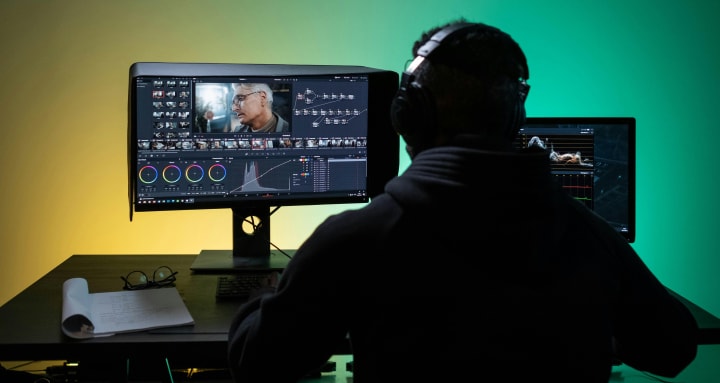
*What’s your ride-or-die video editor? Hit reply and roast my picks—I can take it.*
About the Creator
Keep reading
More stories from writers in Education and other communities.
Smart College Planning Tips Every Family Should Know Before Applying to College
College planning can feel overwhelming for students and parents. There are many decisions to make, and each one can affect the future. With the right approach, the process becomes clearer and more manageable. Smart college planning tips help families stay prepared, avoid common mistakes, and move forward with confidence. This article shares simple and practical guidance to support students and parents through every stage of college planning.
By Michael Petruskaabout 21 hours ago in Education
🅼🅸🅳🅽🅸🅶🅷🆃 🆂🅽🅰🅲🅺🆂
"It's 10 in Tuscon! We all know what that means... It's Time for Midnight Snacks with your man, Gerald Gee! Ready to spend the night together? Me too! I'm full of snacks and can't wait to regurgitate them all back into your hungry ears. Crack a brew! Pop some corn! Anything to get ready for one hell of a show where the talk maybe cheap but the words cut deep...
By Lamar Wiggins7 days ago in Fiction




Comments
There are no comments for this story
Be the first to respond and start the conversation.