
Android Application Components and Activity Lifecycle
Android Components Main Components of Android Activities -> It provides a GUI(graphical user interface) for android application Activities are used by users to interact with the smartPhones.

Services -> It is used to handle the background work with in an android application. Ex: WhatsApp New Message Arrive Notification Broadcast Receivers -> It helps you to communicate from Android Application to the Android hardware via Android OS Ex: Battery Low Warning Content Providers -> Its basically provides you the data from the other application Ex Contacts in WhatsApp
Activities
public class MainActivity extends Activity {
}
or
public class MainActivity extends AppCompatActivity {
}
Services
public class MyService extends Service {
}
Broadcast Receivers
A broadcast receiver is implemented as a subclass of BroadcastReceiverclass and each message is broadcaster as an Intent object.
public class MyReceiver extends BroadcastReceiver {
public void onReceive(context,intent){}
}
Content Providers
A content provider is implemented as a subclass of ContentProvider class and must implement a standard set of APIs that enable other applications to perform transactions.
public class MyContentProvider extends ContentProvider {
public void onCreate(){}
}
Additional Components in Android
Fragments -> Part of an Activity like an Iframe in HTML Views -> UI elements that are drawn on-screen example text,button,image,etc. Layouts -> View hierarchies that control screen format and appearance of the views. Intents -> An Intent is a messaging object you can use to request an action from another app component.
Activity-lifecycle concepts
The Activity class defines the following call backs i.e. events. You don't need to implement all the callbacks methods. However, it's important that you understand each one and implement those that ensure your app behaves the way users expect.onCreate() -> This is the first method called when the activity is first created. onStart() -> It is method called when the activity becomes visible to the user. onResume() -> This method is called when the user starts interacting with the application. onPause() -> In this state activity does not receive user input and cannot execute any code. onStop() -> This method is called when the activity is no longer visible. onDestroy() -> This method is called before the activity is destroyed by the system. onRestart() -> This method is called when the activity restarts after stopping it. Example of Activity Lifecycle
package com.example.helloworld;
import android.os.Bundle;
import android.app.Activity;
import android.util.Log;
public class MainActivity extends Activity {
String msg = "Android : ";
@Override
public void onCreate(Bundle savedInstanceState) {
super.onCreate(savedInstanceState);
setContentView(R.layout.activity_main);
Log.d(msg, "The onCreate() event");
}
@Override
protected void onStart() {
super.onStart();
Log.d(msg, "The onStart() event");
}
@Override
protected void onResume() {
super.onResume();
Log.d(msg, "The onResume() event");
//the activity has become visible
}
@Override
protected void onPause() {
super.onPause();
Log.d(msg, "The onPause() event");
//activity is taking focus.
}
@Override
protected void onStop() {
super.onStop();
Log.d(msg, "The onStop() event");
//the activity is no longer visible.
}
@Override
public void onDestroy() {
super.onDestroy();
// the activity is destroyed.
Log.d(msg, "The onDestroy() event");
}
}
setContentView() Method is responsible for displaying the XML Layout in your android app, so always use it in onCreate() Method
setContentView(R.layout.activity_main); it will display Emulator window and you should see following log messages in LogCat window in Android studio −
The output somewhat will look like this in the text because here we are not dealing with the XML Layout file
com.example.helloworld D/Android :: The onCreate() event
com.example.helloworld D/Android :: The onStart() event
com.example.helloworld D/Android :: The onResume() event
It is said that "Knowledge is Power" and Wisemonkeys is the ideal platform to prove this right where this blog was posted. Additionally, when knowledge is free it should be shared. Therefore, keeping this in mind Wisemonkeys an LMS platform is developed so that people can exchange their ideas, knowledge and experiences for the wise Gen z.
SIGN UP TODAY and upgrade your knowledge base.
About the Creator
Keep reading
More stories from wise monkeys and writers in Education and other communities.
Throttle engine ’Sneak peek into the future’
The automobile economy seems to have a bright future in the upcoming year. The traditional source of fuel used i.e., petrol, can be replaced with hydrogen fuel and battery-operated vehicles. With the growing need to be eco-friendly the automobile sector is investing leaps and bounds in the EV sector
By wise monkeys3 years ago in 01
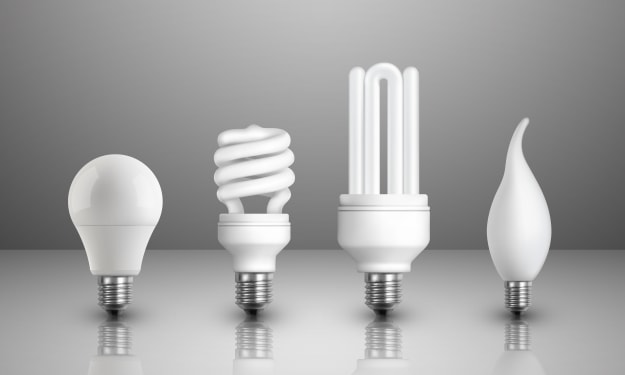
Why LED Lighting Is Transforming Energy Efficiency Across the United Kingdom?
Energy efficiency and sustainability are key priorities across the United Kingdom, and lighting technology plays a significant role in achieving these goals. Among the most impactful innovations in recent years is the widespread adoption of LED lighting. Known for its low energy consumption and long lifespan, LED technology is reshaping residential, commercial, and public lighting systems.
By deepanshu Thakur7 days ago in Education
Crafted by Time: The Restoration and Enduring Spirit of the Sim Corder Mill
The Sim Corder Mill began as a testament to hard work, ingenuity, and a deep respect for craftsmanship. When it first operated, it stood as a vital engine of local industry, transforming raw materials into essential goods for the surrounding community. From the start, the mill reflected careful planning and skilled construction. Builders shaped every beam and fitted each mechanism with precision, knowing that the structure would carry both economic and personal significance.
By Grady Gastona day ago in Education



Comments
There are no comments for this story
Be the first to respond and start the conversation.