
AI Tools to Boost Productivity and Creativity in 2025
Discover the Best AI-Powered Solutions for Writing, Design, Time Management, Data Analysis, and More to Supercharge Your Work and Spark Innovation
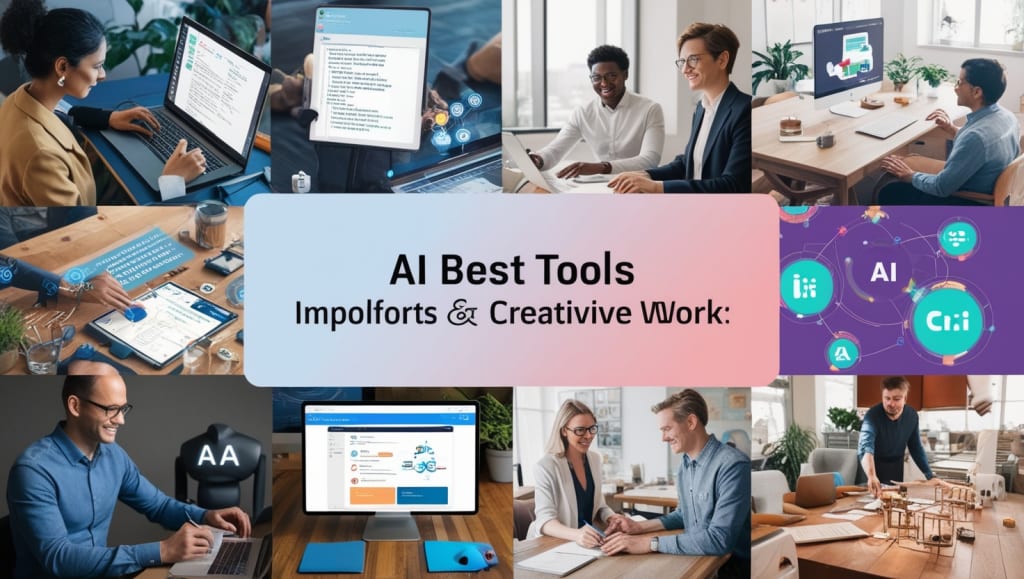
AI Tools You Can Use to Boost Productivity and Creativity in 2025
Over the last couple of years, AI development has consistently highlighted its potential in boosting productivity and fostering creativity. For all individuals who engage themselves in a business, generate content, or are simply working on a regular basis day-to-day, all AI-based tools can be easily accessed to streamline workflow, automate routine tasks, and to unlock unprecedented levels of innovation.
In 2025, AI tools aren't about replacing human effort, but actually augmenting the same, so we can focus more on high-level tasks requiring creative thinking, strategic decision-making, and emotional intelligence. In this post, we'll explore a wide range of AI tools across different categories that can supercharge your productivity and creativity.
AI Tools for Writing and Content Creation
ChatGPT (OpenAI)
ChatGPT is one of the most popular AI applications used for content creation, hosting a conversational interface which can produce high-quality text across all writing styles. From drafting blog posts to updating social media, ChatGPT can save hours of writing time. It also assists in brain-storming ideas, enhancing the quality of written work, and even creating entire stories or scripts.
In 2025, OpenAI’s models are more advanced than ever, capable of understanding nuance and providing more tailored suggestions. With tools like ChatGPT integrated into platforms like Microsoft Word and Google Docs, writers can access AI support directly in their preferred workspace.
Use Cases:
Blog posts and articles
Marketing copy
Creative writing and storytelling
Email drafting and responses
SEO optimization
Jasper AI
Formerly known as Jarvis, Jasper is a kind of AI writing assistant intended for marketers, content creators, business owners, and copywriters. It has plenty of templates that help customers to easily and quickly create social media posts, email marketing campaigns, and SEO blog articles. For professional writers, Jasper can customize its output according to tone and style.
Use Cases
Copywriting of websites and ads
Product descriptions
Social media content
Newsletters and email marketing
Scriptwriting of video content
Writesonic
Writesonic is also another AI writing tool that tends to automate the process of writing, particularly in the generation of content for digital marketing. It offers tons of templates for creating blog posts, landing pages, email subject lines, and more. Its great capability to provide content in languages may be an excellent takeaway for professionals targeting wider markets across the globe.
Use Cases:
Long-form content
Production of social media content
Ad copy for paid advertising
Website content and landing pages
AI Tools for Design and Visual Creativity
DALL•E 3 (OpenAI)
DALL•E 3, the latest iteration of OpenAI’s AI image generation tool, is revolutionizing the way digital art is created. By simply providing a text prompt, DALL•E can generate incredibly detailed and imaginative images that fit the user's specifications. Whether you need a concept for a logo, illustrations for a blog post, or visually striking images for marketing campaigns, DALL•E offers limitless possibilities for creative professionals.
Some of the advanced features of DALL-E seen in 2025 include better capture of complexity details, text inside images, and sometimes even being able to change existing visuals as per the instructions of the users.
Use Cases:
Images generation from description
Digital art and illustrations
Logo and branding design
Marketing and promotional visuals
Visual storytelling and comics
Canva AI
It was added strength to the popular graphic design tool, Canva. The recent feature Magic Design and Magic Write in Canva enables anyone to produce gorgeous visuals with minimal effort. It can help brainstorm layouts, recommend color combinations, and even write simple text for social media posts or presentations. This ease of use and broad availability of templates have put Canva up to the gold-standard tool for the non-designer and the professional who wants to save time.
Use Cases:
Social media graphics
Presentations and infographics
Advertising materials (flyers, brochures, posters)
Banners and digital advetising on websites
Email newsletter templates
Runway AI
Runway is an AI tool that is very creative with the use of video. It has diverse tools that it uses for the generation of its content: AI-enabled effects such as object detection, style transfer, and real-time background removal. Therefore, Runway offers a user-friendly interface wherein the creators can produce professional-grade videos with relative ease rather than requiring someone to have deep technical skills.
Use Cases:
Video editing and production
AI effects and transitions
Generation and manipulation of images
Creative direction and storyboarding
AI Tools for Time Management and Task Automation
Notion AI
Notion has made AI to make note management, working on projects, and other tasks much easier. With Notion AI, you can automatically organize your workspace, summarize long documents, even organize a to-do list based on your notes, and much more. Try organizing teams or personal projects using Notion AI and streamlining workflows.
Use Cases:
Note-taking and summarization
Task management and organization
Personal project tracking
Knowledge base development
Trello + Butler AI
Butler, the AI-powered automation tool of Trello, lets you automate redundant tasks on your boards. Using Butler, you can create triggers or move tasks by sending reminders and assigning cards. Ease in tracking projects streams down seamlessly. It further encourages teams to work smartly with Butler's AI-based recommendations for workflow optimization.
Usage Examples:
Project management
Task Automation and Reminders
Workflow Optimization
Collaboration Team
Zapier
Zapier is a very effective automation tool that connects hundreds of different apps and services together to make your workflow easier. With "Zaps" (automated workflows), you get to avoid so much time on manual data entry and scheduling, repetitive tasks, and more. Zapier integrates with tools such as Gmail, Slack, Google Sheets, and Trello, for example, making tasks seamless in being managed and data transferred from one place to another.
Use Cases:
Automate repetitive tasks
Connect apps and services
Data entry and synchronization
Workflow automation
AI Data Analytics and Decision-Making Tools Tableau with AI-Powered Insights
Tableau, one of the top platforms for data visualization, has now bolstered its AI-driven features that allow users to draw even deeper insights from their data. The "Ask Data" feature from Tableau lets you ask questions on your dataset in natural language to get instantaneous visual responses. With AI-enhanced forecasting, anomaly detection, and trend analysis, Tableau makes it easier for professionals to make data-driven decisions without requiring support from data science.
Use Cases:
Data visualization and reporting
Business intelligence and analytics
Trend prediction
Outlier identification
IBM Watson Analytics
IBM Watson's suite of artificial intelligence supports organizations to make smarter business decisions by analyzing large datasets. The output generated from Watson Analytics will offer actionable insights, allowing the users to shift their focus from data wrangling to high-level analysis. It helps in data preparation automation, predictive analytics, and natural language summary.
Use Cases:
Predictive analytics
Marketing campaign optimization
Risk management and forecasting
Data-Driven Decision Making
AI Collaboration and Communication Tools
Microsoft Copilot
Microsoft Copilot puts artificial intelligence in many apps in Microsoft 365, including Word, Excel, PowerPoint, and Outlook. Copilot may allow users to automate work, give reports, create presentations, draft e-mails, and so much more. Using AI-driven writing support and data analysis capabilities, Copilot turns business office tools into smart assistants that learn through your workflow.
Use Cases
Report generation and summaries
Document drafting and editing
Email management
Data analysis and visualization
Grammarly
Grammarly offers grammar, punctuation, style, and tone checks, along with real-time suggestions to enhance readability and clarity. So, it has to be used by all writers who draft emails, reports, or content. This year, 2025, Grammarly is continuing the development of AI-based tools that can identify tones, analyze sentiments, and even give personal feedback about the writing.
Use Cases:
Grammar and style checks
Writing improvement suggestions
Editing emails and documents
Proofreading
AI Tools for Personal Productivity and Well-Being
RescueTime
RescueTime is an AI-powered time-tracking app that helps explain exactly how users spend their time on various activities and websites. It keeps users informed on productivity patterns while recommending better time management skills. It enables tracking of work habits for finding distractions and going on to create a more balanced and efficient workflow.
Use Cases
Time tracking and analysis
Productivity habits identification
Distraction management
Work-life balance improvement
Focus@Will
Focus@Will uses AI to provide productivity-enhancing music tailored to your brain's needs. Their analysis of your focus and work patterns curate the music tracks which are scientifically designed to enhance and sustain the attention, thus avoiding distractions. It is very useful to persons who cannot focus for long time during their work sessions.
Use Cases:
Music for concentration
Boost focus while working
Reduces anxiety and stress
Conclusion: The Future of AI in Productivity and Creativity
In 2025, AI tools are no longer just futuristic concepts—they’re an integral part of our day-to
About the Creator
Keep reading
More stories from Bishnu Prasad Sharma and writers in Education and other communities.
AI in Healthcare: Revolutionizing Medicine and What It Means for Your Job
How AI is Changing Healthcare and What It Might Mean for Your Job Artificial Intelligence, considered years ago as something that only existed in movies, is here to revolutionize the industrial world. Healthcare is notably undergoing a very drastic transformation with advancements in machine learning, data analytics, natural language processing, robotics, and even other AI technologies. With improvements in diagnostics and personalized medicine, reductions in administrative hassle, and general care for patients, AI looks ready to make over just about every part of the healthcare ecosystem.
By Bishnu Prasad Sharmaabout a year ago in Education
Creating a Safer Future: Essential Occupational Health & Safety Practices
A safe workplace is a strong workplace. When you protect your employees, you also protect your business's future. Injuries, stress, and unsafe working conditions can damage morale and lower productivity. In contrast, a strong focus on occupational health and safety builds trust, boosts motivation, and shows your team that their well-being truly matters.
By Dr. Todd Young3 days ago in Education
Leading With Care Under Pressure
Healthcare systems depend on strong leaders to guide teams, protect patients, and manage change. Today, healthcare leadership challenges are growing fast in medical settings of every size. Hospitals, clinics, and care centers face pressure from staffing shortages, rising costs, and rapidly advancing technology. Leaders must respond with skill, empathy, and clear thinking while keeping care safe and humane.
By Evyatar Nitzany3 days ago in Education


Comments
There are no comments for this story
Be the first to respond and start the conversation.