
AI Image Generator - Convert Text Descriptions into High-Quality Images
AI-Powered Tools


Artificial Intelligence (AI) is transforming the way we create and interact with images. With AI-powered tools, you can turn text descriptions into detailed, high-quality images in a matter of seconds. This blog will explain how AI image generators work, showcase examples with prompts, and explore both free and paid AI image generators. We’ll also answer common questions related to AI image generation.
What is an AI Image Generator?
An AI image generator is a tool that uses machine learning and deep learning techniques to create images based on text prompts or descriptions. These tools are powered by algorithms trained on vast datasets of images and text, enabling them to understand the relationships between words and visual elements. When you provide a text prompt, the AI processes it and generates an image that matches the description.
AI image generators are revolutionizing the creative industry by enabling users to produce unique images without the need for advanced graphic design skills. Whether you’re an artist, marketer, or content creator, AI image generators can save time and effort while allowing for endless creativity.
How Text-to-Image Works
Text-to-image generation is based on a type of AI known as Generative Adversarial Networks (GANs) or Diffusion Models. The process involves two key steps:
1. Understanding the Text Prompt: The AI first analyzes the text description you provide. It identifies the key elements in the text (e.g., objects, colors, style, and context) to create a mental map of the image.
2. Image Creation: The AI then uses its learned knowledge to generate an image that fits the description. The model considers things like composition, lighting, and texture to ensure the image looks realistic or fits the desired style.
Over time, AI models improve their accuracy and creativity through continuous training, resulting in better image generation and more precise outputs.
Examples of Text-to-Image Prompts
Here are a few examples of text-to-image prompts and the images that AI can generate:
Prompt: "A serene landscape with a sunset over a calm ocean"
Output Image:

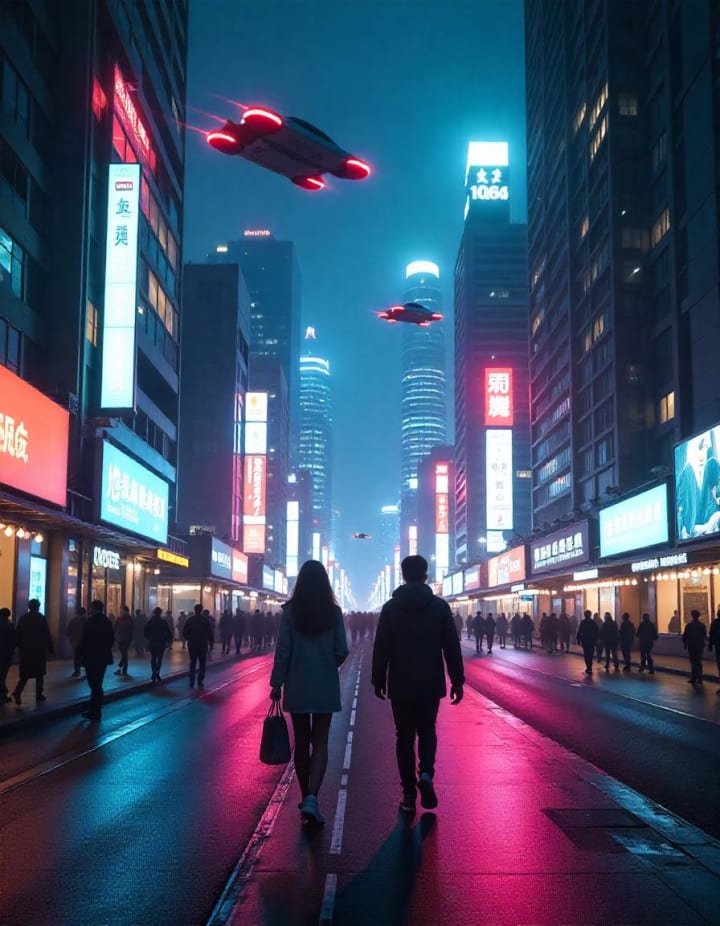
Prompt: "A futuristic city with flying cars and neon lights"
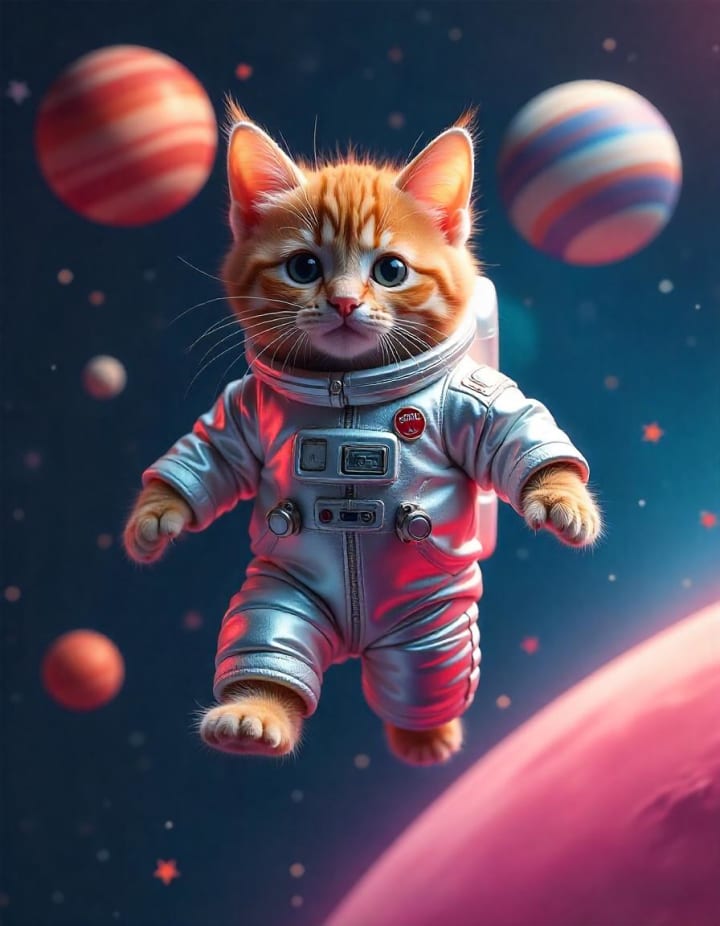
Prompt: "A cute cat wearing a space suit in outer space"
Free AI Image Generators
Several free AI image generators are available for users to try out. These tools have different levels of capabilities and limitations. Here are some popular free options:
Canva
Canva’s AI image generator is easy to use and allows you to create basic images based on text descriptions. It’s free but offers limited image creation features compared to premium tools.
Limitations: Free users can generate only a small number of images per month.
ChatGPT (DALL•E)
ChatGPT, with integrated DALL•E, can create up to 2–3 images per request. It’s an easy-to-use tool that generates images based on the text you input.
Limitations: Users can only generate a limited number of images at a time.
Deep AI
Deep AI offers free image generation with its tool, allowing users to generate up to 100 images at no cost.
Limitations: You can create only a certain number of images for free, after which you may need to subscribe for more credits.
Paid High-Quality AI Image Generators
If you need higher-quality images or more customization options, there are several paid AI image generators. These tools offer a range of advanced features for professional use.
DALL•E 3
DALL•E 3 is a powerful AI image generator known for its easy-to-use interface and high-quality image outputs. It’s ideal for both personal and business use.
Features: Provides a variety of styles, from realistic to artistic, and allows for image editing and refinement.
Midjourney
Midjourney is popular for its strikingly realistic and creative AI-generated images. It’s known for producing the best results in terms of visual appeal and artistic expression.
Features: Advanced control over artistic styles and image elements, perfect for professionals seeking the highest quality.
Stable Diffusion
Stable Diffusion offers customization and control over the generated images. It’s great for users who want to create unique, one-of-a-kind images.
Features: More options for controlling the artistic style and details of the image, making it ideal for designers and content creators.
Adobe Firefly
Adobe Firefly integrates AI-generated images directly into Adobe’s creative suite, which is a major plus for graphic designers and photographers.
Features: High-quality results and seamless integration with Adobe products, making it easy to enhance AI-generated images.
DrawThis AI
DrawThis AI is perfect for generating professional-quality images without requiring design experience. It is particularly useful for those in creative industries like marketing and media.
Features: Simple to use, with impressive image quality, it allows users to generate images suitable for a variety of professional needs.
Frequently Asked Questions (FAQs)
Here are some common questions about AI image generators:
1. What is the AI that turns descriptions into images?
AI models like DALL•E, Midjourney, and Stable Diffusion are capable of turning text descriptions into images by processing the text and generating visuals that match the description.
2. How do I convert a low-quality image to high quality in AI?
You can use AI upscaling tools like Let’s Enhance or Deep Image. These tools improve image resolution while maintaining quality by using AI algorithms to add detail and reduce noise.
3. What is the AI that converts text to graphics?
Text-to-graphic AI tools, such as Canva AI and Visme, can generate simple graphics from text prompts. These tools focus on creating visual designs like infographics, posters, and presentations.
4. How do I make an AI image high resolution?
Many AI image generators offer options to adjust the resolution before downloading. Additionally, you can use AI-based image upscaling tools to enhance resolution after the image is generated.
5. How to share an AI-generated image on social media?
After generating your image, simply download it and upload it to your preferred social media platform like Instagram, Facebook, or Twitter. Ensure to credit the AI tool used if required.
6. What are the best formats to save AI-generated images?
The most commonly used formats for AI-generated images are JPEG, PNG, and TIFF. JPEG is good for general use, PNG is best for images with transparent backgrounds, and TIFF is suitable for high-quality prints.
7. How do I generate an image of a cat riding a unicorn?
Simply input a text prompt like "A cute cat riding a unicorn in a magical forest" into your preferred AI image generator, and it will create an image based on the description.
Conclusion
AI image generators are a game-changer for anyone looking to create high-quality images quickly and easily. Whether you’re using free tools like Canva and Deep AI or opting for advanced options like DALL•E 3 and Midjourney, AI is making creative tasks more accessible than ever. With AI’s growing capabilities, the future of image creation is both exciting and limitless.
About the Creator
DrawThis
DrawThis.ai is your go-to tool to turn your vision into reality and help your brand shine.
Keep reading
More stories from writers in Education and other communities.
E-Invoicing as a Catalyst for Digital Taxation and Business Efficiency in this Digital Era
Introduction In today’s rapidly evolving digital economy, businesses and governments are increasingly turning to technology to improve efficiency, transparency, and compliance. One of the most significant developments in this transformation is electronic invoicing, commonly known as e-invoicing. E-invoicing refers to the generation, exchange, validation, and storage of invoices in an electronic format between suppliers and buyers, often through government-mandated platforms or standardized systems.
By Bobby Yadav5 days ago in Education
Innovation Without Compassion: How the Absence of Empathy Undermines Modern Healthcare
Healthcare innovation promises efficiency, accuracy, and expanded access to care. New technologies, digital platforms, and streamlined systems continue to reshape medicine. However, when innovation moves forward without empathy, it often fails the very people it intends to serve. Patients feel disconnected, clinicians feel overwhelmed, and organizations struggle to achieve meaningful results.
By Mark Bouzyk8 days ago in Education
Dead and Wearing Green
She was wearing that green dress when I first saw her, five years ago to the day. Flowing meadow fabric draped over long legs, thick auburn hair flowing down her back. That smile. Of course, she is still beautiful now. But now she is no longer alive.
By Karen Cave5 days ago in Fiction



Comments
There are no comments for this story
Be the first to respond and start the conversation.