
A Beginner's Guide to Motion Graphics Design
A Complete guideline for Beginner's

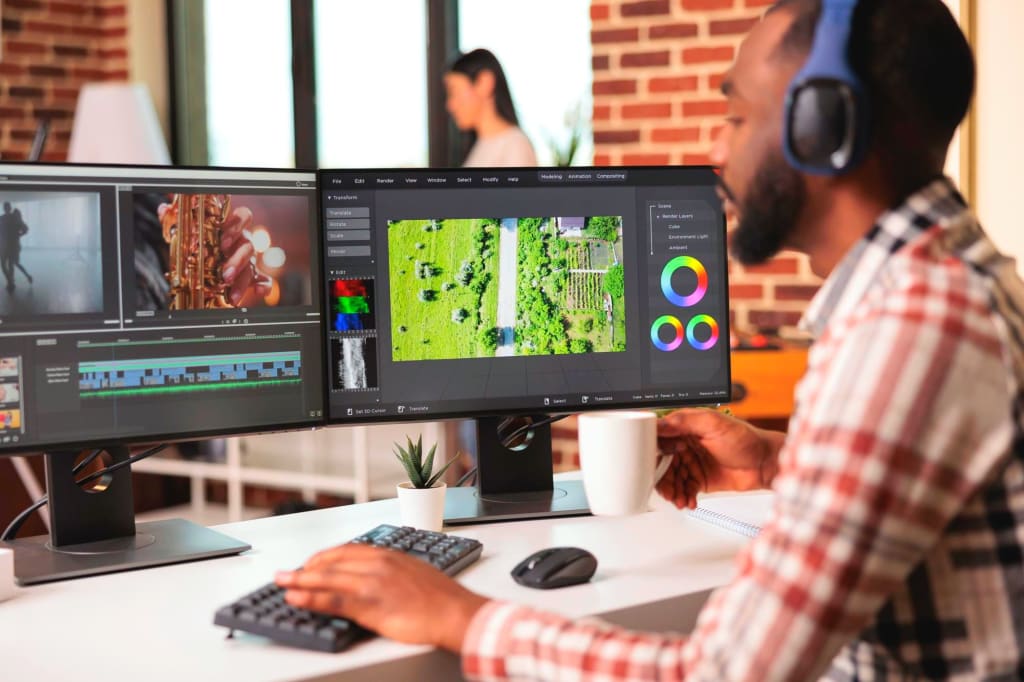
Motion graphics have become an essential part of visual communication, combining elements of graphic design and animation to create captivating and dynamic visuals. Whether you're a beginner looking to dive into motion graphics or someone interested in understanding this creative field, this guide will provide you with a comprehensive overview of motion graphics design.
Introduction
Motion graphics can be defined as the art of animating graphic elements, text, and imagery to convey a message or tell a story. Unlike traditional static graphics, motion graphics breathe life into designs, capturing the viewer's attention and creating a memorable visual experience. From sleek and minimalist animations to complex and immersive visual narratives, motion graphics have gained popularity across various industries, including advertising, film, television, and web design.
Understanding the Basics of Motion Graphics Design
To create compelling motion graphics, it's crucial to understand the principles that govern this art form. These principles include:
Timing and Pacing: The timing of each animation and the overall pace of the motion graphics play a significant role in delivering the intended message. It involves carefully choreographing movements and transitions to maintain visual interest and coherence.
Composition and Layout: Effective composition and layout guide the viewer's eye through the visual elements, ensuring a clear hierarchy and logical flow of information. It involves arranging graphic elements and text in a balanced and visually pleasing manner.
Typography and Text Animation: Typography in motion graphics goes beyond static fonts and involves animating text to create dynamic and engaging visuals. Various techniques, such as kinetic typography, allow the text to move, transform, or react to other elements in the design.
Color and Contrast: The thoughtful use of color and contrast enhances the impact and readability of motion graphics. Colors can evoke emotions, highlight important information, and establish a visual identity for a brand or message.
Storytelling and Narrative: Motion graphics can be powerful storytelling tools. They allow designers to convey complex ideas or narratives through visuals, sound, and motion. A well-crafted narrative structure captivates the audience and creates an emotional connection.
Tools and Software for Motion Graphics Design
To bring motion graphics to life, you'll need suitable software with features that cater to the specific requirements of this medium. Here are some popular tools and software used in motion graphics design:
Adobe After Effects: A widely used software in the motion graphics industry, After Effects offers a comprehensive set of tools for designing, animating, and compositing motion graphics. Its powerful timeline-based interface enables precise control over animation and effects.
Maxon Cinema 4D: Cinema 4D is a 3D modeling, animation, and rendering software often used in conjunction with After Effects. It allows designers to create intricate 3D graphics, realistic simulations, and complex visual effects.
Autodesk Maya: Maya is another popular 3D animation software widely used in the film and gaming industries. Its advanced features and flexibility make it a preferred choice for creating high-quality motion graphics with complex animations and simulations.
Apple Motion: Specifically designed for Apple users, Motion offers an intuitive interface for creating stunning motion graphics. It seamlessly integrates with other Apple software like Final Cut Pro, making it an excellent choice for video editors and animators.
Blender: An open-source 3D animation suite, Blender provides a comprehensive range of tools for motion graphics design. It offers a vibrant community, frequent updates, and extensive documentation, making it a favorite among beginners and professionals alike.
When choosing software as a beginner, consider factors such as ease of use, available learning resources, and compatibility with your system. Experimenting with different software can help you find the one that best suits your needs and preferences.
Designing Motion Graphics: Step-by-Step Process
Creating engaging motion graphics involves a systematic approach that encompasses conceptualization, asset creation, animation techniques, and refinement. Here's a step-by-step process to guide you through the design journey:
Conceptualization and Planning
Before diving into motion graphics design, it's crucial to define the objective of your project and identify your target audience. This will shape the overall direction and style of your design. Some key steps in the conceptualization and planning phase include:
Defining the Objective: Clearly articulate the purpose of your motion graphics. Are you creating an explainer video, a promotional animation, or a title sequence? Understanding the goal will help you tailor the design to effectively communicate the intended message.
Identifying the Target Audience: Consider the demographic, interests, and preferences of your audience. This knowledge will guide your design choices, such as color schemes, typography, and visual motifs, ensuring the motion graphics resonate with the viewers.
Gathering Inspiration and References: Explore existing motion graphics designs, animations, films, and other relevant sources to gather inspiration. Analyze their visual language, storytelling techniques, and animation styles. This will provide a foundation for your own creative process.
Creating a Storyboard or Visual Script: Storyboarding is a crucial step in motion graphics design. It involves sketching or outlining the sequence of scenes, defining camera movements, and arranging key elements to establish a narrative flow. A visual script can also serve as a blueprint for the animation process.
Creating Assets and Resources
Once you have a clear direction for your motion graphics project, it's time to create the necessary assets and resources. This involves designing and preparing the visual elements, typography, and color schemes. Consider the following steps:
Designing and Preparing Visual Assets: Create or source the graphics, illustrations, photographs, or 3D models that will be used in your motion graphics. Ensure the visual assets are of high quality and align with the overall aesthetic of your design.
Incorporating Typography and Text Elements: Choose appropriate fonts, sizes, and styles for the text in your motion graphics. Experiment with kinetic typography techniques, such as text animations and transitions, to add visual interest and impact.
Exploring Color Schemes and Palettes: Select a color scheme that conveys the desired mood, aligns with the brand identity (if applicable), and ensures readability. Experiment with color combinations and gradients to enhance the visual appeal and establish a cohesive design language.
Animation Techniques and Timing
Animation breathes life into motion graphics. This phase involves animating the visual elements and orchestrating their movements. Consider the following techniques and principles:
Understanding Keyframes and Timelines: Keyframes are pivotal points in animation that define the start and end positions of an object or attribute. Timelines allow you to arrange and control the timing and duration of each animation. Experiment with easing functions and interpolation methods to achieve smooth and realistic motion.
Implementing Different Animation Techniques: Motion graphics offer a vast array of animation techniques to explore. These include transformations, transitions, particle effects, puppet animation, and more. Experiment with different techniques to create engaging and visually appealing motion graphics.
Timing and Synchronization in Motion Graphics: The timing of each animation element is crucial for effective storytelling and visual impact. Consider the pacing and rhythm of your motion graphics, ensuring that transitions, movements, and effects are synchronized with any accompanying audio or narration.
Adding Audio and Sound Effects
Sound plays a significant role in enhancing the impact and immersion of motion graphics. Incorporating suitable audio elements can elevate the viewer's experience. Consider the following steps:
Selecting Suitable Background Music or Soundtracks: Choose background music or soundtracks that align with the mood, tone, and tempo of your motion graphics. Ensure the audio enhances the intended message without overpowering the visuals.
Incorporating Sound Effects for Enhanced Impact: Sound effects add depth and realism to motion graphics. Consider adding sound effects to emphasize movements, transitions, or interactions between elements. Experiment with different sound libraries and mixing techniques to achieve the desired effect.
Balancing Audio Elements with Visual Design: Maintain a balance between audio and visual elements, ensuring they complement each other rather than compete for attention. Test the audio levels in different playback environments to ensure optimal listening experiences.
Refining and Polishing the Design
The refinement phase involves iterative improvements and adjustments to enhance the quality and impact of your motion graphics. Consider the following steps:
Iterative Process and Feedback Loop: Seek feedback from peers, clients, or target audience members to gain different perspectives on your motion graphics. Iterate on your design based on the feedback, making necessary adjustments and enhancements.
Making Necessary Adjustments and Enhancements: Analyze the overall flow, timing, and visual hierarchy of your motion graphics. Fine-tune transitions, animations, and effects to ensure a seamless and polished final product.
Optimizing the Motion Graphics for Various Platforms: Consider the platforms on which your motion graphics will be showcased. Optimize the resolution, format, and encoding settings accordingly. Ensure compatibility with different devices and playback environments.
Tips and Best Practices for Motion Graphics Design
To help you create impactful motion graphics, here are some tips and best practices to keep in mind:
Simplify Complex Concepts through Visual Storytelling: Motion graphics can simplify complex ideas or concepts by visually representing them in an engaging and digestible manner. Use metaphors, icons, or symbolic imagery to convey abstract information effectively.
Maintain Consistency in Design Elements and Aesthetics: Consistency in design elements, such as color palettes, typography, and visual motifs, helps establish a cohesive and recognizable brand identity. It also ensures that your motion graphics feel like a unified and purposeful creation.
Experiment with Different Styles and Techniques: Motion graphics offer a vast playground for creativity. Experiment with different animation styles, effects, and techniques to discover unique and visually striking approaches. Embrace innovation and push the boundaries of your creativity.
Use Motion Graphics to Enhance User Experience: Motion graphics can enhance user experiences in various digital platforms, including websites, applications, or presentations. Consider incorporating motion graphics to guide users, provide feedback, or communicate information more intuitively.
Pay Attention to Timing and Pacing for Effective Communication: Timing is key in motion graphics. Adjust the timing and pacing of your animations to create emphasis, build anticipation, or convey specific emotions. Align the timing with the narrative flow and audio elements for cohesive storytelling.
Showcasing and Sharing Motion Graphics Projects
Once you've completed your motion graphics project, it's time to showcase and share your work with the world. Consider the following avenues:
Creating Showreels and Portfolios: Compile your best motion graphics projects into a showreel or portfolio. Highlight your skills, creativity, and versatility. Showcase a range of styles and techniques to demonstrate your expertise in motion graphics design.
Sharing Motion Graphics on Social Media Platforms: Leverage social media platforms to share your motion graphics projects and reach a wider audience. Use platforms such as YouTube, Vimeo, Instagram, or LinkedIn to showcase your work, engage with the community, and receive feedback.
Collaborating with Other Designers and Artists: Collaborate with other designers, animators, or artists to expand your creative network and gain exposure. Collaborative projects can lead to new insights, fresh ideas, and shared learning experiences.
Resources and Further Learning
To deepen your knowledge and skills in motion graphics design, explore the following resources:
Online Tutorials and Courses for Motion Graphics Design: Online platforms such as Udemy, Skillshare, and Lynda offer a wide range of tutorials and courses on motion graphics design. Learn from industry professionals, explore new techniques, and enhance your skill set.
Books and Publications on Motion Graphics: Dive into motion graphics theory, history, and techniques by exploring books and publications dedicated to the subject. Some recommended titles include "The Art of Motion Graphics" by Mark Stephen Meadows and "Motion Graphics: Principles and Practices" by Jon Krasner.
Communities and Forums for Motion Graphics Enthusiasts: Join online communities and forums like mograph.net, Motionographer, or Reddit's r/MotionDesign to connect with fellow motion graphics enthusiasts. Engage in discussions, share your work, and learn from experienced designers in the field.
Conclusion
As technology advances and visual communication evolves, motion graphics design continues to be a dynamic and sought-after skill. This beginner's guide has provided you with a comprehensive outline of the fundamentals, tools, techniques, and best practices involved in motion graphics design. With practice, exploration, and a willingness to push creative boundaries, you can embark on an exciting journey to create captivating and visually stunning motion graphics. So, grab your tools, let your imagination soar, and embrace the world of motion graphics design.
About the Creator
Abul Kalam Azad
Hi, I'm abul kalam azad! I'm a motion designer sharing my thoughts on motion design with the vocal media community. Follow me for insights and experiences.
Keep reading
More stories from Abul Kalam Azad and writers in Education and other communities.
How to Use Motion Graphics to Promote Your Creative Business
In today's digital landscape, businesses are constantly seeking innovative ways to promote their products and services. One effective strategy that has gained significant popularity is the use of motion graphics. Motion graphics combine visual elements, animation, and sound to create engaging and captivating content. In this article, we will explore how you can leverage motion graphics to promote your creative business successfully.
By Abul Kalam Azad3 years ago in Lifehack
Waiting To See If Knox County, Tennessee, Schools Stand With Dictatorship
Young Americans Are Taking A Stand - And Some School Districts Have Threatened to Punish Them For It Yesterday, January 30th, 2026, a nationwide strike occurred in America. No School, No Work, No Shopping was supported by schools and businesses in pressure against the violence ICE has used in Donald Trump's "mass deportation." What started as a Minnesota movement to hold the murderers of Renee Good and Kyle Pretti accountable, and to push ICE out of their city, the message spread like wildfire across America.
By Hope Martina day ago in Education


Comments
There are no comments for this story
Be the first to respond and start the conversation.