
YouTube Thumbnails, Tips for EXPLOSIVE Growth
Tips for Video Thumbnail Designing to BOOST Business Growth, Starting 2023

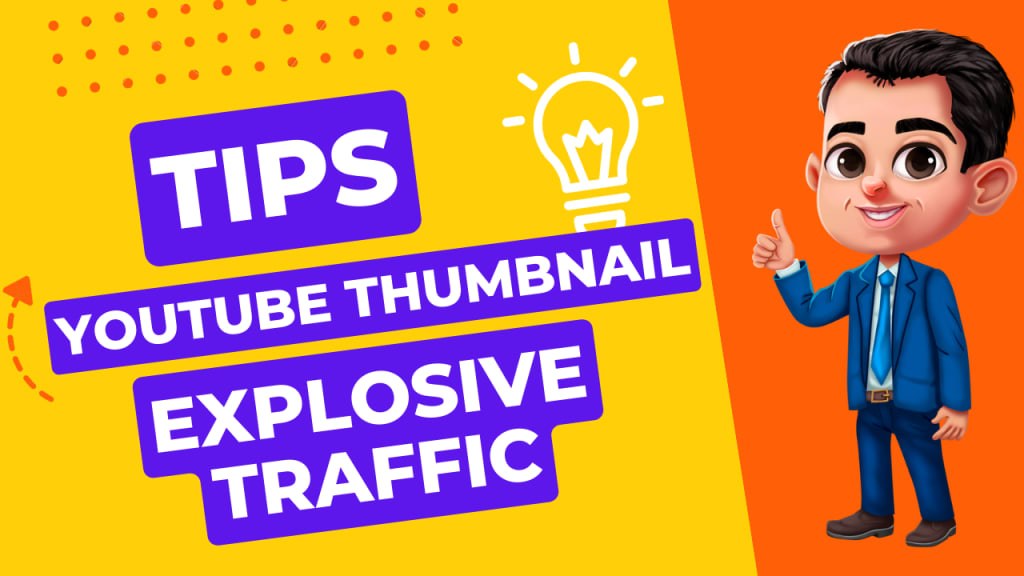
What is YouTube Thumbnail Size?
The recommended size for YouTube thumbnails is 1280 pixels by 720 pixels, with a minimum width of 640 pixels. This aspect ratio is 16:9, which is the same as most standard video resolutions. The maximum file size for a thumbnail is 2 MB. It's important to note that YouTube may display the thumbnail in different sizes &aspect ratios depending on the device or platform it's being viewed on, so it's a good idea to keep the important content of your thumbnail in the center to ensure it's visible across all devices.
Top 5 YouTube Thumbnail Mistakes
Here are the top 5 YouTube Thumbnail mistakes to avoid:
1. Irrelevant thumbnails: Don't use thumbnails that mislead viewers about the content of your video. This can lead to disappointment and a decrease in engagement &subscribers.
2. Low-quality images: Low-quality or blurry images can make your thumbnail look unprofessional and unappealing. Use high-quality images that are clear and visually interesting.
3. Cluttered design: Avoid overcrowding your thumbnail with too many elements, such as too much text or too many images. Keep the design simple and focused on the main topic of your video.
4. Illegible text: If you use text in your thumbnail, make sure it's legible and easy to read. Avoid using fonts that are too small or difficult to read, and ensure that the text contrasts well with the background.
5. Lack of branding: Don't forget to include branding elements in your thumbnails, such as your logo or a consistent color scheme. This can help increase brand recognition and make your videos more easily identifiable.
YouTube Thumbnail Tricks: Suggested by Experts
Use bold, contrasting colors: Bold, contrasting colors help your thumbnail stand out and catch viewers' attention.
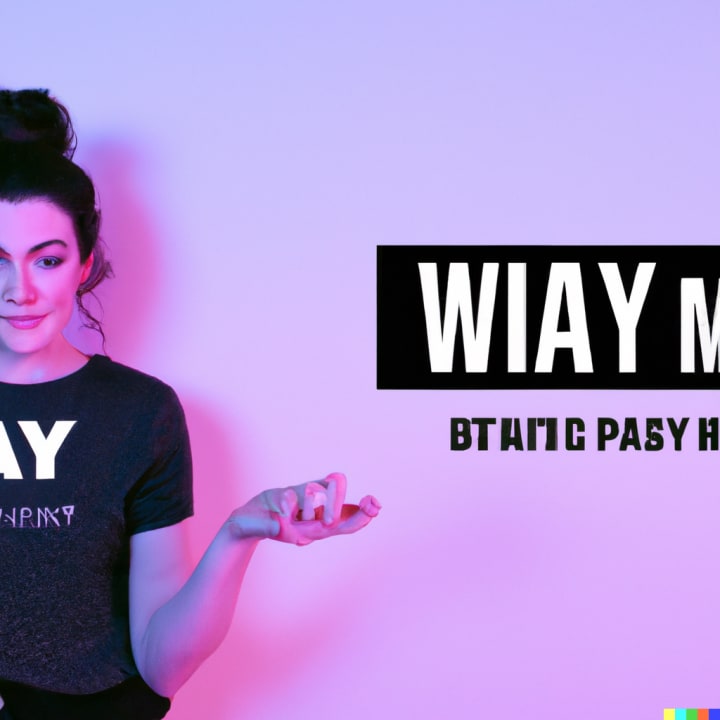
2. Keep it simple: Don't overcrowd your thumbnail with too much text or too many images. Keep it simple &focused on your video's main topic.
3. Use high-quality images: High-quality images will make your thumbnail look more professional & eye-catching.
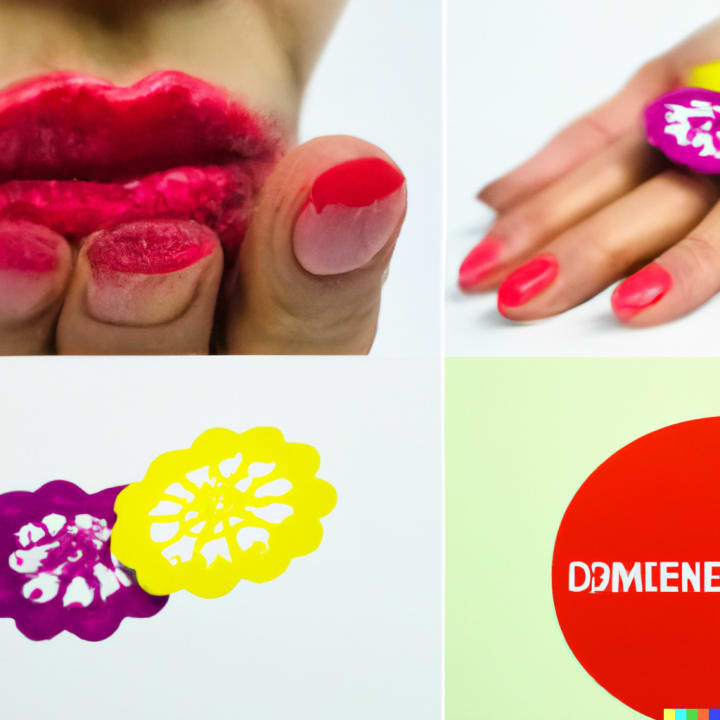
4. Show your face: Including your face in your thumbnail can help build a personal connection with your audience and make your video feel more relatable.

5. Use emotion: Emotion can help make your thumbnail more compelling &increase click-through rates.

6. Include text overlays: Text overlays can provide additional context for your video &help viewers understand what it's about.
7. Make it relevant: Your thumbnail should accurately represent the content of your video and entice viewers to watch.
8. Use branding elements: Including branding elements like your logo/consistent color scheme can help your thumbnail stand out and increase brand recognition.
9. Use humor: Humor can be an effective way to grab viewers' attention & make your thumbnail more memorable.

10. Include action shots: Action shots can help convey the excitement/energy of your video and make your thumbnail more engaging.
11. Use a clear focal point: Your thumbnail should have a clear focal point that draws viewers' attention &makes them want to click.

12. Test different designs: Experiment with different thumbnail designs to see what works best for your audience & your content.
13. Use a consistent style: Using a consistent style for your thumbnails can help establish your brand & make your videos more recognizable.
14. Use text sparingly: While text can be helpful, using too much of it in your thumbnail can make it look cluttered &overwhelming.
15. Use a clear font: Choose a font that is easy to read and fits with the overall look and feel of your thumbnail.
You either can remember all the above 15+ (scrape the internet for more tips) points
OR
Use Thumbnail Blaster (my special-link might give a 60day Money-Back / X% discount, if purchased within 24hrs of link-click)
to get High-Converting Thumbnails in just 60secs (that follow all the latest trends)
What is Thumbnail Blaster?
TB - as I like to call it, is a cloud-based program that makes it easier for you to design your video's thumbnails or cover photo for a variety of platforms. It claims that it's possible to have the perfect option for you in three easy clicks so you have one less thing to worry about before you hit upload.
This artificial intelligence software makes it less complicated for you to create attractive thumbnails without needing to hone your skills or spend time trying out different designs. You can forget tools like Photoshop once and for all.
Some people might argue that it isn't at all that difficult to create a design. However, when you're using elements that you don't own, you'll either have to pay for them outside of your design platform, or you'll run the risk of getting tagged for copyright infringement - which isn't fun for anyone.
How does it work?
You're probably wondering what makes it different from your other options in the market. Let me be honest with you, you won't have a lot of options.
HOWEVER - the TBs AI can run your entire operation on autopilot.
What do I mean? For each of the three clicks that are getting advertised, you can opt to have the artificial intelligence tool do it for you.
Let's take a closer look at what I mean.
Step one: choose your template
There are over 30 pre-designed images to choose from. I like how there are several niche options so you don't have to worry about settling for something that isn't in line with your content. Your choices include real estate, makeup, vlogs, pets, reviews, and weight loss among others.
And - as I mentioned before, you can opt to have the AI do this for you.
Step two: customize your template
Now that you've selected the design you want to go for, it's time to make some changes so that it fits your content and your brand. It's all fairly simple, you don't really need any tech skills and you don't need to download anything onto your computer.
Everything is conveniently on the server and on a drag-and-drop builder so it doesn't take more than just a few minutes to get everything done.
You're able to make more specific changes as well like resizing elements, changing the text, and altering the fonts. You can also add new elements if needed.
Step three: publish and relax!
The next step is to click the PUBLISH button. This drives the software into a frenzy and calls out to all the potential viewers you need - kidding aside, once you hit publish, the AI automatically updates your video with the new thumbnail.
You could also just download a JPG version of the image and upload it yourself. In any case, your thumbnail is guaranteed to be a success in catching the eyes of your audience.
Thumbnail Blaster benefits
Aside from the fact that it will save you from a lot of stress, TB has a lot of great benefits going for it. Take a quick look at them below:
Quick and easy. You don't need to wait hours to get your thumbnail ready before publishing your video. It can be done within just a few minutes.
AI does it all for you! If you're feeling lazy, you can just have the tool do everything for you. You just need to add in some important info, and in minutes, your video will be published without you even having to lift a finger.
Noob-friendly. The drag-and-drop user interface makes it easy for you to navigate the builder if you want to be a bit more hands-on with the design process.
Great - but not overwhelming design library. There are over 30 templates to choose from that accommodate several niches. This means you have a good pool of choices, but not too many that it can get difficult to choose.
Design elements library. If you thought you'd only have to rely on what's already on your chosen template, then you're incredibly wrong. There is an extensive elements directory where you can choose shapes, stickers, and more.
Inclusive. Everyone knows that there are several sizes of thumbnails that you need for each type of platform. Luckily enough, Thumbnail Blaster helps you create your thumbnails for any size of video including 16:9, 4:5, 4:4, and more.
As you can see, there are plenty of benefits to using the software. But, before you go ahead and jump the gun, let's take a closer look at what makes Thumbnail Blaster software the best choice for you.
What are its best features?
The drag-and-drop interface, the seamless, UI, multiple design elements - all of these aren't new. But they are some of the best things Thumbnail Blaster has going for it.
That said, you need to be aware of what you're getting yourself into. Let's take a look at its key features and how you can use them to your advantage.
Unlimited creation
Once you purchase access to the software, you'll have the ability to create as few or as many thumbnails as you want. This is great especially if you want to start selling your services, or if you're simply a serious Youtube video content creator, the sky's the limit.
Artificial intelligence
Unlike its competitors, the TB software gives you access to a tool that does everything for you. And I do mean everything. All you need to do is fill in some basic information.
The AI will choose your template, make the necessary adjustments, and even publish your content for you.
So if you're often struggling with time management and don't really trust yourself to make design choices, this is a great feature to have.
100% complete creative freedom
So, I know I said that the AI can do it all for you. But for times when you really want to get hands-on, you have complete control. You can add, remove, resize, any element and do with it as you wish.
Split testing module
If you've heard of A/B testing before, I'm willing to bet. But did you know that you could do it for your video thumbnails as well?
What other design software out there can't give you is the ability to optimize the cover photo for your videos. And best of all, it can be done in three easy steps!
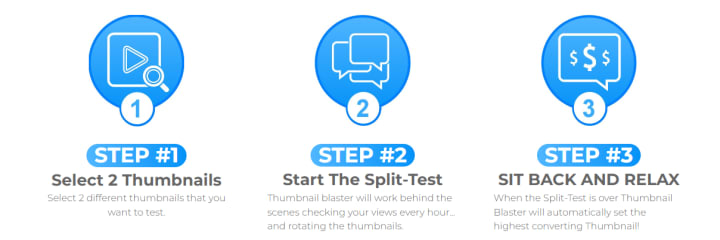
- Step one: choose two thumbnails
- Step two: launch the split test program
- Step three: sit back and relax
Basically, what it does is TB runs your video with both thumbnails. It rotates the thumbnail getting used every hour and then it shows you the data based on the number of views and clicks you get with each of your options.
Extensive graphics library
If you're not 100% satisfied with the premade designs, the template directory has over 1000 design elements to choose from.
Plus, it's getting updated with new options consistently so you don't have to outsource specific graphics for your design needs because this thumbnail creator software has everything.
Inclusive
You aren't limited to just creating your thumbnails for YouTube. This online thumbnail creator can be used for Facebook, Instagram, and any other video platform you can think of - including TikTok.
Lifetime updates and support
The Thumbnail Blaster customer support team is one of the best I've seen thus far. They're quick to answer any inquiries, and even if you buy the software ahead of everyone else, you'll still have access to free updates whenever the developers have them.
UNIQUE with Thumbnail Blaster: Split-Test YouTube Thumbnails
Split testing, also known as A/B testing, is a powerful tool for optimizing your YouTube thumbnails. Here are some steps to follow when conducting a split test:
1. Choose a variable: Identify a specific element of your thumbnail to test, such as the image, the color scheme, or the text.
2. Create two versions: Create two different versions of your thumbnail, each with a different variation of the variable you identified.
3. Set up the test: Upload both versions of the video with their respective thumbnails, making sure that they have the same title, description, &tags.
4. Track the results: Monitor the performance of each video over a set period of time, comparing the views, engagement, &click-through rates of each version.
5. Analyze the results: Analyze the data to determine which version of the thumbnail performed better, & use that information to optimize future thumbnails.
6. Iterate and refine: Use the results of your split test to refine and improve your thumbnails over time, repeating the process as necessary to continue optimizing your video performance.
By conducting split tests on your YouTube thumbnails, you can identify the most effective design elements and create thumbnails that are more likely to engage viewers and drive views and subscribers.
Ways to Use Videos to Increase Website Traffic
Incorporating videos into your content marketing strategy can be a powerful way to increase website traffic. Here are some ways to do so:
1. Create engaging video content: Develop video content that aligns with your brand &engages your target audience. Share your expertise, demonstrate your product/service, or tell a story that resonates with viewers.
2. Optimize video for SEO: Use keyword-rich titles, descriptions, &tags to optimize your videos for search engines. Include links to your website in the video description to drive traffic directly to your site.
3. Embed videos on your website: Embed your videos on relevant pages of your website, such as product pages or blog posts. This not only drives traffic to your site but also improves engagement & increases the time visitors spend on your site.
4. Share on social media: Share your videos on social media platforms such as Facebook, Twitter, LinkedIn, and Instagram to reach a wider audience and drive traffic back to your website.
5. Collaborate with influencers: Collaborate with influencers or other brands in your industry to create videos that feature your brand or product. This can help increase your exposure to a new audience and drive traffic to your website.
By incorporating video into your content strategy, you can engage your audience, drive traffic to your website, and increase brand awareness and conversions.
Videos Serve as a Great Tool for TOFU in Inbound Marketing Strategy
Using videos as a tool for TOFU (Top of the Funnel) in an inbound marketing strategy can be highly effective. Here are some ways to incorporate video into your TOFU strategy:
1. Create educational content: Create videos that provide valuable content to your audience, such as how-to tutorials, explainer videos / industry insights. This type of content can help position your brand as a thought leader & build trust with potential customers.
2. Use attention-grabbing visuals: Use eye-catching visuals, such as animation, motion graphics, or high-quality footage, to capture your audience's attention and keep them engaged with your brand.
3. Optimize for SEO: Use keyword-rich titles, descriptions, and tags to optimize your videos for search engines. This can help your videos appear in search results and drive traffic to your website.
4. Use video across channels: Promote your videos across various channels, such as social media, email marketing, or your website. This can help increase the reach of your content and attract new potential customers.
5. Encourage engagement: Encourage viewers to engage with your brand by asking them to leave comments, share their thoughts, or subscribe to your channel. This can help foster a relationship with your audience and build a loyal following.
By using videos as a tool for TOFU in your inbound marketing strategy, you can attract new potential customers, build brand awareness, and establish your brand as a trusted authority in your industry.
About the Creator
Keep reading
More stories from Subham Das and writers in 01 and other communities.
Ad Click Fraud: Prevent
What is Click Fraud? Click fraud on ads refers to the act of repeatedly clicking on online advertisements with the intention of generating fraudulent/illegitimate clicks, without any actual interest in the product or service being advertised. This is typically done to increase the number of clicks on a particular ad, in order to inflate the ad's click-through rate (CTR) or to exhaust a competitor's ad budget.
By Subham Das3 years ago in 01
How to Choose the Best Mobile App Development Company in Canada 2026
Choosing the right app development partner in 2026 isn’t just a procurement decision—it’s a strategic move that can define whether your digital product scales or stalls. The Canadian tech ecosystem has matured rapidly, with agencies offering everything from rapid MVP builds to enterprise-grade platforms powered by AI and cloud-native architectures.
By alan michaela day ago in 01
Replica Designer Handbags and Luxury Designer Purses: A Cultural Perspective
Handbags are among the most consistently used personal items in modern life. While often discussed in relation to fashion, their significance extends far beyond visual appeal or brand recognition. Handbags function as everyday tools, supporting routine activities such as work, travel, and social engagement. Within this broader context, conversations around Replica Designer Handbags and Luxury Designer Purses reflect changing attitudes toward access, value, and practicality rather than simple questions of trend or status.
By charliesamuel6 days ago in 01


Comments
There are no comments for this story
Be the first to respond and start the conversation.