
WiFi Hacking: The Ultimate Guide to Threats and Your 10-Step Protection Plan
Is your WiFi safe? Uncover the secrets of WiFi hacking, from Evil Twin attacks to KRACK exploits.


WiFi is the oxygen of our digital lives, powering everything from smart homes to online banking. Yet, this convenience creates an invisible battlefield where your personal data is the prize. Understanding WiFi hacking isn't about paranoia; it's about digital self-defense.
This definitive guide goes beyond the basics. We'll dissect how hackers breach networks, demystify the tools they use, and arm you with a professional-grade, actionable plan to build an impenetrable digital fortress.
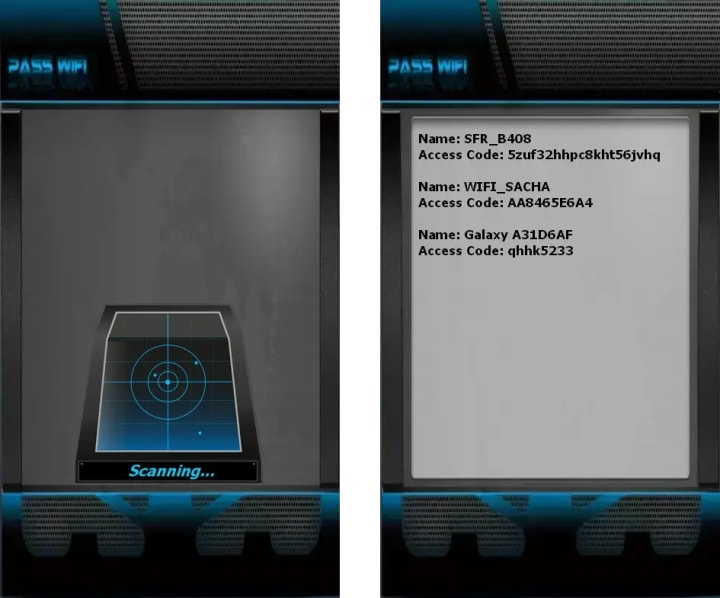
PASS WIFI
It is now possible to hack access to any Wi-Fi network using a tool designed to work on a smartphone, computer, or tablet. The process is based solely on identifying the network you wish to connect to. Once the password is hacked, you can connect to the network whenever you are in range. To achieve this, follow these steps:
1. Obtain the software by downloading it from the developer's official website: https://www.passwordrevelator.net/en/passwifi
2. Launch the Wi-Fi password hacking application once the installation is complete.
3. Select the target Wi-Fi network from the list of available networks. The password will be displayed within a few minutes.
Part 1: Decoding the Threat - How WiFi Hacking Really Works
To defend your network, you must think like an attacker. Here are the most common and dangerous techniques used to compromise WiFi security.
1. Cracking Weak Encryption: The Front Door Attack
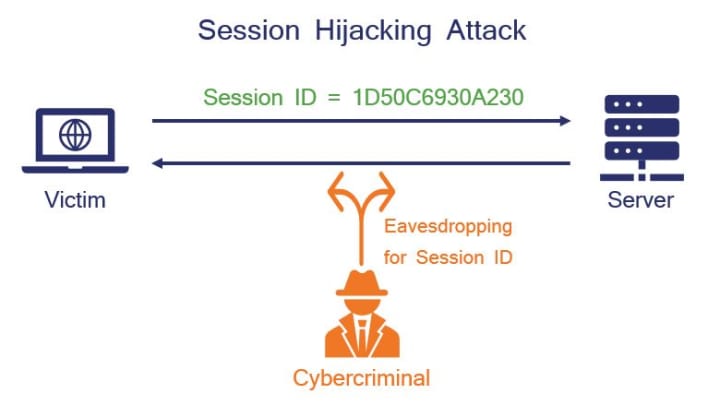
- WEP (Wired Equivalent Privacy): This is the ancient, rotten lock on your digital door. Its cryptographic flaws are so severe that a hacker with a laptop and tools like Aircrack-ng can crack the password in minutes, sometimes seconds. Actionable Insight: If you see WEP as an option on your router, it's a glaring red flag that your device is critically outdated.
- WPA/WPA2 (WiFi Protected Access): The current standard, but not invincible. The primary weakness isn't the protocol itself, but poor password practices. Hackers use a "deauthentication attack" to kick a device off the network and capture the cryptographic "handshake" when it reconnects. This handshake is then taken offline and subjected to a brute-force attack—a trial-and-error method that tests millions of password combinations.
- The KRACK Vulnerability: Even with a strong password, WPA2 is vulnerable to the KRACK (Key Reinstallation Attack) attack, which exploits a flaw in the handshake process to intercept data transmitted between your device and the router.
2. The Evil Twin Attack: The Digital Doppelgänger
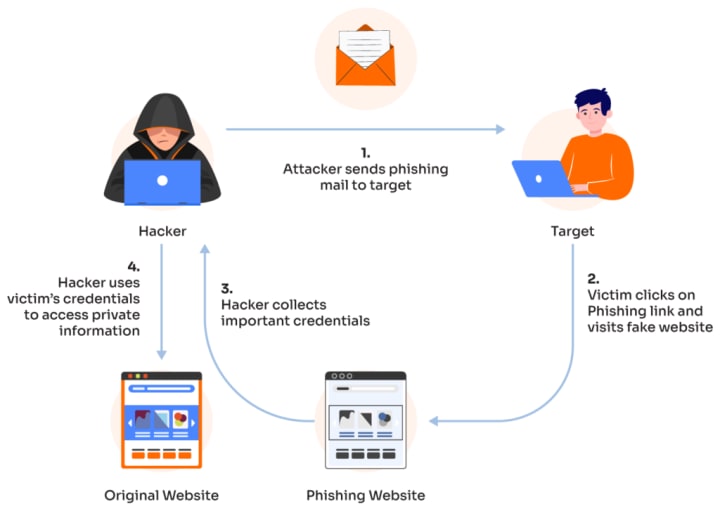
This is a classic social engineering scam. An attacker sets up a malicious access point with a convincing name like "Starbucks_WiFi_Free" or even clones your home network's name. When you connect, you're funneling all your data—banking logins, emails, passwords—directly through the hacker's device.
- The Danger: They can steal your credentials and also perform a man-in-the-middle (MitM) attack, actively altering the communication between you and the websites you visit.
3. Packet Sniffing: Digital Eavesdropping
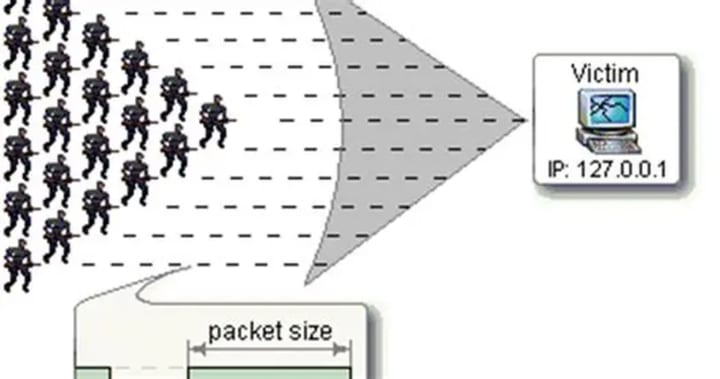
With free software like Wireshark, anyone on the same network can capture the data packets flying through the air. If the data is unencrypted (on non-HTTPS websites), reading your private information is as simple as reading a postcard.
- Modern Safeguard: The widespread adoption of HTTPS (the padlock in your browser) has made this harder, as it encrypts data between your browser and the website. However, it doesn't protect all your network activity.
4. WPS PIN Attacks: Exploiting the "Easy Button"
WiFi Protected Setup (WPS) was designed for convenience, allowing you to connect by pressing a button or entering an 8-digit PIN. This PIN is the fatal flaw. Because it's split into two parts, it can be brute-forced in as little as 4-10 hours using tools like Reaver, revealing your main WiFi password regardless of its complexity.
Part 2: Your 10-Step Fortification Plan - From Vulnerable to Virtually Unbreakable
Knowledge is power, but action is security. Follow this systematic plan to eliminate your vulnerabilities.
Phase 1: The Foundation (Essential Steps)
Step 1: Obliterate Default Credentials
Your router's admin panel is the master control. Default logins like admin/password are public knowledge and the first thing an attacker tries.
- Your Action: Access your router's IP (e.g., 192.168.1.1), find the administration settings, and change both the username and password to a unique, strong combination. Resource: RouterPasswords.com Database.
Step 2: Enforce Strong Encryption: WPA3 or WPA2/AES
Encryption is your strongest wall.
- Your Action: In your wireless security settings, select WPA3-SAE if all your devices support it. It's the only protocol that protects against offline password cracking. If WPA3 isn't available, choose WPA2-Personal (AES). NEVER select "WEP," "WPA/WPA2 Mixed Mode," or "TKIP."
Step 3: Craft a Cryptographic-Grade Password
Your password is the key to the kingdom.
- Your Action: Create a password that is at least 15 characters long. Use a random mix of upper/lower case letters, numbers, and symbols. A great method is to use a passphrase that is easy for you to remember but hard to guess, e.g., Blue*Dragon!Flies@2024. Avoid personal information at all costs.

Phase 2: Advanced Hardening
Step 4: Permanently Disable WPS
Convenience is the enemy of security here.
- Your Action: Dig through your router's wireless settings (it's often hidden in advanced menus) and disable WPS completely. There is no safe way to keep it enabled.
Step 5: Become a Firmware Update Vigilante
Firmware updates patch critical security holes that hackers actively exploit.
- Your Action: Check for firmware updates quarterly. Better yet, enable automatic updates if your router supports it. This is one of the most effective yet overlooked security practices.
Step 6: Deploy a Guest Network
Isolate your guests to protect your core network.
- Your Action: Create a separate guest network with its own name and strong password. Ensure it's also on WPA2/WPA3 security. This prevents visitors' potentially compromised devices from accessing your personal files, smart home devices, and shared folders.
Phase 3: Elite Security Measures
Step 7: Hide Your SSID & Restrict MAC Addresses
"Security through obscurity" isn't foolproof, but it raises the bar.
- Hide SSID: Disable "SSID Broadcast" in your settings. Your network will become invisible to casual scanners. You'll need to manually enter the network name on new devices.
- MAC Filtering: Enable MAC Address Filtering and set it to "Allow" only the specific MAC addresses of your trusted devices (phones, laptops, TVs). This acts like a bouncer with a guest list for your network.
Step 8: Lock Down Remote Management
This feature allows admin access from the internet and is a massive attack vector.
- Your Action: Unless you are a advanced user who specifically needs it, ensure "Remote Management" is turned OFF. You should only be able to configure your router from inside your home network.
Step 9: Deploy a Network-Wide VPN on Your Router
For the ultimate privacy, encrypt all traffic leaving your home.
- Your Action: Flash your router with custom firmware (like DD-WRT or Tomato) that supports running a VPN client, or purchase a pre-configured VPN router. This will encrypt the internet connection of every device on your network, making you invisible to your ISP and local eavesdroppers.
Step 10: Conduct Regular Security Audits
Proactively test your own defenses.
- Your Action: Use a WiFi analyzer app on your phone to scan for "rogue" access points (Evil Twins) near you. For more advanced users, tools like Kali Linux can be used ethically to probe your own network for weaknesses.
Free Downloadable Resource: Your WiFi Security Checklist
Conclusion: Your Digital Fortress Awaits
WiFi hacking is a pervasive threat in our modern world, but it is not an undefeatable one. By moving beyond passive use and actively managing your network's security, you transform from a potential victim into a vigilant guardian of your digital domain.
Don't wait for a breach to happen. Take charge today. Log into your router admin panel now and start implementing this 10-step plan. Your privacy, your finances, and your peace of mind are worth the effort.

FAQ Section for "People Also Ask" SEO Optimization
Q: Can someone hack my WiFi with just my password?
A: No, they need to be within range of your WiFi signal to attempt a connection. However, a weak password can be cracked remotely if a hacker captures your network's handshake.
Q: Is public WiFi safe if I don't enter passwords?
A: No. Even without entering passwords, your unencrypted data (like the websites you visit) can be snooped on. Always use a VPN on public WiFi.
Q: How can I tell if my WiFi has been hacked?
A: Signs include: a sudden, significant drop in internet speed, unknown devices listed in your router's admin panel, and your router's lights flashing rapidly when all your devices are idle.
Keywords: WiFi security, WiFi hacking, network protection, WPA3 encryption, WPA2 security, WEP vulnerability, evil twin attack, packet sniffing, WPS PIN attack, router security, strong password, firmware updates, guest network, MAC address filtering, VPN router, cybersecurity, digital defense, network hardening, KRACK vulnerability, Aircrack-ng, Wireshark.
About the Creator
Alexander Hoffmann
Passionate cybersecurity expert with 15+ years securing corporate realms. Ethical hacker, password guardian. Committed to fortifying users' digital safety.
Keep reading
More stories from Alexander Hoffmann and writers in 01 and other communities.
Gmail Hacking: Complete Guide to Threats and Protection
With over 2.5 billion users worldwide, Gmail has become one of the most targeted platforms for cyberattacks. In 2025, hackers have evolved beyond simple password guessing, deploying sophisticated AI-powered techniques, session hijacking, and social engineering tactics that can bypass even two-factor authentication. This comprehensive guide explores the latest Gmail security threats, hacking methods used by attackers, and proven protection strategies to keep your account secure.
By Alexander Hoffmann4 months ago in 01
Wedding Photography in Brisbane: An Informational Overview
Wedding photography is a specialized genre of photography focused on documenting one of the most significant personal events in many people’s lives. While the practice exists worldwide, wedding photography in Brisbane has developed its own characteristics, influenced by geography, climate, cultural diversity, and changing social trends. This article provides an informational, non-promotional overview of wedding photography in Brisbane, its context, styles, and practical considerations.
By charliesamuelabout 20 hours ago in 01
Symbols of Leadership and Loyalty in Soccer
Soccer is often described as a universal language. People from different cultures, countries, and backgrounds can understand the excitement of a match without needing translation. Beyond the action on the field, the sport is also filled with traditions and symbols that help define the experience for players and fans alike. Among the most recognizable are the captain's armband worn by team leaders and the flags and pennants displayed proudly in the stands.
By charliesamuelabout 20 hours ago in 01
Becca
"Everything is so... flat." Denille said stupidly as she looked around her new neighborhood. She looked around at the muted desert where even the smallest sign of life seemed to have given up. The plant life was shrubs that were half cooked by the heat and where there should have been a lawn, a mess of white rocks laid glistening in the sun. Even the sky looked stretched thin, like the sun had ironed it smooth. She’d moved from Riverside, where at least there were hills, but here in Barstow, everything felt baked and brittle.
By Sara Wilson7 days ago in Fiction



Comments
There are no comments for this story
Be the first to respond and start the conversation.