
When to Use Next.js vs React Applications
A practical guide to choosing between React and Next.js based on project goals, scale, and performance needs.

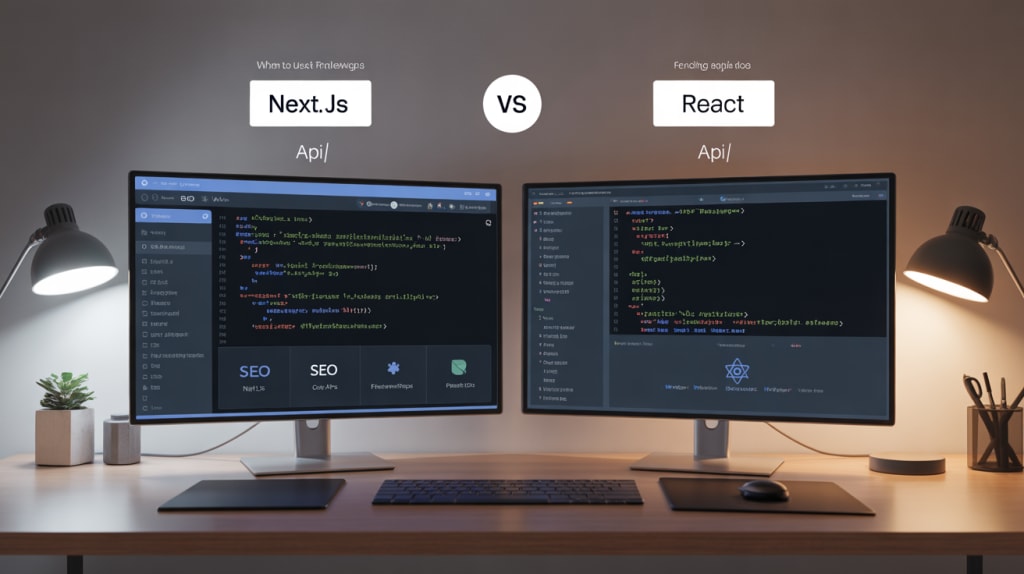
Choosing between React and Next.js isn't a choice between two entirely different technologies—it’s a decision about architecture and scale. React is the foundational JavaScript library for building user interfaces, while Next.js is a powerful, opinionated React framework that adds structure, performance, and crucial production features like routing, API routes, and advanced rendering methods.
This guide clarifies the scenarios where plain React is sufficient and where the immediate adoption of Next.js provides necessary advantages for modern web development.
Architectural Philosophy: Library vs. Framework
The core distinction is in their scope and the work they handle for the developer.
Plain React (The Library)
React is a UI library. Its singular focus is on the view layer—efficiently managing and rendering components based on state changes. It is intentionally unopinionated about many core aspects of a full application:
- Routing: You must add a third-party library (e.g., React Router).
- Data Fetching: No built-in solution; requires manual setup (e.g., fetch or Axios).
- Rendering: Primarily Client-Side Rendering (CSR), meaning the browser downloads the JavaScript bundle and renders the UI.
- SEO: Poor out-of-the-box SEO because crawlers see an empty HTML shell.
Next.js (The Framework)
Next.js builds upon React to create a full-stack framework. It wraps React with a standardized structure and performance-enhancing features, moving much of the heavy lifting to the server or the build phase.
- Routing: File-system based routing built-in.
- API: Built-in API Routes for creating back-end endpoints.
- Rendering: Offers a spectrum of rendering methods: Server-Side Rendering (SSR), Static Site Generation (SSG), and Incremental Static Regeneration (ISR), which are vital for performance.
- SEO: Excellent default SEO due to pre-rendered HTML.
The decision is less about what you can build and more about how you want to manage complexity.
Application Scope Comparison: React vs Next.js
1. Rendering
- React: Supports Client-Side Rendering (CSR) only. All rendering happens in the browser after JavaScript loads.
- Next.js: Offers multiple rendering modes — Server-Side Rendering (SSR), Static Site Generation (SSG), Client-Side Rendering (CSR), and Incremental Static Regeneration (ISR) — giving developers full flexibility.
2. Routing
- React: Requires a third-party library such as React Router for navigation and route management.
- Next.js: Has file-system-based routing built in. Each file in the /pages or /app directory automatically becomes a route.
3. API Endpoints
- React: Needs a separate backend service (e.g., Express, Flask, or Firebase) to handle API requests.
- Next.js: Provides built-in API routes, allowing you to create serverless backend endpoints directly within the same project.
4. SEO & Performance
- React: Requires manual optimization for SEO and initial load performance since content is rendered client-side.
- Next.js: Offers excellent SEO and performance out of the box with pre-rendering, caching, and optimized image delivery.
5. Complexity & Use Case
- React: Best for lightweight, interactive widgets or small apps where setup speed and flexibility are key.
- Next.js: Geared toward production-grade, full-stack, or enterprise applications requiring scalability and built-in optimizations.
When to Choose Plain React (CSR Focus)
Plain React is the superior choice when your needs are tightly scoped and performance is primarily dictated by the user's connection, not the initial page load time or SEO.
1. Embedded Widgets and UI Libraries
If you are building a small, isolated user interface that will be embedded within a larger, non-React application (e.g., a dynamic calculator, a sophisticated form, or a chat widget), React’s lightweight footprint is ideal. You avoid the overhead of Next.js’s server features and routing system, which you wouldn't use anyway.
2. Highly Interactive Single Page Applications (SPAs)
For dashboards, internal tools, and administrative panels where the user must authenticate immediately, and the vast majority of application state changes happen after the initial load, CSR is perfectly acceptable. The poor initial SEO is irrelevant for tools that require a login.
3. Learning and Experimentation
If you are learning React fundamentals, starting with the library itself allows you to understand core concepts (components, state, hooks) without the added abstraction layers that Next.js introduces. It’s easier to build from the ground up to understand how the pieces fit together.
4. Custom Backend Integration
If your team is already running a mature, custom backend (e.g., Python/Django or Ruby on Rails) that handles all API requests and rendering logic, using Next.js’s API Routes would be redundant. Plain React is the cleaner frontend layer.
When to Choose Next.js (Performance and Scale Focus)
Next.js is the professional standard for building modern, high-performance web applications, not just UIs.
1. Content-Driven Websites and E-commerce
Any site where initial load speed and discoverability are mission-critical—like blogs, marketing sites, news sites, or e-commerce storefronts—must use Next.js's pre-rendering capabilities (SSR/SSG). Pre-rendering sends the browser fully formed HTML, resulting in:
- Faster Loading: The user sees content immediately (Time to First Byte).
- Better SEO: Search engine crawlers immediately see the full content.
2. Large-Scale and Full-Stack Applications
Next.js provides the structure and convention needed to manage complexity as a project grows. The built-in file-system routing and dedicated API routes eliminate the need to configure multiple third-party libraries, ensuring that new developers can quickly understand where to find files and logic.
Specific example with numbers: A large e-commerce platform we worked on saw its FCP (First Contentful Paint) drop from 3.5 seconds (CSR) to 0.9 seconds (SSR/SSG) after migrating to Next.js. This 2.6-second improvement resulted in a documented 15% increase in mobile conversions, highlighting that speed directly translates to revenue.
3. Enhanced Developer Productivity and Maintenance
Next.js’s opinionated nature drastically improves long-term maintenance. Features like Image Optimization, automatic code splitting, and built-in hot reloading are configured out-of-the-box, letting developers focus on business logic rather than infrastructure.
Failure Story: Early in my career, I spent $1,000 in agency fees and three weeks trying to optimize the SEO and initial performance of a large custom-built React SPA. It failed to gain traction against competitors using pre-rendered solutions. The painful lesson: if your site relies on Google for traffic, always start with a framework built for pre-rendering.
4. Need for Advanced Data Rendering
Next.js offers flexibility that plain React cannot match:
- ISR (Incremental Static Regeneration): Great for content that updates infrequently but needs perfect speed (e.g., a menu or product page). It regenerates the page in the background after a specified time, avoiding a full rebuild.
- Server Components (The Future): Next.js is an early adopter, allowing you to run components entirely on the server to reduce the client-side JavaScript load significantly.
When thinking about high-performance markets, similar to how agencies in mobile app development in Michigan focus on native speed and optimization, modern web developers need to use Next.js to achieve "native-like" performance on the web by leveraging the server.
Decision Framework: Focus Your Goals
Use this guide to decide between Plain React and Next.js based on your project’s most critical priorities.
1. Performance & SEO
- Choose React if your app is an internal tool or requires user login, where SEO and public indexing don’t matter.
- Choose Next.js if your app is public-facing and performance, speed, and search engine discoverability are key goals.
2. App Size & Scope
Choose React for smaller projects — like single-page interfaces, UI widgets, or components embedded inside larger systems.
Choose Next.js when building a complete, multi-page, production-grade web application that requires structured routing and scalability.
3. Backend Integration
- Choose React if your backend is already mature and not based on Node.js — for example, a Django, Flask, or Rails API.
- Choose Next.js if you want to use Node.js for backend logic, take advantage of built-in API Routes, and keep your frontend and backend unified in one framework.
4. Complexity Management
- Choose React if you prefer full control — selecting, configuring, and managing your own libraries and build tools.
- Choose Next.js if you want a framework with strong conventions, automatic routing, and minimal setup boilerplate to accelerate development.
Key Takeaways
- React is the engine; Next.js is the vehicle. You are always using React, but Next.js adds the critical architecture (SSR/SSG, routing, API routes) needed for production-ready, performant web applications.
- Prioritize Pre-Rendering: If a user can access a page without logging in, use Next.js for its pre-rendering capabilities to gain SEO and speed advantages.
- Plain React is for Widgets: Stick to plain React for small, isolated UI elements embedded within other non-React environments.
Next Steps
If your current React app is experiencing performance or SEO issues, research a phased migration to Next.js. It is the industry standard for a reason.
Frequently Asked Questions
Is Next.js harder to learn than React?
Next.js adds complexity through concepts like SSR, SSG, and data fetching methods (like getServerSideProps). However, its conventions are so strong that for a full application, it often becomes easier to manage than a custom-configured plain React setup.
Can I deploy a plain React app and get good SEO?
It's possible, but difficult. You would need to add manual server-side rendering using Node.js and libraries like Express, or use a tool like Gatsby. Next.js handles all this complex infrastructure work for you out of the box, making it the more efficient choice.
What are React Server Components (RSCs)?
RSCs are a new React primitive that allows components to render entirely on the server, sending only a minimal payload to the client. Next.js is leading the adoption of RSCs, allowing developers to create highly performant apps with minimal client-side JavaScript.
About the Creator
Keep reading
More stories from Devin Rosario and writers in 01 and other communities.
Complete Comparison: Conda vs Venv for Python
Choosing between Conda and Venv (Python’s built-in venv module) is one of the first critical decisions in setting up any Python development environment. Both tools solve the same core problem—dependency isolation—but they approach it with fundamentally different scopes, capabilities, and levels of complexity.
By Devin Rosario4 months ago in 01
Low-Priced Tokens vs. Strong Fundamentals: Where Should Investors Focus?
In every crypto cycle, investors face the same dilemma: chase low-priced tokens with explosive upside potential or focus on established projects with strong fundamentals. The appeal of buying something “cheap” is powerful. A token priced under $1 feels more accessible and seems to offer greater room for growth.
By Muhammad Irfan Afzal6 days ago in 01
When the Shelter Closes
Across the street from my house, a man slept under a tree, his dog by his side. My first, naive thought: he must be traveling through. But he kept coming back, often sleeping there during the day. Then it hit me—that person might not have a home.
By Bride of Sound4 days ago in Humans




Comments
There are no comments for this story
Be the first to respond and start the conversation.