
What are the different types of Office 365 migration?
A Quick Guide to the Office 365 Migration Types
Cloud platforms provide various features and services, including advanced security, better performance, smoother accessibility, cost savings, etc. As a result, moving businesses to the cloud has become a common need.
Microsoft Office 365 is one of the most popular cloud platforms for email and collaboration that enhances productivity at an advanced level. If your business is still using on-premises servers like Exchange, it might be time to migrate to Office 365. But how do you migrate to Office 365, and which migration type will be a perfect fit for you?
However, the type of migration you choose depends on your current setup, your company size, and your objectives. In this article, we’ll explain the different types of Office 365 migration effectively. So, let’s get started now!!
Why Migrate to Office 365?
Many reasons compel companies to migrate to Office 365. Here are a few common ones that you need to know:
- Access from any device, anywhere.
- No need for manual upgrades.
- Office 365 grows with your business.
- Integration with Teams, OneDrive, and SharePoint to work smarter.
- Provides advanced security tools.
- Flexible licensing options for various subscription plans.
Understand the Different Types of Office 365 Migration
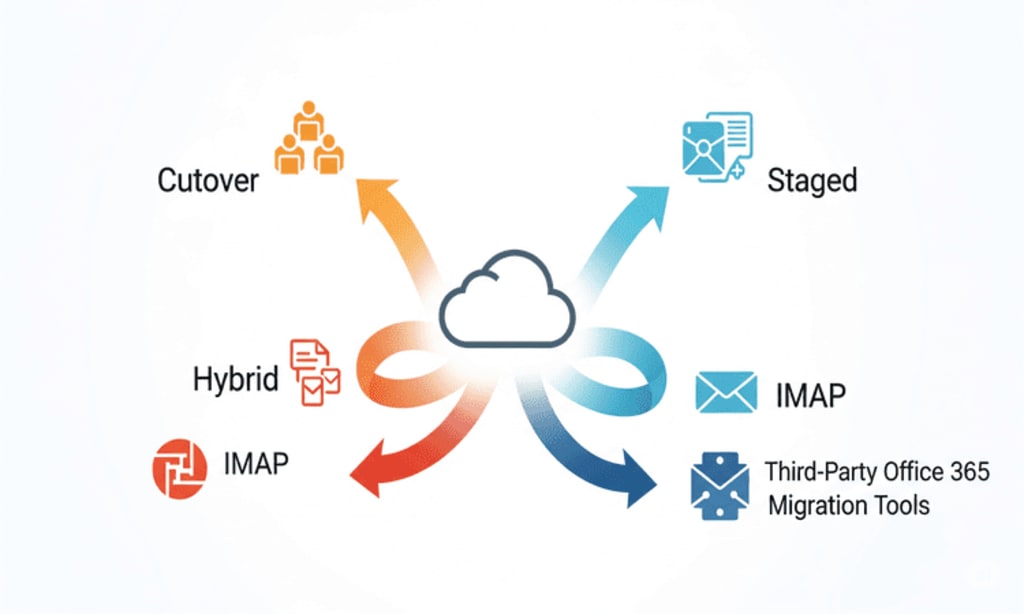
Analyzing and choosing a suitable migration type is necessary for all organizations, according to their business size. Here are the different types of Office 365 migration. Understand each and pick one that suits you:
Method 1. Cutover Migration
Cutover migration is a direct method to migrate on-premises Exchange Server mailboxes and data to Microsoft Office 365 in one go. It is most suitable for small businesses with less than 150 users who want to switch to Office 365 quickly and efficiently.
In this type of migration, all user mailboxes, including emails, contacts, and calendars etc., are moved at once. While cutover migration is easy to manage and doesn’t require complex configurations, it may cause a short downtime.
Note: It is best for small businesses with fewer than 150 mailboxes.
Pros:
Simple and quick.
No need for a hybrid setup.
Suitable for small businesses.
Cons:
Downtime during cutover migration.
Not suitable for large organizations.
Method 2. Staged Migration
Staged migration is another method which allows for migrating mailboxes from an on-premises Microsoft Exchange Server to Office 365 in small chunks over time. It is ideal for medium-sized businesses with more than 150 users, especially those using older Exchange versions like Exchange 2003 or 2007.
Instead of transferring all data at once, IT teams can move selected groups of users in phases, which helps reduce risk and manage the transition more smoothly. However, it provides more control and less downtime but is more complex than a cutover and not supported for Exchange 2010 or later versions.
Note: It is best for medium-sized businesses with more than 150 mailboxes using Exchange 2003 or 2007.
Pros:
Less risk of disruption.
Easier to manage for large teams.
Supports long-term planning.
Cons:
Only works with older Exchange versions.
A little bit complex than cutover migration.
Method 3. Hybrid Migration
When migrating to Office 365 for large organizations while keeping both their on-premises Exchange Server and Office 365 connected and fully functional, the hybrid migration method comes into play. It is helpful for organizations that use Exchange 2010 or newer versions.
While hybrid migration requires more planning and technical expertise, it provides the smoothest user experience with little to no downtime. With a hybrid migration, some users can remain on-premises while others are moved to the cloud. This setup allows full calendar sharing, smooth mail flow, and unified management between the two systems.
Note: It is best for large enterprises with complex email environments and Exchange 2010 or later.
Pros:
Smoothest experience for users.
No rush to move all mailboxes.
Full calendar and free/busy sharing.
Cons:
Requires more planning and setup.
Needs a skilled IT team or consultant.
Method 4. IMAP Migration
IMAP migration is another effective method to migrate email data from IMAP servers or applications like Gmail, Yahoo Mail, to Microsoft Office 365. This method is best suited for businesses that want to move only email messages to Office 365 without having/to work on the Exchange server.
IMAP migration doesn't migrate contacts, calendars, tasks, and other mailbox features. It is relatively simple and works well for small to medium-sized businesses with basic email needs. However, it comes with limitations, such as slower transfer speeds, no support for advanced data, etc. Despite these limits, IMAP migration is a perfect solution for businesses looking for a basic, cost-effective email transition to the cloud.
Note: It is best for organizations using IMAP-based email systems like Gmail or Yahoo instead of Exchange.
Pros:
Works with non-Microsoft servers.
Easy for basic email migrations.
Cons:
No calendar or contacts migration.
Limited to 500,000 items per mailbox.
Method 5. Third-Party Office 365 Migration Tools
When users and IT admin look for an effective solution for migrating to Office 365, third-party automated Microsoft Office 365 migration tools come in handy. These professional tools migrate data from various email platforms to Microsoft Office 365, especially in complex or large-scale migrations. It is the most preferred solution due to security and feature-rich capabilities when native methods fail or look insufficient.
They migrate emails, contacts, calendars, tasks, public folders, shared mailboxes, and even permissions and rules. They also provide features like pre-migration assessments, scheduling, error reporting, and automated rollbacks to help IT teams manage large or scheduled migrations with more control. With utmost security, flexibility, speed, and advanced functionalities, they prove to be a trustworthy solution for an enterprise's needs.
Final Thoughts
Migrating to Office 365 is a smart move for many businesses, but the right method matters most. Choosing the right migration type will reduce risks, lower downtime, and provide the desired results.
However, native methods come with fewer limitations and fail when migrating complex data. So, opting for the third-party Microsoft Office 365 migration tool is wise and secure.
About the Creator
Claire Bowen
Tech-savvy and detail-driven, Claire shares insights on Microsoft 365, email migrations, and smart tools. Loves streamlining workflows as much as she loves coffee and a well-organized workspace.
Keep reading
More stories from Claire Bowen and writers in 01 and other communities.
Nathan Allen Pirtle’s Influence on Modern Brand Strategy
In today’s crowded digital landscape, brands are no longer built on advertising alone. They are shaped by culture, trust, storytelling, and the ability to move at the speed of the internet without losing authenticity. Few strategists understand this balance as clearly as Nathan Allen Pirtle. His influence on modern brand strategy reflects a deeper shift in how brands earn relevance, loyalty, and long-term impact.
By Jeffrey D. Gross MD3 days ago in 01
Amazon warehouse employee left stunned at Jeff Bezos’ response after she emailed him about pay
Tara Jones took her complaint straight to the top and sparked a major review of pay errors A woman who was employed by Amazon went straight to the organ grinder, not the monkey, when she had a pay dispute.
By Dena Falken Esq5 days ago in 01
Miss Persephone's Manual to a Seemingly Ordinary Life
Miss Persephone was found at the dining table, her blue eyes swollen, her tears arriving and retreating like the tides of the ocean. Earlier that day, her family had visited her in the retirement home where she had lived for eight years. It was her eightieth birthday.
By Imola Tóthabout 22 hours ago in Fiction


Comments
There are no comments for this story
Be the first to respond and start the conversation.