
What Are GPU Servers? A Clear-Cut Overview
How GPU Servers Are Used in Certain Sectors and How to Choose Them for AI Applications

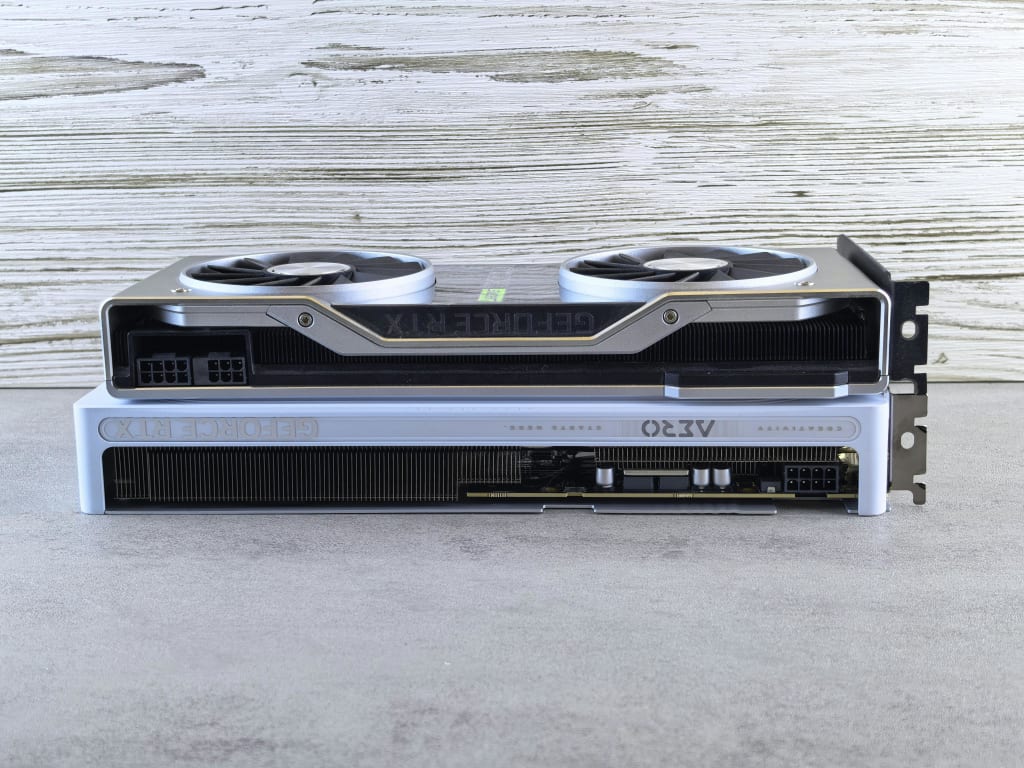
Enterprises are turning to GPU servers to stay competitive in a data-driven world. These high-performance machines are built to handle the kind of intensive computing that powers innovation for machine learning, artificial intelligence, real-time analytics, and more.
Different industries are adopting this type of AI data center hardware to keep up with the scale and speed that modern applications demand. These servers are strategic assets that let users process and analyze data faster than traditional infrastructure allows.
For enterprises pushing the limits of what’s possible with data, GPU servers unlock a level of performance that drives real results.
What Are GPU Servers?
A GPU server is a server with graphics processing units (GPUs) in addition to central processing units (CPUs) designed to handle and perform complex mathematical and graphical computations.
These servers are known for their exceptional parallel processing features, primarily for AI, ML, and graphics rendering, and are often used in sectors that require immense working power.
How GPU Servers Are Used in Certain Sectors
Below are some of the sectors harnessing the power of GPU servers:
1. Supply Chain
Many supply chain companies utilize GPU servers in their forecasting models and real-time tracking systems. This technology can be used to perform complex logistics simulations that may overwhelm other platforms.
GPU servers help process huge amounts of data fast without compromising precision. Because of this technology, businesses can predict demand spikes, optimize delivery routes, and detect bottlenecks across global operations.
Some companies also use GPUs to support computer vision systems in warehouses and fulfillment centers, which automates inventory checks and reduces human error.
2. Finance
A GPU server can effectively analyze massive financial data to provide accurate and timely risk evaluations. Its use of machine learning models can facilitate real-time fraud detection as well.
The server’s low-latency computing features can support high-frequency trading algorithms, which can speed up transactions.
3. Machine Learning and Data Science
GPU servers can handle more concurrent calculations to accelerate the training of deep learning models. This, in turn, enables data scientists and machine learning engineers to experiment more efficiently.
This hardware enhances the computing capability of complex machine learning techniques to improve model predictions. It is also capable of analyzing enormous datasets for bigger data applications
4. Artificial Intelligence
The enhanced parallel processing power of GPUs speeds up generative AI, which leads to faster inference and training of complex models. Its high parallel processing and computing capabilities improve other AI-driven processes, such as natural language processing, image recognition, text generation, and sentiment analysis.
These features facilitate faster and more efficient handling of sizable datasets and complex algorithms.
5. Medical, Healthcare, and Life Sciences
GPU servers improve CT scans, MRI, and other medical imaging processes, allowing specialists to provide accurate readings and diagnoses. They also have a role in genomics research, which helps create more effective, tailored treatment programs for patients.
This technology can also streamline computational chemistry and molecular modeling simulations for drug development.
6. Robotics and Autonomous Vehicles
Many robotic and autonomous systems rely on GPUs to plan paths and make real-time decisions.
For autonomous vehicles, GRU servers provide fast and accurate object detection and process real-time data from radars and cameras to ensure safe navigation.
7. Gaming
Many cloud gaming services use GPU servers to allow players access to high-quality games without the need to purchase their own expensive hardware. These servers also allow game developers to reach a wider audience.
This technology also offers high-quality graphics and intricate visual effects that provide gamers with more immersive experiences.
8. Rendering
A GPU server can perform 3D model rendering, process high-resolution images, and apply complex visual effects faster than CPU-powered systems.
These servers can be integrated with graphic design, video editing, and other visual design software to create more intricate designs. This can help improve the creativity and productivity of graphic designers and other artists.
How to Choose a GPU Server for AI Applications
If you are looking for a GPU server for AI and machine learning projects, follow these tips to invest in the right one:
1. Identify your purpose.
To get the right AI server, think about how you intend to use it first.
If you are training large models like transformers or generative AI systems, you need a server with powerful horsepower and plenty of memory and fast storage. However, opt for mid-range models if you are focused on inference, prototyping or fine-tuning smaller models.
2. Consider scale and flexibility.
If you are working alone or with a small team, a single GPU server might be enough. But for groups training large models, you may need a multi-GPU setup with high bandwidth. This option allows GPUs to share memory and workload more efficiently, which makes a big difference in training speed.
Some servers also support modular GPU configurations to help you scale up as your needs change.
3. Look into the server’s memory and storage capacities.
A good server should have plenty of system memory, fast SSDs, and ideally NVMe storage for quick access to massive datasets.
If your models or data are especially large, match your server’s input and output to your AI pipeline to avoid having storage speed and bandwidth issues.
4. Consider software compatibility.
Make sure your GPU server is compatible with the AI framework you plan to use and that the drivers and CUDA versions line up.
Many vendors offer AI-optimized server stacks with pre-installed setups, which can save you time and money.
5. Check the server’s cooling and power efficiency.
AI tasks, especially deep learning training, can be tough on hardware because they generate a lot of heat. Ensure the server has efficient cooling systems to prevent overheating.
Servers designed for AI use usually come with advanced cooling solutions, such as liquid or air cooling.
AI servers with multiple high-end GPUs tend to consume plenty of electricity. Make sure the server has a sufficient power supply unit (PSU) to handle the load and prevent power-related failures.
6. Read about the server provider’s after-sales support.
Look into the level of support and maintenance the server provider offers. AI projects often involve complex configurations, so having reliable technical support is a must.
Ensure the vendor provides warranty and customer support in case of any issues.
Before deciding which GPU server to invest in, talk to your team. The right system should suit your workload now and give you room to grow.
About the Creator
GrowthCircuit
GrowthCircuit is your go-to hub for smart insights on business, tech, marketing, finance, real estate, and AI - designed to spark ideas, fuel strategy, and power up your growth journey.
Keep reading
More stories from GrowthCircuit and writers in 01 and other communities.




Comments