
Use Of Tableau Dashboards: A Guide To Creating One
Let's understand how important creating a Tableau dashboard is with the help of the use of Tableau dashboards and the process of creating it.

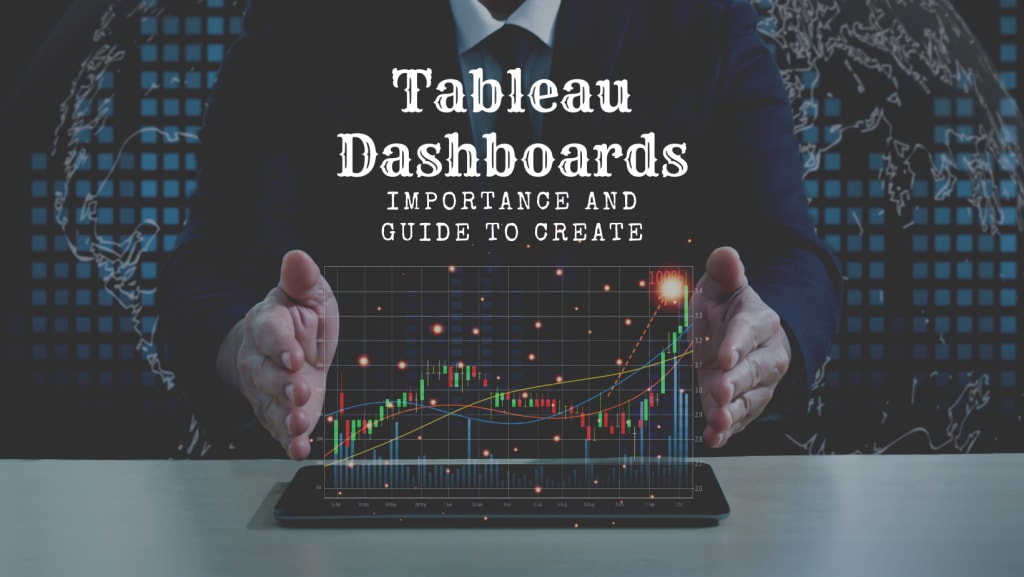
Data doesn't establish value unless its meaning is visualized and understood. Business dashboards are a high-performing feature of Tableau that gives data-driven answers to specific queries. Even a non-technical user can create interactive Tableau dashboards with real-time visualizations in minutes.
A Tableau dashboard is a graphical representation of more than one data visualization result on a single screen where you can analyze multiple factors simultaneously. Considering all the elements from insights presented on tableau dashboards, making result-oriented decisions becomes easy.
How Does Tableau Dashboard Work?
Tableau dashboards take data from multiple sources and cluster it so that it becomes easy for non-technical users to analyze and comprehend the data. Tableau dashboards' interactive features make understanding and focusing on specific areas easy. Moreover, it also supports more questioning to assist in making critical decisions.
The Use Of Tableau Dashboards
Showing a broad overview of the data clustered from various sources is the primary use of Tableau dashboards. Dashboards make monitoring, measuring, and analyzing data in critical areas easier. Whether you are a business owner, data analyst, or marketing executive—Tableau dashboards collect data from various sources and present it customized to the user's needs.
Tableau Dashboards Can Assist You With Measuring Data Like;
- Financial information (Balance sheet, Income statement, etc.)
- Customer metrics (Like customer satisfaction, loyalty rates, retention rates, and much more)
- Marketing performance (Return on investment, cost per sale, cost per lead, conversion rate, and customer lifetime value)
- Sales information (sales volume, tips, new accounts, revenue, expenses, etc.)
- Human resources data (Employee ID, name, gender, date of birth, residence, and other necessary employee details)
- Logistics information (Purchasing, production, warehousing, financial and accounting systems)
- Manufacturing information (Production, equipment, labor, machines, tools, etc.)
- Web analytics (Web users, sessions, goal conversions, session duration, bounce rate, etc.)
Organizations that use it for multiple purposes help executives and stakeholders to understand the information more effectively. It becomes easy for subject matter experts to convey the meaning of the data to those who are not experts with the help of Tableau dashboards.
How To Create Dashboards In Tableau
Building a dashboard is not difficult; it just requires the users to prioritize what they wish to analyze with it. Here is the process of creating a dashboard for practical analysis. If you need assistance with the dashboard creation in Tableau, you can hire a Tableau consultant to work with you.
Define the purpose and audience: The first step the user must stay aware of is the goal and the audience for whom the dashboard is being created. The task gets easier by keeping the audience in mind for a specific purpose.
Choose the data: Businesses have a vast amount of data collected from various sources. By keeping the audience in mind, it gets easier to choose the data that is needed.
Double-check the data: It is better to double-check the data before creating the dashboard, as realizing the data was incorrect later might cost more time and effort.
Choose the visualizations: Tableau offers different visualization types, such as charts, maps, graphs, etc. It should be clear to the one building which kind of visualization gives a better presentation of the respective data.
Use a template: Software like Tableau offers templates to create a dashboard that makes it easy if you create a tableau dashboard for the first time. It's better to use it, but try to fit in the template only if it is suitable for your data.
Please keep it simple: Try using similar colors and styles to keep the dashboard simple to understand, as the dashboard may look complex with multiple colors and styles.
Repeat and keep improving: Once your dashboard is created, ask for feedback from the audience the representative, or the head of a specific team. And if the dashboard conveys the meaning adequately with the visualization, repeat the same method and if it needs changes, keep improving.
Conclusion
The trend towards utilizing Tableau is rising as it is the best data visualization tool for organizations to derive the best meaning of the data. Tableau offers a comprehensive suite of dashboards that embrace the new perspective to look at your data that was merely a number earlier. With the help of future data, the Tableau dashboard can give you a new direction to think about for future goals. Hope this article helped you understand the potential of Tableau and how you can create Tableau dashboards to make critical decisions for your organization.
If you are an organization planning to hire a tableau consultant for your project, you must go through the guide of hiring a Tableau Consultant to fully understand how they operate and how they can assist you with your work.
About the Creator
Daryl Young
Howdy! I'm Daryl Young, a tech consultant from the great state of Texas. I've been knee-deep in the tech world for over 20 years, helping folks understand everything from software and web development to AI, data science, and RPA.
Keep reading
More stories from Daryl Young and writers in 01 and other communities.
Importance Of Machine Learning For Data Scientists
Machine Learning is one of an extensive range of domains covered by data science, as you are already aware. Big Data, Artificial Intelligence (AI), and machine learning as concepts are not new. But only recently machine learning algorithms and mathematical calculations with massive data have begun to gain traction.
By Daryl Young4 years ago in 01
What Makes a Crypto Arbitrage Bot More Strategic Than Other Bots In 2026?
The cryptocurrency market in 2026 is more competitive, faster, and technologically advanced than ever before. Automated trading systems dominate the ecosystem, with bots executing trades across exchanges within milliseconds. Among these systems, the crypto arbitrage bot stands out for its structured and strategy-driven approach. While many bots rely on predictive signals, trend analysis, or momentum indicators, arbitrage bots operate on a fundamentally different principle: market inefficiency.
By smithtaylor7 days ago in 01
Exploring AI InsMelo: Revolutionizing Music Composition
Abstract AI InsMelo is an innovative artificial intelligence tool designed to transform the landscape of music composition. By leveraging advanced algorithms and machine learning techniques, InsMelo enables musicians, composers, and creators to generate unique melodies and harmonies, enhancing their creative processes. This article delves into the features, benefits, and implications of AI InsMelo in the music industry, highlighting its potential to democratize music creation and inspire new artistic expressions.
By Arslan Khan3 days ago in 01



Comments
There are no comments for this story
Be the first to respond and start the conversation.