
📬 Trigger, Render, Deliver: Email Templates Made Easy with DotLiquid & EasyLaunchpad
Whether you’re launching your first MVP or scaling a multi-tenant SaaS, the email system in EasyLaunchpad gives you confidence, control, and quality out of the box.

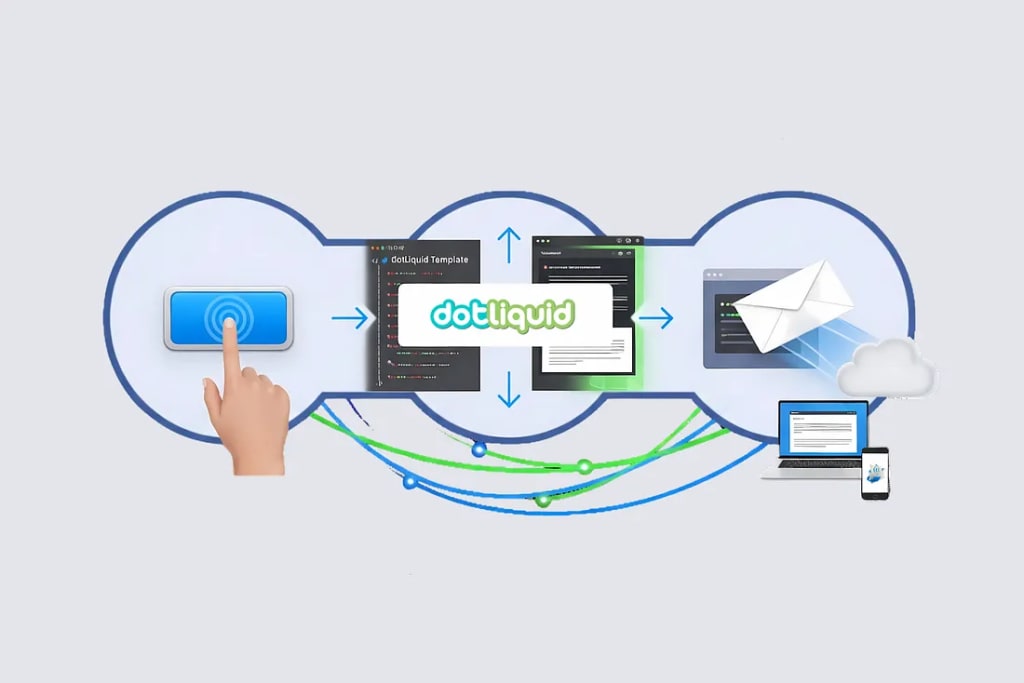
Email is one of the most vital — yet frustrating — parts of any SaaS product.
Whether it’s sending a password reset, welcome message, or invoice, developers often struggle with:
- Designing clean, responsive templates
- Injecting dynamic content
- Handling different environments (dev, staging, prod)
- Debugging delivery issues
- Scheduling or retrying failed emails
That’s why EasyLaunchpad ships with a built-in DotLiquid-powered email system — giving developers the ability to manage transactional emails easily, flexibly, and professionally from day one.
Why DotLiquid? And What Is It?
DotLiquid is a safe, powerful, and developer-friendly templating engine for .NET. It enables dynamic email content by using placeholders (tokens) like:
Hello {{User.FirstName}}, your order {{Order.Number}} has been shipped!
This means:
- You don’t hardcode values
- You reuse templates
- You personalize emails at scale
And yes — DotLiquid supports loops, conditions, and filters out of the box.
Email System Included in EasyLaunchpad
When you start a new EasyLaunchpad-based project, you already have:
✅ A centralized email sender service
✅ Support for SMTP and async background delivery
✅ DotLiquid rendering with token support
✅ Built-in template structure (stored in DB or flat files)
✅ Admin dashboard to manage and preview templates
✅ Easy token injection from any module (auth, payments, onboarding, etc.)
You don’t just get “email support” — you get a full-featured email engine that scales with your SaaS.
Template Example: Password Reset
Inside the system, you’ll find default templates for:
- Account registration
- Email verification
- Password reset
- Payment confirmations
- Plan upgrade/downgrade
Here’s a simplified version of the Password Reset template:
<p>Hello {{User.FirstName}},</p>
<p>Click the button below to reset your password:</p>
<a href=”{{ResetLink}}”>Reset Password</a>
At send time, EasyLaunchpad replaces {{User.FirstName}} and {{ResetLink}} with actual values passed into the email model.
Triggering Emails: How Developers Use It
Need to trigger an email after a user signs up?
You can call:
await _emailService.SendAsync(“WelcomeEmail”, user.Email, model);
Where:
“WelcomeEmail” is the template key
user.Email is the recipient
model contains token values like FirstName, PlanName, TrialEndDate
It’s fast, intuitive, and works across all modules (auth, payments, onboarding).
Managing Templates from the Admin Panel
You don’t need to redeploy your code just to fix a typo in an email.
The built-in Admin Panel lets you:
- View and edit templates
- Test rendering with sample data
- Enable/disable specific templates
- Assign templates to specific actions (user created, license expired, etc.)
This is a huge win for product teams, especially when scaling or iterating on your messaging.
Test and Preview System
Don’t worry about sending broken emails in production.
EasyLaunchpad gives you:
- Live previews of rendered templates
- Sample data loader for each template
- Logs for each email sent via Serilog
- Retry logic for failed deliveries (via Hangfire)
This level of control is unheard of in most boilerplates — but essential for real apps.
Background Processing with Hangfire
All emails are dispatched using Hangfire background jobs, meaning:
- No slow responses for users
- Retry on failure logic is built-in
- You can scale email delivery with queued workers
- If your SMTP server goes down? Jobs retry.
- If your traffic spikes? Jobs queue.
- It’s bulletproof.
- Multi-Environment Ready
The email system is environment-aware:
Use test SMTP credentials in staging
Production keys only activate in prod
Disable real delivery when ENV=Development
No more accidental emails from localhost.
Design That Matches Your Brand
Each email template supports:
- Custom CSS styling
- Logos and header/footer blocks
- Token-based personalization
You can build a professional-looking brand email system in hours — not days — with no need for third-party editors.
Licensing and Feature Access
Want to restrict email features to certain plans?
The built-in Packages & Licensing system allows you to:
- Enable premium email templates only for Pro users
- Add usage limits (e.g., 10 emails per day for Free plan)
- Track email quota via background metrics
This makes your email system a part of your monetization strategy — not just a communication layer.
Final Thoughts: Professional Emails, Done Right
EasyLaunchpad doesn’t just let you send emails — it lets you own your email experience end-to-end:
- Trigger them anywhere
- Style them professionally
- Render with data
- Preview and test
- Send securely and scalably
Whether you’re launching your first MVP or scaling a multi-tenant SaaS, the email system in EasyLaunchpad gives you confidence, control, and quality out of the box.
Because every serious product needs email — and now, it’s already done.
👉 Start building smarter. Visit https://easylaunchpad.com and get your boilerplate license today.
About the Creator
Adil Yousaf
EasyLaunchpad is a .NET Core SaaS boilerplate built for developers, founders, and startups who want to launch software products faster without building the core architecture from scratch.
Keep reading
More stories from Adil Yousaf and writers in 01 and other communities.
Top 10 Medication Management App Development Companies in 2026
In recent years, mobile health technology has fundamentally reshaped how patients engage with their treatments. One of the most promising developments in this space has been medication management applications — digital tools that help individuals track prescriptions, set reminders, manage dosages, and reduce the risk of medication errors. What was once a simple alarm clock for pills has evolved into a suite of features that support people living with chronic conditions, caregivers juggling complex regimens, and healthcare professionals seeking adherence insights.
By Olivia Carter5 days ago in 01
Building an E-Commerce App: What Actually Matters
For years, a responsive website was enough for most online stores. If it worked on a phone and didn't crash during checkout, nobody worried about much else. That assumption is slowly disappearing. For many brands today, the phone is where the real relationship with the customer lives.
By Valeriia Shulga5 days ago in 01



Comments
There are no comments for this story
Be the first to respond and start the conversation.