
Top WordPress Plugins for Efficiently Managing, Reviewing, and Collaborating on Guest Posts in 2026
Top WordPress Plugins to Streamline Guest Post Management in 2026
Managing guest posts on your WordPress website can sometimes be a challenge, especially when it involves multiple authors, tight deadlines, and content quality control.
Guest posts provide great opportunities for increased website traffic, SEO benefits, and diverse content, but the process of accepting, managing, and reviewing these posts can be time-consuming without the right tools.
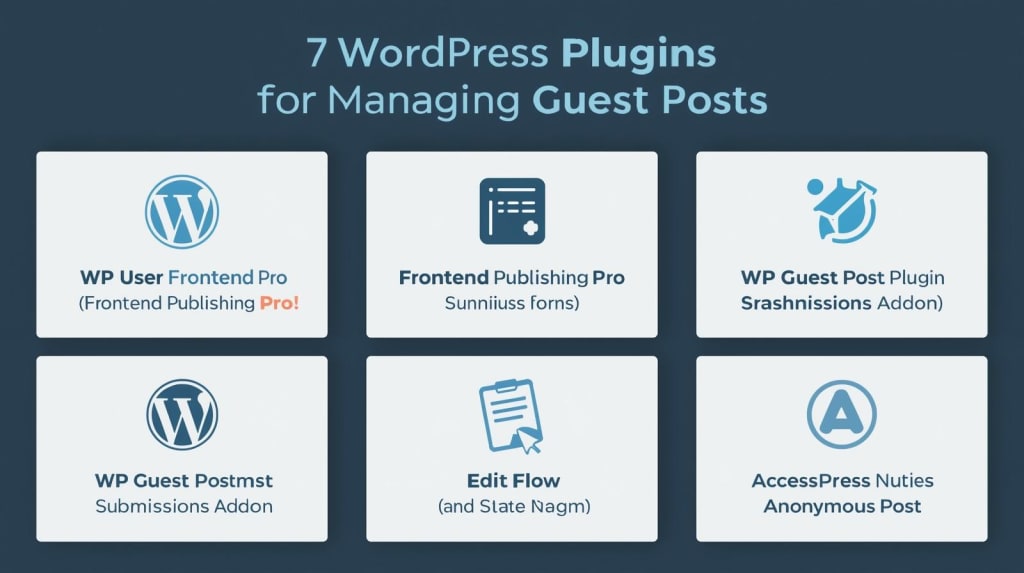
In this guide, we’ve compiled a list of the 7 best WordPress plugins that allow you to accept, manage, review, and collaborate on guest posts effectively, saving you time and improving your workflow in 2026.
Each of these plugins comes with unique features designed to simplify the guest posting process while maintaining high content quality standards.
1. WP User Frontend Pro – Best for Customizable Post Submission Forms
WP User Frontend Pro is one of the most powerful WordPress plugins for front-end content submission. It allows guest authors to submit posts directly from your website's front-end without needing to log into the WordPress dashboard.
Key Features:
- Customizable submission forms: Easily create forms for guest posts with custom fields and layouts.
- Content moderation: Approve or reject submissions before they go live on your site.
- Post editing: Authors can edit their posts from the front-end.
- User role management: Define permissions for guest authors to control what they can submit.
This plugin is a must-have if you’re looking for a flexible solution to accept guest posts, give authors the ability to edit their submissions, and maintain editorial control over the content.
2. Frontend Publishing Pro – Best for Front-End Submission with Role Management
Frontend Publishing Pro is an intuitive plugin that enables users to submit content directly from the front-end of your website. It supports custom post types and taxonomies, making it ideal for managing multiple types of guest posts.
Key Features:
- Custom post types: Accept different types of posts, such as articles, reviews, and news updates.
- Post moderation: Posts go through an approval process before being published.
- Customizable submission forms: Build submission forms tailored to your needs.
- User role management: Assign different levels of access to guest authors.
This plugin is perfect for websites with multiple contributors who need an easy-to-use submission and moderation system.
3. WPForms (with Post Submissions Addon) – Best for Easy Form Creation and Post Submissions
WPForms is a drag-and-drop form builder that allows you to quickly create customized post submission forms on your WordPress site. When paired with the Post Submissions Addon, it transforms into an efficient tool for accepting guest posts.
Key Features:
- Drag-and-drop form builder: Create user-friendly submission forms in minutes.
- Custom post fields: Map form fields directly to WordPress posts for easy data management.
- Conditional logic: Show or hide form fields based on user responses.
- Email notifications: Automatically notify admins when a new post is submitted.
With WPForms, you get a user-friendly and customizable solution for accepting guest posts without technical expertise.
4. Formidable Forms – Best for Advanced Form Management
Formidable Forms is a powerful form builder plugin that lets you create advanced, customized post submission forms for guest authors. It is ideal for those who require more control over form fields and data handling.
Key Features:
- Advanced form fields: Add complex fields like checkboxes, drop-downs, and radio buttons.
- Custom post type submissions: Map form data to create custom posts.
- Conditional logic: Tailor form displays based on responses.
- Entry management: View, edit, and manage all submissions from the WordPress dashboard.
If you need a more sophisticated solution to handle guest post submissions with advanced form features, Formidable Forms is the way to go.
5. WP Guest Post Plugin – Best for Managing Guest Posts and Collaborating with Authors
The WP Guest Post Plugin simplifies the process of managing guest posts by providing an easy-to-use front-end submission form, along with an author dashboard where contributors can track their submissions.
Key Features:
- Custom submission forms: Easily create forms for guest post submissions.
- Guest author dashboard: A dedicated dashboard where authors can track their post’s status.
- Content moderation: Admins can review submissions before publishing them.
- Email notifications: Automated notifications for post approval or rejection.
This plugin is perfect for websites with a high volume of guest submissions, offering an easy-to-manage and collaborative environment for both authors and administrators.
6. Edit Flow – Best for Editorial Workflow Management
While Edit Flow doesn’t directly handle guest post submissions, it provides a comprehensive editorial workflow system that helps you manage, review, and collaborate on guest posts once they are submitted.
Key Features:
- Editorial calendar: Schedule and organize your guest posts in one place.
- Custom post statuses: Track the progress of guest posts, such as "Under Review" or "Ready to Publish".
- Editorial comments: Leave comments for your team and authors directly within the post.
- User roles and permissions: Assign specific tasks and permissions to your editorial team.
If you’re managing a team of content creators or editors and need a way to track and collaborate on guest posts, Edit Flow is a powerful editorial tool.
7. AccessPress Anonymous Post – Best for Anonymous Guest Post Submissions
AccessPress Anonymous Post allows authors to submit content anonymously, without needing to create a user account. It’s an excellent choice if you want to accept guest posts from people who prefer to remain anonymous.
Key Features:
- Anonymous post submissions: Accept guest posts without requiring authors to create account.
- Content moderation: Posts are reviewed and approved before going live.
- Customizable submission forms: Tailor forms to match your specific needs.
- Multiple post types support: Accept posts in different formats such as articles, news, and blogs.
For websites accepting anonymous content or aiming for simplified submission processes, AccessPress Anonymous Post is an effective plugin.
FAQs:
1. How can I allow guest authors to submit content?
You can use plugins like WP User Frontend Pro or Frontend Publishing Pro to enable guest authors to submit content directly from the front-end.
2. Can I moderate guest posts before publishing?
Yes, plugins like WP Guest Post Plugin and AccessPress Anonymous Post allow you to review and moderate guest posts before they go live.
3. How do I create custom submission forms for guest posts?
Plugins like WPForms, Formidable Forms, and Frontend Publishing Pro provide easy-to-use tools to create customized submission forms.
4. Is it possible to track the progress of guest posts?
Yes, plugins like Edit Flow offer editorial calendars and custom statuses that allow you to track the progress of each guest post.
5. Can I accept anonymous guest posts?
Yes, AccessPress Anonymous Post enables anonymous guest post submissions while allowing moderation before publishing.
Conclusion
Managing guest posts effectively requires the right tools. By utilizing these 7 powerful plugins, you can streamline your workflow, maintain editorial control, and collaborate seamlessly with guest authors.
Whether you’re accepting simple submissions, handling multiple authors, or managing a full editorial workflow, these plugins offer a variety of features to meet your needs. Stay organized, save time, and improve content quality with these essential WordPress tools in 2026!
About the Creator
Backlinks Cart
Mohsin (CEO BacklinksCart Agency).
Check Our Agency Backlinks Platfrom " Backlinkscart.com"
For any edits or link insertions. Whatsapp" +92 309-1821105"
Gmail: [email protected]
Keep reading
More stories from Backlinks Cart and writers in 01 and other communities.
Top 15 WordPress SEO Plugins You Need to Boost Your Digital Strategy in 2026
Introduction: In the world of WordPress, plugins are the unsung heroes behind a successful website. Whether you're running a blog, an eCommerce store, or a corporate site, your digital presence is largely shaped by the tools you use.
By Backlinks Cart2 days ago in 01
Choosing the Right Approach for Static and Dynamic Web Data
The content behind websites is usually presented in two different ways, either static or dynamic. Static content is predictable, fast, and easy to capture, while dynamic content can change in real time, respond to users, and sometimes almost feel “alive.” For anyone involved in web scraping, understanding the difference between the two is crucial.
By Swiftproxy6 days ago in 01



Comments
There are no comments for this story
Be the first to respond and start the conversation.