
Top 10 UiPath Alternatives in 2026 for Scalable Business Automation
Check out the top 10 UiPath alternatives to enhance your business automation.


UiPath helped many companies start their automation journey. That part cannot be ignored. But as automation programs mature, new questions come up.
You might feel the cost rising as you scale bots across teams. You might notice that business users struggle with complex setups. Or maybe your company wants more cloud flexibility or deeper AI features that fit specific use cases.
Every automation journey looks different. Some teams need strict governance. Others want speed and freedom. That is why businesses now compare UiPath with other platforms instead of assuming one tool fits all.
Exploring alternatives does not mean UiPath failed. It simply means your needs evolved.
What You Should Check Before Choosing a UiPath Alternative
Before jumping into tool names, it helps to pause and think about your real needs. Tools look impressive in demos, but daily usage tells a different story.
How Easy Is It for Your Team?
If automation stays limited to one or two experts, growth slows down. A good platform should allow your team to build, test, and fix bots without frustration.
Does It Match Your Infrastructure?
Some businesses prefer cloud-only tools. Others need on-prem setups due to data rules. Your automation platform should fit your environment, not force changes that slow you down.
Can It Handle Real Business Complexity?
Simple task automation helps at first. Over time, you need document handling, decision logic, and AI support. A future-ready tool should grow with you.
Does It Integrate Without Pain?
Your bots should work smoothly with ERP systems, CRMs, internal tools, and even older software. Integration problems quickly turn automation into a burden.
Top 10 UiPath Alternatives You Should Know in 2026
Each tool below serves a different type of business. There is no single winner. The right choice depends on what you automate and how your team works.
1. Automation Anywhere
Automation Anywhere focuses heavily on cloud-based automation. It suits organizations that want scale without managing complex infrastructure.
You can automate both simple tasks and complex workflows. Its document automation features help when your processes rely on invoices, forms, or scanned files.
This platform works well when automation touches multiple departments and needs centralized control.
2. Blue Prism
Blue Prism feels built for structure and discipline. Many regulated industries rely on it because of its strong governance model.
If your business values control, audit trails, and predictable automation behavior, Blue Prism delivers that stability. It works best when processes stay well defined and do not change too often.
You trade some flexibility for reliability, which suits large enterprises.
3. Microsoft Power Automate
Power Automate fits naturally into Microsoft-heavy environments. If your teams already live inside Microsoft 365, this tool feels familiar from day one.
You can automate approvals, notifications, data syncs, and even desktop tasks. Business users can build simple flows, while IT teams handle advanced automation.
For many companies, Power Automate lowers the entry barrier to automation.
4. Pega Robotic Automation
Pega stands out when automation connects deeply with business logic. It combines task automation with workflow management and decision-making.
This tool works well when your processes involve customer journeys, approvals, and rule-based decisions. You automate more than clicks. You automate outcomes.
Pega suits organizations that think long term about digital transformation.
5. WorkFusion
WorkFusion puts AI at the center of automation. It focuses strongly on finance, compliance, and data-heavy workflows.
You can use prebuilt automation templates that reduce setup time. Over time, machine learning models improve accuracy, especially in document processing.
This platform fits companies that want intelligent automation rather than basic task replacement.
6. Appian RPA
Appian RPA works best when automation connects to larger business workflows. It blends RPA with low-code application development.
Instead of automating tasks in isolation, you build end-to-end processes. Bots become part of broader systems rather than standalone tools.
This approach suits organizations running complex operations across teams.
7. Robocorp
Robocorp speaks to technical teams. It uses Python-based automation and supports open development practices.
If your developers prefer code over drag-and-drop tools, Robocorp offers flexibility and transparency. You can test, version, and deploy bots like regular software.
This platform fits modern engineering teams that value control and customization.
8. NICE RPA
NICE RPA focuses on real-time support and attended automation. It shines in contact centers and customer-facing roles.
Bots assist agents while they work instead of replacing them completely. This improves response times and reduces manual steps during live interactions.
Businesses that depend on customer experience often choose NICE for this reason.
9. Kofax RPA
Kofax performs best when documents drive your workflows. It combines automation with strong data capture and OCR capabilities.
If your teams handle large volumes of invoices, forms, or contracts, Kofax helps extract and process data accurately.
Industries like banking, insurance, and logistics often rely on this strength.
10. OpenBots
OpenBots appeals to companies that want flexibility without complex licensing. It supports cloud and on-prem deployments.
The platform offers an experience familiar to many RPA users while keeping costs predictable. You can scale automation without feeling locked in.
This tool suits growing businesses that want enterprise features without heavy overhead.
How You Can Choose the Right Automation Platform
To make the right decision, start with your automation goals. Ask yourself what you want to automate first and how automation will grow over time.
If your team includes experienced automation engineers or UiPath developers who already understand enterprise automation patterns, you may prefer platforms that support advanced customization and governance.
If business users drive automation, low-code tools with simple interfaces make more sense. You should also consider long-term costs, training needs, and vendor support.
Always test a platform with real processes before committing. A pilot project reveals strengths and limitations quickly.
Final Thoughts
UiPath remains a powerful automation platform, but automation in 2026 offers more choices than ever. Many UiPath alternatives now deliver strong performance, better flexibility, and improved usability.
Your best option depends on your goals, your people, and your roadmap. When you choose a platform that fits your reality, automation stops feeling complex and starts delivering real value.
Take your time, test wisely, and build automation that truly supports your business.
About the Creator
Vinod Vasava
Tech Expert, Content Writer for AI, ML, Springboot, Django, Python and Java
Keep reading
More stories from Vinod Vasava and writers in 01 and other communities.
Data Anonymization Techniques to Ensure Privacy in Modern Enterprises
Enterprises today work with massive volumes of data coming from customers, users, employees, and digital systems. This data is critical for analytics, reporting, artificial intelligence, and strategic decision making. However, much of it contains sensitive or personal information that cannot be exposed or misused. With strict data privacy regulations and growing awareness around data protection, organizations must find a way to use data responsibly.
By Vinod Vasava2 months ago in 01
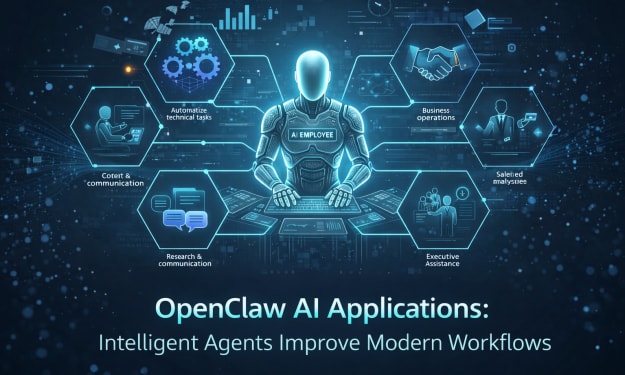
OpenClaw AI Applications: How Do Intelligent Agents Improve Modern Workflows?
Artificial intelligence is rapidly evolving beyond basic chatbots and simple automation. Platforms like OpenClaw represent a new generation of intelligent AI agents that can handle complex workflows across multiple domains. From organizing personal schedules to assisting developers and business leaders, OpenClaw enables professionals to work smarter and faster.
By Nia Higgins6 days ago in 01
My First Time Skiing and I Got Lost, Alone, in the French Alps
Looking back, I can trace some of my life’s biggest adventures to a simple action from my sister. She’d introduced me to Tommy (a very long time ago), a colleague of hers, who had overshared his penchant for Italian-looking women, and I ticked that box.
By Chantal Christie Weissabout 2 hours ago in Humans



Comments
There are no comments for this story
Be the first to respond and start the conversation.