
The Ultimate Guide to Creating an eBook: From Idea to Publication
This article provides a step-by-step guide for creating an eBook. It covers everything from defining your audience and purpose, to conducting research and gathering content, writing and editing, adding multimedia elements, testing and refining, and finally publishing and promoting your eBook.
In this days and age of technology, eBooks are all the rage when it comes to spreading knowledge, stories, and info to the masses. Whether you're a wordsmith, an entrepreneur, or a content creator, whipping up an eBook can be a wickedly valuable tool to pump up your brand, score fresh clientele, and establish yourself as a boss in your chosen field.
But let's be real, creating an eBook can be a tricky game that requires some serious planning and execution. You gotta put in the legwork of researching your topic, not to mention crafting a dope cover and interior to really make your eBook pop. There are plenty of steps to navigate if you wanna bring your eBook to life and make it a certified hit.
That's why we've put together this epic outline, packed with all the key steps you need to create an eBook that'll knock your readers' socks off. We're talking everything from defining your audience and purpose to publishing and promoting your work like a pro. And whether you're a newbie to the game or a seasoned veteran, these tips will set you up to create an eBook that's both engaging and informative, not to mention a feast for the eyes. So let's get crackin' and start your eBook journey off on the right foot!
Define your audience and purpose

Before you start whipping up your eBook, you gotta know who you're writing for and why. Trust me, it's gonna make a huge difference in the final product. So let's dive into how to define your audience and purpose like a pro.
First things first, you gotta figure out who you're speaking to. Are you writing for college students or retirees? Tech junkies or fashionistas? Understanding your audience is key to crafting content that'll truly resonate with 'em. Think about their age range, interests, and needs. What kinda problems can your eBook solve for 'em? By zeroing in on your audience, you'll be able to speak to 'em in a language they understand and relate to.
But audience is not everything. You gotta have a clear purpose for your eBook, too. Are you teaching a skill? Sharing a personal story? Selling a product? Whatever it is, make sure it's specific and focused. Don't try to tackle too much in one eBook - it'll only leave readers confused and overwhelmed. Instead, hone in on one topic and do it justice.
And don't forget to infuse your own personality into your eBook, too! Let your passion and voice shine through in your writing. Use colorful language, quirky phrases, and emotive storytelling to really connect with your readers.
So. Defining your audience and purpose is just the first step to creating an eBook that's gonna slay. Stay tuned for more tips on bringing your eBook to life!
Conduct research and gather content

let's dive into the second step in creating a killer eBook: conducting research and gathering content. This stage can be as fun as it is daunting, but fear not my friend, for I am here to guide you through it with style and pizzazz.
First things first, you gotta know what you're talking about! That's where the research comes in. Dive into the depths of the interwebs, sift through articles and studies, and emerge with a wealth of knowledge on your chosen topic. And don't forget to use reliable sources, unless you want to come off as a quack!
Now that you have your research, it's time to gather your content. This step involves organizing your research and turning it into a cohesive piece of work that's sure to impress. But don't stop there! Add some personal anecdotes, examples, and case studies to really make your eBook shine. And don't forget to inject some humor and personality while you're at it, because who wants to read a dry, boring book?
Of course, you can't just slap all your research and content together willy-nilly. No sir! You gotta structure it in a way that makes sense and keeps your readers engaged. Consider using subheadings, bullet points, and images to break up the text and make it more visually appealing. And if you're feeling really fancy, throw in some infographics or graphs to really bring your points home.
Lastly, give your content a good ol' proofread to catch any spelling or grammar mistakes, because nothing kills the mood like a misplaced apostrophe or run-on sentence. And remember, the key to success in this stage is to be creative, expressive, and engaging, so go forth and gather that content like the rockstar you are!
GENERATE 10,000+ UNIQUE EBOOKS
Write and edit your eBook

So you've done your research, gathered your content, and it's time to get down to the nitty-gritty: writing and editing your eBook. This is where the magic happens, folks. It's where your ideas come to life on the page (or screen, as it were).
First things first, let's talk about writing. The key to writing a successful eBook is to keep your audience in mind. Who are they? What do they want to know? What do they need to know? These are the questions you should be asking yourself as you write.
But don't let that intimidate you. Writing is a creative process, and it should be enjoyable! So put on some tunes, grab a cup of coffee, and get to work. Let your ideas flow, and don't worry about perfection just yet. You can always go back and edit later.
And speaking of editing, that's the next step. Editing is where you refine your work, polish it up, and make it shine. It's where you fix those pesky grammar and spelling errors, cut out any unnecessary fluff, and make sure your eBook is a cohesive, engaging read.
Now, I know editing can be a drag. It can be tedious and time-consuming, and sometimes it feels like you're taking two steps back for every one step forward. But trust me, it's worth it. A well-edited eBook will stand out from the crowd and leave a lasting impression on your readers.
So take your time, read your eBook out loud, and don't be afraid to ask for feedback from friends or colleagues. And remember, editing is a process, not a one-and-done deal. You might find yourself going back and making tweaks even after you've published your eBook. That's okay! It just means you care about creating the best possible product for your readers.
So there you have it, folks. Writing and editing your eBook may be a challenge, but it's also an opportunity to share your knowledge, stories, and ideas with the world. Embrace the process, have fun with it, and let your creativity shine through!
GENERATE 10,000+ UNIQUE EBOOKS
Design your eBook

Designing your eBook is a crucial step in bringing your content to life. It's not just about the visuals; the design sets the tone for the reading experience and can greatly impact how your audience perceives your work. That's why it's important to take the time to carefully plan and execute your eBook's design.
To start, you'll want to consider the overall layout and formatting of your eBook. This includes choosing fonts, spacing, and margins that are easy on the eyes and create a professional look. But don't be afraid to get creative with your design choices! Adding images, graphics, and other multimedia elements can enhance the reader's experience and make your eBook stand out from the crowd.
When it comes to designing your eBook's cover, think about the message you want to convey to your audience. The cover is the first thing readers will see, so you want it to be eye-catching and memorable. Consider using bright colors, bold fonts, and eye-catching images that relate to your topic or story.
Another important element to consider is the organization of your content. Use headings, subheadings, and bullet points to break up your text and make it easier to read. This not only makes your eBook more visually appealing but also improves its usability and accessibility.
Of course, as with any creative endeavor, designing your eBook is a process that requires iteration and feedback. Don't be afraid to test out different designs and ask for input from others. And once you've settled on a design, make sure to thoroughly proofread and edit your eBook to ensure it's error-free and ready for publication.
GENERATE 10,000+ UNIQUE EBOOKS
Add multimedia elements
Now that you've written and edited your eBook, it's time to add some multimedia elements to really make it pop! Adding multimedia elements such as images, videos, and audio clips can make your eBook more engaging and visually appealing to your readers.
But before you start adding multimedia elements, you'll want to consider the purpose of your eBook and how these elements can enhance your message. Are you trying to explain a concept that might be better understood through a video? Do you want to add images to help break up long blocks of text? Or maybe you want to include audio clips of interviews or sound effects to create a more immersive experience for your readers?
Once you have a clear idea of what multimedia elements you want to add, it's time to start gathering them. You might already have some images or videos that you want to use, or you might need to create them from scratch. Don't be afraid to get creative here! You can use free stock images, create your own illustrations, or even record your own videos and audio clips.
When adding multimedia elements to your eBook, be sure to consider the placement and size of each element. You want to make sure they're integrated seamlessly with your text and not overwhelming or distracting to your readers. Use captions, alt text, and other descriptive elements to help explain the purpose of each multimedia element.
Finally, be sure to test your eBook on different devices and platforms to make sure all multimedia elements are working properly. You don't want your readers to miss out on any of the engaging content you've added!
So there you have it – adding multimedia elements to your eBook can take it to the next level and provide your readers with an immersive, engaging experience. Get creative and have fun with it!
Test and refine

let's talk about testing and refining your eBook. This step is absolutely crucial if you want to create a product that your readers will love and that will help you achieve your goals as an author, entrepreneur, or content creator.
Once you've written and edited your eBook and added multimedia elements, it's time to test it out. Give it to a select group of people who fit your target audience and ask for their honest feedback. This can help you identify any weaknesses in your eBook, whether it's the content, formatting, or overall structure.
Don't be afraid to make changes based on the feedback you receive. In fact, refining your eBook based on feedback is one of the best ways to ensure that you create a product that your readers will enjoy and find valuable.
Remember that testing and refining is an ongoing process. Even after you've published your eBook, keep an eye on reviews and comments from your readers. This can help you identify areas where you can improve your eBook, whether it's updating the content, fixing formatting errors, or addressing any other issues that arise.
In the end, the key to creating a successful eBook is to be open to feedback and willing to make changes based on that feedback. By doing so, you can create a product that you can be proud of and that your readers will love. So take the time to test and refine your eBook, and don't be afraid to make changes as needed.
GENERATE 10,000+ UNIQUE EBOOKS
Publish and promote

So you've created an eBook - congratulations! Now it's time to share your masterpiece with the world. In this final stage of the eBook creation process, you'll need to publish your eBook and promote it to your audience.
First things first, let's talk about publishing. There are many platforms where you can publish your eBook, such as Amazon's Kindle Direct Publishing or Barnes & Noble's Nook Press. These platforms make it easy to self-publish your eBook and distribute it to a wide audience.
Once you've chosen a platform to publish on, it's important to optimize your eBook for that platform. This means formatting your eBook correctly, choosing the right categories and keywords, and creating an eye-catching cover design.
Now that your eBook is published, it's time to promote it. Promotion is key to getting your eBook in front of your target audience. One of the most effective ways to promote your eBook is through social media. You can create posts that showcase your eBook, use hashtags to reach a wider audience, and even run ads to drive traffic to your eBook's page.
Another way to promote your eBook is by reaching out to bloggers or influencers in your niche. Ask if they would be interested in reviewing your eBook or featuring it on their website or social media accounts.
Don't forget about email marketing as well. Send out an email blast to your subscribers to let them know about your new eBook and offer a special promotion or discount.
It's important to track your eBook's performance and adjust your promotion strategy accordingly. Use analytics tools to monitor your eBook's sales, reviews, and engagement on social media. This information will help you identify what's working and what's not, and make changes to improve your promotion strategy.
In conclusion, publishing and promoting your eBook is an exciting and rewarding process. With the right strategy, you can share your knowledge and creativity with the world and establish yourself as an authority in your field. So go ahead and publish that eBook, promote it to the world, and watch your audience grow!
About the Creator
Keep reading
More stories from Rebecca F. Johnson and writers in 01 and other communities.
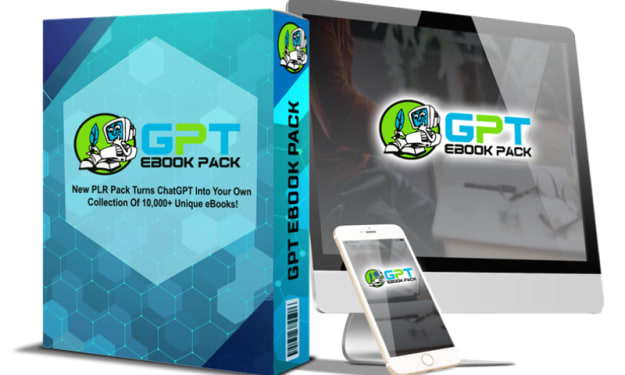
10,000+ Unique Ebooks -GPT Ebook Pack Review
The GPT Ebook Pack is a revolutionary new product that turns ChatGPT into your own collection of 10,000+ unique ebooks in multiple niches-without you typing a single word yourself! Whether you're a content creator, online marketer, entrepreneur, or simply looking to start your own content business, the GPT Ebook Pack offers an easy and convenient way to generate amazing ebooks in minutes with 100% original content written by ChatGPT. With PLR rights included, hundreds of niches to choose from, and access to an army of AI-powered robot writers working for you 24/7, the GPT Ebook Pack provides you with the exact same technology that's behind OpenAI and ChatGPT. Say goodbye to paying for content and hello to your very own content business with the GPT Ebook Pack! Features and benefits of GPT Ebook Pack
By Rebecca F. Johnson3 years ago in 01
Why Startups Are Investing in Tokenization Platform Development for Asset Digitization
In recent years, the conversation around digital ownership has expanded beyond cryptocurrencies and into the broader world of asset management. Physical and financial assets that once required complex paperwork, intermediaries, and restricted access are gradually moving toward digital representations. This change is largely supported by blockchain-based systems that allow assets to be represented through tokens. As a result, many startups are allocating resources toward Tokenization Platform Development to digitize assets and create new business opportunities.
By Ethan hunt3 days ago in 01



Comments
There are no comments for this story
Be the first to respond and start the conversation.