
The Ultimate Guide to Burner Emails: Protect Your Inbox and Privacy
Discover how burner emails and temporary inboxes can protect your privacy, reduce spam, and simplify online signups.
Introduction: Reclaim Your Inbox with a Burner Email
Imagine this: You sign up for a one-time newsletter to get a discount code, and suddenly your inbox is flooded with daily promotional emails. Or you’re testing a new app but don’t want your personal email linked to it. Sound familiar? This is where a burner email comes to the rescue.
Burner emails act like disposable phone numbers for your inbox—temporary, anonymous, and utterly stress-free. Whether you’re dodging spam, safeguarding your privacy, or testing a service without long-term commitment, burner emails are a modern digital lifesaver. In this guide, we’ll break down everything you need to know about burner emails, why they matter, and how to use them like a pro.
What Exactly Is a Burner Email?
A burner email (also called a disposable or temporary email) is a short-term address used to avoid giving out your primary email account. Think of it like a prepaid phone card: you use it when you need it, then toss it away when it’s no longer useful. These addresses are often auto-generated by services that forward incoming emails to your real inbox, keeping your personal address hidden.
They’re perfect for:
Signing up for free trials
Accessing gated content
Creating accounts on forums or apps you won’t use long-term
Avoiding targeted ads and data harvesting
Unlike your main email, burner addresses expire after days or weeks, ensuring you won’t get stuck with lifelong subscriptions to sketchy mailing lists.
Why You Should Use a Burner Email (And When It’s a Game-Changer)
Burner emails aren’t just for paranoid techies—they’re practical tools for anyone who values their time and privacy. Here’s why they’re worth using:
1. Crush Spam Before It Starts
Every time you share your email with a company, you risk being added to marketing lists or even sold to third parties. A burner email acts as a shield, catching all the junk so your primary inbox stays clean.
2. Protect Your Identity Online
If you’re signing up for sensitive services (think dating apps, whistleblower platforms, or niche forums), a burner email keeps your real identity private. This reduces your exposure to phishing scams, data breaches, and unwanted attention.
3. Test Products Without Commitment
Want to try a subscription service but dread recurring charges? Use a burner email to sign up. If you forget to cancel before expiration, the company won’t have your real email to bill.
4. Bypass Annoying Registration Walls
Websites that force you to “sign up for free” to read an article or download a PDF? A burner email lets you access what you need without long-term obligations.
5. Stay Safe While Traveling or Job Hunting
When sharing your email on public job boards or travel booking sites, a burner address prevents strangers from contacting you directly.
How to Get a Burner Email: 3 Simple Methods
Ready to ditch the spam? Here’s how to create a burner email in minutes:
Method 1: Use a Temporary Email Service
These platforms generate instant, anonymous addresses that expire after a set time. Popular options include:
Mailinator (free, no signup required)
TempMail (browser-based with mobile apps)
10 Minute Mail (auto-expiring addresses)
How it works:
Visit the service’s website.
Copy the randomly generated email address.
Paste it into registration forms.
Check the service’s inbox for forwarded messages.
Pro Tip: Avoid services that require downloading sketchy apps or sharing personal info. Stick to reputable providers.
Method 2: Leverage Email Aliases (If You’re Already a Gmail or Outlook User)
Both Gmail and Outlook let you create “aliases” by adding symbols to your existing email. For example:
Gmail: [email protected]
Outlook: [email protected]
These aliases forward straight to your main inbox. If you start receiving spam, you can block the alias without affecting your primary account.
Method 3: Create a Secondary Email Account
For heavier use, set up a dedicated burner account with providers like Yahoo or ProtonMail. Use this for all non-critical signups, and check it occasionally for important confirmations.
Top 5 Burner Email Services Compared (2024 Edition)
Not all burner email services are created equal. Here’s a roundup of the best, based on ease of use, security, and features:
Burner Mail
Long-term temporary emails
Custom domains and unlimited aliases
Free + $5/month
TempMail.org
Quick signups
No registration required
Free
MintEmail
Privacy-focused users
Encrypted forwarding, ad-free experience
$3/month
Guerrilla Mail
Casual use
1-hour email retention
Free
Abine MaskMe
Security enthusiasts
Password manager integration
Free + Premium
Quick Breakdown:
Best Free Option: TempMail.org for instant, no-hassle addresses.
Best Value: Burner Mail for customizable domains and extended expiration.
Most Secure: MintEmail for encryption and zero ads.
Burner Email Best Practices: Avoid These Rookie Mistakes
Using burner emails is straightforward, but a few missteps can undermine their purpose. Follow these tips:
✅ Do:
Use unique burner emails for each service to track where leaks occur.
Check your burner inbox regularly for confirmation links or password resets.
Delete expired accounts to avoid lingering data trails.
❌ Don’t:
Use burner emails for critical accounts (e.g., banking or primary social media).
Share sensitive info (SSNs, addresses) through temporary addresses.
Rely on free services for business or legal communications.
Bonus Hack: Pair burner emails with a fake name generator (like FakeNameGenerator.com) for extra anonymity online.
When Burner Emails Aren’t Enough: Alternatives to Consider
While burner emails excel at blocking spam, they’re not a cure-all for digital privacy. Consider these upgrades if:
You need permanent anonymity: Switch to an encrypted email service like ProtonMail or Tutanota.
You’re battling phishing: Use a dedicated spam blocker like Cleanfox or Unroll.me.
You want to delete old subscriptions: Tools like JustUnsubscribe or RocketReach help purge stale mailing lists.
Burner emails are a first line of defense, not a final solution. Layer them with other security habits (strong passwords, two-factor authentication) for maximum protection.
Conclusion: Take Control of Your Digital Footprint Today
Burner emails are more than just a spam filter—they’re a way to regain control over your online presence. By using these temporary addresses strategically, you’ll spend less time deleting ads and more time focusing on what matters.
Ready to get started? Choose a service from our list above, try creating your first burner email, and enjoy a cleaner, safer inbox. And remember: In a world where your data is currency, staying anonymous is the ultimate power move.
Got questions about burner emails? Drop them in the comments below!
About the Creator
Keep reading
More stories from james rodis and writers in 01 and other communities.
Secure Your Privacy: Why and How to Use a Temporary Email for TikTok Signup
Social media platforms like TikTok have become a cornerstone of modern digital life, offering endless entertainment, creativity, and connection. But with great fun comes great responsibility—specifically, the responsibility to protect your personal data. If you’re hesitant about handing over your primary email address to yet another app, you’re not alone. Enter temporary email addresses: a simple, effective solution to safeguard your privacy while enjoying TikTok.
By james rodis10 months ago in 01
Telemedicine App Development Cost: 2026 Pricing Guide
Building a telemedicine app in 2026 feels like a high-stakes poker game. I have seen founders dump 200k into a platform only to realize their video lag is terrible. It is a tough pill to swallow when users start deleting your hard work.
By Sherry Walker6 days ago in 01
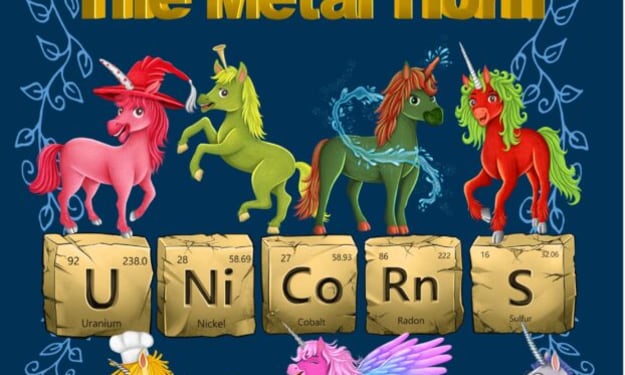
The Metal Horn Unicorns Make Science Magical: A Creative Gateway to the Periodic Table
Learning the periodic table can feel intimidating to many students when it is presented as a dense grid of symbols, atomic numbers, and unfamiliar terminology. Yet chemistry itself is full of wonder: elements form the building blocks of everything in the universe, from the oxygen we breathe to the gold in jewelry and the silicon in our electronics. When science education taps into imagination, storytelling, and creativity, students often discover that the periodic table is not merely a chart to memorize but a fascinating map of the natural world. This is exactly where The Metal Horn Unicorns Make Science Magical—a unique STEM resource—steps in.
By Bushra Rajpootabout 19 hours ago in 01



Comments (1)
Burner emails are really handy. I've used them when signing up for free trials. It keeps my main inbox spam-free. You mentioned they're good for avoiding data harvesting. How do they ensure complete anonymity? And are there any services that are better than others for creating burner emails?