
Staying Safe on Solo Home-Care Visits: Fast Alerts, Clear Location, Simple Routines
response-technologies

Home care is intimate work—and that’s exactly what can make it unpredictable. You’re often alone, in someone else’s space, with no coworker down the hall and no security desk to lean on. Most visits are calm. But when a client escalates, a family argument turns sharp, or you get that “something’s off” feeling walking back to your car after dark, you don’t have time to unlock a phone, explain, dial, and hope the right person answers.
Real safety in the field comes from two things: a fast way to signal for help and a response plan that doesn’t depend on luck.
The riskiest moments are surprisingly consistent
If you ask home-care teams where they feel most vulnerable, the answers tend to cluster around the same parts of the visit:
- Arrival and departure: parking, walking to the door, returning to the vehicle
- The doorway/threshold: being blocked, pressured, or pulled into conflict
- Tight interiors: limited exit paths, crowded rooms, unclear boundaries
- Care disputes: meds, wound care, refusals, “you can’t leave yet” moments
- Family tension: arguments, accusations, or someone trying to control the visit
A safety program should be built around these predictable pressure points—not around ideal scenarios.
Start with two non-negotiables: speed and certainty
Before you choose any tool or workflow, define what “good” looks like in real time. Features are easy to sell; response speed is what workers actually remember.
A simple set of targets works for most organizations:
- 0–30 seconds: someone acknowledges the alert
- 30–90 seconds: a responder starts moving (or a dispatch decision is made)
- 3–7 minutes: typical urban arrival (where feasible)
- 10–20 minutes: rural arrival, with interim support steps in motion
In drills and real incidents, track two clocks:
- time to acknowledgment, and
- time to confirmed movement.
If you don’t measure those two, performance drifts—and staff stops trusting the system.
Alerts fail when they’re routed to “one person”
One alert going to one supervisor is a single point of failure. Shifts change. People drive. Phones die. Meetings happen. The worker in the living room shouldn’t be betting their safety on one person seeing one notification.
Instead, build tiered routing tied to who is actually on duty:
- Tier 1: on-duty supervisor + response coordinator
- Tier 2: alternate supervisor + regional manager
- Tier 3: central operations desk or a designated monitoring partner
Then add automatic escalation timers that don’t require anyone to “remember”:
- 30 seconds no acknowledgment: escalate to Tier 2
- 60 seconds: escalate to Tier 3
- 120 seconds: reissue alert with refreshed location and a shorter, clearer summary
Also define a simple rule: one role owns the timeline. When responsibility is shared, response gets slower.
“Good enough” location beats perfect location
Location technology is messy in real life. GPS is strong outdoors, but accuracy drops in:
- apartment corridors and stairwells
- dense city blocks (tall buildings)
- parking garages
- interior rooms far from windows
- weak-signal rural areas
That’s why the goal isn’t a “perfect pin.” The goal is actionable direction.
A reliable safety workflow uses layered location signals:
- GPS (best outdoors)
- Wi-Fi positioning (helpful indoors in many areas)
- cellular fallback (when nothing else is clean)
- optional beacons/RTLS for large facilities and agency sites
Most importantly, responders need context with every alert:
- current location and last known location
- timestamp of the last update
- a simple confidence label (high/medium/low)
When confidence is low, responders shouldn’t freeze. Train them on “last known” rules: move toward the last update, confirm address/unit via the visit itinerary, and use a two-person approach when needed.
Build the workflow around the visit lifecycle
Home visits have a rhythm. Safety should follow that rhythm, too.
1) Pre-visit risk screening (short, not bureaucratic)
Long forms get skipped. Use a quick screen that flags obvious risks, such as:
- prior threats or harassment
- history of violence at the address
- known substance impairment patterns
- prior law enforcement involvement
- documented concerns from previous staff
Each flag should trigger a concrete control, like: paired visits, daytime scheduling, tighter check-ins, or meeting at a safer public handoff point (where policy allows).
2) One-tap check-ins at predictable times
Check-ins work only if they’re fast and consistent. For higher-risk cases:
arrival check-in (within 2 minutes of parking)
mid-visit check-in (around 20–30 minutes)
departure check-in (when safely back at the vehicle)
3) A missed check-in ladder (no improvising under stress)
Give your team a clear escalation path:
- 5 minutes late: prompt the worker
- 10 minutes: notify Tier 1
- 15 minutes: escalate to Tier 2 and review location history
- 20 minutes: follow the external escalation path (per policy)
This ladder catches both medical events (falls, fainting) and coercion scenarios where the worker can’t speak.
Choose triggers that still work when hands shake
Under threat, fine motor control drops. If the only option is “open phone → app → press button → confirm,” you’re building a system for calm moments—not emergencies.
Strong programs offer multiple activation options, such as:
- press-and-hold on a mobile duress button
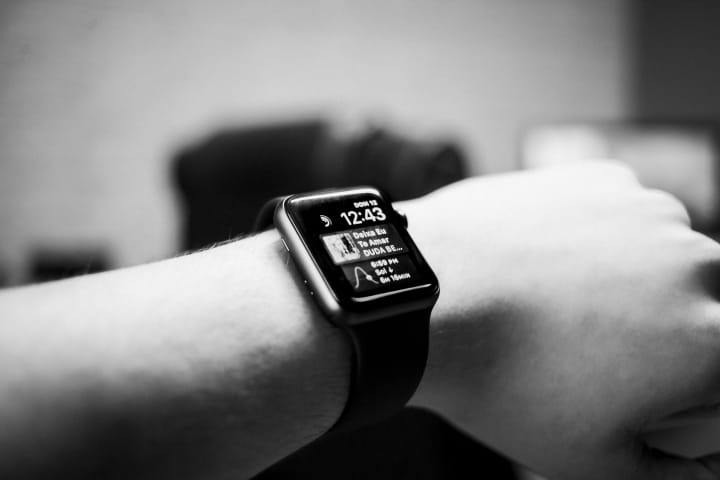
- wearable panic button (hands-free)
- dedicated hardware trigger for bag-carry workflows
Add simple guardrails:
- silent confirmation that the alert sent
- a clear stand-down flow (short code or supervised cancel)
- device health checks (battery/connectivity)
Different roles move differently. A clinician, aide, and therapist may not need the same form factor.
Keep two-way support discreet
A phone call inside a tense home can escalate risk fast. Prefer quiet, low-friction support:
secure in-app messaging with the response team
simple status options like Green / Yellow / Red
- Green: safe, monitor only
- Yellow: uneasy, move support closer
- Red: immediate help needed
Train responders to answer with one line: “Received. Moving now.” Long messages waste seconds.
Practice in micro-drills, then review fast
Field teams hate long drills—and they’re right. Use quick, realistic “micro-drills” that take two minutes:
- one scenario
- one activation method per role
- measure acknowledgment and movement times
Then do a short review within 72 hours. Update one thing. Small fixes compound into big improvements.
The bottom line
Home-care safety isn’t a gadget. It’s a system.
When you set response time targets, route alerts through tiers, train responders to interpret location confidence, and build check-ins that match the visit cadence, you create the one thing workers need most: certainty that help will move when they hit the button.
And once staff sees consistent acknowledgment and real responder movement, adoption follows naturally—because trust is the real safety feature.
If you want, paste the rejection note Vocal sent (even if it’s generic). I can tailor the tone/format even closer to what their reviewers tend to approve (for example: less “policy manual,” more narrative, or more personal-first storytelling).
About the Creator
Keep reading
More stories from Jared Benning and writers in 01 and other communities.
A Response to “Design-Build Means Less Control”
I hear this concern often. “If one team designs and builds, I lose control.” The worry is understandable. A single contract can feel like fewer checks and balances. The truth depends on the process you set up and the documents you demand.
By Jared Benning25 days ago in 01
What Are The Worst Subreddits That Reddit Still Hasn't Banned?
What are the worst subreddits that Reddit still hasn't banned? Reddit is a social news aggregation platform that came into being in 2005. Ever since its creation, millions of users have created their own subreddits where they share their interests in the form of posts, pictures, or videos.
By Intelligent Creator4 days ago in 01
Evangeline Lilly’s Scary Fall Leaves Her With Brain Damage
The Day That Changed Everything In May 2025, Lilly was enjoying the outdoors in Hawaii when something unexpected happened. She fainted while walking on the beach-a sudden blackout she later said wasn't entirely unfamiliar-and fell face-first onto a rock. The impact was significant enough to leave her with cuts and bruises, but at first the full extent of the injury was unclear.
By iftikhar Ahmad7 days ago in 01


Comments
There are no comments for this story
Be the first to respond and start the conversation.