
Signs Your PS4 Power Supply is Failing (And What to Do About It)
From Sudden Shutdowns to Silent Consoles – How to Spot PS4 Power Supply Problems Early and Restore Gaming Stability with a Secure Fix
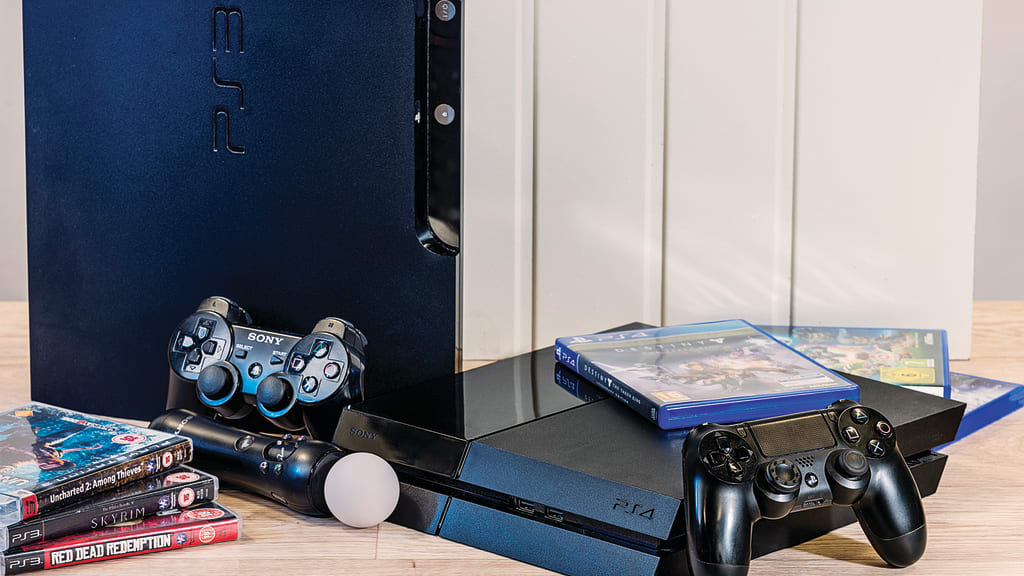
When the Game Stops, Everything Stops
There’s a certain rhythm to gaming on a PlayStation 4—the soft hum of the fan, the flash of the start-up screen, and the instant immersion into new worlds. But what happens when that startup never comes? No lights. No beeps. No signal. Just silence. For countless gamers, this moment marks the frustrating onset of a power supply issue, often misunderstood and mishandled.
As gaming consoles age, so do their internal components. The PS4, while built with quality, is not immune to electrical degradation or thermal fatigue. Often overlooked, the power supply unit (PSU) is the unsung hero of performance. When it starts to fail, users experience everything from minor hiccups to total system shutdowns.
Worse, many gamers misread the signs. They assume it’s a software glitch, a dirty port, or even blame a game update. But beneath the surface lies the true culprit: a weakening power unit. Ignoring the symptoms doesn’t just stop the game—it risks permanent damage.
That’s why a secure PlayStation 4 power supply replacement is not just a repair option; it’s a vital preventative strategy. A reliable PSU ensures stable voltage, protects critical components, and maintains the gaming experience without the fear of random shutdowns or hardware failure.
This guide explores what a PS4 power supply does, how it fails, what signs to watch for, and how to make the right repair decision—especially before irreversible damage occurs.
What Is a Power Supply and Why Is It So Important?
The power supply unit (PSU) in a PlayStation 4 is the core component responsible for converting AC electricity from your wall outlet into regulated DC voltages used by the console’s motherboard, Blu-ray drive, hard disk, and cooling system. It distributes power across every subsystem, including RAM, GPU, and CPU.
If the PSU malfunctions, the system can become completely unresponsive or behave unpredictably. Because it sits at the heart of the power architecture, even small inconsistencies in voltage can result in:
- Circuit instability
- Crashes
- Burnt components
- Permanent board damage
That’s why it’s critical to understand the early signs of failure and respond with urgency.
Common Causes of PS4 Power Failure and Blinking Lights
1. Frequent Console Crashes
When the PS4 keeps shutting down randomly during gameplay, it often signals a degrading internal power supply. This can be caused by thermal trips, aging capacitors, or voltage surges. It may seem like an overheating issue, but it’s frequently related to inconsistent power delivery.
2. Complete Power Failure
A blank screen and a dead console are clear signs of PSU failure. No beeps. No lights. No fan. This could mean blown internal fuses or a fried transformer inside the PSU. The PlayStation 4 won’t turn on even when plugged into a known working socket.
3. Blinking Blue Light (The BLOD Issue)
A slowly pulsing blue light is a notorious PS4 issue. While commonly linked to motherboard or HDMI failures, a weak or inconsistent power supply can also trigger this problem, especially when internal voltages fail to meet boot-up requirements.
4. Inconsistent Power Behavior
The PS4 turning on and then off suddenly, or turning off during game installations, is usually due to a failing power rail. This makes the console unreliable and unusable for any serious session.
5. Console Doesn’t Stay On
When your PS4 turns on for a moment then powers off again within seconds, it’s often because the PSU cannot stabilize output. That initial jolt of energy dissipates fast, leading to abrupt shutdowns.
6. Visible Damage to Power Ports
Rough handling of the power cable or sudden surges can physically damage the power connector or scorch the board. Burnt plastic or loose ports should not be ignored.
7. Startup Failures with Circuit Errors
Sometimes the PS4 gives no lights but shows signs of power with a brief fan spin. This could be a fault in the power circuit path, such as a shorted MOSFET or faulty voltage regulator.
When Gamers React: Frustration, Panic, and Risky Fixes
For gamers, a PS4 failing to power on is an emotional gut punch. It’s not just a machine—it’s a portal to favorite worlds, late-night sessions, and social hangouts. So when the system refuses to respond, reactions vary:
- Some smack the console in frustration, hoping to jolt it back to life.
- Others plug and unplug it repeatedly or try different power cables.
- A few attempt DIY fixes by opening the case, dusting it, or trying to reseat internal cables.
- Many believe it’s a software glitch, wasting hours on system resets or safe mode tricks.
These reactions, while understandable, often make things worse. Smacking the console can break solder joints. Plugging into unstable outlets can cause more surges. DIY attempts without ESD protection risk shorting vital components.
Finding the Right Path: A Guide to Safer Solutions
Before reaching for tools or YouTube tutorials, consider this structured path:
✅ Step 1: Check Power Source and Cable
Use a known working wall outlet and official Sony power cable. Avoid extension cords or surge protectors.
✅ Step 2: Look for Light and Sound Cues
No lights at all? Likely PSU issue. Blinking blue or white? Could be internal circuitry or HDMI-related, but PSU shouldn’t be ruled out.
✅ Step 3: Let It Cool
Overheating can cause temporary shutdowns. Let the console cool for 30–60 minutes in a ventilated area before retrying.
✅ Step 4: Soft Reset
Hold the power button until the console beeps twice. If it doesn’t respond, hardware diagnostics are needed.
✅ Step 5: Avoid Opening It Yourself
Unless you have professional training, do not attempt to remove the PSU. It carries stored electrical charge even when unplugged and can be dangerous.
Why Secure PlayStation 4 Power Supply Replacement Is the Smart Move
Professional PlayStation 4 Power Supply Replacement isn’t just about restoring power—it ensures safe operation, extends console lifespan, and prevents data loss. Technicians use regulated environments, anti-static gear, thermal imaging, and OEM-compatible power supplies.
Replacing the power supply without proper tools or experience risks:
- Short circuits
- Damaged boards
- Improper grounding
- Voiding warranty (if applicable)
A secure PS4 power supply replacement includes complete voltage testing, capacitor evaluation, circuit continuity checks, and final post-repair diagnostics to confirm performance.
F2 Technology: Where Dead Consoles Come Back to Life
At F2 Technology, PlayStation 4 Power Supply Replacement is more than just a service—it’s a precision-based repair approach. Their engineers specialize in identifying the real reason behind:
- Frequent Console Crashes
- Complete Power Failure
- Unresponsive Consoles with No Lights
- Abrupt Shutdown During Gameplay
- Inconsistent Power Behavior
- Startup Failures with Circuit Errors
- Visible Damage to Power Ports
Using advanced diagnostic equipment and genuine parts, they restore dead consoles to working condition with guaranteed stability.
🎮 Restore your console today with a trusted team.
➡️ Visit F2 Technology for Expert PS4 Power Supply Replacement Services
Final Thoughts: Don’t Let Power Problems Pull the Plug on Play
The PS4 has brought joy to millions of gamers. Don’t let a failing power supply cut that journey short. If your console crashes, flickers, or simply won’t turn on, take the signs seriously.
Avoid risky DIY attempts. Choose the secure route. Choose professional PlayStation 4 Power Supply Replacement. And when expertise matters most, trust the team at F2 Technology.
🎮 Reliable Repairs. Safe Power. Restored Performance.
About the Creator
The API Security Risks Healthcare Leaders Can’t Afford to Overlook
Introduction: Why Healthcare APIs Are a Critical Risk Area Healthcare organizations increasingly rely on APIs to connect electronic health records (EHRs), patient portals, telemedicine platforms, and external service providers. This connectivity improves care coordination and operational efficiency, but it also expands the digital attack surface in ways many organizations underestimate.
By Sam Bishopabout 23 hours ago in 01



Comments
There are no comments for this story
Be the first to respond and start the conversation.