
Samsung’s One UI 7 Is Finally Here
Was the Wait Worth It?

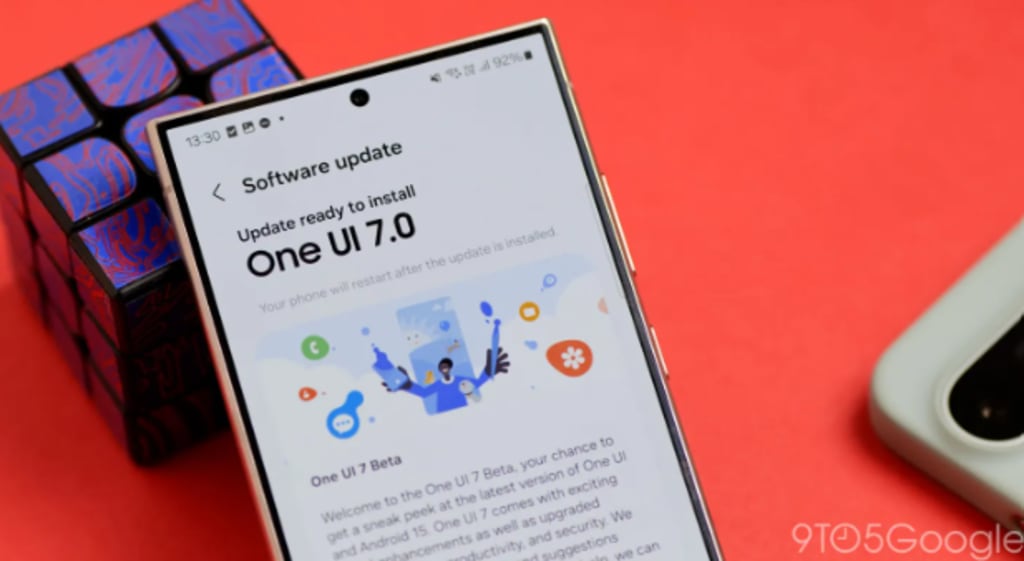
Samsung users, rejoice! After several beta builds, Samsung has officially rolled out One UI 7, packed with new features, design refinements, and performance upgrades. But was the wait really worth it? This article dives deep into One UI 7, exploring its enhancements, device eligibility, installation process, and whether you should upgrade now or hold off.
What is One UI 7?
Samsung’s Latest UI Update
One UI 7 is Samsung’s newest software update, built on Android 14. It introduces smoother animations, better multitasking, and improved security measures to enhance the user experience.
How It Differs from Previous Versions
Compared to One UI 6, this version offers a more refined design, deeper AI integration, and optimized performance across all Samsung devices. The update focuses on user-centric enhancements, making daily tasks easier and more intuitive.
Key Features of One UI 7
So, what’s new? Here are the standout features that make One UI 7 a game-changer:
Revamped User Interface – Sleeker, more fluid design.
Faster Performance – Quicker app launches and better RAM management.
Enhanced Privacy & Security – Stronger protection for your data.
AI-Powered Smart Features – A smarter Bixby and automation.
Customization Galore – More themes, widgets, and Always-On Display options.
Let’s explore each feature in detail!
Enhanced User Interface
Refreshed UI Design
One UI 7 brings a cleaner look with softer animations and fluid transitions. Icons are more polished, menus are more intuitive, and everything feels snappier.
New Animations & Transitions
Samsung has fine-tuned animations to make scrolling and switching apps smoother. Whether you’re opening an app or unlocking your phone, everything feels more responsive.
Performance & Battery Life Improvements
Faster App Launching
One UI 7 optimizes how apps load and run, ensuring minimal lag and a more seamless experience.
Improved RAM Management
Samsung has worked on reducing background processes, leading to faster multitasking and improved efficiency.
Battery Efficiency Tweaks
Battery life is crucial, and One UI 7 includes better power management to extend screen time. Adaptive battery usage ensures apps don’t drain excessive power.
Privacy & Security Enhancements
New Privacy Dashboard
Samsung has introduced a comprehensive privacy dashboard where you can easily control app permissions and track which apps access your data.
Enhanced App Permissions
Now, apps will ask for permission in real-time, ensuring more transparency in data sharing.
AI & Smart Features
Smarter Bixby
Bixby is now more conversational and context-aware, making it a worthy assistant for daily tasks.
Improved AI-Based Automation
Samsung’s AI learns user habits, offering customized automation for better usability.
Customization & Personalization
Theme & Wallpaper Updates
One UI 7 introduces dynamic themes that adapt to your wallpaper, giving your phone a fresh look every time.
New Always-On Display Options
Users can now customize Always-On Display with more styles, widgets, and animations.
Samsung’s Ecosystem Integration
Seamless Connectivity with Galaxy Devices
One UI 7 enhances multi-device connectivity, making it easier to sync your Samsung tablet, watch, or laptop.
Better Integration with SmartThings
Samsung SmartThings users will enjoy better automation and connectivity options.
Gaming & Multimedia Enhancements
Smoother Gaming Experience
With faster refresh rates and better GPU management, gamers will experience minimal lag.
Enhanced Audio & Video Settings
One UI 7 improves sound equalization and HDR settings, enhancing media consumption.
Devices Eligible for One UI 7
List of Supported Devices
Samsung has confirmed One UI 7 for flagship and mid-range devices, including:
Galaxy S23, S22, S21 series
Galaxy Z Fold 5, Z Flip 5
Galaxy A series (select models)
How to Download and Install One UI 7
Go to Settings → Software Update.
Tap “Download and Install” if the update is available.
Follow on-screen instructions and restart your device.
User Reactions & Feedback
What Early Adopters Are Saying
Users have reported smoother animations, better battery life, and a cleaner UI. However, some have experienced minor bugs, which Samsung is expected to fix soon.
Is One UI 7 Worth the Hype?
Pros and Cons
✅ Smoother performance
✅ Better battery management
✅ Stronger security updates
❌ Minor initial bugs
❌ Some features limited to flagship models
So, should you update? Yes! Unless you rely on older apps that may have compatibility issues, upgrading is worth it.
Conclusion
Samsung has delivered a solid update with One UI 7, improving performance, security, and usability. If you own an eligible device, this upgrade is definitely worth it.
FAQs
1. When will One UI 7 be available for all devices?
It’s rolling out gradually, with flagship models receiving it first. Mid-range devices will follow.
2. Will One UI 7 make my phone slower?
No, it’s designed to optimize performance, not slow it down.
3. Can I downgrade if I don’t like One UI 7?
Yes, but it requires manual flashing, which isn’t recommended for beginners.
4. Does One UI 7 improve gaming performance?
Yes! It includes better frame rates and resource management for a smoother gaming experience.
5. Is One UI 7 available worldwide?
Yes, but the rollout is phased, so availability depends on your region and device model.
About the Creator
Apleetech
Apleetech is a Professional Technology Platform. Here we will provide you only interesting content, which you will like very much. We're dedicated to providing you with the best of Technology, with a focus on dependability and Tech.
Personal Tax Accountants: A Practical Guide for Individuals in the UK
Personal Tax Accountants are no longer seen as a luxury reserved for high earners or business owners. Across the UK, more individuals are choosing professional tax support simply because the tax system has become harder to navigate alone. With frequent rule changes, stricter HMRC checks, and more people earning income in different ways, personal tax accountants offer clarity, reassurance, and practical help that many now consider essential rather than optional.
By Outsourced Bookkeeping Solutionsabout 3 hours ago in 01
Jeff Bezos reveals the No. 1 secret behind Amazon’s trillion-dollar success, has a unique advice for young people
Jeff Bezos reveals the No.1 secret behind the company’s trillion-dollar success. He said that it can be advantageous for any company if they pay attention to customer instead of your competitor, giving a classic example of customer-driven innovation Amazon Prime. Jeff Bezos also advised young entrepreneurs to gain foundational skills through entry-level jobs like those at McDonald’s, emphasizing responsibility and resilience.
By Dena Falken Esq7 days ago in 01




Comments
There are no comments for this story
Be the first to respond and start the conversation.