
Pictory : The Ultimate text to video AI
The Ultimate text to video AI

Say hello to Pictory AI! Turn your words into incredible videos with a sprinkle of magic. No tech skills required! Just type, choose a style, and watch the transformation. From captivating animations to eye-catching visuals, Pictory AI brings your ideas to life. Impress your friends, boost your social media game, or wow your boss with stunning video creations. It’s your secret weapon for epic storytelling.
How does Pictory work?
Users input or copy text into the software, which then uses advanced algorithms to understand the context and key elements of the text. Users can choose from a variety of styles and themes, and Pictory AI automatically generates stunning visuals and animations that align with the content. After previewing the video, users can make any necessary adjustments before exporting and sharing the final result. It simplifies the process of turning text into engaging videos, making it accessible and effortless for users to communicate their ideas visually.
Features:
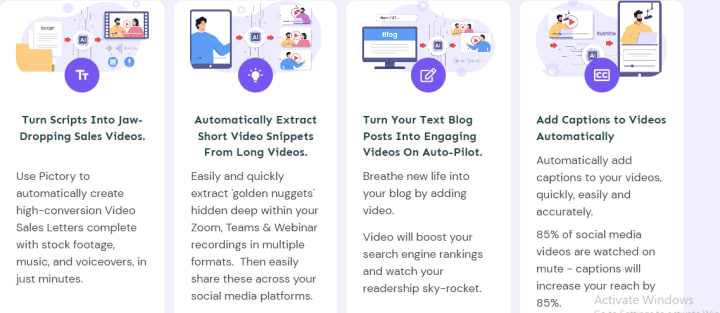
Script to Video
Blog to video
Edit Video Using Text
Create Video Highlights
Auto Caption Videos
Auto Summarize Long Videos
Script to video is the standout feature, and the process is simple and user-friendly:
Input or Copy Text: Users can type their own text directly into the Pictory AI interface or conveniently copy text from a blog, article, or any other source.
Text Analysis: Pictory AI’s advanced algorithms analyze the text, understanding its context, tone, and key elements.
Styling and Customization: Users have the freedom to choose from a range of styles, themes, and visual elements that suit their desired video presentation.
Visual Transformation: Pictory AI brings the text to life by automatically generating stunning visuals and animations that align with the content and style selected.
Preview and Refinement: Users can preview the video and make adjustments as needed, ensuring it aligns with their vision and desired impact.
Export and Share: Once satisfied with the final result, users can export the video in various formats and easily share it with their audience on social media, websites, or other platforms.
Here is a step by step tutorial:
Can I use Pictory for free?
Pictory allows you to create 3 videos for free. It also offers a paid version which has a 15-day money back guarrantee.
Click here to start your free trial.
Can I use Pictory AI in mobile?
Pictory does not have a mobile version yet. Although you can access the editor through your browser.
Here's how to access Pictory:
Who is pictory for?
Pictory can be used by anyone. It is very beneficial to individuals who want to make faceless youtube channels. It allows people to create shorts, reels and tiktoks without showing your face! It is for anyone looking to revolutionize their video creation game. It's perfect for content creators, marketers, educators, and influencers who want to captivate their audience with stunning visual storytelling. Whether you're a beginner or a seasoned pro, Pictory makes it easy for everyone to create professional-quality videos. Bloggers can transform their written content into engaging video experiences. Marketers can craft compelling ads that leave a lasting impression. Educators can breathe life into lessons with captivating visuals. Pictory is for anyone who wants to stand out and make an impact with their videos. Unleash your creativity and bring your ideas to life with Pictory!
Summary
Pictory AI has a lot of andvanced features which are easy to use and beginner friendly. Pictory is on it’s way to becoming the ultimate video creation tool. Click here to get started!
About the Creator
Keep reading
More stories from writers in 01 and other communities.
An Introduction to EnOcean: Advantages, Uses & More
Buildings, workplaces and homes are becoming smarter than ever before, with more sensors, automation and data being included within them. This presents a new challenge as many smart technologies rely on wiring, batteries and ongoing maintenance, which adds cost, disruption and environmental impact to many buildings.
By Simon Rhodesabout 21 hours ago in 01


Comments
There are no comments for this story
Be the first to respond and start the conversation.