
Optimizing Website Performance: Best Practices for Faster Load Times
Optimizing Website


Optimizing Website performance
In today's era, if your website's performance isn’t Ideal, then it could be one of the most frustrating things that your users could experience. This could become a huge problem if not taken care of — In order to avoid higher bounce rates and lower search engine engine ratings, One must definitely invest in optimizing their website’s performance. By optimizing your website, you can attract more customers to your website thus resulting in higher traffic and more conversion rates.
In this article, we will be exploring different aspects to optimize your website performance. We will be :
Understanding different performance metrics to measure the performance of your website
Discussing best practices & techniques for improving website load times.
Exploring advanced optimization techniques like browser caching, lazy loading and many more.
Exploring different tools that can help you monitor or enhance website performance.
Understanding Website Performance Metrics
1. Website Speed
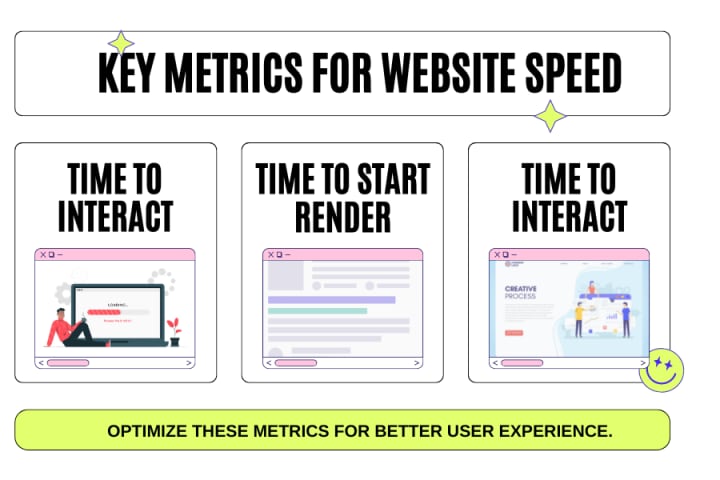
When you think about "What must be an ideal speed for a website?", most of the time the thing you might only consider is how fast a page loads. But there’s much more to it than that meets the eye. In today's era, people have shorter attention spans than ever and it’s crucial to know how your site performs in different speed-related aspects:
Time to Title :
This is the time taken by a website when a visitor request's your website and the time it takes to load the site’s title on the browser tab. If the site's title appears quickly, then this gives the users a sense of trust and reassures visitors that this site is a legitimate and trustworthy website.
Time to Start Render:
After searching a website The worst experience you could provide to your user is when the website buffers a lot and you can not even see a single bit of content. This measures how long it takes for any content to appear on the screen after a user requests your site. Nobody likes to wait and if your website provides the users what they are searching for within a fraction of seconds then they are more likely to stay.
Time to Interact:
This is the time from when a visitor first requests your site to when they can actually start interacting with it (like clicking on links or scrolling). The quicker they can engage, the more likely they are to stick around.
To start improving your site speed, focus on these three metrics. You can check them using free web page speed test tools.
2. Number of Assets
“Assets” are the building blocks of your webpage, including text, images, videos, and more. Each of these elements adds to your page’s load time. The more assets you have, the slower your page might load. Tools are available to help you analyze the size of these assets, and if they’re dragging down your load speed, consider hosting them externally.
3. Error Rate
This metric measures the ratio of error produced by your site against normal requests received by your site. If you see a rise in errors, then that could indicate a potential problem that could bring your site down if not addressed. When you keep a check on your error rate, error prevention and correction is done before it escalates into any disruptive events.
4. Bounce Rate
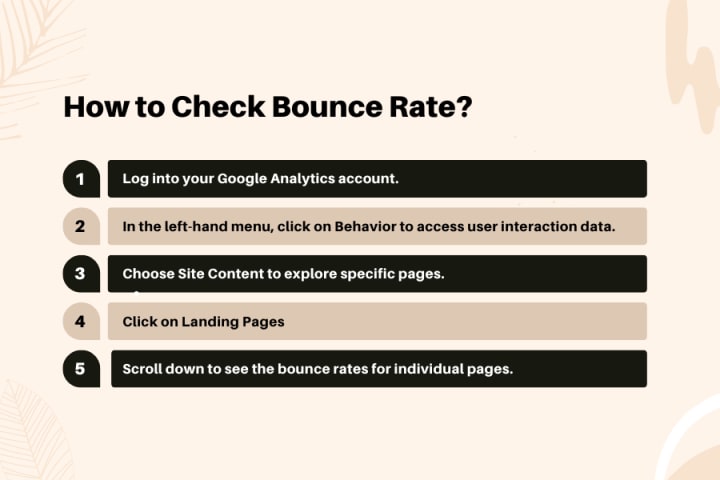
The bounce rate represents the percentage of individuals that visit your website and leave after a very short time span, more precisely – in the first session. A very high bounce rate could be a threat, not only for your conversion rates but also to your SEO as it portrays your site is not offering what the visitors are looking for. The percentage of the visitors that exit after viewing the first page of the site, is known as the bounce rate and this can be discovered with the help of Google Analytics, the steps are quite simple – Open google analytics, under Behavior > Site Content > Landing Pages – Here you can see the entire report of your website. Now, you just have to scroll down inorder to see the bounce rates of individual pages.
5. Unique Visitors
Unique visitors denote the daily, weekly or monthly total number of unique people that access the website from different browsers. This metric is the key to measure the growth of our website. While, there is no doubt that repeated visitors are of major importance too, but an increasing amount of unique visitors indicates that you’re bringing in fresh audiences to your website.
6. Traffic Source
Traffic Sources indicate the medium through which users have come to your website. In this context, the amount of traffic to a website and its origin is important, and knowing where the visitors are coming from is as critical as knowing how much traffic one gets. This also makes it possible to determine whether your visitors are coming from organic searches, via social media, or referrals. Ideally, your traffic should come from different sources – If the traffic is weighted heavily towards any one of the sources, then some form of content strategy revision might be called for to focus on the sources which are bringing maximum traffic to the website.
Fun fact : You can monitor all this in Google Analytics under Acquisition > All Traffic > Channels.
7. Conversion rate
This is also termed as a conversion rate which is defined as how well the site’s visitors are converted into customers or leads generated. In the case of getting huge traffic and low conversion rates, this probably indicates that the conversion strategies of the site could have better yield than they presently achieve. For Google Analytics then, this data can be accessed under Conversions > Overview.
8. Top Pages
Page performance is also important so the pages that are performing better must be taken extra care. These could be pages that have either the highest percentage of conversions, or the highest/latest volume of visitors. Knowing which pages are doing well and why? helps you to make those existing pages of your site to do well based on the research you have of the existing high performing pages. Top pages can be monitored in Google Analytics through Landing Pages and Exit Pages under Behavior > Site Content.
Landing Pages:
These are the pages that users first enter on your website. These pages are frequently labeled as ‘First Impression Pages’ and as such they cannot be taken for granted even for an instance and must be in great shape.
Exit Pages:
These pages are the last pages which a visitor views immediately before leaving the website. As these pages are detrimental to the retention time of visitors, it’s necessary to acknowledge them and improve.
9. Keyword Ranking
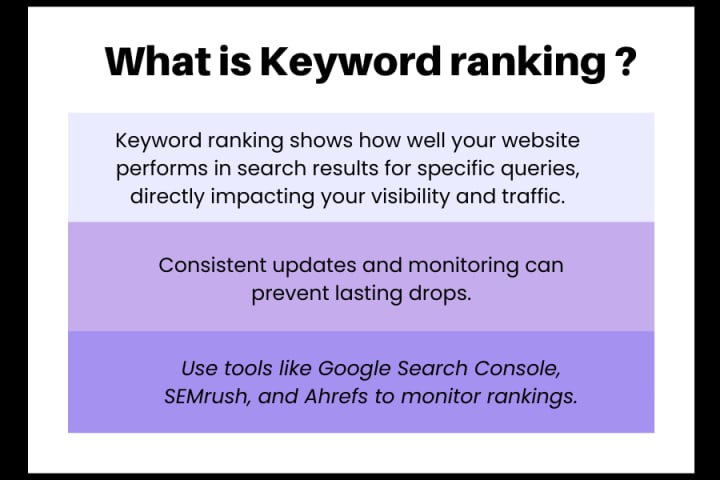
Keyword ranking indicates the effectiveness of a particular website for a particular query to the search engines. While a drop in ranking can be scary, as long as the keywords are routinely monitored and updated, you can rest assured that your efforts to improve SEO are not in vain. Also, there are various tools used for monitoring keyword rankings.
10. Average Session Duration
This refers to the average time spent by the visitors on your website during a single session. Longer sessions suggest greater willingness of users to buy your product or use your service. While analyzing this metric, businesses must understand the type of their website – For instance, the duration of a news website might have a shorter average session compared to an e-commerce website, because the readers might quickly go through the articles and move on.
About the Creator
Werbooz Private Limited
Werbooz offers a range of digital services including custom website solutions. With a team of skilled professionals, they transform ideas into stunning digital experiences, ensuring startups and businesses succeed in the digital landscape.
Reader insights
Good effort
You have potential. Keep practicing and don’t give up!
Top insight
Excellent storytelling
Original narrative & well developed characters
Keep reading
More stories from Werbooz Private Limited and writers in 01 and other communities.
How Blockchain is Transforming Industries: Use Cases Beyond Cryptocurrency
Blockchain technology isn’t just for cryptocurrencies! Well, did you know that it has the capability of revolutionalizing a number of fields due to its popular features of being secure, transparent and decentralized?
By Werbooz Private Limitedabout a year ago in 01
Best Laptops in the World in 2026
Every year, people search for the same thing in slightly different ways. Best laptops 2026, Best laptop for students, Best laptop for gaming, Best laptop for work., Best laptop for video editing., Best budget laptop., Best Windows laptop., Best laptop for college., Best laptop for programming., Best laptop for everyday use.
By Edward Smith3 days ago in 01
A More Human Vocal
When we launched Vocal nearly a decade ago, the world was a very different place. LLMs did not exist, and stories were created one at a time by people sitting down to write, revise, and share something personal. Many of our assumptions about publishing, trust, and participation were built for a world where effort and output were inseparable.
By Justin @ Vocal5 days ago in Resources



Comments (1)
good job