
Notion: The All-in-One Solution Productivity
Notion is an all-in-one solution for note-taking, data management, project management and more.

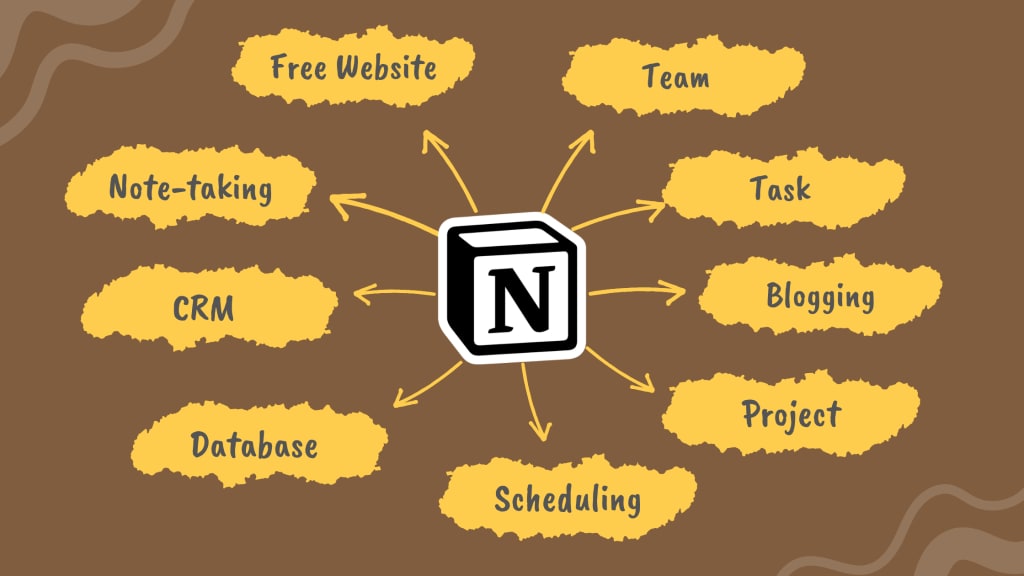
Notion is a versatile all-in-one workspace that can be used for note-taking, data management, project management, and more. With so many features and integrations, it can be tough to know where to start.
In this post, we'll introduce you to Notion and show you how to get the most out of it.
We'll cover everything from setting up your workspace to creating tasks and projects.
By the end, you'll be a Notion expert!
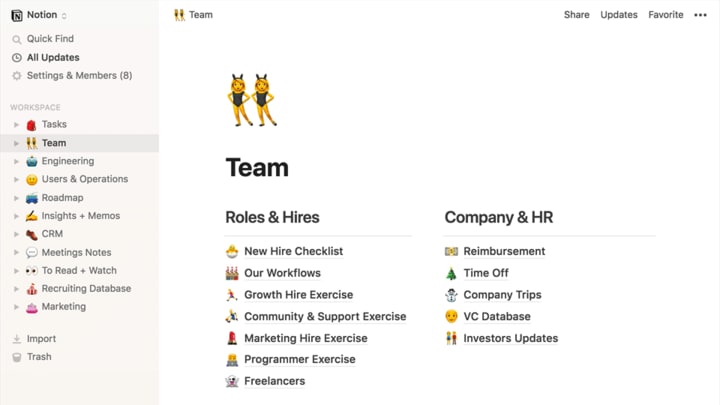
Key Features:
⚡Plans of Pricing: Free, Pro Plan, Team plan and Enterprise (Contact Sales)
⚡Devices: Mac, Windows, iOS, Android & Web Browser
⚡Built-in Team?: Yes, but No free plan for the team
⚡Management: Task, Project, Data, Team, CRM, Product and so on.
⚡Block content types: Unlimited; Text, Heading 1, Heading 2, Bulleted List, Toggle List, To-Do and more...
⚡Automation: Yes. Notion to Airtable, Notion to Google Sheets and so on
⚡File Upload: Word, CSV, Text & Markdown, PDF, GIF, Image, Video, and others.
⚡Embed Link(View): Pdf, Google sheet, Youtube, Tiktok, and other links.
⚡Free Template?: Yes; Design, Education, Engineering, Freelance, Health & Wellness, Home & living, HR & people, Marketing, Nonprofit, Personal, Planning, Product, Reading & writing, Sales, Support, Startup and so on.
⚡Unlimited Page?: Yes.
⚡Connections: Figma, GitLab, Asana, Box, GitHub, Jira, Trello, OneDrive, DropBox, Google Drive, Zoom, Slack, Zapier, Pitch, Typeform, Make, Slapdash, Qonto, Unito, Hightouch, Webex, Tray.io, Bardeen, Marker.io, Pipedream, Rootly, Grid, Census, Linear, Whywhywhy, Lucidchart, Lucidspark, Amplitude, Neeva etc.
⚡API?: Yes
⚡Types of Database (Inline/Fullpage) View: Table, Board, Timeline, Calender, List and Gallery
⚡Multiple Workspace: Yes, but One Workspace is free, and More Workspaces are paid.
What Is Notion?
Think of Notion as an all-in-one workspace for note-taking, data management, and project and task management. It's customizable to fit your needs, so whether you're a student, a professional, or part of a team, you can use it to get things done.
Notion is used by tens of thousands of companies and individuals around the world, and its features include the ability to take notes, add tasks, manage projects, and work on wikis. So whatever you need to get done, Notion can help you do it.
What Can You Do With Notion?
Notion is an amazing app that can be used for all sorts of tasks, from note-taking to data management to project and task management. Here are some of the things you can do with it:
- Take notes on anything, from a meeting to a project you're working on
- Organize your thoughts and ideas in an easily accessible way
- Store important files and documents in one place
- Track your progress on projects and tasks
- Collaborate with others on projects
How to Get Started With Using Notion
So you're intrigued by Notion and want to start using it to manage your work. But where do you begin?
Well, the first step is to create a workspace. This is where you'll store all of your notes, data, and projects. You can create as many workspaces as you need, and each one can be tailored to your specific needs.
The great thing about Notion is that it's totally customizable. You can create templates for different types of content, or add new features if there's something that's not already included. There are tons of integrations with other apps and services, so you can easily connect Notion with the tools you're already using.
Once you've created a workspace, the next step is to start adding content. You can create notes, lists, tables, or even graphs and charts. The possibilities are endless! And if you need some help getting started, there are plenty of tutorials and guides available online.
How to Use Notion for Different Purposes
If you're looking for an all-in-one workspace for note-taking, data management, and project management, look no further than Notion. You can customize it to fit your needs, and it's easy to use. That means you can get up and running quickly, without any headaches.
Notion is great for project management and streamlining workflows. You can use it to track tasks, manage files, and keep track of your progress. Plus, it's a great way to keep your team organized and on track. With Notion, there's no need to waste time switching between different tools - you can do it all in one place.
The Advantages of Using Notion for Project Management
You may be wondering what makes Notion so special. Well, let me tell you.
For starters, Notion is a note-taking software and team collaboration tool that helps users organize and manage their tasks efficiently. So whether you're working on a project solo or as part of a team, Notion can help you stay organized and on track.
But that's not all. Notion is also an all-in-one workspace that allows you to write, plan, and get organized. It's super flexible, so you can use it for project management, task tracking, note-taking, and data management—whatever you need it for.
Bottom line: If you're looking for a versatile tool that can handle all your project management needs, then Notion is the solution for you. Try it out today and see for yourself how awesome it is!
The Advantages of Using Notion for Task Management
When it comes to task management, Notion is an all-in-one solution that can't be beaten. It's versatile enough to be used for a variety of purposes, and it's easy to navigate so you can get right to the task at hand.
Plus, with our pre-made templates, you can get started quickly and easily. Whether you're managing a project or just taking some notes, Notion makes it easy to stay organized and in control.
The Advantages of Using Notion for Database Management
You may not have heard of Notion yet, but it's a workspace that's gaining a lot of buzzes. It allows teams to better collaborate, plan, take notes, and organize tasks.
What's really great about Notion is that it's so versatile. You can use it for notes, to manage your tasks, as a wiki, and for database management. It's an all-in-one solution that's perfect for any team.
The best part is that Notion is being used by some of the world's most innovative teams. Companies like Google, Facebook, and Apple are using it to manage their projects and data. So if you're looking for an all-in-one solution that can handle everything, Notion is a perfect choice.
Conclusion
You've heard of Notion, but you're not sure what it is or what it can do for you. Notion is an all-in-one workspace for notetaking, knowledge and data management, and project and task management.
With Notion, you can keep all your important information in one place, making it easy to find and use when you need it. Notion is perfect for students, professionals, busy moms, and anyone who wants to be more organized and productive.
Try out Notion today and see how it can help you get more done in less time.
FAQs About Using Notion
So, you've decided to try out Notion. Awesome! But now you're wondering how it works. Don't worry, we're here to help.
Here are some of the most commonly asked questions about using Notion:
How do I create a new document?
To create a new document, click on the + icon in the top-left corner of the screen. This will open up a menu where you can choose from a variety of templates, or start from scratch.
How do I add content to my document?
There are a few ways to add content to your document. You can type directly into the text editor, or use one of the many handy shortcuts. You can also drag and drop files into your document, or import them from other applications.
Can I collaborate with other people on my documents?
Yes! Notion allows you to collaborate with other people in real-time. Simply share the document with your collaborators, and they'll be able to make changes as soon as they open it up.
How do I print my documents?
To print your documents, click on File > Print. This will open up a printer dialogue where you can select your printer and modify the printing options.
About the Creator
Reader insights
Outstanding
Excellent work. Looking forward to reading more!
Top insight
Easy to read and follow
Well-structured & engaging content
Keep reading
More stories from Faiyaj Siddique and writers in 01 and other communities.
Namecheap: The Best Shared Hosting for Cheap Websites
Shared hosting is a service that enables people or companies to host their websites on the Internet. You’re looking for a shared hosting company that can offer you cheap website hosting without compromising quality. Namecheap is the perfect choice for you!
By Faiyaj Siddique3 years ago in 01
Choosing the Right AI Consulting Agency in 2026: A Smart Business Leader’s Guide
Introduction In 2026, partnering with the right AI Consulting Company can be the difference between leading your industry and falling behind. As artificial intelligence becomes deeply embedded in operations, marketing, customer service, and decision-making, choosing a trusted AI Consulting Agency in USA is no longer optional — it’s strategic. With countless providers offering AI Consulting Services, businesses must carefully evaluate expertise, scalability, compliance readiness, and real ROI potential before making a commitment.
By MUHAMMAD SHAFIE3 days ago in 01
Electric Reach Forklift and Three Way Forklift: Improving Warehouse Efficiency
The Role of Forklifts in Modern Warehousing Material handling equipment is the backbone of modern warehouses, logistics centers, and manufacturing facilities. Among these machines, the forklift is one of the most widely used tools for lifting, transporting, and stacking heavy materials safely and efficiently. A forklift is an industrial vehicle designed to lift and move palletized loads using hydraulic forks attached to a powered chassis. Over the decades, forklifts have become essential in industries such as logistics, retail distribution, construction, and manufacturing.
By charliesamuela day ago in 01



Comments (2)
I use Notion to design and share visual ideas, and it's changed the way I work. Unlike many other project management and productivity tools, Notion is completely cloud-based. That means that everything I create and store in Notion is available to me on any device, whether that's my laptop or my phone.
Notion is best!!