
Mastering the Mobile App Development Process: A Step-by-Step Guide for 2025
Master the mobile app development process with this step-by-step guide. Learn the key stages, best practices, and trends to build a successful app in 2025.

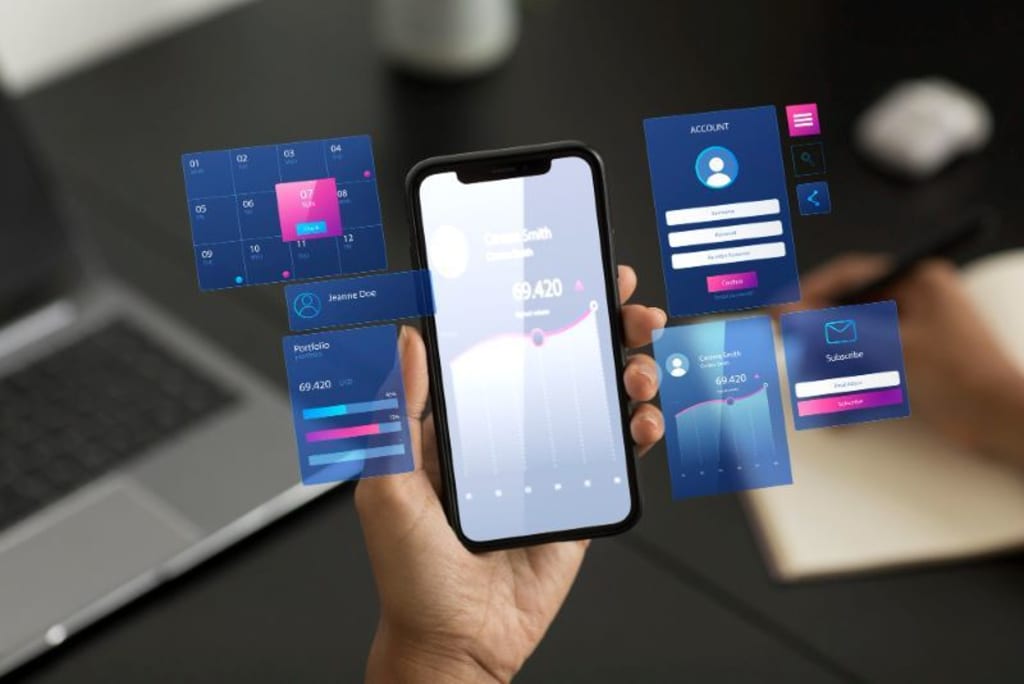
In today's fast-paced digital landscape, businesses and entrepreneurs are eager to launch mobile apps that stand out in the competitive market. However, without a well-defined mobile app development process, projects can face delays, budget overruns, or even failure. Understanding the essential steps involved—from ideation to deployment—ensures a smooth and successful app launch. In this guide, we’ll break down the entire development process, providing insights into best practices, key challenges, and expert tips to help you navigate the journey efficiently.
1. Understanding the Importance of the Mobile App Development Process
The mobile app development process is not just about coding; it's a comprehensive journey that involves research, planning, design, development, testing, and deployment. A structured approach helps in:
- Delivering a high-quality app with minimal bugs.
- Meeting user expectations and business goals.
- Reducing unnecessary costs and development time.
- Ensuring seamless performance and user engagement.
2. Market Research and Idea Validation
Before jumping into development, it’s crucial to validate your app idea. Conduct thorough market research to identify:
- Target audience – Who will use the app? What are their needs?
- Competitor analysis – What similar apps exist? How can you differentiate?
- Monetization strategies – Will it be a paid app, subscription-based, or ad-supported?
Tools like Google Trends, App Store analytics, and user surveys can help in gathering valuable insights.
3. Defining the App's Features and Functionalities
Once you’ve validated your idea, define the core features and functionalities. Create a Minimum Viable Product (MVP) that includes essential features, ensuring a faster launch and user feedback collection.
Common features to consider:
- User authentication (login/signup)
- Push notifications
- In-app payments
- Offline capabilities
- Social media integration
Prioritizing features helps in managing development complexity and costs.
4. Choosing the Right Tech Stack
The success of your app depends on the technologies used for development. Choose a tech stack based on your business needs and target audience:
- Native Development – Swift for iOS, Kotlin for Android (best for performance and user experience).
- Cross-Platform Development – React Native, Flutter (faster development with shared codebase).
- Backend Technologies – Node.js, Python, Firebase (for handling data and server-side operations).
Selecting the right stack ensures scalability, security, and smooth app functionality.
5. UI/UX Design – Crafting a Seamless User Experience
A visually appealing and user-friendly design can make or break your app. The design phase includes:
- Wireframing – Sketching the app’s layout.
- Prototyping – Creating an interactive model for testing.
- User Interface (UI) Design – Focusing on colors, typography, and navigation.
- User Experience (UX) Design – Ensuring ease of use and intuitive interaction.
Tools like Figma, Adobe XD, and Sketch are commonly used for UI/UX design.
6. Development – Bringing Your App to Life
The mobile app development process involves two key aspects:
- Frontend Development – The part users interact with (UI elements).
- Backend Development – The server-side logic that powers the app.
Agile development methodologies, such as Scrum, ensure flexibility and allow for continuous improvements during the process.
7. App Testing – Ensuring a Bug-Free Experience
Testing is a crucial phase to ensure your app runs smoothly. Key testing types include:
- Functional Testing – Verifies core functionalities.
- Performance Testing – Checks app speed and responsiveness.
- Security Testing – Ensures data protection and encryption.
- User Acceptance Testing (UAT) – Conducted with real users to gather feedback.
Using automation testing tools like Selenium and Appium can help speed up this process.
8. Deployment – Launching Your App Successfully
Once testing is complete, it’s time to deploy your app. The deployment process varies based on the platform:
- iOS App Store – Requires approval from Apple’s App Review team.
- Google Play Store – Easier submission process but needs compliance with Google’s guidelines.
Proper app store optimization (ASO) ensures better visibility and higher downloads.
9. Post-Launch Maintenance and Updates
The journey doesn’t end after deployment. Regular updates, bug fixes, and feature enhancements are necessary to keep users engaged. Key post-launch activities include:
- Monitoring analytics using tools like Google Analytics and Firebase.
- Gathering user feedback and addressing issues promptly.
- Updating features based on user demands and trends.
Consistent maintenance helps in retaining users and improving overall app performance.
10. Future Trends in Mobile App Development
To stay ahead in the industry, consider integrating the latest trends:
- AI and Machine Learning for personalized user experiences.
- 5G technology for faster and more responsive apps.
- Augmented Reality (AR) and Virtual Reality (VR) for immersive app interactions.
- Blockchain integration for enhanced security and transparency.
Adapting to these trends ensures your app remains relevant in the competitive market.
Conclusion
Understanding the mobile app development process is essential for delivering a high-performing and user-friendly application. From idea validation to deployment and maintenance, following a structured approach minimizes risks and maximizes success. Whether you’re a startup or an established business, investing time in planning, research, and technology selection will lead to a seamless app development experience.
About the Creator
Ian Barnard
I write about different topics, but technology is one of my favorites to write about. It's constantly changing and evolving, so there are always new things to learn!
Keep reading
More stories from Ian Barnard and writers in 01 and other communities.
How to Choose the Best Mobile App Development Company Dallas
In today’s fast-paced digital world, having a high-performing mobile app is essential for businesses looking to enhance customer engagement and drive revenue. Whether you're a startup or an established enterprise, selecting the right mobile app development company Dallas can make a significant impact on your business growth. With numerous options available, finding the perfect development partner requires careful evaluation.
By Ian Barnardabout a year ago in 01
Why Specialized Pediatric EMR Systems Are Becoming Essential
Digital health technology is transforming healthcare systems worldwide, but pediatric care presents a unique set of challenges. From growth tracking and vaccination schedules to age-specific medication dosing, pediatricians need tools that are designed specifically for children rather than adapted from adult healthcare systems. As healthcare providers increasingly adopt digital solutions, specialized systems are becoming essential for efficient pediatric care.
By Steve Waugh5 days ago in 01



Comments
There are no comments for this story
Be the first to respond and start the conversation.