
Integrating E-commerce into Your WordPress Site: A Step-by-Step Guide
E-commerce in WordPress Site

Introduction
With the increasing popularity of online shopping, integrating e-commerce functionality into your WordPress website can open new avenues for growth and revenue generation. WordPress, known for its flexibility and user-friendliness, provides numerous options to transform your website into a fully functional online store. In this step-by-step guide, we'll explore the process of integrating e-commerce into your WordPress site, from selecting the right e-commerce plugin to setting up products, payment gateways, and managing orders. Whether you're a small business owner, a creative entrepreneur, or an aspiring online retailer, this guide will help you embark on your e-commerce journey with confidence.
1. Choosing the Right E-commerce Plugin
The first step in integrating e-commerce functionality is selecting the right e-commerce plugin for your needs. We'll compare popular e-commerce plugins like WooCommerce, Easy Digital Downloads, and Shopify Lite for WordPress. Understanding their features, compatibility, and ease of use will help you make an informed decision based on your specific requirements.
2. Installing and Activating the E-commerce Plugin
Once you've chosen an e-commerce plugin, we'll guide you through the process of installing and activating it on your WordPress site. We'll cover the necessary configurations and initial setup steps to prepare your website for e-commerce functionality.
3. Adding and Managing Products
With the e-commerce plugin set up, it's time to add and manage your products. We'll walk you through the process of creating product pages, adding product details, images, and pricing. You'll also learn how to categorize products and use tags to enhance navigation and user experience on your online store.
4. Configuring Payment Gateways
Setting up secure and reliable payment gateways is crucial for a smooth e-commerce experience. We'll explore different payment gateway options supported by your chosen e-commerce plugin, including PayPal, Stripe, and others. You'll learn how to configure these gateways to process payments securely and efficiently.
5. Managing Shipping Options
Shipping plays a significant role in the success of your e-commerce store. We'll discuss how to configure shipping options based on your products' size, weight, and destination. You'll learn to set shipping rates, offer free shipping promotions, and manage shipping costs effectively.
6. Customizing Your E-commerce Store
Personalizing your online store is essential for branding and creating a unique shopping experience for your customers. We'll explore how to customize your store's appearance, including choosing a theme, adjusting colors, adding logos, and creating a cohesive design that reflects your brand identity.
7. Implementing Security Measures
E-commerce security is of paramount importance to protect your customers' sensitive data and build trust. We'll discuss essential security measures, including SSL certificates, two-factor authentication, and security plugins, to ensure your e-commerce site is protected from potential threats.
8. Enhancing User Experience
A positive user experience can significantly impact your e-commerce success. We'll cover various techniques to optimize your website for user-friendliness, such as implementing intuitive navigation, providing search functionality, optimizing product pages for conversions, and ensuring mobile responsiveness.
9. Implementing Marketing and Promotional Strategies
Marketing and promotions are vital for driving traffic and sales to your e-commerce store. We'll explore marketing strategies, such as email marketing, social media integration, discount coupons, and product upsells, to attract and retain customers.
10. Monitoring and Managing Orders
As your online store gains traction, effectively managing orders becomes critical. We'll discuss order management systems, tracking inventory, handling returns, and monitoring sales and performance analytics. These insights will help you make data-driven decisions to improve your e-commerce store's efficiency.
Conclusion
Integrating e-commerce functionality into your WordPress website opens up a world of opportunities for growth and profitability. With the step-by-step guide provided, you now have the tools and knowledge to embark on your e-commerce journey confidently. From selecting the right e-commerce plugin to managing products, configuring payment gateways, and implementing security measures, you have the power to create a seamless and enjoyable shopping experience for your customers.
Remember that successful e-commerce is an ongoing process of optimization and adaptation. Continuously monitor user behavior, analyze sales data, and solicit customer feedback to identify areas for improvement. Embrace marketing and promotional strategies to attract and retain customers, and always stay updated with the latest e-commerce trends and innovations.
By following this step-by-step guide and maintaining dedication and passion for your e-commerce venture, you can build a thriving online store that connects with customers, drives sales, and positions your WordPress website as a robust and successful e-commerce platform. Happy selling!
About the Creator
Keep reading
More stories from Jeyasurya S and writers in 01 and other communities.
Exploring the Benefits of Managed WordPress Hosting
Introduction In the vast landscape of web hosting options, Managed WordPress Hosting stands out as a specialized service tailored to meet the specific needs of WordPress websites. This hosting solution goes beyond traditional shared hosting by offering enhanced performance, security, and support, allowing website owners to focus on their content and business growth. In this blog post, we'll delve into the world of Managed WordPress Hosting and explore its numerous benefits, helping you make an informed decision when choosing the best hosting solution for your WordPress site.
By Jeyasurya S2 years ago in 01
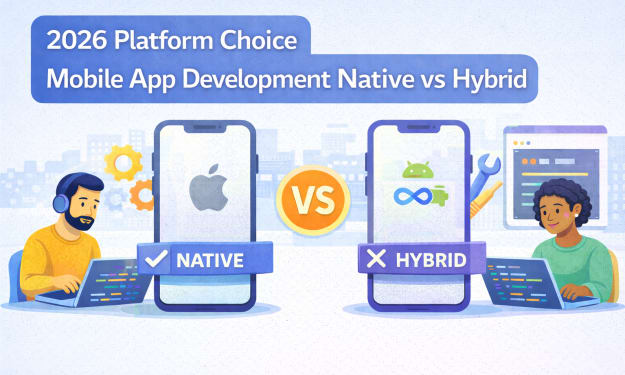
2026 Platform Choice Mobile App Development Native vs Hybrid
In 2026, mobile app development native vs hybrid is no longer a framework debate. It reflects a tectonic shift inside the Google ecosystem where AI Retrieval, Zero Click discovery, and entity-level evaluation now shape risk exposure, authority loss, and strategic realignment for every mobile product.
By Samantha Blake4 days ago in 01
How James Kodrowski Builds Scalable Businesses and Long-Term Investments
James Kodrowski is widely recognized as an Entrepreneur, Business Leader & Investor known for building scalable businesses while maintaining a disciplined, long-term investment mindset. His approach combines financial intelligence, operational excellence, and leadership-driven strategy, making his work highly relevant across Finance & Financial Services, Business Strategy & Operations, and Entrepreneurship & Leadership.
By James Kodrowski4 days ago in 01



Comments
There are no comments for this story
Be the first to respond and start the conversation.