
Integrating AI into Web Development: Practical Applications and Benefits
Integrating AI into web development

Introduction
The world is changing regarding growing technology and innovation, and AI has become part of that change. Indeed, AI has helped people to aggrandize their institutions and also abnegate the old technology and working patterns. Web development in technology is one of the most popular subjects!
Will it be possible to incorporate AI in web development? And how far is it practical, with implementations and benefits involved?
Well, hold your alacrity! We will be discussing this in detail!
Current State of Market AI Usage
Do you realize the current state of market AI usage? You'll be impressed when you learn the following statistics:
The AI market is estimated to reach $407 billion by 2027, from $86.9 billion in 2022.
Based on these statistics, it's pretty evident that AI will be an invincible force behind future technology. So, in the domain of Web Development, it's essential that one should be aware of the various services applications and updates on AI.
Major AI Tools for Web Development
In this post, we'll look at four essential AI tools that will assist in web development, followed by some of the three critical updates that will surely leave you awestruck!
1. GitHub Copilot

GitHub Copilot is a GitHub product—an AI-powered one co-developed with OpenAI—typically integrated into VS Code and other code editors.
Overview:
It generates code snippets for users.
Features:
Combines several learning models and a vast codebase of open-source repositories.
Note: The provided codes from GitHub Copilot might not always be perfect, so cross-verification has to be done.
2. TabNine
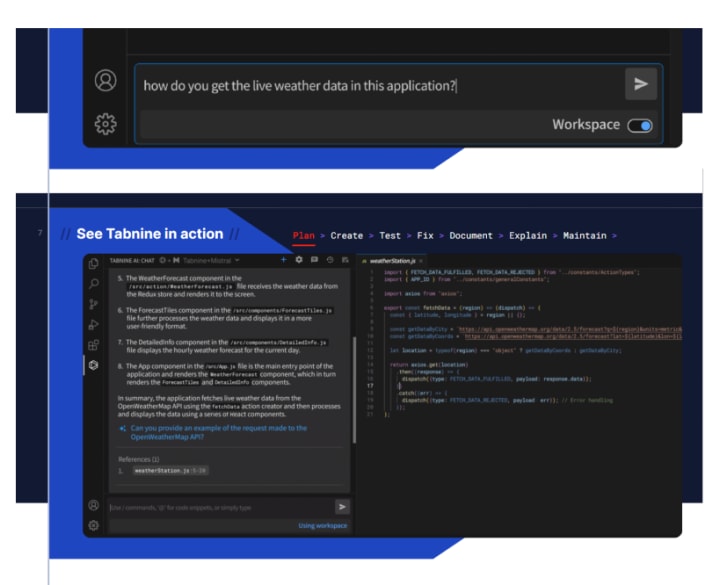
TabNine is an advanced AI-based code completion tool designed to enhance coding efficiency.
Overview:
TabNine is an AI driven auto completion tool. Is it similar to traditional code snippets? The answer is no!
Features:
Provides intelligent suggestions according to what you are typing in the context.
Works based on deep learning trained by a massive dataset of codes.
Learns the user's coding style.
Not confined to the single language in its database.
Note: Most of the features are paid for in TabNine.
3. Galileo.ai
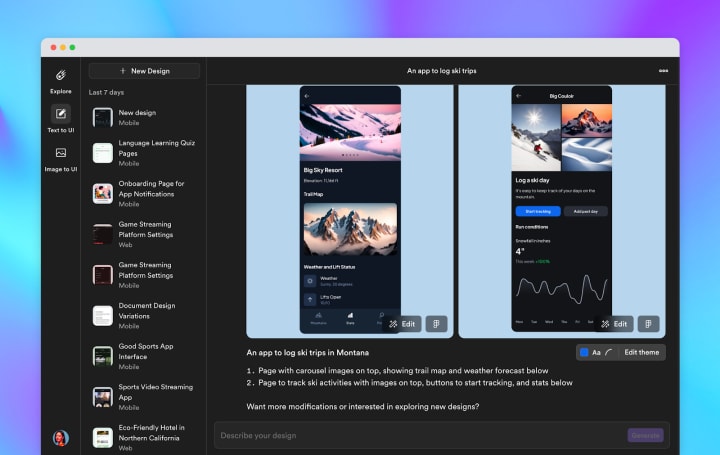
Galileo.ai is a powerful AI-driven design tool aimed at simplifying the design process.
Overview:
It uses Machine Learning algorithms to create attractive layouts and designs based on the preference of the user.
Features:
It combines many machine learning algorithms to generate beautiful layouts and designs according to the taste of the user.
Its algorithm studies the significant trends within the industry to design images using that particular trend.
The designs prepared through this are pretty unique and attractive.
4. Stable Diffusion and Dall-E
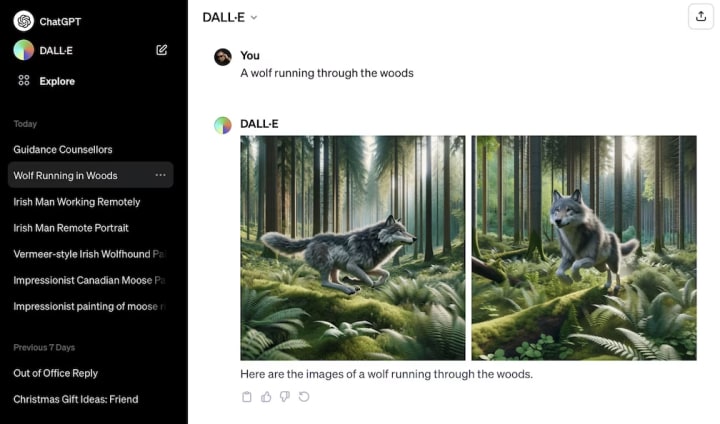
Stable Diffusion and Dall-E are revolutionary AI tools by OpenAI that transform textual descriptions into images.
Overview:
Developed by OpenAI.
Features:
Generates images on the textual description given by the user.
Stable Diffusion produces high-quality images from the written prompts by the user.
Dall-E does that and even combines a few unrelated concepts to make the images.
Note: The pictures conveyed by such tools may sometimes not be what we expected.DreamStudio And ChatGPT
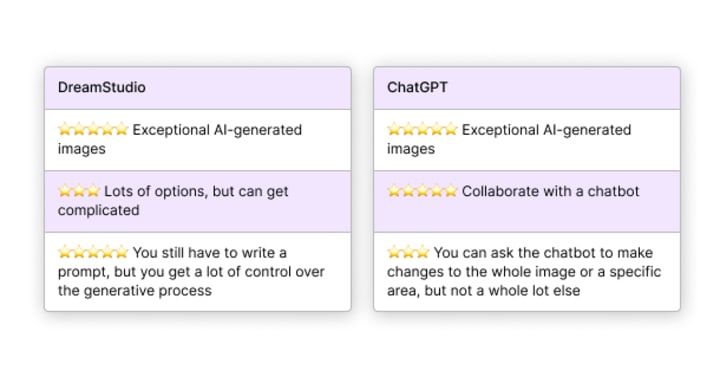
DreamStudio And ChatGPT
Major AI Updates in Web Development
Let's delve into the journey and the major AI updates that may be integrated in web development.
AI Revolution in FIGMA
Figma is a popular tool used for designing and making prototypes. Very recently, many AI features have been incorporated into Figma. This would help in the actual design and development process. Let's check these out.
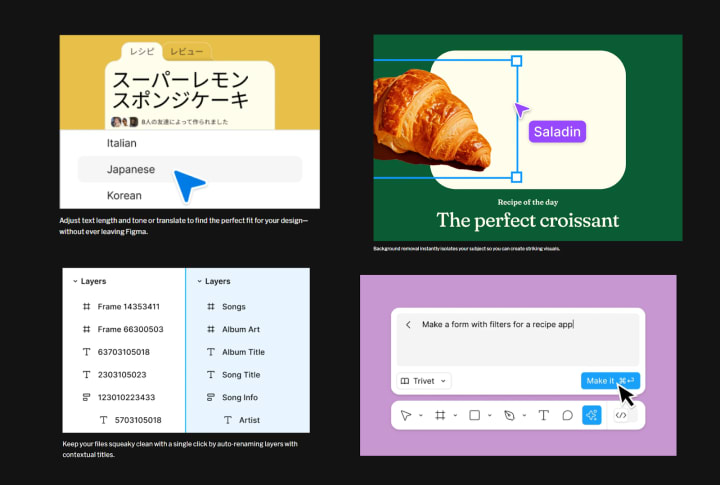
Collaborations: Figma has official UI kits from Apple and Google, helping create templates, and access to all the templates provided by Apple and Google would also be accessible.
New Toolbar: A new toolbar has been designed, which will be visible at the bottom of the webpage of Figma. This would make a collective source for all the primary tools in a single place.
AI Features:
Special AI features have been added for translating the content and designing web layouts.
You don't have to rename the layers of designs manually. All the layers can be renamed using AI in a single click.
Making descriptions and titles of draft descriptions makes the task easy.
The central feature is the one-click Prototype option, which will help to interconnect the pages you designed and save you time.
'Translate' option added for content translation.
Figma Slides Presentation Tool allows the user to make a presentation to discuss designs.
AI in CoPilot + PCs
AI development has come to a point where our Windows-based computers are set to feature inbuilt AI platforms of advanced Copilot+PCs. What new features would be part of the devices with Copilot+PCs? Let's analyze:
About the Creator
Werbooz Private Limited
Werbooz offers a range of digital services including custom website solutions. With a team of skilled professionals, they transform ideas into stunning digital experiences, ensuring startups and businesses succeed in the digital landscape.
Keep reading
More stories from Werbooz Private Limited and writers in 01 and other communities.
Ultimate Guide to Building and Designing a Website
While investing in building a website, you need to know—Where to start? Website design and development are complicated processes. But in today's era, you've got many options to do it. You can either go to a web development company or create a website alone. However, one must understand that your website serves as your business's online representation. To make a successful business and build a brand, website owners must be cautious while designing and developing their websites. Nowadays, The average visitor will judge your website in less than a fraction of a second. If you want to create an impact, you must be aware of the science behind converting your users and enabling them to act in your website's favor.
By Werbooz Private Limitedabout a year ago in 01
Creating Scroll-Stopping Experiences with Short Video App Development
In today’s fast-moving digital world, attention spans are shrinking while content consumption is skyrocketing. Users scroll endlessly through feeds, stopping only when something truly captures their interest. This behavioral shift has fueled the explosive growth of short-form video platforms. From entertainment and education to marketing and e-commerce, short videos dominate screen time. Behind every seamless swipe and instant playback lies powerful short video app development that transforms simple ideas into addictive digital experiences.
By Nayel Basim Al Shehhi7 days ago in 01



Comments (1)
great blog