

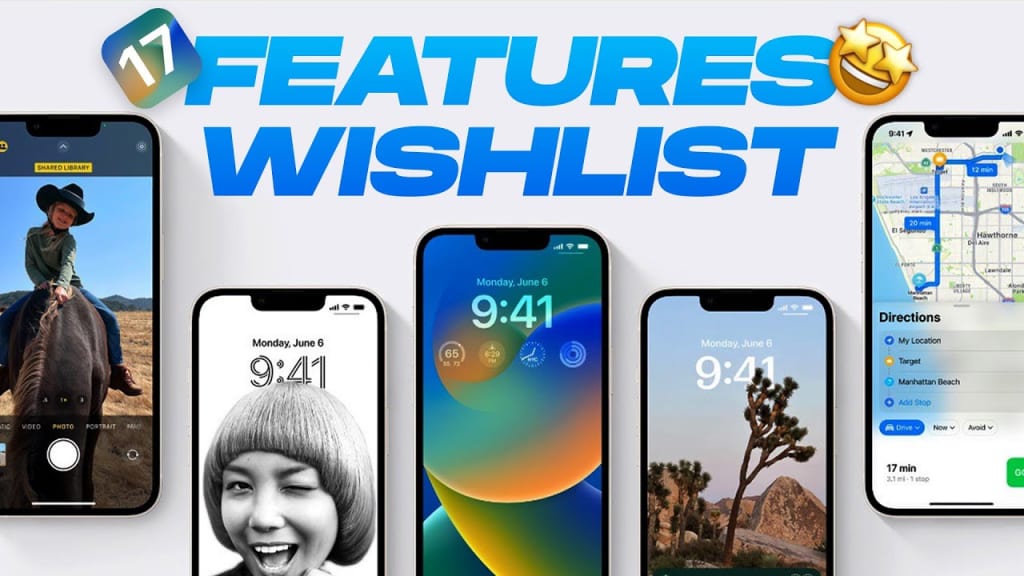
iOS 17: 5 Changes we’d like to see
1: Interactive home screen widgets
The home screen widgets look good, and the design is pretty modern. However, the functionality aspect is missing. A simple strike to clear out reminders or the ability to edit notes with 3D/ Haptic Touch would be a fantastic addition. You can already control Music from the widget.
If widgets are more interactive, it will reduce the point of opening the parent app for menial tasks. Simple sliders can be a great addition. A widget to conveniently view and reply to emails, reply to messages, or view Tweets and Reddit posts will make iOS widgets much better.
2: Homescreen customization
You won’t see an iOS post without the mention of customization. There’s no theme store, so we can’t conveniently apply themes to redesign the user interface radically. While Apple might not want to add a full-blown user-powered store like MIUI or ColorOS, a theme store that’s limited and controlled by Apple with a few designs every few months is not a bad idea.
Apple does not easily let you customize your iPhone because they currently have a reputation for standing out with their software. You’ll know it’s an iPhone after a glance at the UI design. If they let people apply random themes, they might lose this instant recognition.
If not a theme store, the ability to effortlessly edit icons and icon sizes would be a welcome addition. We also need the option to change the app grid layout and the ability to place apps wherever we want to. While some of this is possible with third-party apps, it gets incredibly clunky and time-consuming.
If you want to apply your icons, it’s a cumbersome and lengthy process since you have to download the icons you wish to, create a shortcut for every app one by one with the Shortcuts app, and then apply them individually.
3D/ Haptic Touch is still pretty lacking, and they can add an option to update apps via 3D Touch or other subtle tweaks to make it worthwhile. More widget sizes and icon sizes will improve the aesthetics of the UI, too, though it probably won’t happen.
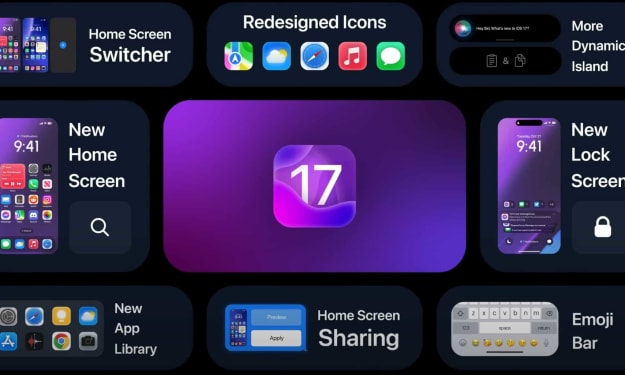
iOS 16 has a lock screen switcher. Long pressing will reveal the rest of your lock screens, and you can switch between them. If they add more customization, iOS 17 needs a similar feature for the home screen.
3: Improved Multitasking
iOS can multitask with the Dynamic Island on the 14 Pros, and it’s just the picture-in-picture mode for other iPhones. Android phones have had Split Screen multitasking for a long time, a feature missing on iOS.
We still don’t have resizeable floating windows on iOS, either. They’re handy features. This feature has several use cases, like reading a post while typing notes, editing photos while scrolling through your Twitter feed, chatting on a Messaging app while watching a video or playing a game, etc.
Some skins have a sidebar where you can quickly launch apps you pinned or your recent apps. You can also pin multiple apps to it simultaneously and launch them simultaneously. Adding a sidebar that’s a toned-down Dock of macOS will still massively improve the multitasking capabilities.
It’s disappointing that Apple’s chips have so much horsepower, yet the software is the bottleneck since you can’t take advantage of it. It’s unrealistic to expect a feature similar to Stage Manager. We probably won’t see the elements and the amount of multitasking on Android, either.
4: Stability
iOS 16 has had several issues with display quality control. Hardware issues aside, there were several visual errors, like disappearing widgets or random phone crashes and freezes. App crashes and UI inconsistencies with font and design errors were reported extensively.
Problems with thermals were extensively reported, and so was increased standby drain. Worse overall battery life too. Random Wi-Fi disconnection, AirDrop bugs, and black wallpapers are to name a few. Apple typically has a reputation for providing stable software with fewer bugs than Android, but iOS 16 has destroyed that reputation.
For iPhone 14 Pro users, there were many bugs with the Dynamic Island feature. iOS 16 has been the most unstable version by far, surpassing the infamous iOS 13 in terms of instability. Many iOS users would be satisfied with a new version that offers fewer new features but focuses on stability and bug fixes instead.
5: UI/ UX Redesign
It’s probably pointless to expect a radical redesign with new icons and fonts and a theme revamp since it will probably not happen for a long time. iOS 7 was an extensive UI redesign, and iOS 8 and 9 followed up by modernizing the looks of the icons. Since then, all icon changes made were pretty subtle.
UI design began with skeuomorphism that represented real-life objects to remind people of the function of an app. Later, the design moved to flat 2D icons, overall minimalism, and a glass-morphism design with Gaussian Blur, Bold Fonts, and aesthetic System Apps.
It’s interesting to note that macOS design has not stuck to 2D apps but has evolved to new morphism. macOS icons aren’t skeuomorphic but have a near-3D shape, depth, shadows, and gradients. This looks refreshing, and it’ll be nice to see iOS adopt a new-morphic design with icons that have depth, shadows and gradients.
About the Creator
John
My aim is to create engaging and informative content that connects with my audience and inspires them in some way. And my goal is to leave a lasting impression.



Comments
There are no comments for this story
Be the first to respond and start the conversation.